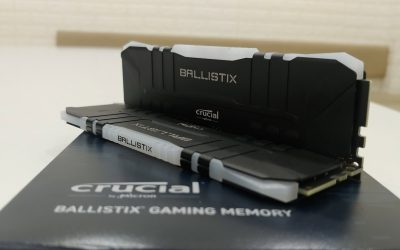
Dual channel RAM roughly doubles the memory bandwidth available compared to single channel, by letting the CPU access two sticks at once instead of one. For gaming specifically, this difference can be significant, sometimes tens of percent in frame rate, particularly with integrated graphics or memory-sensitive CPU platforms.
- Dual channel roughly doubles available memory bandwidth.
- The gaming difference is often larger than people expect.
- Integrated graphics benefit the most from dual channel.
- Two smaller sticks usually beat one large stick of the same total.
What Separates Them
Single channel uses one memory stick, or multiple sticks that aren’t installed in the correct matching slot pair, so the CPU accesses memory one path at a time. Dual channel uses two matched sticks in the correct slots, letting the CPU read and write across both simultaneously.
The Real-World Performance Gap
Testing from outlets such as TechSpot has repeatedly shown double-digit percentage frame rate differences between single and dual channel configurations in several games, particularly at 1080p where the CPU and memory subsystem matter more relative to the GPU. The gap narrows somewhat at higher resolutions where the GPU becomes the bigger factor.
Where Dual Channel Matters Most
- Laptops and desktops with integrated graphics, since they share system memory bandwidth directly
- CPUs known to be memory-sensitive, such as many AMD Ryzen chips
- Any workload that’s bandwidth-heavy, including some creative and productivity software
One Large Stick vs Two Smaller Ones
A single 32GB stick provides the same total capacity as two 16GB sticks, but only the two-stick configuration enables dual channel. If you’re buying RAM and comparing similar prices, two matched sticks are almost always the better choice over one large stick, unless your specific motherboard or laptop truly only has one slot available.
Check yours: open Task Manager’s Memory tab or CPU-Z to confirm whether your system is actually running in dual channel right now, since it’s easy to end up in single channel by accident with mismatched slots. Also check what RAM do I have to see your full current configuration.
What About Quad Channel?
Some high-end platforms support quad channel, using four sticks for even more bandwidth, though this is mostly relevant to workstation and server use, similar to what Intel’s Xeon workstation lineup targets, rather than typical gaming or everyday desktops, where dual channel already captures most of the practical benefit.
Frequently Asked Questions
Is dual channel worth it for gaming?
Yes, often meaningfully so, especially with integrated graphics or memory-sensitive CPUs, where testing shows measurable frame rate improvements over single channel.
Can I upgrade from single to dual channel?
Yes, by adding a second matched stick in the correct slot pairing, following how to install RAM.
Does dual channel matter with a dedicated GPU?
The benefit is smaller than with integrated graphics, but it’s still measurable in many games, particularly at lower resolutions.
Is one 32GB stick worse than two 16GB sticks?
For most systems, yes in terms of performance, since the single stick runs in single channel and misses the dual channel bandwidth benefit.