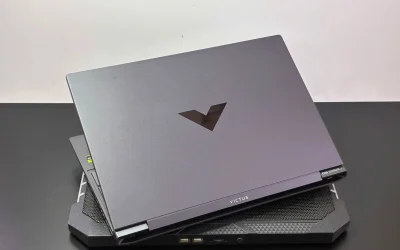
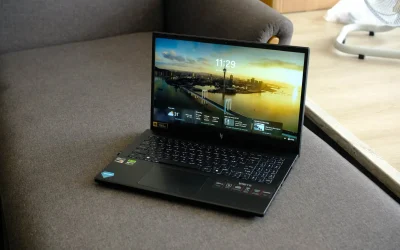
The Nvidia GeForce RTX 4050 laptop GPU shows up across dozens of different budget and mid-range gaming laptops, but the chip itself performs very differently depending on how much power the laptop maker actually allows it to draw. Understanding that variance matters more than the GPU name alone when comparing laptops that all claim the same RTX 4050 branding.
Full Specifications
| Spec | Details |
|---|---|
| Architecture | Ada Lovelace (AD107, 4nm) |
| CUDA cores | 2,560 |
| RT cores | 20 |
| Tensor cores | 80 |
| TMUs / ROPs | 80 / 32 |
| Memory | 6GB GDDR6, 96-bit bus, 216 GB/s bandwidth |
| TGP range | 35-115W, plus 10-25W Dynamic Boost from CPU |
| Boost clock range | 1,605 MHz (35W) up to 2,370 MHz (115W) |
The Same GPU Name Can Mean Very Different Performance
This is the single most important thing to understand about the mobile RTX 4050, and it applies to nearly every laptop GPU tier but is especially pronounced here:
- A 35W configuration and a 115W configuration share the identical chip and CUDA core count
- Boost clock ranges from 1,605 MHz at the low end to 2,370 MHz at the high end, a substantial 765 MHz spread
- Real-world gaming performance between a low-TGP and high-TGP laptop with the same “RTX 4050” label can differ significantly
Checking a specific laptop’s TGP configuration, not just its GPU model name, is essential before comparing performance claims across different models.
Where It Sits Against Other Mobile GPUs
Independent benchmarking places the RTX 4050 laptop GPU in a specific competitive slot:
- Slightly behind the older mobile RTX 3060 in raw performance
- Clearly ahead of the mobile RTX 3050 Ti
- Best suited for 1920×1080 gaming at high to ultra settings, depending on the specific game and TGP configuration
6GB VRAM on a Narrow 96-Bit Bus
The memory configuration here is genuinely modest, 6GB of GDDR6 on a 96-bit bus delivering 216 GB/s of bandwidth. That’s adequate for 1080p gaming at the settings this GPU tier targets, but it’s worth noting as one of the narrower memory configurations among current mobile GPU tiers, limiting headroom for texture-heavy titles or extended future-proofing.
Dynamic Boost Adds Another Layer of Variability
Beyond the base TGP range, Nvidia’s Dynamic Boost technology can shift an additional 10-25W from CPU power budget to the GPU when a workload benefits more from graphics performance than processor speed. That adds yet another variable affecting real-world performance between laptops, on top of the base TGP configuration difference already at play.
How to Actually Compare RTX 4050 Laptops
- Look up the specific laptop’s rated TGP, usually listed in manufacturer spec sheets or independent reviews, rather than assuming all RTX 4050 laptops perform similarly
- Higher TGP configurations, closer to the 115W ceiling, will meaningfully outperform 35-65W configurations in the same GPU tier
- Pair TGP awareness with checking the laptop’s cooling design, since a higher TGP GPU needs adequate thermal headroom to sustain those clocks
Pros and Cons
What stands out
- Genuinely capable 1080p gaming performance at higher TGP configurations
- Ada Lovelace architecture brings DLSS 3 support to entry-level laptop pricing
- Widely available across a broad range of budget and mid-range laptops
What gives pause
- Performance varies substantially between low-TGP and high-TGP laptop implementations sharing the same GPU name
- 6GB VRAM on a 96-bit bus is a modest memory configuration relative to some competing tiers
- Buyers must research specific laptop TGP configurations rather than relying on the GPU name alone
FAQ
1. Why do different laptops with the same RTX 4050 perform differently?
Laptop makers configure the GPU’s TGP anywhere from 35W to 115W, and that power ceiling directly affects boost clock speed and real-world gaming performance.
2. Is the RTX 4050 better than the RTX 3060?
Slightly behind it in raw performance, according to independent benchmarking, though it does bring newer Ada Lovelace features like DLSS 3.
3. How much VRAM does the RTX 4050 laptop GPU have?
6GB of GDDR6 on a 96-bit memory bus, adequate for 1080p gaming but modest relative to some competing GPU tiers.
4. How do I know what TGP my laptop’s RTX 4050 runs at?
Check the specific laptop’s manufacturer spec sheet or independent reviews, since this isn’t always obvious from general product listings that just say “RTX 4050.”
The Nvidia GeForce RTX 4050 laptop GPU delivers genuinely solid 1080p gaming, but its performance is inseparable from the specific laptop it’s configured in. Checking TGP configuration before comparing laptops is the single most useful step for understanding what performance to actually expect.
This review is based on manufacturer-published specifications and independent reporting as of publish date.