Creative workflows and sprawling game installations quickly fill local system drives. Finding the best 8TB SSD external hard drives helps creators and power users store extensive media libraries while preserving rapid transfer performance. Understanding what is the difference between HDD and SSD clarifies why solid-state desktop drives represent such a massive upgrade.
Recommended by Us

SanDisk 4TB Extreme Portable SSD
- Blazing read speeds up to 1050MB/s and write speeds up to 1000MB/s
- Exceptional IP65 dust and water resistance with 3-meter drop durability
- Ultra-lightweight design weighing only 0.11 pounds
- Hardware-based 256-bit AES encryption keeps sensitive files secure
- High-capacity fast NVMe storage carries a premium investment
- Sustained speeds may vary depending on host device capabilities

- Massive 8TB storage capacity in a desktop form factor
- Powers directly through USB-C without requiring an electrical wall outlet
- Ready for use with both macOS and Windows platforms
- Includes Rescue Data Recovery Services
- Manufacturer does not specify exact read and write transfer speeds
- Weighs over 2.5 pounds, making it better suited for desks than mobile travel

- Fast transfer speeds up to 2000MB/s for quick workflow turnaround
- Strong physical durability with IP65 weather rating and 3-meter drop tolerance
- Substantial 4TB capacity inside an ultra-light 0.1-pound enclosure
- Hardware-based 256-bit AES encryption keeps sensitive files secure
- Cable inclusions and adapter details are not specified in the listing
- Carries a significant price premium compared to standard external drives

- Enormous 20TB storage pool accommodates massive libraries and media archives
- Instant plug-and-play operation for Windows 10 and above
- Reliable USB 3.0 desktop connectivity with no bloatware required
- Small, tidy enclosure profile fits easily on busy workstations
- Requires manual reformatting before it can be used with macOS
- Specific read and write transfer benchmark numbers are not stated in product specs
- Desktop form factor requires dedicated placement rather than portable on-the-go use

SanDisk 8TB Desk Drive SSD
- Unprecedented 8TB capacity in a dedicated desktop solid-state drive
- High-speed read transfers up to 1000MB/s significantly speed up large file management
- Plug-and-play usability for both Windows and Mac systems without reformatting
- Compact footprint occupies minimal desk surface area
- Stationary desktop orientation is not tailored for pocket portability
- Write speed specifications are omitted from the official documentation
- Significantly higher initial investment compared to mechanical desktop drives
SanDisk 2TB Extreme Portable SSD
- Impressive read speeds up to 1050MB/s via modern USB-C USB 3.2 Gen 2 interface
- Ruggedized design with IP65 weather rating and 3-meter drop protection
- Extremely lightweight at just 0.11 pounds for effortless everyday carry
- Includes 256-bit AES hardware encryption for robust personal data security
- Sustained transfer performance can vary depending on the host hardware used
- Integrated carabiner clip is not included in the box, only the built-in loop

- Huge 8TB storage volume eliminates the need to constantly uninstall games
- Quick 7200RPM drive performance with transfer rates up to 250 MB/s
- Active cooling fan prevents thermal throttling during heavy data loads
- Two integrated USB charging ports help declutter desktop charging setups
- Desktop-class footprint and 2.16-pound weight make it bulky for frequent travel
- Host connection interface generation is not explicitly detailed in the specifications
Selecting the Right Drive for Capacity and Speed
When you need massive capacity paired with solid-state speed, options narrow quickly because high-capacity flash storage requires specialized hardware. If pure solid-state performance on a desktop workstation is your primary objective, I would go with the SanDisk 8TB Desk Drive. It delivers read speeds up to 1000MB/s over USB 3.2 Gen 2, which makes backing up sprawling media libraries far faster than mechanical alternatives. Its exFAT formatting also provides immediate cross-platform use for Windows and macOS systems.
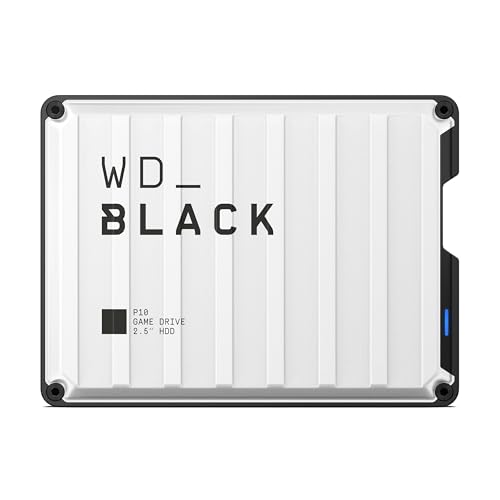
For users who need vast 8TB storage primarily for archiving games and cold data, traditional mechanical desktop drives offer an alternate balance of space. I would point gamers toward the WD_BLACK 8TB D10, which features active cooling technology and speeds up to 250MB/s alongside integrated USB Type-A charging ports. Meanwhile, media professionals working with Apple Time Machine can verify hardware options through SanDisk directly to match backup software requirements. Understanding internal layout choices, like where is the SSD located in a computer, highlights the sheer convenience of keeping high-capacity storage on your desk.
FAQs
1. Why are 8TB external SSDs less common than portable hard drives?
Flash memory chips remain significantly more complex and expensive to manufacture at very high capacities compared to mechanical magnetic platters. Fitting eight terabytes of NAND flash onto a compact circuit board generates heat and requires sophisticated controller hardware. As tech publications like Tom’s Hardware explain, desktop solid-state enclosures address these thermal demands using larger chassis designs.
2. Can an external SSD run games directly without installing them locally?
Yes, modern solid-state external drives with USB 3.2 Gen 2 interfaces offer sufficient bandwidth to launch and run PC games directly. Load times remain responsive because solid-state memory lacks the mechanical seek times found in traditional hard disks. You can store your backlog externally without having to worry whether you should you compress an SSD drive to save local space.
3. Do 8TB external SSD drives require an external power brick?
High-capacity desktop SSDs like the SanDisk 8TB Desk Drive typically connect via USB Type-C while utilizing an external power source to ensure consistent delivery to high-density flash arrays. Smaller portable drives can run on bus power, but stationary high-capacity enclosures prioritize stable performance over mobile convenience during sustained file transfers.
4. How does formatting affect drive performance between Windows and Mac?
Drives formatted in exFAT operate out of the box on both Windows and macOS systems without requiring third-party drivers. However, specific native backup features such as Apple Time Machine may suggest reformatting to APFS. Solid-state technology has advanced considerably since answering when did SSDs come out, making cross-platform file transfers reliable across different operating environments.
Editor’s Verdict
For users searching for the best 8TB SSD external hard drives, the SanDisk 8TB Desk Drive stands out by combining massive capacity with read speeds up to 1000MB/s. If budget constraints prioritize volume over flash speeds, the WD_BLACK 8TB D10 provides dependable space for expansive game libraries.