


The ThinkPad X1 Carbon has been the default recommendation for business laptops for over a decade. The Gen 14 Aura Edition update leans into Intel’s new Panther Lake silicon while pushing battery life claims close to a full 24 hours. This review covers the CPU options, display choices, and whether the price is justified.
Quick verdict: The ThinkPad X1 Carbon Gen 14 Aura Edition pairs Intel Core Ultra processors, including Panther Lake options, with a 2.15 lb chassis, a base 32GB of RAM, and a choice between a Full HD+ touch display or a 2.8K OLED panel. Battery life is rated at close to 24 hours in testing. It’s still one of the most complete business ultrabooks available, at a price that reflects that positioning.
At a Glance: ThinkPad X1 Carbon Gen 14 Specs
- CPU: Intel Core Ultra 5 335 (base), up to Panther Lake Core Ultra X options
- RAM: 32GB base, up to 64GB
- Storage: 256GB SSD base, user-swappable
- Display: Full HD+ touch, 60Hz (base), or 2.8K OLED with dynamic VRR (no 4K option)
- Battery: Rated close to 24 hours, user-swappable
- Weight: 2.15 lbs (under 1 kg)
- Starting price: In the $2,000 to $2,200 range
- Max configuration: Can climb past $3,000
Who Is the ThinkPad X1 Carbon Gen 14 Actually For?

This laptop is built for a specific kind of buyer:
- Someone who needs a business-grade machine with serious battery life
- Buyers who want a genuinely light chassis without sacrificing durability
- IT departments and professionals who travel heavily and value enterprise-level support
Gamers and creators looking for GPU power should look elsewhere, since this machine runs on integrated graphics only.
Design and Build: The ThinkPad Formula, Refined

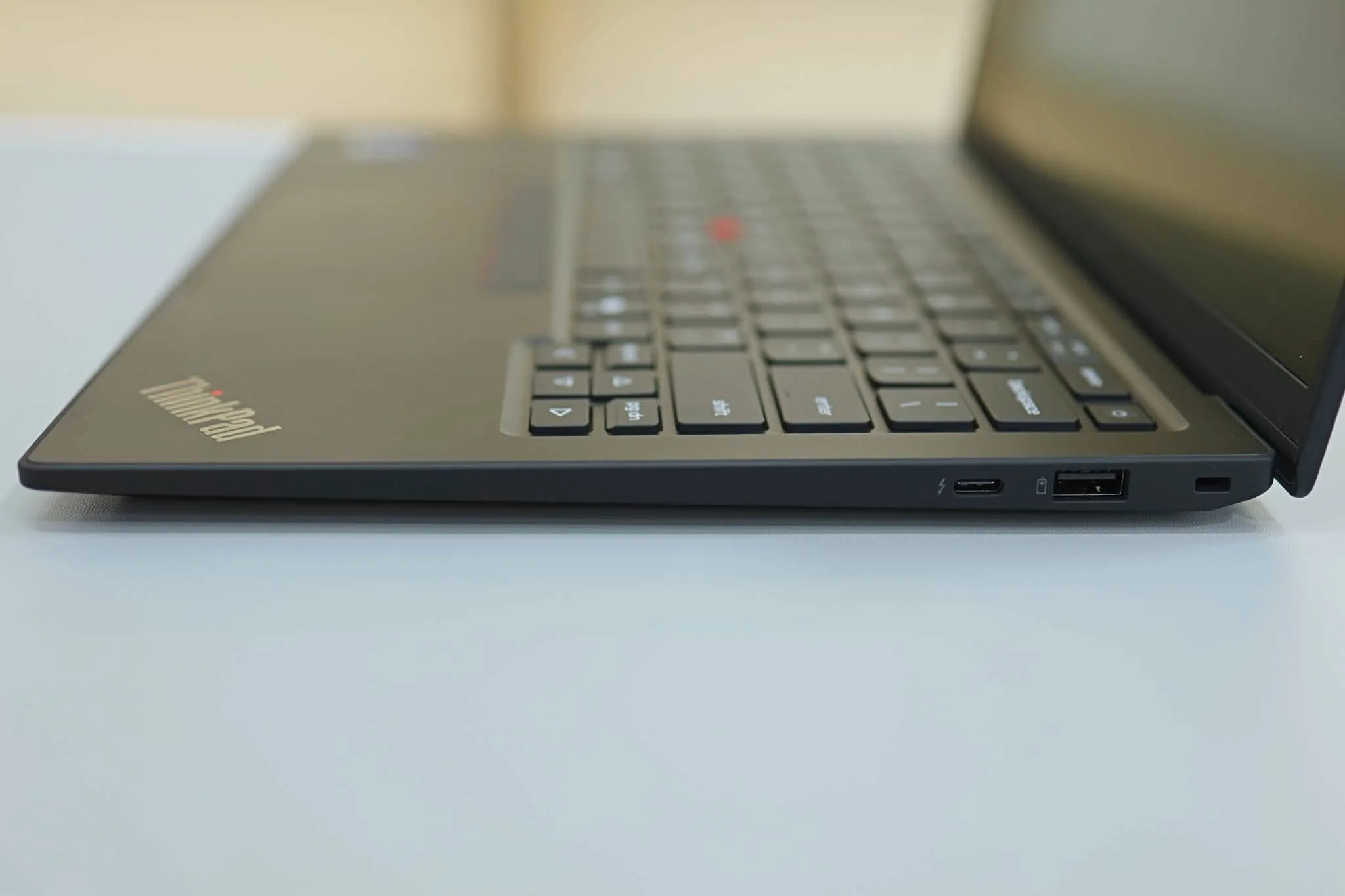
At 2.15 lbs, this is genuinely one of the lightest 14-inch laptops available in this class. Two details stand out for serviceability:
- A user-swappable battery
- A user-swappable SSD
That’s a meaningful departure from most modern ultrabooks that seal everything shut. Serviceability has always been part of the ThinkPad appeal for IT departments managing large fleets of devices, and it’s good to see Lenovo keep that design philosophy in the Gen 14 update rather than sacrificing it for thinness.
Display Options: FHD+ Touch or 2.8K OLED

The base configuration ships with a Full HD+ touch display at a 60Hz refresh rate, functional but unremarkable. The step-up 2.8K OLED panel with dynamic VRR is where this laptop’s display actually gets competitive:
- Sharper text for document and presentation work
- Better contrast than the base panel
- No 4K option, with 1800p as the resolution ceiling, which keeps battery life practical
Performance: Panther Lake Options
The base Core Ultra 5 335 configuration targets everyday productivity rather than demanding workloads. The available Panther Lake Core Ultra X options bring a real step up in both CPU and efficiency core performance. The Core Ultra 5 325 variant within the Panther Lake lineup runs 8 cores split between 4 performance and 4 efficiency cores, with a max clock of 4.5GHz.
For most business use cases, browsing, office apps, video calls, and light multitasking, even the base configuration should feel snappy. The Panther Lake upgrade matters more for buyers running heavier multitasking workloads.
Battery Life: Close to a Full Day and a Half
Independent testing has clocked this machine close to 24 hours of battery life. That’s an exceptional number even accounting for the usual gap between lab testing and real-world mixed use. For business travelers who need a laptop that can survive long flights or full days without hunting for an outlet, this is one of the strongest battery results in its class right now.
Pros and Cons
What stands out
- Close to 24-hour rated battery life, among the best in its class
- Genuinely lightweight at 2.15 lbs without feeling fragile
- User-swappable battery and SSD, unusual for a modern ultrabook
- Panther Lake CPU options for buyers who want the latest silicon
- 32GB RAM as the base configuration is generous for this laptop class
What gives pause
- Starting price is a serious premium over most consumer ultrabooks
- Base display is only Full HD+ at 60Hz; the better OLED panel costs extra
- No discrete GPU, so it’s not built for gaming or GPU-heavy creative work
- Base storage of 256GB is small for the price tier and likely needs upgrading for most buyers
ThinkPad X1 Carbon Gen 14 vs. the Competition
Against a consumer ultrabook like the Dell XPS 13, the ThinkPad X1 Carbon wins clearly on battery life and serviceability but costs significantly more. It targets a different buyer entirely: business and enterprise rather than general consumer use. Against other business-class ultrabooks like the HP EliteBook line, the combination of user-swappable components and near 24-hour battery life is a genuinely hard-to-match differentiator.
FAQ
1. Is the ThinkPad X1 Carbon Gen 14 good for gaming?
No, it runs on integrated graphics only and is built for business and productivity use, not gaming.
2. How long does the battery actually last?
Independent testing has rated it close to 24 hours, exceptional for a 14-inch business laptop, though real-world mixed use will typically land somewhat lower.
3. Can you upgrade the RAM and storage yourself?
Storage (SSD) and the battery are user-swappable, unusual for a modern thin-and-light laptop and a genuine advantage for IT departments and long-term owners.
4. Is the ThinkPad X1 Carbon Gen 14 worth the price?
For business buyers who value battery life, serviceability, and enterprise-grade build quality, yes. Buyers on a tighter budget or without a need for that level of durability and support will likely find better value elsewhere.
Final Take
The ThinkPad X1 Carbon Gen 14 Aura Edition continues the line’s reputation as one of the most complete business laptops available, with battery life that stands out even in a category known for long runtimes. The starting price is steep, but for the audience this machine is built for, it’s priced in line with what it delivers.
This review is based on manufacturer-published specifications and independent test data as of publish date. It will be updated with hands-on testing as more configurations become available.
