

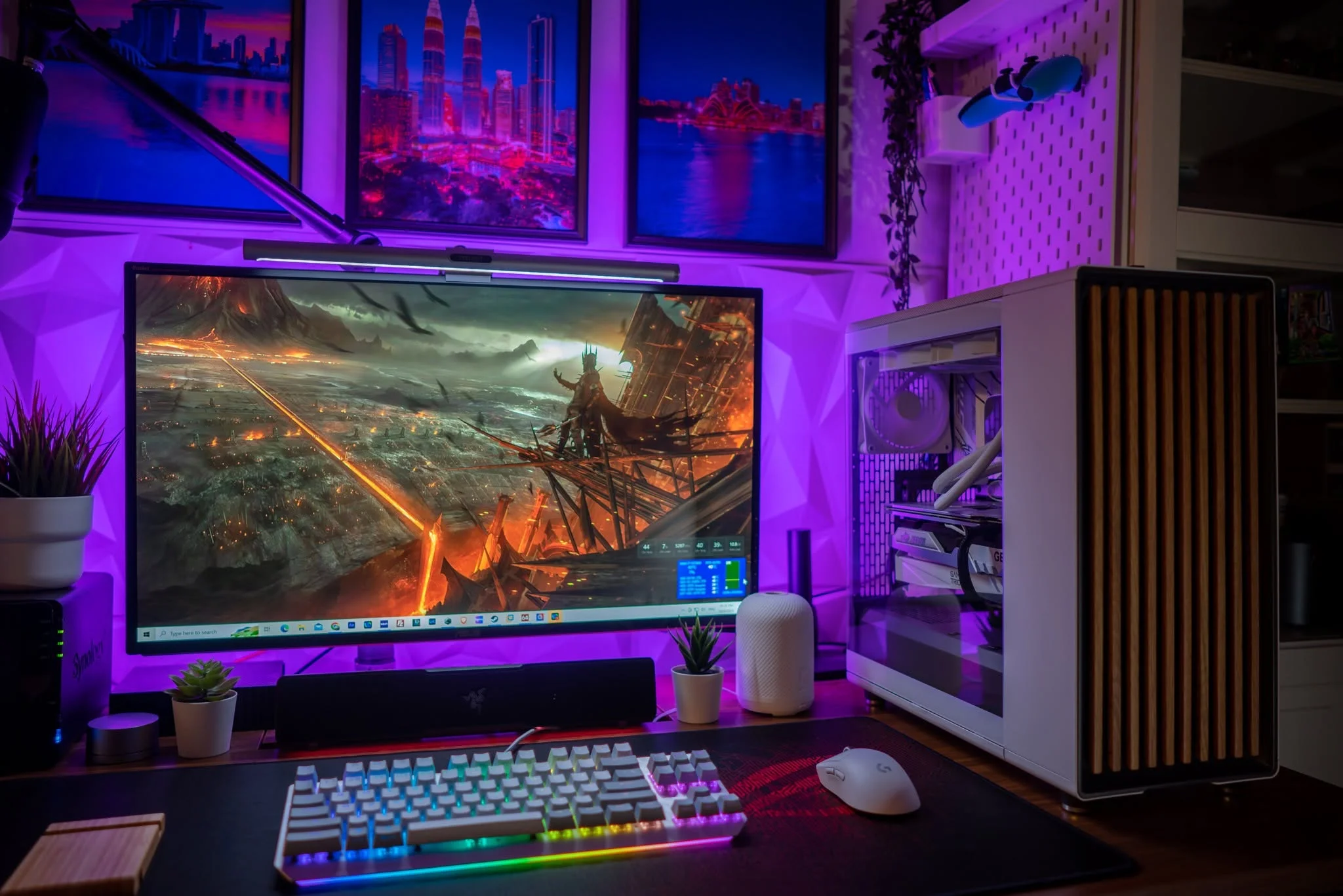
Three of the five systems here use an RTX 50-series graphics card, which is a lot for this budget. Among the best prebuilt gaming PCs under $1000, the KOTIN RTX 5060 TI has the strongest graphics and the ZOTAC RTX 5060 is the name-brand option.
Recommended by Us

KOTIN Gaming PC with RTX 5060 Ti
- RTX 5060 Ti graphics target both high-FPS 1080p and 1440p gaming.
- Fast 1TB Gen4 NVMe storage offers a useful combination of speed and capacity.
- Four DIMM slots and two M.2 slots provide clear memory and storage expansion paths.
- Wi-Fi, Bluetooth, HDMI, and DisplayPort support are included.
- Windows 11 Home comes pre-installed for a straightforward initial setup.
- The system uses DDR4 rather than newer DDR5 memory.
- 16GB of RAM may eventually need an upgrade for heavier multitasking or demanding creative workloads.
- The graphics card has 8GB of VRAM, which can require adjusted texture settings in more demanding 1440p workloads.
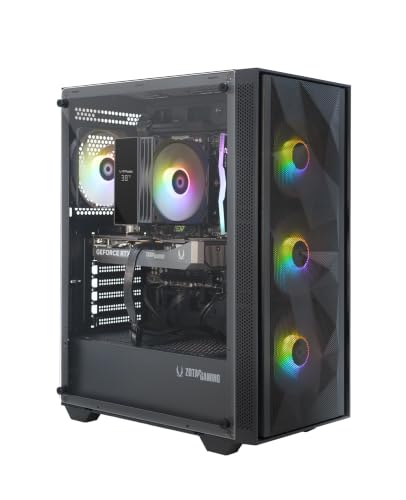
ZOTAC MEK Ryzen 5 RTX 5060
- Current NVIDIA GeForce RTX 5060 graphics with 8GB GDDR7 memory
- Includes a spacious 1TB NVMe SSD
- WiFi 6E is included for modern wireless networking
- 650W 80+ Gold PSU is specified rather than left undisclosed
- Windows 11 Home is included
- The listing does not specify the motherboard model or chipset
- Cooling hardware and case airflow details are not listed
- Internal expansion options and available ports are not specified

Evounic Ryzen 7 RTX 5060 Gaming PC
- Modern GeForce RTX 5060 graphics with 8GB GDDR7
- Eight-core-class Ryzen 7 product tier for gaming and productivity
- Fast 1TB NVMe SSD provides practical storage capacity
- Liquid CPU cooling, ARGB lighting, WiFi 6, and Bluetooth 5.4 are included
- Ships with Windows 11 plus an RGB keyboard and mouse
- 16GB DDR4 may be limiting for especially demanding multitasking or content-creation workloads.
- The listing does not identify the motherboard, power supply wattage, or power supply efficiency rating.
- Detailed port selection and display-output information are not provided.
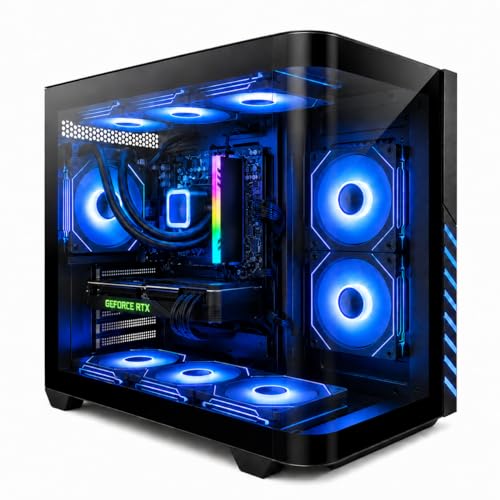
Evounic Gaming PC Ryzen 7 RTX 4060 Ti
- Liquid cooling keeps the Ryzen 7 stable under load with nine ARGB fans for airflow
- DDR5 RAM and NVMe storage deliver fast boot and load times for modern games
- RTX 4060 Ti provides smooth 1440p gaming with ray tracing on supported titles
- Complete package includes peripherals and Windows 11 Pro
- WiFi 6 eliminates the need for ethernet in most homes
- RTX 4060 Ti is entry-level for high-end AAA gaming - expect lower settings at 4K
- No specifications listed for case size, PSU wattage, or upgrade path
- Zero customer reviews available yet to verify real-world performance

Olialia RTX 3060 Ti Gaming PC
- RTX 3060 Ti is capable of high-setting 1080p and 1440p gaming.
- 32GB of RAM is generous for gaming and multitasking.
- Includes a 1TB SSD and pre-installed Windows 11.
- Six case fans, ventilated panels, and dust filters support airflow management.
- Multiple graphics outputs accommodate multi-monitor configurations.
- The listing does not specify Wi-Fi connectivity.
- Power supply wattage and efficiency rating are not provided.
- Display cables must be connected to the lower graphics card ports rather than the motherboard outputs.
What a Gaming PC Around $1000 Can Do
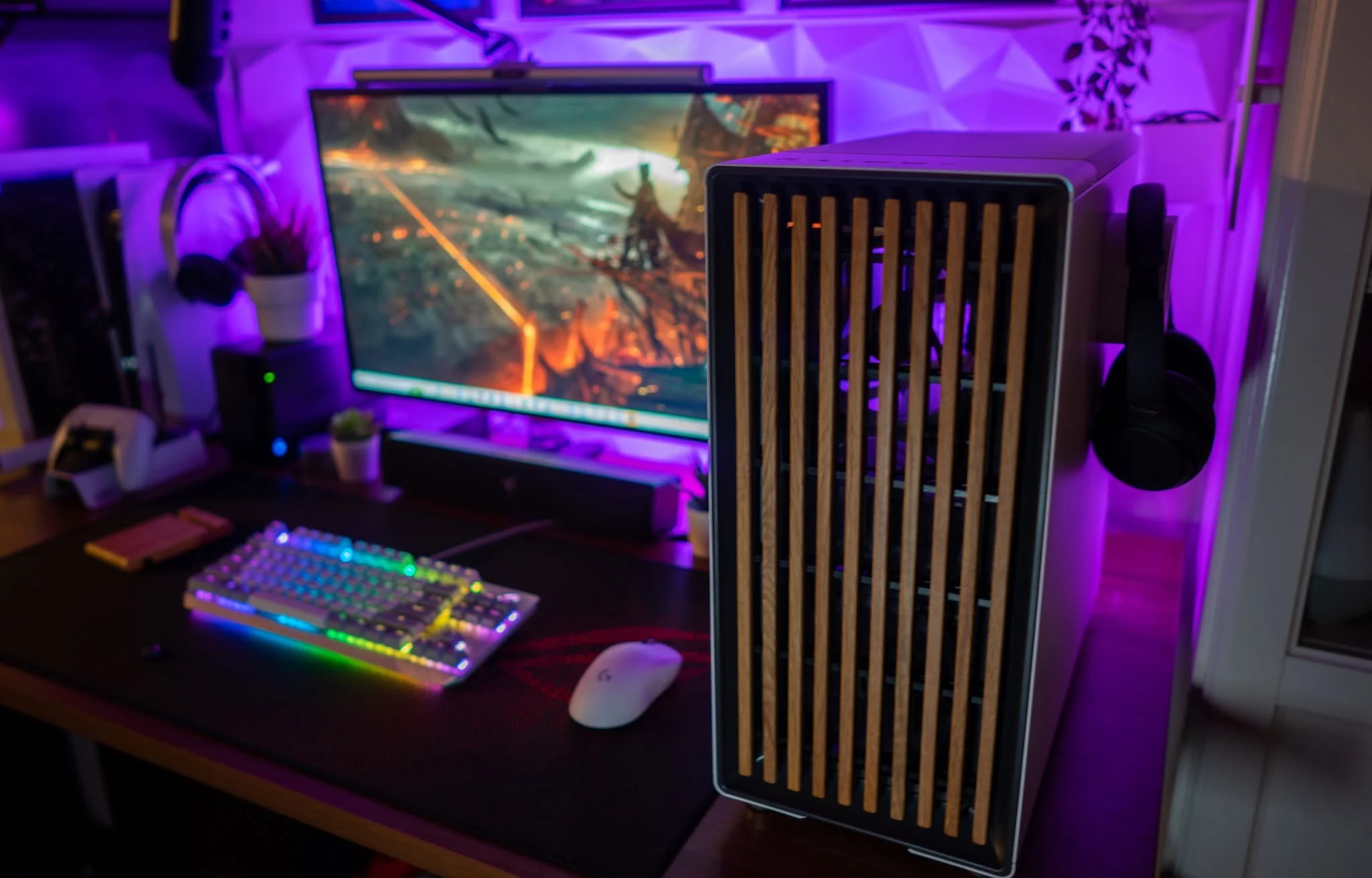

A gaming desktop in this bracket can provide excellent 1080p performance and capable 1440p gaming when paired with sensible graphics settings. Current listings may include dedicated graphics such as the RTX 5060 Ti, RTX 5060, or RTX 4060 Ti, along with a modern multi-core processor. These components are also suitable for streaming, everyday productivity, and lighter creative workloads. Our overview of gaming PC specs explains how the main components affect different uses.
This class of computer is aimed primarily at high-quality 1080p gaming and entry-level to mainstream 1440p play. Ray tracing may be practical in compatible software when settings and upscaling are adjusted, but maximum ray-traced settings can still be demanding. Consistently smooth 4K gaming at high settings remains outside the main target for this budget. Buyers should prioritize a balanced configuration rather than assuming that one impressive component guarantees equally strong performance across every workload.
Worth knowing: A stronger graphics card only pays off when your monitor resolution and refresh rate can use the extra performance. Choose the GPU for the screen you own or plan to buy.
What to Expect at This Price
The systems in this range usually combine mainstream gaming hardware with practical memory and storage capacities.
| Component | What You Get |
|---|---|
| CPU | A recent six-core or eight-core desktop processor suited to gaming, multitasking, streaming, and general applications. |
| GPU | Dedicated graphics such as the RTX 5060 Ti, RTX 5060, or RTX 4060 Ti, usually aimed at 1080p and 1440p gaming. |
| RAM | Typically 16GB or 32GB of DDR4 or DDR5 memory, depending on the platform and overall configuration. |
| Storage | An NVMe SSD that supports quick startup, responsive applications, and shorter loading times than a mechanical hard drive. |
The same graphics card can appear in computers with different processors, memory capacities, power supplies, and cooling arrangements. Compare the full specification rather than judging a system by its GPU alone. Our CPU and GPU comparison explains how each component contributes to gaming performance and overall responsiveness.
How to Choose a Prebuilt at This Budget
Start with the parts that directly affect your games, then examine the supporting hardware and upgrade options.
Start With the Graphics Card
The graphics card usually has the greatest effect on gaming resolution, visual settings, and overall smoothness. An RTX 5060 Ti is the strongest NVIDIA option represented in the table, while the RTX 5060 and RTX 4060 Ti remain relevant choices for mainstream gaming. Older cards can still be useful, but their feature support and performance profile may differ. Compare the exact GPU rather than relying on broad labels such as gaming desktop or high-performance computer.
Match the GPU to your monitor and the types of games you prefer. A 1080p display generally places less demand on the graphics card than a 1440p display, while higher refresh rates can make additional GPU performance more useful. If you play visually demanding releases, leaving graphics headroom is sensible. Competitive players may instead prioritize responsive performance and processor balance. Avoid paying for graphics power that your current display cannot meaningfully show.
Balance the CPU and RAM

A powerful graphics card should be paired with a processor capable of feeding it consistently. Six-core and eight-core CPUs are common among these systems, but architecture and clock behavior also matter. Avoid configurations built around one standout component while the rest of the specification is noticeably weaker. An uneven combination can limit performance in processor-heavy games, streaming applications, or demanding multitasking, even when the graphics card looks impressive on the product page.
Consider 16GB of system memory the practical floor for a current gaming PC. It supports gaming and ordinary background applications, although heavy multitasking can use that capacity quickly. A 32GB configuration provides more room for streaming, content creation, browser tabs, and demanding applications. Memory generation also varies between systems. Our DDR4 and DDR5 comparison covers the differences without treating memory type as the only measure of performance.
Storage, Power and Cooling
An NVMe SSD helps Windows, applications, and games load quickly, but capacity matters as much as drive type. A larger game library can fill a smaller drive sooner than expected. Check whether the motherboard includes another storage slot or whether the case has room for an additional drive. Expansion can be more economical than replacing the original SSD, provided the system uses standard connections and the manufacturer permits normal component upgrades.
The power supply and cooling system influence stability, noise, and long-term reliability. Look for a clearly stated power rating and efficiency certification rather than assuming every listing uses an equivalent unit. Also check the number and placement of fans, the CPU cooler type, and whether intake areas have ventilation. Liquid cooling is not automatically necessary for every processor. What matters is whether the listed cooling arrangement is appropriate for the installed components and case layout.
Condition and Upgrades
Check whether the computer is listed as new, renewed, or used before ordering. Product condition can affect warranty coverage, included accessories, and return options. Read the current return window and warranty terms on the retailer page because these details can change. A recognizable component brand or clear system warranty may also make support easier. Do not assume every prebuilt includes the same service period simply because the internal hardware looks similar.
Upgrade access is another important consideration. Confirm whether the case has free drive locations, accessible memory slots, and enough physical space for a later graphics card. Standardized parts generally make repairs and upgrades easier than unusual connectors or custom-sized components. Our article about proprietary PC parts explains what to watch for. Always review the listing photographs and specifications instead of assuming upgrade compatibility from the case appearance.
Who Should Buy Which System
- Best overall: Evounic RTX 5060 pairs a Ryzen 7 5700X with RTX 5060 graphics and a 1TB NVMe SSD.
- Best for the strongest GPU: KOTIN RTX 5060 TI combines an RTX 5060 Ti with a Core i5-14400F and 16GB DDR4.
- Best value: ZOTAC RTX 5060 includes RTX 5060 graphics, WiFi 6E, and clearly stated warranty coverage.
- Best alternative brand: Evounic RTX 4060 TI offers RTX 4060 Ti graphics, DDR5 memory, and liquid cooling.
- Best runner-up: Olialia RTX 3060 TI provides 32GB RAM, a 1TB SSD, and six adjustable RGB case fans.
Final Thoughts
The Evounic RTX 5060 is the most balanced overall option, combining an eight-core processor, current RTX graphics, and practical storage. It suits buyers who want gaming performance without neglecting multitasking.
Choose the KOTIN RTX 5060 TI if graphics performance is the priority. Whichever system you select, confirm the current specification, warranty, condition, and upgrade layout before ordering.
More Options to Consider
- Olialia 16GB RTX 3060 TI uses the same GPU and Ryzen 5 5500 pairing as the table model but has 16GB RAM. It suits buyers who do not need the additional memory.
- SKYESEV RTX 3050 combines a Ryzen 5 5600, RTX 3050, and 32GB DDR4. It favors memory capacity over higher-tier graphics performance.
- Qehi RX 9060 XT offers RX 9060 XT graphics, an eight-core Ryzen 7 4700LE, WiFi 6, and seven RGB fans for buyers considering an AMD graphics option.
FAQs
1. Can you get a good gaming PC for under $1000?
Yes, this budget can buy a capable gaming desktop with dedicated graphics, a multi-core processor, and enough memory for current games. The strongest configurations are generally aimed at excellent 1080p gaming and practical 1440p play with sensible settings. Quality varies between listings, so compare the graphics card, processor, RAM, SSD capacity, power supply, and cooling. A balanced specification is more useful than one premium component surrounded by weaker supporting parts.
2. Is a prebuilt gaming PC around $1000 worth it?
A prebuilt can be worthwhile if you prefer a ready-to-use computer and do not want to select and assemble every component. It also places initial support and system warranty coverage with the seller or manufacturer, although terms vary. The tradeoff is that component brands, motherboard details, and upgrade access may not always be fully disclosed. Compare the complete specification and support terms before deciding whether the convenience justifies the configuration.
3. Which graphics card is best around $1000?
Among the systems listed here, the RTX 5060 Ti is the highest-positioned NVIDIA graphics option, followed by alternatives such as the RTX 5060 and RTX 4060 Ti. The best choice still depends on the accompanying processor, monitor resolution, cooling, and overall system quality. An RTX 5060 system may be preferable if it includes a better-balanced supporting specification. Do not choose by GPU name without comparing memory, storage, power delivery, and warranty coverage.
4. How much RAM does a gaming PC at this budget need?
For a current gaming desktop, 16GB is a practical starting point and should support gaming with ordinary background applications. Moving to 32GB provides additional headroom for streaming, content creation, large browser sessions, and heavier multitasking. Capacity usually matters more than paying extra solely for a newer memory generation. Our gaming PC memory article explains how different workloads affect RAM requirements.
5. Can I upgrade a prebuilt gaming PC later?
Many prebuilts allow storage and memory upgrades, and some can accept a replacement graphics card or power supply. Compatibility depends on the motherboard, case dimensions, available connectors, power capacity, and use of standard components. Check the listing for free memory slots, additional M.2 connections, and physical expansion room. You should also review warranty terms before opening the case or replacing parts, since upgrade policies differ among manufacturers and sellers.









