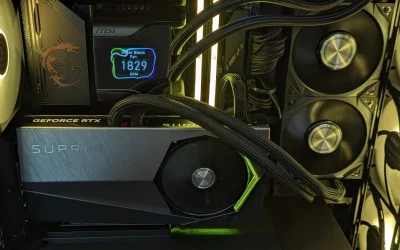
If $750 is your ceiling, the RTX 3050 and RX 6500 XT are the two graphics cards you will keep running into. Among the best prebuilt gaming PCs under $750, the WIWB RTX 3050 is the stronger of the two on graphics, while the SKYESEV RX 6500 XT is the Radeon alternative.
Recommended by Us

WIWB Gaming PC with GeForce RTX 3050
- RTX 3050 includes a comparatively useful 8GB GDDR6 graphics buffer
- Eight-core, 16-thread processor supports demanding multitasking
- Dual-channel 16GB DDR4 memory is appropriate for mainstream gaming and productivity
- NVMe storage and Wi-Fi 6 are included
- 512GB of storage can fill quickly with a large game or media library
- AM4 and DDR4 are mature technologies rather than current-generation platforms
- The listing does not specify the operating system, power supply, cooling hardware, or port selection

STGAubron RTX 3050 Gaming PC
- Dedicated RTX 3050 graphics with 6GB of GDDR6 video memory
- Ryzen 5 processor with six cores and 12 threads
- Useful 16GB RAM and 1TB SSD configuration
- Wi-Fi 6, Bluetooth 5.0, and multiple display outputs
- RGB keyboard and mouse included
- RTX 3050 graphics are positioned toward entry-level gaming rather than demanding high-end settings.
- The listing does not identify the power supply wattage or motherboard model.
- Memory speed and SSD interface are not specified.

SKYESEV Ryzen 5 5500 RX 6500 XT Gaming PC
- Six-core-class Ryzen 5 5500 platform is capable of gaming and general multitasking.
- Dedicated Radeon RX 6500 XT graphics are appropriate for entry-level gaming.
- 16GB of DDR4 3200MHz RAM is a useful starting capacity for gaming and streaming.
- Includes NVMe storage, built-in Wi-Fi, Bluetooth, and a Windows operating system.
- Five ARGB fans and a tempered glass panel create a customizable desktop appearance.
- The RX 6500 XT has 4GB of graphics memory, which can limit demanding visual settings and higher-resolution workloads.
- A 512GB SSD may fill quickly after installing several large applications or media projects.
- The listing identifies an MSI A520M-A PRO motherboard, an entry-level chipset platform with fewer premium features than higher-tier boards.

Evounic Ryzen 5 5500 RX 580 Gaming PC
- Capable entry-level configuration for 1080p gaming
- Useful 16GB RAM and 1TB NVMe storage combination
- Liquid CPU cooling is included
- WiFi 6 and Bluetooth 5.4 support
- Windows 11 is preinstalled
- The RX 580 is an older graphics architecture compared with current-generation GPUs.
- The listing does not specify the motherboard or power supply.
- No case dimensions or detailed port selection are provided.

Evounic Ryzen 5 5500 RX 580 Gaming PC
- Six-core, 12-thread Ryzen processor
- Dedicated graphics card with 8GB GDDR5 VRAM
- Generous 1TB NVMe storage capacity
- Eight RGB fans provide airflow and visual appeal
- Ready-to-use prebuilt configuration
- RX 580 is an entry-level option compared with newer graphics architectures
- Operating system is not specified in the listing
- Motherboard model, connectivity, and port selection are not listed
What a Gaming PC Around $750 Can Do
A gaming desktop in this budget range is primarily aimed at 1080p play. Mainstream dedicated graphics such as the NVIDIA GeForce RTX 3050, AMD Radeon RX 6500 XT, and Radeon RX 580 can provide enjoyable results when settings are adjusted to suit the game and card. These systems also pair their graphics cards with multi-core processors that can support gaming, everyday work, streaming, and general multitasking. Expectations should remain realistic, but this class offers a meaningful improvement over basic office desktops and systems relying entirely on integrated graphics.
Current listings commonly include a six-core processor, 16GB of memory, and an NVMe SSD, although exact capacities and configurations vary. That is a practical foundation for current games at sensible settings, with enough responsiveness for web browsing, voice chat, media, and background applications. Demanding 1440p gaming, high-refresh competitive performance at maximum settings, and uncompromised ray tracing are generally beyond the intended scope. Our prebuilt PC costs guide explains how features change across broader budget tiers.
Worth knowing: A stronger graphics card only pays off when your monitor resolution and refresh rate can use the extra performance. Choose the GPU for the screen you own or plan to buy.
What to Expect at This Price
These systems show the hardware combinations commonly available in this part of the market.
| Component | What You Get |
|---|---|
| CPU | A modern multi-core desktop processor, commonly an AMD Ryzen 5 5500, with enough cores for gaming and everyday multitasking. |
| GPU | Dedicated graphics such as an NVIDIA GeForce RTX 3050, AMD Radeon RX 6500 XT, or Radeon RX 580, primarily aimed at 1080p gaming. |
| RAM | Usually 16GB DDR4, although some listings may provide less and require an earlier memory upgrade. |
| Storage | An NVMe SSD, typically with enough room for Windows, core applications, and a modest game library. |
The same graphics card can appear in computers with different processors, memory capacities, SSD sizes, cooling arrangements, and power supplies. Compare the complete specification rather than treating the GPU name as the whole story. Our prebuilt comparison also explains how component selection differs from planning a custom build.
How to Choose a Prebuilt at This Budget
Focus on the parts that affect gaming first, then check whether the supporting hardware makes sense.
Start With the Graphics Card
The graphics card has the greatest influence on gaming image quality and smoothness. An NVIDIA GeForce RTX 3050 is the most attractive option among these listings when GPU performance is the main concern. An AMD Radeon RX 6500 XT is a practical alternative for straightforward 1080p play, while a Radeon RX 580 can suit less demanding games and reduced settings. Avoid choosing solely by graphics memory capacity because GPU architecture, features, and overall performance tier also matter.
Match the card to your monitor and the visual settings you realistically expect to use. A standard 1080p display does not demand the same graphics power as a high-refresh or higher-resolution screen. If you intend to keep an existing monitor, prioritize a balanced computer rather than paying only for graphics capability the display cannot show. Also confirm the listed video outputs match your monitor, particularly if you need HDMI, DisplayPort, or support for more than one display.
Balance the CPU and RAM
A strong graphics card cannot compensate for every weak supporting component. The AMD Ryzen 5 5500 found across several systems provides six cores and twelve threads, making it a sensible match for budget gaming and general multitasking. The WIWB listing instead includes the eight-core, sixteen-thread Ryzen 7 4700LE. More cores can help with heavier background workloads, but the processor should still be considered alongside the graphics card, memory configuration, storage, and cooling.
Treat 16GB of system memory as the practical floor for a new gaming computer in this category. It gives Windows, a game, communication software, and browser tabs enough working space without forcing constant compromises. A 32GB configuration can provide extra headroom for content creation, extensive multitasking, or memory-heavy applications, but none of the listed systems specifies that capacity. Check whether the memory is replaceable and whether open slots are available before planning a later upgrade.
Storage, Power and Cooling
An NVMe SSD keeps startup, application launches, and game loading responsive. A 1TB drive offers more convenient library space than a 500GB or 512GB drive, although capacity can often be expanded later. Look beyond storage size and check whether the listing identifies the drive format and available expansion options. Large modern game libraries can fill a modest SSD quickly, so buyers who keep many titles available may need secondary storage sooner than expected.
Power and cooling affect stability, noise, and long-term usability. Check whether the seller states the power supply wattage and efficiency rating rather than assuming every desktop uses equivalent hardware. The SKYESEV listing specifies a 550W 80 Plus Bronze power supply and five ARGB fans, while the Evounic B0G6HDCQZT listing specifies a 650W power supply and eight RGB fans. Fan count alone does not establish cooling quality, so review the complete case and cooler information supplied.
Condition and Upgrades
Confirm the listed condition before ordering because new, renewed, and refurbished computers can have different expectations and support terms. Check the retailer’s current return window, included accessories, operating system details, and seller information on the product page. Warranty coverage also deserves attention. Our warranty overview covers the questions worth asking before purchase.
Upgrade room can extend a system’s useful life, but do not assume every prebuilt follows standard layouts. Look for information about motherboard slots, memory slots, drive mounting, power connectors, case clearance, and power supply capacity. A larger graphics card may require more physical space and power than the original model. The listing data does not fully document every internal measurement, so verify those details with the seller if a future GPU, cooler, or storage expansion is part of your plan.
Who Should Buy Which System
- Best overall: SKYESEV RX 6500XT pairs the AMD Ryzen 5 5500 with Radeon RX6500XT graphics, 16GB RAM, and a 512GB NVMe SSD.
- Best for the strongest GPU: WIWB RTX 3050 combines 8GB graphics with the eight-core Ryzen 7 4700LE.
- Best value: Evounic RX 580 includes Radeon RX 580 8GB graphics, 16GB DDR4, a 1TB NVMe SSD, and liquid cooling.
- Best alternative brand: STGAubron RTX 3050 offers RTX 3050 6G graphics, Wi-Fi 6, Bluetooth 5.0, and 1TB storage.
- Best runner-up: Evounic RX 580 2 combines a Ryzen 5 5500, Radeon RX 580 8GB, 16GB RAM, and 1TB NVMe storage.
Final Thoughts
The SKYESEV RX 6500XT is the most balanced choice for a buyer seeking 16GB of memory, dedicated 1080p graphics, and clearly stated power and cooling hardware. It covers the essentials without making one component carry the entire build.
Choose the WIWB RTX 3050 instead if graphics capability and extra CPU cores matter more. Whichever system you select, verify the current listing, warranty, condition, and upgrade details before ordering.
More Options to Consider
- CyberpowerPC RX 6500 XT uses Radeon RX 6500 XT 4GB graphics and an AMD B550 chipset. It suits buyers who prefer CyberpowerPC and can accept 8GB RAM and a 500GB SSD initially.
- NINGMEI GTX 1660 combines a GeForce GTX 1660 Super 6GB with 16GB DDR4 and a 1TB Gen4 NVMe M.2 SSD. It suits buyers comparing an older NVIDIA option with the RTX 3050 and RX 6500 XT systems.
- NINGMEI GTX 1660 2 is another listing with the Ryzen 5 5500, GeForce GTX 1660 Super 6GB, 16GB DDR4, and 1TB storage. Check both NINGMEI pages for current availability and seller terms.
FAQs
1. Can you get a good gaming PC for under $750?
Yes, provided your expectations center on 1080p gaming and sensible visual settings. This category includes dedicated graphics such as the NVIDIA GeForce RTX 3050, AMD Radeon RX 6500 XT, and Radeon RX 580 rather than basic integrated graphics. Many listings also combine a multi-core processor with 16GB of memory and SSD storage. More demanding resolutions, maximum detail settings, and premium ray tracing performance generally require a higher hardware tier.
2. Is a prebuilt gaming PC around $750 worth it?
A prebuilt in this bracket can be worthwhile for someone who wants a complete Windows desktop without selecting and assembling every component. Value depends on the entire specification, seller support, warranty, component quality, and upgrade room rather than the graphics card alone. Some systems include useful extras such as wireless connectivity or a keyboard and mouse. Our prebuilt PC value article examines the broader tradeoffs.
3. Which graphics card is best around $750?
Among these systems, the NVIDIA GeForce RTX 3050 is the strongest graphics-focused option, especially in the WIWB configuration with 8GB GDDR6. The 6GB RTX 3050 in the STGAubron is another appealing choice. AMD Radeon RX 6500 XT systems target practical 1080p gaming, while Radeon RX 580 models suit buyers willing to use more conservative settings. Always compare the processor, memory, storage, cooling, connectivity, and power supply alongside the GPU.
4. How much RAM does a gaming PC at this budget need?
For a current gaming desktop, 16GB is a sensible minimum. It provides useful breathing room for Windows, games, communication tools, browser tabs, and routine background tasks. A system with only 8GB can still operate, but a memory upgrade may become an early priority. Buyers who also edit media, run demanding productivity software, or keep many applications open may prefer 32GB, provided the motherboard and memory configuration support the upgrade.
5. Can I upgrade a prebuilt gaming PC later?
Many prebuilt gaming PCs can be upgraded, but the available options depend on the case, motherboard, power supply, connectors, and internal clearance. Memory and storage are often the simplest places to start, while a graphics card upgrade may require more power and physical space. Do not assume every system uses fully standardized parts. Confirm the seller’s specifications and warranty conditions before opening the case or replacing components, particularly if substantial upgrades are planned.