Two questions decide this price range: how much GPU you want, and how old a processor you can live with. Among the best prebuilt gaming PCs under $600, the STGAubron R5 5500 RTX 3050 answers both best, and the WIWB RX 6500 XT is the pick if you want a newer Radeon.
Recommended by Us

WIWB Ryzen 7 4700LE RX 580 Gaming PC
- Eight-core, 16-thread processor offers useful multitasking capacity.
- Dedicated Radeon RX 580 includes 8GB of video memory.
- 16GB of DDR4 memory is practical for gaming and everyday productivity.
- WiFi 6 is included for modern wireless connectivity.
- SSD storage improves startup and loading responsiveness.
- The RX 580 is an older graphics platform, so demanding modern titles may require reduced image settings.
- A 512GB SSD can fill quickly when storing several large games and media libraries.
- The listing does not specify the power supply, cooling configuration, port selection or operating system.

ZER-LON Core i7 RTX 3050 Gaming PC
- Dedicated NVIDIA GeForce RTX 3050 graphics with 8GB GDDR6
- 16GB of memory and SSD storage are included
- Built-in Wi-Fi plus a wired RJ-45 connection
- Generous selection of USB and display ports
- Gaming peripherals and a graphics card holder come in the package
- The exact Core i7 generation and model are not identified
- RAM type and speed are not specified
- A 512GB SSD may feel limited for a large game or media library
STGAubron Core i7 RTX 3050 Gaming PC
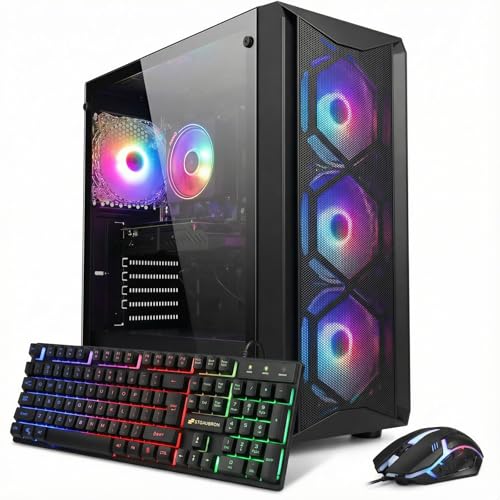
- Dedicated GeForce RTX 3050 6G graphics
- 16GB of DDR4 memory for gaming and multitasking
- Wi-Fi 6 and Bluetooth 5.2 are included
- Comes with an RGB keyboard and mouse
- Four RGB fans and ARGB lighting add visual customization
- The 8th Gen Intel Core i7 platform is older than current-generation processors
- A 512GB SSD may fill quickly with a large game or media library
- The listing does not specify the motherboard model, power supply wattage, or memory speed

WIWB Ryzen 5 4500 RX 6500XT Gaming PC
- Dedicated Radeon RX 6500XT graphics for entry-level 1080p gaming
- Six-core Ryzen 5 processor and 16GB DDR4 RAM
- Fast NVMe storage rather than a traditional hard drive
- Built-in WiFi 6 connectivity
- Arrives assembled with an operating system pre-installed
- The RX 6500XT has 4GB of video memory, which can limit demanding games and high-resolution settings
- 512GB of storage may fill quickly with a larger game library
- The listing does not specify the power supply, motherboard, cooling system, or available expansion options

STGAubron Ryzen 5 5500 RTX 3050 Gaming PC
- Six-core AMD Ryzen 5 processor
- Dedicated GeForce RTX 3050 6G graphics
- 16GB DDR4 memory
- Wi-Fi 6 and Bluetooth 5.2 included
- RGB keyboard and mouse are bundled
- Storage capacity conflicts between the 512GB title and 1TB feature list
- Power supply wattage and motherboard model are not specified
- The RTX 3050 6G is aimed at entry-level rather than high-end gaming
What a Gaming PC Around $600 Can Do
A gaming desktop in this bracket generally combines an older Intel Core i5 or Core i7 processor, or an entry-level Ryzen chip, with dedicated graphics. Common GPU options include the GeForce RTX 3050, Radeon RX 6500 XT, and Radeon RX 580. These cards are most appropriate for esports, older releases, and less demanding games at 1080p. Lowering texture, shadow, and lighting settings can make play smoother, but buyers should not expect consistently strong results in modern, graphically demanding releases at high settings.
These systems can also cover school assignments, office software, web browsing, media playback, and light creative work. The included 16GB of memory found in these systems is a practical amount for gaming and everyday multitasking. Storage capacity deserves attention because a modest SSD can fill quickly after installing several large games. If you are uncertain about the right balance of components, our guide to gaming PC specs explains how processors, graphics cards, memory, and storage affect the experience.
Heads up: Systems in this price range are mostly older or refurbished hardware, so check the seller’s return window and warranty terms before buying.
What to Expect at This Price

Budget prebuilts focus on usable 1080p performance rather than premium components or maximum visual settings.
| Component | What You Get |
|---|---|
| CPU | Older Intel Core i5 or Core i7, or an entry-level Ryzen |
| GPU | Entry-level RTX 3050, RX 6500 XT or RX 580 class |
| RAM | Usually 16GB DDR4 |
| Storage | 256GB to 512GB SSD |
These are often older systems, and the condition, bundled accessories, and support arrangements can vary between listings. Read the complete product page rather than relying only on the headline specifications. Our prebuilt PC warranty guide can help you identify useful terms and potential limitations before ordering.
How to Choose a Budget Prebuilt
Focus on the parts that directly affect gaming, but also examine condition, upgrade restrictions, accessories, and seller support.
Check the Graphics Card
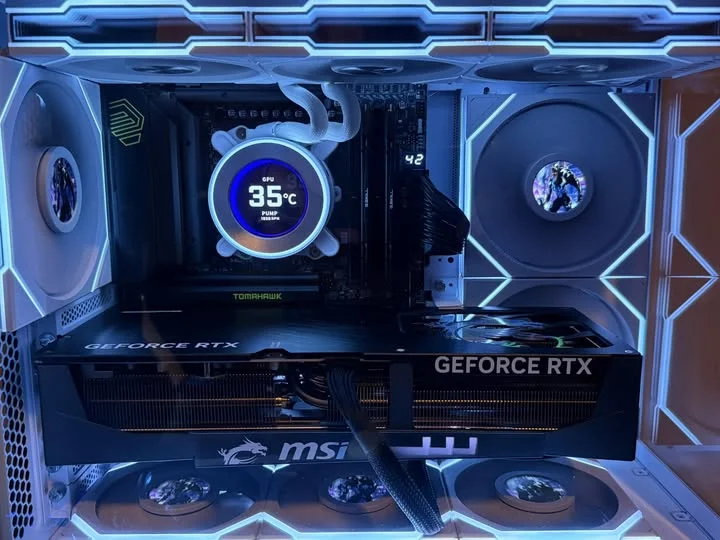
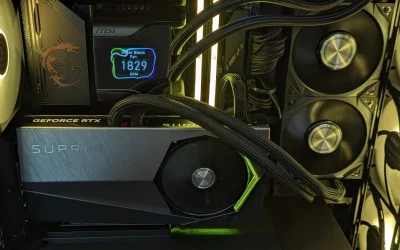
A dedicated graphics card matters far more than CPU generation for gaming in this category. It handles the visual workload, including textures, effects, lighting, and resolution. An older processor paired with an RTX 3050, RX 6500 XT, or RX 580 can therefore be more useful for gaming than a newer processor relying only on integrated graphics. Compare the exact GPU and its listed video memory instead of assuming every desktop carrying the gaming label offers similar performance.
Integrated graphics can display video and run everyday software, but an integrated-only system should not be treated as a gaming PC for this search. It may be adequate for very light titles, yet it leaves much less performance headroom. Dedicated cards in this bracket remain entry-level choices, so realistic settings are essential. Prioritize the strongest balanced GPU configuration you can find, while confirming that the desktop also has enough memory and solid-state storage for normal use.
Older Parts and Condition
Many affordable prebuilts combine older processors and graphics cards, and some may be refurbished or assembled from previously available business-class components. That is not automatically a problem, but the listing should state the product’s condition clearly. Check whether the computer is described as new, renewed, or refurbished. Also review what operating system, wireless connectivity, accessories, and support are explicitly included, since those details should never be assumed from a case photo or model title.
The seller’s return window is especially important when buying a system based on older hardware. Confirm how long you have to inspect the desktop and what steps apply if it arrives damaged or does not match the listing. Look for written warranty terms covering parts and labor, plus a clear way to contact support. When details appear inconsistent, ask the seller before ordering and keep a copy of the specifications shown at checkout for reference.
Power Supply and Upgrades
Power-supply information is frequently missing from inexpensive desktop listings. This matters because older office-style cases can use small power supplies, limited connectors, or layouts that restrict larger graphics cards. Do not assume a system can accept a substantially faster GPU simply because the current card is replaceable. Before planning an upgrade, verify the power supply’s rated output, available PCIe power connectors, motherboard slot, case clearance, and airflow around the graphics card.
Memory and storage upgrades are often simpler, although available slots and drive connections still vary. Ask the seller for motherboard and power-supply details when they are not published. Some prebuilts may also use unusual case wiring or other components that make replacement less straightforward. Our article on proprietary parts explains which design choices can complicate repairs and upgrades. Buy for the performance you need now rather than depending on an uncertain future graphics upgrade.
Included Extras
Some listings bundle a keyboard, mouse, mouse pad, or other accessories. A complete bundle can offer better practical value than a slightly faster component when you are starting without peripherals. Compare what is explicitly included and decide whether you would otherwise need to buy those items separately. Accessory quality can vary, so treat basic bundled gear as a convenient starting point rather than the main reason to select a weaker or less suitable computer.
A monitor bundle can be particularly useful, but screen specifications matter just as much as inclusion. Check the listed resolution, inputs, size, and refresh capability before assigning it much value. For keyboard and mouse packages, confirm whether they are wired or wireless if that affects your setup. Accessories should break a close tie between two comparable systems, not override differences in graphics performance, storage, condition, warranty coverage, or the connectivity you need for daily use.
Who Should Buy Which System
- Best overall: STGAubron Gaming PC Desktop,R5 5500,RTX 3050 combines a Ryzen 5 5500, RTX 3050 6G, 16GB DDR4, and 1TB SSD.
- Newest architecture: WIWB Gaming PC Desktop Computer – Ryzen 5 4500 pairs the Ryzen 5 4500 with Radeon RX 6500XT 4GB graphics.
- Intel RTX choice: Prebuilt Gaming PC Desktop, Core i7 up to 3.9 GHz includes RTX 3050 8GB graphics, 16GB memory, and a 512GB SSD.
- Most CPU cores: WIWB Prebuilt Gaming PC Desktop, Ryzen 7 4700LE offers eight cores, 16 threads, and Radeon RX 580 8GB graphics.
- Newer Intel CPU: STGAubron Gaming PC Desktop,Corei7 8th Gen,RTX combines an 8th Gen Core i7 with GeForce RTX 3050 6G graphics.
Final Thoughts
The STGAubron R5 5500 RTX 3050 is the most balanced overall option, combining a six-core Ryzen processor, dedicated RTX graphics, 16GB DDR4, and generous solid-state storage. It is the easiest recommendation for a general-purpose budget gaming setup.
The WIWB RX 6500 XT is the alternative for shoppers who favor the Radeon RX 6500XT. Either way, confirm condition, warranty coverage, and return terms before ordering.
More Options to Consider
- STGAubron Core i5 RX 590 combines an older Intel Core i5 with Radeon RX 590 8G graphics and a 1TB SSD. It suits shoppers prioritizing storage and older Radeon hardware.
- LXZ Ryzen 5 4500 uses a Ryzen 5 4500, Radeon RX 560 4GB, 16GB DDR4, and a 512GB NVMe SSD. It is aimed at lighter gaming and everyday productivity.
FAQs
1. Can you get a gaming PC for under $600?
Yes, but expectations need to match the hardware. Systems in this category commonly use older processors and entry-level dedicated graphics cards, making them better suited to esports, older releases, and less demanding games at 1080p. They can also handle schoolwork, office tasks, and general home use. Check whether memory, storage, wireless connectivity, peripherals, and an operating system are included before comparing overall value.
2. Are cheap prebuilt gaming PCs with older parts worth buying?
They can be worthwhile for a first gaming desktop, a family computer, or a secondary system when the condition and support terms are clear. Older hardware can still provide a useful experience with realistic graphics settings, but it may consume more power or offer less upgrade flexibility than newer parts. Review the seller’s return policy, warranty, and product condition carefully, especially when a listing uses refurbished components or provides limited technical detail.
3. What games can a RTX 3050 or RX 580 run?
The GeForce RTX 3050 and Radeon RX 580 are intended for entry-level gaming rather than maximum settings in the most demanding modern releases. They are generally better suited to esports, older games, independent titles, and mainstream releases with adjusted visual settings. Actual performance depends on resolution, graphics options, processor, memory configuration, drivers, and the specific game. Neither GPU should be assumed to handle every title equally well.
4. Is it better to build a PC for this budget?
Building can provide more control over component quality, power supply selection, case airflow, and upgrade options. A prebuilt may be more convenient when you want one complete system, an operating system, bundled accessories, and a single source of support. Component availability and your willingness to assemble and troubleshoot the computer should guide the decision. Our prebuilt vs custom PC comparison covers the main tradeoffs in greater detail.
5. Can I upgrade a cheap prebuilt gaming PC later?
Possibly, but upgrade support varies widely between systems. Memory and storage may be relatively straightforward to expand, while graphics upgrades can be limited by power-supply capacity, missing power connectors, case clearance, motherboard compatibility, or airflow. Do not assume standard parts or unused slots unless the listing confirms them. Ask for the motherboard, power supply, case dimensions, and available connections before buying if later upgrades are a major part of your plan.