

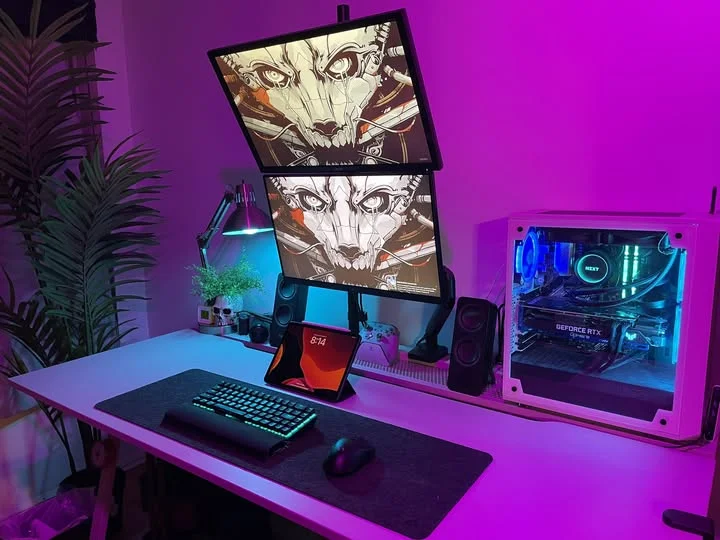
This is where the RTX 5080 enters the picture, in two of these five systems. Among the best prebuilt gaming PCs under $3000, the STORMCRAFT Valkyrie AI comes with 32GB of DDR5 and a 2TB SSD, and the CyberPowerPC RTX 5080 uses a Ryzen 7 9850X3D.
Recommended by Us

Skytech Gaming RTX 5070 Ti Desktop
- High-tier Ryzen 7 9800X3D and RTX 5070 Ti gaming configuration
- Generous 32GB DDR5 6000 memory
- Fast Gen4 NVMe M.2 storage
- 360mm AIO liquid CPU cooling
- Keyboard and mouse included
- Wi-Fi 5 is older than Wi-Fi 6 and Wi-Fi 7 standards.
- A 1TB SSD may fill quickly with a large collection of modern software and media.
- The graphics card brand and additional display ports may vary.

Skytech King 95 RTX 5070 Ti Gaming PC
- High-end Ryzen 7 9800X3D and RTX 5070 Ti configuration
- Generous 32GB of fast DDR5 5600 memory
- Large 360mm AIO liquid CPU cooler
- 16GB of GDDR7 graphics memory
- Keyboard and mouse are included
- The listing specifies older 802.11ac Wi-Fi rather than a newer Wi-Fi standard.
- Only one HDMI and one DisplayPort connection are promised, with additional graphics ports varying.
- The graphics card brand may vary between systems.

CyberPowerPC RTX 5080 Ryzen 7 Gaming PC
- High-end RTX 5080 graphics with 16GB of video memory
- Gaming-focused Ryzen 7 X3D processor
- Generous 32GB DDR5 memory and 2TB NVMe storage
- Liquid CPU cooling and customizable RGB lighting
- Strong wired and wireless connectivity selection
- Power supply wattage and model are not specified in the listing
- Case dimensions and detailed expansion options are not listed
- Wi-Fi 6 is included, but newer Wi-Fi 6E or Wi-Fi 7 is not stated

STORMCRAFT Valkyrie RTX 5080 Gaming PC
- High-end RTX 5080 graphics with DLSS 4 and ray tracing support
- Powerful 24-core Intel Core Ultra 7 processor
- Fast DDR5 6000MHz memory and spacious 2TB NVMe storage
- Extensive liquid cooling and ARGB fan configuration
- Distinctive panoramic case with customizable display compartment
- Operating system and wireless connectivity are not specified in the listing
- The 17 x 11.3 x 18.4-inch chassis requires a meaningful amount of desk space
- The display-compartment action figure shown or referenced is not included

Alienware Aurora ACT1250 RTX 5070
- Enthusiast-tier RTX 5070 graphics with 12GB GDDR7
- High-capacity 64GB DDR5 memory
- Spacious and responsive 4TB PCIe NVMe SSD
- Modern Wi-Fi 7 and Bluetooth 5.4 connectivity
- Extensive display connectivity with HDMI and three DisplayPort outputs
- The listing does not specify the cooling configuration or operating noise.
- The original factory seal was opened to install the upgraded RAM and SSD.
- No detailed case dimensions or internal expansion layout are provided.
What a Gaming PC Around $3000 Can Do
A budget around this level buys a powerful dedicated graphics card, a current multi-core processor, and enough memory for demanding games, background applications, voice chat, and occasional content creation. These systems include graphics options such as the NVIDIA GeForce RTX 5070 Ti 16GB GDDR7, NVIDIA GeForce RTX 5080 16GB, and GeForce RTX 5070 12GB GDDR7. These GPUs are primarily suited to high-detail 1440p gaming, while the stronger choices also make 4K gaming practical when settings and upscaling are adjusted sensibly.
You should also expect DDR5 memory, fast NVMe storage, and either liquid or substantial air cooling in this class. However, even an expensive desktop cannot guarantee ideal performance at maximum settings in every workload. Heavy ray tracing, very high refresh rates at 4K, professional rendering, and unusually demanding modifications can still require compromises. Our PC budget guide provides more context on deciding whether this performance tier matches your needs.
Worth knowing: A stronger graphics card only pays off when your monitor resolution and refresh rate can use the additional performance. Choose the GPU for the screen you own or plan to purchase.
What to Expect at This Price
Premium prebuilts in this range usually combine current components with generous memory and fast storage.
| Component | What You Get |
|---|---|
| CPU | A modern multi-core processor such as an AMD Ryzen 7 9800X3D, AMD Ryzen 7 9850X3D, Intel Core Ultra 7 265F, or Intel Core Ultra 7 270K Plus. |
| GPU | Dedicated graphics such as an RTX 5070 Ti, RTX 5080, or RTX 5070, with the exact tier varying between systems. |
| RAM | DDR5 memory, commonly in configurations suited to gaming, streaming, multitasking, and creative applications. |
| Storage | A PCIe or M.2 NVMe SSD that supports responsive startup, application loading, and access to a sizable game library. |
The same GPU can appear in systems with different processors, memory capacities, storage drives, power supplies, connectivity, and warranty terms. Compare the full specification rather than treating the graphics card as the only meaningful component. Our prebuilt comparison explains the broader tradeoffs between a complete system and selecting every component yourself.
How to Choose a Prebuilt at This Budget
Start with your monitor and primary workloads, then compare the supporting components and ownership terms.
Start With the Graphics Card
The graphics card has the greatest influence on gaming performance at 1440p and 4K, so it should be your first comparison point. An RTX 5080 is the higher GPU tier among these listings, while an RTX 5070 Ti or RTX 5070 can make sense when paired with a suitable monitor. Avoid paying for graphics capacity that your display cannot show, especially if you use a lower resolution or a modest refresh rate.
Consider the visual settings you actually prefer rather than chasing the highest available specification. Ray tracing, high-resolution textures, and native 4K rendering can increase graphics demands, while upscaling may reduce the load. Check the exact GPU and its listed video memory because product families can include several variants. Also confirm the available display outputs match your monitor setup, particularly when connecting multiple screens or a high-resolution television alongside your main gaming monitor.
Balance the CPU and RAM
A strong graphics card should be supported by a capable processor. CPU performance matters in simulation-heavy games, competitive play, streaming, content creation, and multitasking. The listed AMD Ryzen 7 9800X3D and AMD Ryzen 7 9850X3D systems emphasize gaming-oriented processor performance, while the Intel Core Ultra models provide modern multi-core configurations. Look at the entire pairing so that one impressive component does not distract from a weaker part that could limit your workload.
Sixteen gigabytes of memory is a practical floor for a modern gaming desktop, but 32GB provides more headroom for current games, browser tabs, voice chat, streaming software, and creative tools. One Alienware configuration goes further with 64GB DDR5, which is more relevant for substantial multitasking and large projects than ordinary gaming alone. Confirm that the listing specifies DDR5 and check capacity before ordering, since similar-looking configurations can contain different memory and storage combinations.
Storage, Power and Cooling
An NVMe SSD helps with startup, loading, updates, and moving large files. Capacity matters because modern game libraries can fill a smaller drive quickly. The systems here range from 1TB to 4TB of listed storage, so consider how many large applications you keep installed. Expansion options are also useful, but only rely on them when the seller or manufacturer provides enough information about available slots, drive bays, and case clearance.
Power and cooling affect stability, noise, and the ability to maintain performance under sustained loads. Look for a properly rated power supply and cooling suited to the processor and graphics card. Some listings identify wattage and cooling details, while others provide less information, so check exactly what is stated rather than making assumptions from the case design. Radiator size, fan count, and liquid cooling can be useful comparison points when those details are explicitly listed.
Condition and Upgrades
Check whether the system is sold in its original configuration or has been opened for third-party memory and storage upgrades. The listed Alienware, for example, states that technicians opened the original seal and that its upgraded RAM and SSD receive a separate warranty. That arrangement may be acceptable, but it differs from buying an untouched standard configuration. Review the seller, listed condition, return window, and warranty provider before placing an order.
Upgrade potential depends on motherboard slots, power capacity, physical clearance, cooling, and whether the system uses standard components. A large case may appear flexible, but appearance alone does not confirm compatibility. Read the detailed listing and available manufacturer documentation before planning a future GPU or cooling change. Our prebuilt upgrade guide covers the questions to ask about memory, storage, graphics, power, and case space.
Who Should Buy Which System
- Best overall: CyberpowerPC RTX 5080 combines an RTX 5080 16GB, 32GB DDR5, and a 2TB SSD.
- Best for the strongest GPU-focused option: Skytech 32GB RTX 5070 TI pairs an RTX 5070 Ti with a 360mm AIO.
- Best value: Skytech King 95 offers RTX 5070 Ti graphics and a white showcase case.
- Best alternative brand: STORMCRAFT Valkyrie AI includes an RTX 5080, 2TB SSD, and a three-year labor warranty.
- Best runner-up: Alienware Aurora suits multitaskers needing 64GB DDR5 and 4TB storage.
Final Thoughts
The CyberpowerPC RTX 5080 is the most balanced overall choice for shoppers prioritizing high-end graphics, useful storage, and a gaming-oriented AMD processor. Its component combination fits demanding 1440p and 4K setups.
The Skytech 32GB RTX 5070 TI is a compelling alternative if you want the AMD Ryzen 7 9800X3D, 32GB DDR5, and liquid cooling without stepping up to an RTX 5080 configuration.
More Options to Consider
- msi Aegis R2 uses an RTX 5070, 32GB DDR5, and 2TB SSD. It suits buyers who prefer MSI and air cooling with four listed system fans.
- Corsair RX 9070 XT replaces NVIDIA graphics with a Radeon RX 9070XT. It is a useful AMD-based alternative with liquid CPU cooling and Corsair Vengeance RGB DDR5 memory.
- Skytech 2TB RTX 5070 TI has an RTX 5070 Ti and a 2TB SSD. It suits shoppers who prefer more included storage than the comparable 1TB Skytech configuration.
FAQs
1. Can you get a good gaming PC for under $3000?
Yes. This budget can provide a modern multi-core processor, dedicated RTX 5070, RTX 5070 Ti, or RTX 5080 class graphics, DDR5 memory, and NVMe storage. It is well suited to high-detail 1440p gaming and can make 4K practical with appropriate settings. The exact experience depends on the game, monitor, cooling, and balance of the complete configuration.
2. Is a prebuilt gaming PC around $3000 worth it?
A prebuilt can be worthwhile when you value convenience, a complete warranty arrangement, included Windows, and support from one seller or manufacturer. You may pay more than the combined retail value of individual parts, but you avoid sourcing and assembling everything yourself. Check component details, warranty coverage, return terms, and upgrade limitations before deciding. Our prebuilt value guide explores this decision in more detail.
3. Which graphics card is best around $3000?
Among the systems listed here, the RTX 5080 is the highest NVIDIA graphics tier, making it the natural starting point for demanding 4K use. An RTX 5070 Ti can be a better-balanced choice for high-detail 1440p gaming, depending on the rest of the system. An RTX 5070 remains capable but should be compared carefully when similarly positioned listings include stronger graphics. Match the GPU to your monitor rather than choosing by model number alone.
4. How much RAM does a gaming PC at this budget need?
Sixteen gigabytes is the practical minimum, but 32GB is the more comfortable target at this level. That capacity provides space for a game, browser tabs, chat software, launchers, and other background tasks. Systems with 64GB are better suited to substantial content creation, virtual machines, or unusually heavy multitasking. More memory does not automatically improve gaming performance if the processor or graphics card is the limiting component.
5. Can I upgrade a prebuilt gaming PC later?
Many prebuilts allow memory and storage upgrades, but compatibility varies by system. Graphics card upgrades depend on case clearance, motherboard support, cooling, available power connectors, and power supply capacity. Proprietary cases, motherboards, or connectors can make larger changes difficult. Check the manufacturer documentation and exact listing before purchase, especially if future upgrades are a major part of your plan.









