Upgrading a monitor usually comes down to one nagging question: is the jump actually worth it, or just a bigger number on a spec sheet? Is 2560×1440 better than 1080p is one of the most searched versions of that question, and the honest answer depends heavily on the GPU sitting in the case doing the work.
- 1440p has about 78 percent more pixels than 1080p, resulting in visibly sharper detail.
- 1440p demands noticeably more GPU power to hit the same frame rates as 1080p.
- For competitive esports titles, many players still prefer 1080p for maximum frame rate.
- 1440p is widely considered the current sweet spot for mid-range gaming PCs.
The Pixel Math, Laid Out Plainly

1920×1080 (1080p) totals about 2.1 million pixels. 2560×1440 (1440p, also called QHD) totals about 3.7 million pixels. That’s roughly 78 percent more pixels packed into the frame, which translates directly into sharper text, cleaner edges, and more visible fine detail on the same size screen.
- 1080p on a 24 inch monitor: about 92 PPI
- 1440p on a 27 inch monitor: about 109 PPI
- 1440p on a 24 inch monitor: about 122 PPI, extremely sharp for the size
The Wikipedia entry on 1440p covers where the standard sits alongside 1080p and 4K in the broader resolution lineup if a deeper technical comparison is useful.
Sharpness Isn’t the Whole Story, Performance Cost Matters Too
More pixels means the GPU has to render nearly twice as much information every single frame. That performance cost is the real tradeoff buyers need to weigh, not just the visual upgrade.
- A GPU hitting 144 fps at 1080p in a given game will typically drop to somewhere around 90 to 110 fps at 1440p in that same title, depending on the specific card and settings
- Entry-level and budget GPUs often struggle to maintain high frame rates at 1440p in demanding, graphically intensive games
- Upscaling tools like DLSS and FSR can help close some of that performance gap without dropping all the way back to native 1080p
Bottom line: 1440p is a real visual upgrade, but it only pays off if the GPU behind it can maintain frame rates the user is actually happy with. A sharper image at 60 choppy fps isn’t necessarily a better experience than a slightly softer image at a smooth 144 fps.
Where 1080p Still Wins
- Competitive esports: Titles like Valorant, CS2, and Overwatch 2 are frequently played at 1080p specifically to maximize frame rate on the same hardware
- Budget builds: Entry-level and older GPUs simply run smoother and more consistently at 1080p
- Smaller screens: On a 22 to 24 inch monitor, the visual gap between 1080p and 1440p is smaller than on larger panels
Anyone building specifically around frame rate and reaction time should look closer at what FHD/Full HD (1080p) actually offers before assuming higher resolution is automatically the better choice for their use case.
Where 1440p Clearly Wins
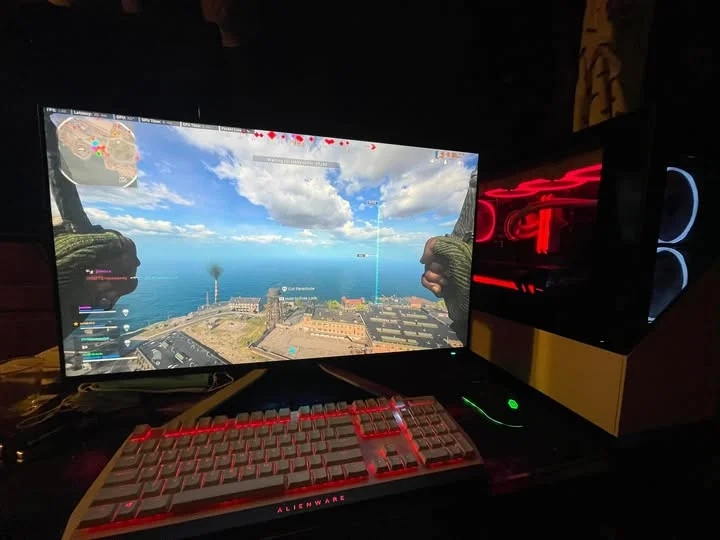
- Mixed gaming and productivity setups: Sharper text and more visible desktop space benefit both work and play
- 27 inch and larger monitors: 1080p starts to look visibly soft once screen size climbs past 24 to 25 inches
- Single-player and visually detailed games: The extra sharpness genuinely improves immersion in story-driven, open-world titles
It’s also worth understanding what 2K monitor resolution actually refers to, since 1440p gets marketed under that name constantly despite some technical ambiguity in what “2K” precisely means.
Side-by-Side Comparison
| Factor | 1080p | 1440p |
| Total Pixels | ~2.1 million | ~3.7 million |
| GPU Demand | Lower | Roughly 40-60% higher |
| Best Screen Size | 22-25 inch | 27 inch and up |
| Best For | Competitive gaming, budget builds | Mixed use, visual fidelity, general upgrade |
So, Is It Actually Better?
For general use, mixed gaming, and anyone with at least a mid-range GPU, 1440p is genuinely the better overall experience today, sharper, more modern, and increasingly the industry default for new monitor releases. For dedicated competitive gaming on a budget GPU, 1080p can still be the smarter practical choice. It’s worth checking which gaming monitor size is best for a given setup too, since resolution and screen size decisions really go hand in hand.
What Kind of GPU Actually Handles 1440p Well
Rather than a single hard rule, it helps to think in tiers based on the graphics card generation and class.
- Entry-level GPUs: Generally more comfortable staying at 1080p for consistent frame rates in newer, demanding titles
- Mid-range GPUs: Typically the sweet spot for 1440p at high settings and solid frame rates in most current games
- High-end and flagship GPUs: Can push 1440p at very high refresh rates (165Hz to 240Hz) comfortably, and often serve as the realistic minimum for demanding 4K gaming too
Upscaling technology has also shifted this equation over the past few years. DLSS and FSR let even more modest GPUs approach 1440p-quality output while rendering internally closer to 1080p, recovering a meaningful chunk of the performance that would otherwise be lost.
Monitor Shopping Considerations Beyond Resolution
Resolution is only one part of the decision. A few other factors matter just as much when comparing 1080p and 1440p monitor options directly.
- Refresh rate options are often wider and more affordable at 1080p, especially at the very high end (360Hz+)
- Panel type (IPS, VA, OLED) varies independently of resolution and affects color and contrast just as much
- Screen size should be chosen alongside resolution, since 1440p really needs 27 inches or more to fully show its advantage over 1080p
What About Content Creation and Everyday Productivity?
Gaming performance tends to dominate this comparison, but plenty of people are choosing between these resolutions for work, browsing, and general productivity instead.
- 1440p gives noticeably more usable desktop space for side-by-side windows, spreadsheets, and multitasking compared to 1080p at the same screen size
- Video and photo editing benefit from the extra detail visible in previews and timelines at 1440p
- For office work, document editing, and web browsing, 1080p is still completely comfortable and doesn’t leave anything obviously lacking
For anyone whose GPU genuinely can’t handle 1440p well in the games they play most, sticking with a sharp 1080p setup on a 24 inch monitor is a completely reasonable choice rather than a compromise to feel bad about.
Frequently Asked Questions
1. Do I need a new GPU to go from 1080p to 1440p?
Not necessarily, but a genuinely weak or older GPU will likely struggle to maintain strong frame rates in newer games at 1440p compared to how it performed at 1080p.
2. Is 1440p worth it on a 24 inch monitor?
It’s noticeably sharper, but the visual difference over 1080p is smaller at this size compared to 27 inch and larger screens, since pixel density is already fairly high at 1080p on smaller panels.
3. Do professional esports players use 1440p or 1080p?
Many still favor 1080p specifically to squeeze out the highest possible frame rates, though this varies by game and by individual player preference.
4. Is 1440p a big enough step up to skip straight to 4K instead?
Not necessarily. 4K demands significantly more GPU power than 1440p, and the visual gap between 1440p and 4K is smaller than the jump from 1080p to 1440p on most common screen sizes.
This article is for general informational purposes and reflects typical performance trends rather than benchmark results for any specific hardware configuration.