

Standard widescreen panels often feel cramped during open-world simulation titles or multi-window desktop workloads. Stepping up your desk setup with the best 21:9 gaming monitors gives you extra peripheral vision and eliminates the distracting bezel seam found in traditional dual-display arrangements.
Recommended by Us

LG 34SR60QC-W 34-Inch Curved Monitor
- Standalone smart monitor functionality operates without needing a connected computer
- Expansive 21:9 curved workspace provides ample room for side-by-side multitasking
- Convenient wireless casting support for iOS and macOS through Apple AirPlay 2
- Generous connectivity suite with two HDMI ports, three USB ports, and built-in speakers
- 100Hz refresh rate falls short of higher-tier competitive esports standards
- LG Magic Remote is sold separately instead of being included
- Specific panel technology is not detailed in the manufacturer specifications

- Expansive 21:9 ultrawide aspect ratio paired with an immersive 1500R curve
- Fluid 180Hz refresh rate supports seamless competitive and simulation gaming
- ELMB Sync allows motion blur reduction and variable refresh rate simultaneously
- Includes DisplayPort cable, USB cable, and screwdriver in the box
- Panel technology type is not explicitly declared in the official specifications
- Integrated speakers offer modest sound output suited primarily for everyday alerts
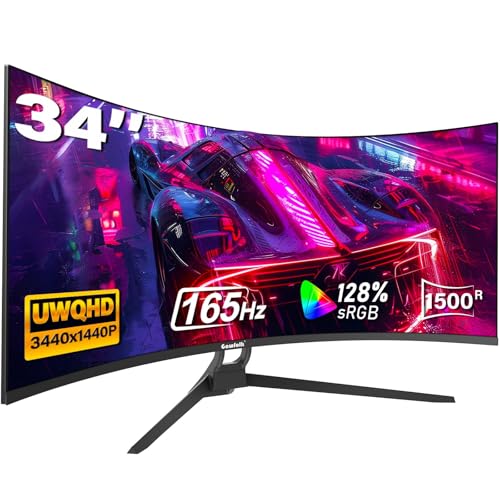
Gawfolk 34" Ultrawide Curved Gaming Monitor
- Generous 34-inch ultrawide canvas ideal for gaming and side-by-side productivity
- High 165Hz refresh rate over DisplayPort ensures snappy, smooth motion
- Rich color reproduction featuring 128% sRGB gamut coverage and 300 cd/m² brightness
- Built-in PIP and PBP modes allow simultaneous viewing of multiple device inputs
- Specific panel technology (IPS or VA) is not explicitly listed
- HDMI connections are limited to 120Hz rather than the full 165Hz capability
- Stand adjustment is limited to tilt only, lacking height and swivel adjustments

SANSUI 34-Inch Curved 200Hz UWQHD Monitor
- Huge 21:9 ultrawide aspect ratio provides superior screen real estate for multitasking
- High 200Hz refresh rate with VRR support over HDMI 2.1 and DisplayPort
- Broad color spectrum covering 130% sRGB and 97% DCI-P3
- PBP capability streamlines workflow for dual-machine workstations
- Stand functionality is limited to tilt only, with no built-in height or swivel adjustment
- Does not include built-in speakers, necessitating external audio gear

Sceptre 30" C305B-200UN Curved Monitor
- Expansive 21:9 ultrawide curved workspace ideal for multitasking
- High 200+Hz refresh rate delivers exceptionally fluid movement
- Picture By Picture supports dual-source simultaneous display
- Integrated speakers reduce the need for external desktop speakers
- Specific panel technology type is not specified in the listing
- 5ms GTG response time is modest compared to specialized 1ms esports models
- Full HD ultrawide resolution provides less vertical pixel density than QHD displays
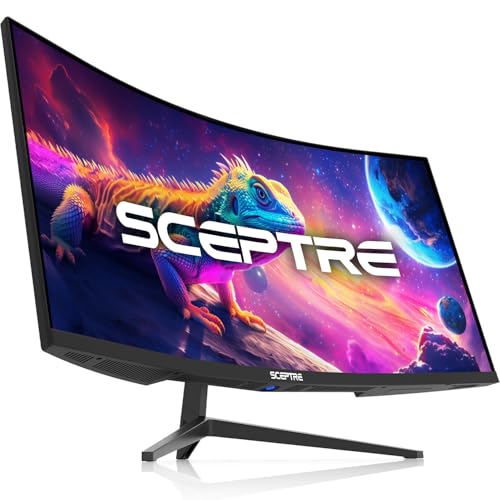
Sceptre 34-Inch Ultrawide C345B-QUT168
- Spacious 3440 x 1440 ultrawide screen ideal for side-by-side windows
- High refresh rate up to 180Hz ensures smooth desktop scrolling and gaming
- Hardware PIP and PBP support streamlined dual-source workflows
- Built-in speakers provide direct audio without extra desk clutter
- Panel technology type is not specified in the product documentation
- Weight of over 20 pounds requires a sturdy desk or heavy-duty mount

Sceptre 30" Curved Gaming Monitor C305B-200UN1
- Rapid 200Hz maximum refresh rate provides exceptionally smooth gaming visuals
- Ultrawide 21:9 aspect ratio expands peripheral vision in supported titles
- Standard VESA wall mount compatibility allows versatile desk mounting options
- Integrated speakers save desk space for basic audio playback
- Panel type is not explicitly specified in the manufacturer listing
- Modest 250-nit typical brightness may struggle in brightly lit rooms
- HDMI connection maxes out at 120Hz rather than the full 200Hz available on DisplayPort
Matching Ultrawide Panels to Your Rig
Choosing an ultrawide display comes down to balancing resolution against motion clarity. If you run a powerful graphics card capable of driving 3440 x 1440 smoothly, the ASUS TUF Gaming VG34VQ3B is a dependable choice. It pairs a fluid 180Hz refresh rate with a 1500R curvature and ELMB Sync to keep fast motion sharp. Gamers comparing panel ecosystems often review dell vs ASUS monitor lineups to understand overall brand features and warranty perks, and ASUS includes a solid three-year package with this model.
For players focused purely on competitive frame pacing without straining their GPU budget, the Sceptre Prime Curved 30-inch presents an interesting alternative. Running at 2560 x 1080 across a compact 30-inch diagonal, this screen reaches past 200Hz over DisplayPort, ensuring snappy tracking during fast shooters. Meanwhile, if you want high-resolution desktop utility alongside casual gameplay, the LG 34SR60QC-W offers integrated streaming apps through webOS and useful wireless casting.
FAQs
1. Does an ultrawide screen hurt gaming frame rates?
A 3440 x 1440 ultrawide panel packs roughly thirty-four percent more pixels than a standard 1440p screen. That extra pixel load requires more graphics horsepower, so your GPU will see slightly lower frame rates than on a 16:9 monitor. Checking guides like LG vs HP monitor comparisons helps clarify resolution scaling before buying.
2. Why do most 21:9 monitors use curved panels?
Because an ultrawide monitor stretches across a broad horizontal field, the edges sit further away from your eyes than the center. Curving the screen brings the peripheral edges closer, matching your natural line of sight and reducing eye strain during long gaming sessions.
3. What does color space coverage mean for gaming?
Color space numbers indicate how many shades a monitor can display accurately. A panel advertising broad coverage produces vibrant environments in modern games. Readers can inspect what is sRGB mode on a monitor to learn how color clamping prevents over-saturation in daily content.
4. Are 21:9 monitors supported in every PC game?
Most modern releases natively support the 21:9 aspect ratio, giving you extra horizontal field of view. Some competitive esports games lock the viewport to 16:9 to preserve competitive parity, displaying black pillar bars along the sides instead.
Editor’s Verdict
For players seeking the best 21:9 gaming monitors, the ASUS TUF Gaming VG34VQ3B provides the best mix of 1440p clarity, a tight 1500R curve, and an ultra-fast 180Hz refresh rate. If you prefer high refresh rates at lower hardware demand, look at the Sceptre Prime Curved 30-inch.


