

Upgrading a desktop setup on a tight budget used to mean settling for dim screens and sluggish refresh rates. Modern display tech has shifted drastically, making the search for the best monitors under $150 much more rewarding. Whether you need reliable screen space for spreadsheets or casual competitive play, high-value displays now offer smooth motion and sharp visuals.
Recommended by Us

Philips 27E2N2100 27 Inch 120Hz Monitor
- 120Hz refresh rate provides significantly smoother scrolling than standard 60Hz displays
- IPS panel technology delivers solid color consistency and wide viewing angles
- Versatile port selection featuring HDMI, DisplayPort, and legacy VGA
- Slim three-sided frameless design suits multi-monitor setups
- Full HD resolution results in modest pixel density across a 27-inch diagonal
- Integrated speakers are absent, providing an audio-out port instead
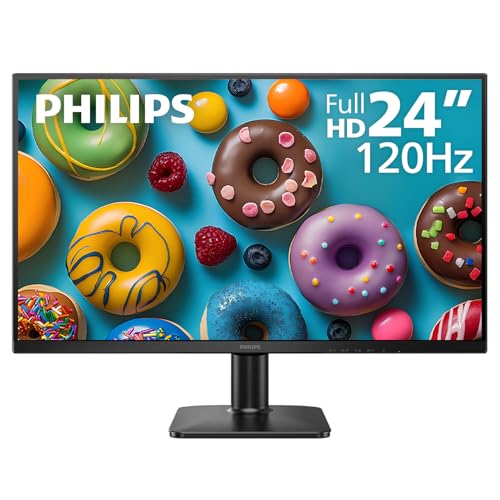
Philips 24E2N2100 24" 120Hz IPS Monitor
- High 120Hz refresh rate provides noticeably smoother motion than typical budget displays
- IPS panel technology maintains reliable color accuracy across wide viewing angles
- Slim three-sided bezels make it ideal for dual-screen setups
- VESA mount support offers convenient mounting options
- Includes HDMI and VGA but lacks a DisplayPort connection
- Listing does not indicate built-in speakers or ergonomic height adjustments
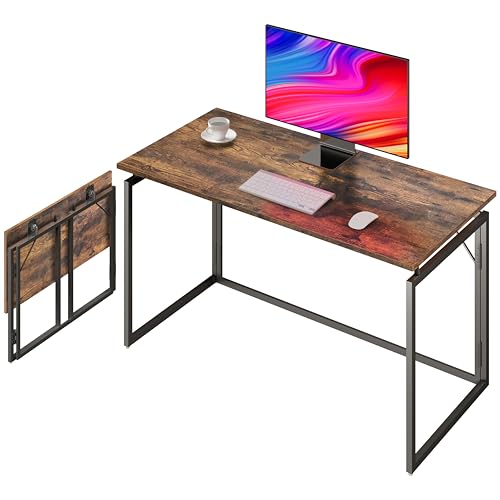
Alawooder 39.4-Inch Folding Desk
- Zero assembly required with quick click-lock unfolding mechanism
- High 150-pound weight capacity reliably holds multi-monitor setups and desktop towers
- Folds down to just 2.3 inches flat for ultra-compact storage in small spaces
- Splash-resistant rustic brown desktop is simple to maintain and keep clean
- Desk height is fixed at 29.1 inches without vertical ergonomic adjustment
- Desktop depth of 19.7 inches leaves limited room for bulky display stands
- No built-in cable grommets, shelves, or under-desk storage trays

Philips 271V8LB 27" FHD 100Hz Monitor
- Upgraded 100Hz refresh rate offers noticeably smoother motion than basic 60Hz office displays
- VA panel provides deeper blacks and solid contrast for text and multimedia
- Clean, three-sided near-borderless aesthetic fits seamlessly on modern desks
- Thoughtful reading mode and low blue light features reduce visual fatigue during long shifts
- 1080p resolution across a 27-inch diagonal yields lower pixel density than smaller FHD screens
- Lacks modern DisplayPort or USB-C connectivity, providing only HDMI and VGA
- Supplied stand provides basic tilt functionality without height adjustment
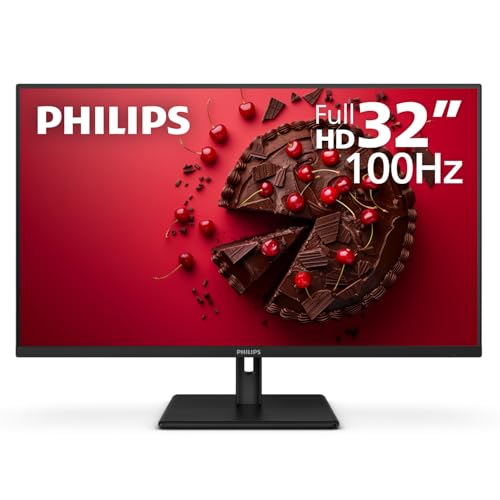
Philips 32E1N1100L 32-Inch Monitor
- Smooth 100Hz refresh rate with Adaptive-Sync
- Expansive 32-inch screen size for clear visibility
- High-contrast VA panel offers deep black levels
- Includes both modern HDMI and legacy VGA ports
- VESA wall mount ready for custom desk setups
- 1080p resolution results in lower pixel density on a 32-inch display
- Lacks an integrated USB hub for extra accessories
Display Configurations for Different Workspaces
Finding the right balance between pixel density and refresh rate depends heavily on what sits on your desk each day. For competitive gaming on a budget, pixel responsiveness matters more than sheer display area. In that situation, I would go with the Philips 24 Inch 120Hz IPS Monitor. Its 1080p resolution across a compact twenty-four-inch frame yields crisp text, while the IPS panel ensures consistent viewing angles. It also pushes motion up to 120Hz, providing genuine fluid motion that traditional office panels cannot match.
If your daily routine involves managing spreadsheets or watching media, screen size becomes a bigger priority. For general multitasking, the Philips 27 Inch 120Hz IPS Monitor gives you extra screen real estate while retaining that fluid 120Hz output and wide viewing angles. It includes DisplayPort and HDMI ports alongside VGA, making it easy to wire into modern graphic cards or older laptops.
For users who prioritize high contrast over pixel speed, the Philips 32 Inch 100Hz VA Monitor is the one I would point toward. VA panels deliver significantly deeper black levels than IPS panels, which makes late-night streaming look far richer. Detailed coverage on RTINGS frequently highlights how VA contrast benefits dim viewing environments. If you are comparing larger panels across brands, check out our guide on LG vs dell monitor options to see how display formats stack up.
FAQs
Q: Is an IPS panel better than a VA panel for a budget monitor?
A: IPS panels offer wider viewing angles and clean color reproduction, making them ideal for everyday computing and fast gaming. VA panels excel at deep contrast ratios and darker blacks, which suits movie watching in dark rooms. If you care about natural color rendering, our guide on what is sRGB mode on a monitor explains why color balance matters.
Q: Can I game at 120Hz over an HDMI connection?
A: Yes, standard HDMI 1.4 and newer connections easily support 1080p resolution at 120Hz. You simply need to verify that your computer graphics card and display drivers are configured to output the higher refresh rate in your operating system display settings.
Q: Is 1080p resolution sharp enough on a 27-inch monitor?
A: Full HD resolution on a twenty-seven-inch display produces a lower pixel density than on a twenty-four-inch screen, but it remains readable at a normal viewing distance. Users who sit at least two feet away from their desk will enjoy the larger visuals without noticing excessive pixel grain.
Q: How do budget brand options compare in reliability?
A: Major display manufacturers use established panel supply chains, so build quality remains consistent across the category. In our breakdown of dell vs ASUS monitor models, brand differences usually come down to warranty support, stand adjustability, and port selection rather than baseline screen reliability.
Editor’s Verdict
For shoppers tracking down the best monitors under $150, the Philips 27 Inch 120Hz IPS Monitor is the most balanced pick for work and entertainment, while the compact Philips 24 Inch 120Hz IPS Monitor stands out as the sharper choice for competitive gaming.





