

When setting up a home server or shared media storage, finding dependable capacity without overspending can feel tricky. Knowing what is the difference between HDD and SSD helps clarify why mechanical platters still lead for bulk files. Selecting the best budget nas hard drives ensures reliable multi-user access while keeping ongoing hardware expenses under control.
Recommended by Us

- Eliminates monthly cloud subscription fees with a private home cloud
- Comes with a 4TB hard drive already installed in the bay
- Enhanced security with SSL file encryption and a closed software ecosystem
- Bundled backup software simplifies automated protection for multiple PCs
- Transfer speeds and network interface standards are not specified in the product listing
- Software compatibility is limited to macOS 15 (Sequoia) and earlier for Mac users
- Single-drive bay format offers no internal drive mirroring redundancy
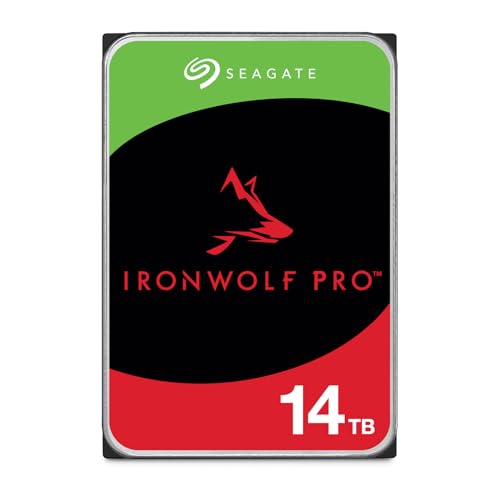
Seagate IronWolf Pro 14TB NAS HDD
- Massive 14TB capacity using reliable CMR recording architecture
- Scales effortlessly across multi-drive configurations up to 24 bays
- Quick sustained transfer rates up to 250MB/s
- Rated for long-term endurance with a 1.2 million hour MTBF
- Designed strictly for internal 3.5-inch SATA bays, requiring an external enclosure for portable use
- Large 14TB volume can lead to lengthy parity rebuild times in extensive RAID arrays

Seagate Enterprise 10TB HDD (Renewed)
- Massive 10TB storage capacity in a standard 3.5-inch form factor
- Enterprise-grade 24/7 design backed by a 2.5 million hour MTBF rating
- High-performance 7200 RPM rotation speed with 256MB buffer
- Versatile application across desktop PCs, NAS racks, and surveillance systems
- Ships as a bare drive without SATA data cables or mounting screws
- Requires manual drive initialization and formatting before the system detects it
- Supplied in basic brown box packaging rather than retail boxing

Buffalo TeraStation Essentials 32TB NAS
- Pre-installed hard drives eliminate the need to source and mount separate disks
- Native 2.5GbE connectivity provides a clear step up from legacy 1GbE ports
- Versatile RAID support lets you switch to RAID 6 or RAID 0 whenever needed
- Extensive cloud platform integration simplifies offsite disaster recovery
- Exact sequential transfer speed benchmarks are not specified in the listing
- Closed operating system limits deep custom software and third-party app installations
- Comes with a 6TB internal hard drive pre-installed
- Zero subscription fees compared to recurring public cloud services
- Closed operating environment limits external security threats
- Folder-level access restrictions maintain individual privacy
- Single-bay design provides no internal RAID drive mirroring redundancy
- Mac software compatibility is limited to macOS 15 and earlier versions
- Specific read and write transfer rates are not provided in the listing
BUFFALO TeraStation Essentials 16TB Desktop NAS
- Comes pre-configured with hard drives ready to deploy in RAID 5
- Integrated 2.5GbE networking works over existing cable setups
- Hardware-level 256-bit drive encryption for enterprise data safety
- Direct integration with major cloud storage providers
- Specific read and write transfer rates are not listed
- Configured RAID 5 limits out-of-the-box usable capacity to 12TB rather than the full 16TB
- Desktop enclosure is bulkier than single-drive backup options

- Pre-installed hard drives eliminate the need for separate disk purchases and assembly
- Zero monthly subscription fees for personal network-attached storage
- Automatic RAID 1 redundancy protects data against single-drive failure out of the box
- Dedicated backup management software included for Windows and supported Mac setups
- Mac compatibility is restricted to macOS 15 Sequoia and earlier versions
- Specific data transfer speeds are not provided in the product specifications
Matching the Right Storage to Your Setup
If you need high-capacity mechanical storage for a custom server rack or existing enclosure, I would point toward the Seagate IronWolf Pro 14TB. It features a rotational speed yielding up to 250MB/s, supports environments up to twenty-four bays, and includes five years of warranty coverage with three years of data recovery services. For secondary arrays where sheer capacity per dollar takes priority, the Seagate Enterprise Capacity 10TB is a dependable alternative with a 7200 RPM spindle and a 2.5 million hour MTBF rating. Both prove that enterprise-level reliability does not have to carry astronomical overhead, and Seagate equips its drives with dedicated firmware to withstand multi-drive vibration.
On the other hand, if you want an all-in-one network appliance that avoids the hassle of drive installation, the BUFFALO LinkStation 210 4TB is the one I would go with. It pairs an internal hard drive with personal cloud backup tools and SSL encryption for hassle-free network storage. Reflecting on when did SSDs come out, mechanical network storage continues to deliver massive bulk archiving advantages that solid-state options cannot match at these capacities.
FAQs
1. What makes a NAS hard drive different from a standard desktop drive?
NAS drives are engineered specifically for continuous operation inside enclosures holding multiple spinning disks. They incorporate vibration resistance, specialized error recovery controls, and firmware tuned for RAID setups. Standard desktop drives lack these safeguards and may drop out of an array during heavy multi-user workloads.
2. Should you compress data stored on a home network drive?
Storage administrators who read about whether should you compress an SSD drive often ask the same regarding network storage. Compressing files on your server saves disk space for large media libraries, but it creates extra processor overhead during file transfers. For most home users, uncompressed storage offers smoother access.
3. Can an SSD be used inside a home NAS instead of a hard drive?
While discovering where is the SSD located in a computer highlights the speed of flash storage, mechanical hard drives remain far more cost-effective for network archives. SSDs work well for caching frequently accessed files, but high-capacity HDDs provide the most economical room for photos, video archives, and operating system backups.
4. How much storage capacity do you need for a home server?
Capacity needs depend on your household backup habits and media collection size. A drive between 4TB and 10TB easily manages years of family photos, documents, and streaming media. As hardware analysts at Tom’s Hardware explain, building with drive redundancy like RAID reduces usable space, making extra capacity worthwhile.
Editor’s Verdict
For building an expansive home server array, the Seagate IronWolf Pro 14TB delivers exceptional endurance, CMR technology, and data recovery coverage. Those seeking a complete, out-of-the-box solution will appreciate the BUFFALO LinkStation 210 4TB for simple local backups. Both stand out among the best budget nas hard drives by delivering reliable performance and uninterrupted peace of mind without excessive hardware costs.







