Upgrading an older office desktop or grabbing a pocket-friendly secondary drive for your game console does not require massive capacity. Selecting among the best 500GB hard drives and solid-state alternatives gives you plenty of room for system backups, essential applications, and media without overpaying for unused space, especially once you understand what is the difference between HDD and SSD storage.
Recommended by Us

Kosbees 500GB Portable External HDD
- Lightweight design weighing just 0.35 pounds makes it easy to take anywhere
- Instant plug-and-play functionality on Windows systems
- Respectable USB 3.0 transfer rates up to 133MB/s read speed
- Convenient storage expansion for PS4 and Xbox One consoles
- Requires reformatting to ExFAT before it works with Mac computers
- Cannot run current-gen PS5 or Xbox Series X|S games directly from external storage
- Modest 500GB capacity limits how many modern games can be archived at once

- 7200 RPM class performance provides dependable everyday mechanical responsiveness
- SATA 6Gb/s connection ensures easy integration with common desktop towers
- Useful as a dedicated secondary storage drive when paired with an SSD
- Standard 3.5-inch form factor fits common PC chassis brackets
- 500GB capacity is relatively modest for extensive game installations or large video archives
- Specific sustained transfer speed rates are not detailed in the manufacturer listing

SanDisk 500GB Extreme Portable SSD
- Fast transfer speeds up to 2000MB/s for swift file handling
- Strong outdoor durability with IP65 weather rating and 3m drop resistance
- Built-in 256-bit AES hardware encryption for data security
- Ultra-compact and lightweight 0.1-pound pocket build
- 500GB capacity may be restrictive for extensive 4K video libraries
- Achieving peak 2000MB/s speeds requires compatible high-bandwidth USB hardware

- Up to 600MB/s read speeds provide up to 4x faster performance than standard portable HDDs
- Rugged build with no moving parts and up to 2-meter drop resistance
- Extremely lightweight at 0.07 pounds and easily fits into small pockets
- Direct USB-C compatibility allows quick connection to modern hardware
- Write speed figures are not specified in the listing details
- 500GB capacity may be tight for massive 4K video catalogs
- Cable types and package contents are not detailed in the specifications

PNY CS900 500GB 2.5 Inch SATA SSD
- Substantial performance leap over traditional spinning mechanical hard drives
- Solid sequential speeds up to 550MB/s read and 500MB/s write
- Low power draw makes it ideal for laptop battery conservation
- Broad compatibility across SATA II and SATA III systems
- SATA interface speeds cannot match faster NVMe solid state drives
- 500GB capacity fills up quickly if storing large modern games
- SATA data cables and mounting brackets are not listed as included

SSK 500GB Portable USB-C SSD
- Sufficiently low power draw under 2.4 Watts for smooth phone and tablet tethering
- Sturdy aluminum construction prevents excessive heat buildup
- Comes with both USB-A and USB-C cables in the box
- Integrated LED light provides immediate transfer activity visibility
- 500GB storage space fills up rapidly when capturing continuous uncompressed 4K video
- Windows reports approximately 465GB due to standard binary calculation differences
- Lacks an official dust or water resistance rating

SanDisk 500GB Portable SSD
- Snappy read speeds up to 1000MB/s for quick file handling
- Tough build with 2-meter drop resistance and no moving parts
- Extremely lightweight and travel-friendly pocket design
- Driver-free compatibility with USB-C laptops and tablets
- 500GB storage space may fill quickly for heavy video editors
- Specific write speeds are not stated in product documentation
Choosing Storage for Desktops, Laptops, and Travel
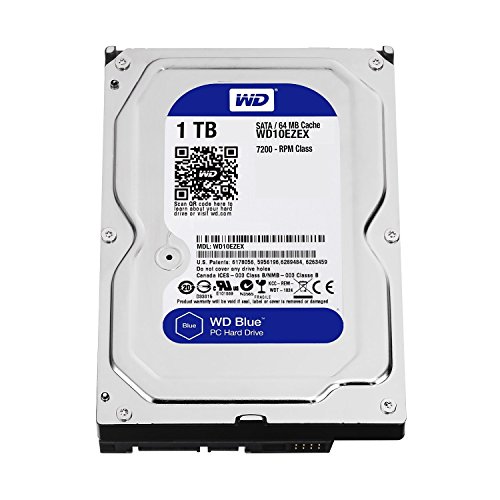
Storage needs differ widely depending on whether you are repairing a desktop tower or carrying files between work sites. For a standard 3.5-inch desktop bay, I would point budget-conscious builders toward the traditional WD Blue 500GB. It spins at 7200 RPM with a SATA 6Gb/s connection and a 32MB cache, making it a straightforward replacement drive for basic office systems or secondary data arrays. Hardware outlets like Tom’s Hardware often note that classic spinning disks remain useful for basic archive duty.
If you need internal laptop storage or faster boot times on an older motherboard, I would go with the PNY CS900 500GB. Its 2.5-inch SATA III interface reaches sequential reads up to 550MB/s and sequential writes up to 500MB/s, providing a noticeable performance boost over mechanical disks. On the other hand, travelers who want rugged portability should consider the SanDisk 500GB Extreme. It hits transfer speeds up to 2000MB/s over USB-C, includes 256-bit AES encryption, and offers IP65 water and dust resistance alongside drop protection up to three meters.
FAQs
Q: Why does a 500GB drive show as roughly 465GB in Windows?
A: Storage manufacturers measure gigabytes using the decimal system, where one gigabyte equals one billion bytes. Operating systems like Windows calculate capacity in binary, where one gigabyte equals 1,073,741,824 bytes. This mathematical difference reduces the reported usable space on your screen, but the physical storage capacity remains exactly as built.
Q: Can I use an external 500GB drive to play modern console games?
A: External drives can store titles for modern consoles like the PlayStation 5 or Xbox Series X, but current-generation games must be transferred to internal storage to play them. However, legacy games from platforms like the PlayStation 4 or Xbox One run directly from an external drive over USB without needing an internal transfer.
Q: Is a SATA SSD better than an internal mechanical hard drive?
A: A SATA SSD offers sequential read speeds over 500MB/s, whereas a standard mechanical drive generally transfers files much slower due to spinning platters. SSDs also draw less power, generate less noise, and have no moving parts. Anyone wondering where is the SSD located in a computer can easily swap an old 2.5-inch drive bay with modern flash storage.
Q: Do portable solid-state drives require special software to operate?
A: Most portable drives are plug-and-play devices ready for immediate use on modern operating systems. Windows and mobile devices read common file systems like exFAT right away. Some external models feature hardware encryption or diagnostic utilities, but standard file drag-and-drop actions work automatically without installing extra drivers or proprietary background software.
Editor’s Verdict
When choosing from the best 500GB hard drives and portable drives, your use case dictates the winner. For rugged field transfers, the SanDisk 500GB Extreme delivers exceptional speed and durable protection. For reviving an aging desktop, the WD Blue 500GB remains a reliable mechanical option.