Building a resilient storage pool requires reliable hardware capable of handling constant parity checks and scrub routines without silent corruption. Choosing the best hard drives for ZFS depends heavily on whether your pool prioritizes continuous write endurance, massive archive density, or fast parity rebuilds. Knowing what is the difference between HDD and SSD storage helps define the right foundation for your server.
Recommended by Us

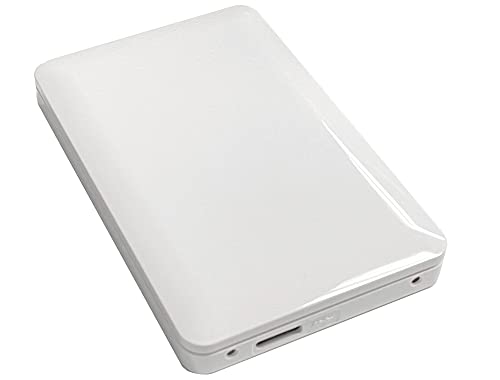
- True plug-and-play operation requires no software installation
- Compatible across both Windows and Mac platforms
- Lightweight and compact profile fits easily into laptop bags or pockets
- Generous 2TB capacity in a pocket-sized form factor
- Transfer speed figures are not stated in the official specifications
- Mechanical HDD technology provides standard rather than solid-state transfer speeds
- Includes an 18-inch cable which may feel short for desktop tower setups

Seagate SkyHawk 6TB Surveillance HDD
- Built specifically for continuous 24x7 surveillance video workloads
- Workload endurance rating is triple that of typical desktop hard drives
- Rotational vibration sensors protect multi-bay RAID installations
- Substantial 256MB onboard cache buffers heavy write streams
- Internal 3.5-inch form factor requires proper bay mounting and power connections
- Listing does not provide specific sequential read or write transfer rates

- Hardware ASM2824 switch allows multiple NVMe drives to work on motherboards lacking bifurcation
- Accommodates extra-long 22110 enterprise drives as well as standard consumer SSDs
- Included cooling fan and thermal plate manage heat under continuous operation
- Flexible bracket design accommodates both half-height and standard full-height cases
- Requires a physical PCIe x8 or x16 slot on the host motherboard
- Does not include onboard storage or pre-installed SSDs
- Manufacturer does not specify exact maximum read and write throughput numbers

- Generous 8TB capacity suited for high-density data arrays
- High-performance 7200 RPM spindle speed with 256MB cache
- Engineered on a sealed helium platform for continuous enterprise deployment
- Equipped with a high-bandwidth SAS 12Gb/s connection
- Requires a dedicated SAS controller and does not work on consumer SATA ports
- Specific sequential read and write transfer rates are not listed

YiBaoTong ASM2824 PCIe to 4x M.2 Card
- Onboard ASM2824 controller eliminates the need for motherboard BIOS bifurcation support
- Accepts up to four NVMe drives on a single card
- Accommodates longer enterprise 22110 M.2 drives alongside standard consumer lengths
- Direct compatibility with specialized operating systems like TrueNAS and ZFS
- Transfer speeds and benchmark figures are not specified in the product listing
- Requires a physical PCIe x8 or x16 motherboard slot to operate

- Onboard ASM2824 controller removes the need for motherboard PCIe bifurcation
- Supports lengthy 22110 enterprise-grade NVMe drives as well as consumer lengths
- Flexible installation options with half-height and full-height slot compatibility
- Ideal for expanding fast storage pools in dedicated server environments
- Requires an available physical PCIe x8 or x16 motherboard slot
- Solid state drives are not included and must be sourced separately
- Active cooling fans or thermal heatsinks are not listed in the specifications

YiBaoTong PEX8747 4-Port M.2 NVMe Card
- Enables quad M.2 NVMe drive use on motherboards lacking native bifurcation
- Dedicated PLX8747 48-lane hardware switch ensures reliable multi-drive access
- Accommodates extra-long enterprise 22110 M.2 drives alongside standard consumer sizes
- Compatible with hypervisors and storage OS platforms including ESXi
- Transfer speeds and throughput figures are not provided in the listing
- Solid state drives and thermal pads are sold separately
- Requires a physical PCIe x8 or x16 slot on your motherboard
Matching Drive Hardware to Your Storage Pool Workload
For builders assembling a serious multi-drive zpool in a dedicated server chassis, I would point directly to the HGST Ultrastar He10 8TB. This enterprise disk runs on a helium-sealed platform with a 7200 RPM spindle speed and uses a 12Gb/s SAS interface, making it built specifically for dense multi-disk arrays that need uninterrupted uptime and fast pool rebuilds. Western Digital designs these enterprise platforms to operate under steady, heavy input and output loads.
If your system relies on standard SATA backplanes or standard desktop home server motherboards, the Seagate SkyHawk 6TB is another solid option I would suggest. It features built-in rotational vibration sensors to keep vibration in check within multi-bay enclosures, alongside a 180TB per year workload rating designed for continuous 24/7 write duty. For compact setups that need fast scratch space or cache tiers without occupying extra drive bays, you might wonder how many M.2 SSD slots does a motherboard have before adding PCIe expansion cards like the YiBaoTong ASM2824 Adapter to host flash storage alongside your spinning disks.
FAQs
Q: Why is enterprise hardware preferred for ZFS pools?
A: Enterprise drives offer sustained vibration tolerance and firmware tuned for RAID and software storage environments. As Tom’s Hardware often notes when covering high-density storage, multi-bay enclosures produce significant rotational vibration that budget desktop drives struggle to endure over time.
Q: Can external USB drives be used reliably in a ZFS pool?
A: While a drive like the Seagate 2TB Portable can serve for emergency offsite backups, USB connections can randomly reset or sleep, which causes ZFS to flag healthy drives as faulted.
Q: Why does drive RPM matter during a ZFS resilver?
A: When a drive fails in a parity configuration, the array must rebuild data across every remaining disk. Higher rotational speeds like 7200 RPM dramatically cut the hours required to complete a rebuild, reducing stress on the pool.
Q: Is it beneficial to combine solid state media with traditional hard drives?
A: Yes, many pools pair large mechanical drives for mass data capacity with fast flash drives for read caching and intent logs. Anyone curious should check should you compress an SSD drive before configuring flash-based log devices.
Editor’s Verdict
For building a reliable, long-term storage array, the HGST Ultrastar He10 8TB stands out as the ultimate choice among the best hard drives for ZFS due to its helium architecture and enterprise SAS interface, while the Seagate SkyHawk 6TB delivers great multi-bay stability for SATA-based server builds.