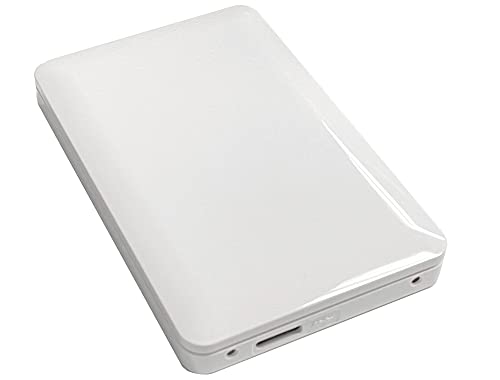
Retro gaming setups often struggle when original storage bays fill up with updates, downloadable content, and digital titles. Finding the best hard drives for xbox 360 consoles ensures smooth access to your favorite retro library without managing tight space restrictions. Understanding what is the difference between HDD and SSD storage helps clarify how these older console bays operate.
Recommended by Us

- Officially certified for seamless Xbox integration
- Generous 2TB capacity for storing dozens of titles
- Distinctive illuminated Xbox-green LED accent lighting
- Simple plug-and-play USB 3.0 connectivity
- Xbox Series X and Series S games cannot be played directly from the drive
- Manufacturer does not list specific transfer speed figures

- Form factor designed specifically for seamless Xbox 360 Slim integration
- Substantially increases storage over default console memory for games and saves
- Allows playback and storage of custom music playlists
- Compact 5 x 3.6 x 1.2 inch dimensions match console bay requirements
- Specific transfer speeds are not detailed in the manufacturer specifications
- Interface technical standards are omitted from product documentation
- Restricted to Xbox 360 Slim systems and cannot fit original fat models

BLUE ELF 500GB Xbox 360 Slim HDD
- Adds 500GB of dedicated internal console space
- Direct drop-in fit for Xbox 360 Slim and Xbox 360 E systems
- Leaves external USB ports unobstructed
- Read and write transfer rates are not specified
- Incompatible with original fat Xbox 360 console models

- Direct compatibility with Xbox 360 S consoles
- Adds 320GB of internal storage without occupying external ports
- Official Microsoft branded accessory
- Lightweight and compact design
- Compatibility is limited specifically to Xbox 360 S hardware
- Interface type and transfer speeds are not specified in the listing
- Capacity is relatively small compared to modern external drives
BLUE ELF 500GB Xbox 360 Slim HDD
- Dedicated fit for Xbox 360 Slim and Xbox 360 E consoles
- 500GB capacity easily accommodates large collections of classic games
- Clean internal installation leaves console exterior clutter-free
- Incompatible with original fat Xbox 360 models
- Exact transfer speeds and interface standards are not specified

- Generous 500GB capacity for extensive game saves and digital downloads
- Enables disc installs to achieve noticeably quicker game load times
- Direct plug-and-play fit for Xbox 360 S Slim and Xbox 360 E consoles
- Eliminates the need for external storage attachments cluttering your entertainment center
- Not compatible with original fat Xbox 360 console models
- Manufacturer specifications do not provide precise read and write transfer rates

UnionSine 1TB Ultra Slim Portable HDD
- Compact and slim design easily slips into a pocket or bag
- Quiet operation thanks to the JMicron 578 noise-free solution
- True plug-and-play setup requiring zero software installation
- Textured exterior provides a secure grip while handling
- Mechanical HDD transfer speeds are slower than solid-state alternatives
- Comes with a USB-A cable without an included USB-C adapter
Choosing the Right Capacity and Format for Your Setup
When upgrading older hardware, balancing capacity and hardware compatibility is essential. If you want maximum room inside an Xbox 360 S or E console, I would go with the HWAYO 500GB. It slots directly into the internal bay, providing 500GB of room to install game discs directly for faster loading times and extra download headroom. That extra space helps prevent frequent file deletions when trying out new titles.
For gamers who prefer official hardware, I would point toward the Microsoft 320GB. It provides 320GB of storage built specifically for Xbox 360 S systems. Meanwhile, if you want massive external storage that you can take between different console setups, I would choose the Seagate 2TB Game Drive. The official site at Seagate details its Xbox compatibility, and the unit includes a green LED bar alongside three years of rescue data recovery. Knowing where is the SSD located in a computer offers a helpful comparison for how consoles format their storage.
FAQs
1. Can I use any USB drive with an Xbox 360?
The console supports USB storage, but you must format the drive through the system settings before saving content. Early system updates had tighter storage limits, but modern dashboard versions let you configure larger drives easily. Still, an internal drive remains required if you plan on playing certain original Xbox backwards-compatible titles.
2. What is the maximum internal drive size for Xbox 360?
Official internal drives capped out at 500GB during the console generation. While modern PC platforms expand storage rapidly, learning when did SSDs come out illustrates why older systems relied on these specific mechanical drive capacities. Installing an internal drive larger than 500GB without custom console modifications is not natively supported by the stock dashboard.
3. Do games load faster when installed to a hard drive?
Installing games to an internal hard drive reduces wear on the optical disc drive and often improves loading performance. You still need the original disc inside the tray for copyright verification, but the system reads game data directly from the drive, resulting in quieter console operation during extended play sessions.
4. Can an SSD work inside an Xbox 360 console?
A standard SATA solid-state drive will not work as an internal drive on an unmodded Xbox 360 because the operating system requires specific drive security sectors. External solid-state options can connect over USB, though the console speeds are capped by USB 2.0 bus limits, meaning mechanical hard drives remain the most practical solution.
Editor’s Verdict
Finding the best hard drives for xbox 360 comes down to whether you want direct internal installation or portable external storage. For internal expansion on Slim or E consoles, the HWAYO 500GB delivers spacious capacity for disc installs and downloads. If you need portable storage, the Seagate 2TB Game Drive provides dependable external capacity with data recovery protection.