

Setting up continuous security recording requires storage that handles non-stop writing cycles without dropping video frames. While desktop storage manages intermittent PC tasks, the best hard drives for video surveillance run around the clock across multi-camera arrays. Understanding what is the difference between HDD and SSD drives helps clarify why high-capacity mechanical platters remain the industry standard here.
Recommended by Us

- Tuned specifically for write-intensive surveillance workloads
- Rotational vibration sensors protect multi-drive RAID arrays
- Generous 256MB cache buffers incoming camera streams
- High 180TB/year workload rating outlasts standard desktop storage
- Optimized for continuous video recording rather than general computing
- Transfer speed benchmarks are not stated in the manufacturer specifications
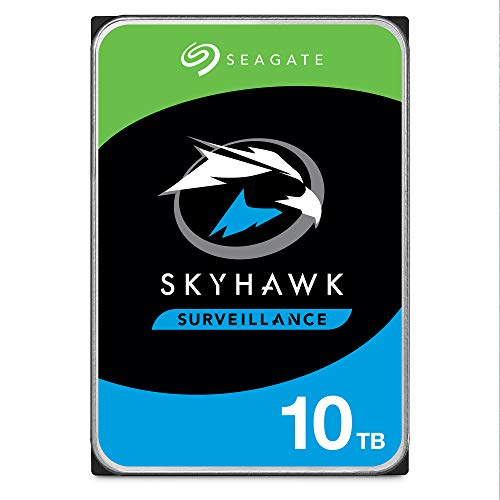
Seagate SkyHawk AI 10TB Surveillance HDD
- Engineered for 24/7 multi-camera surveillance and AI video analytics
- Zero dropped frames with specialized ImagePerfect AI technology
- Enterprise-level endurance with a 550TB/year workload rating and 2M hours MTBF
- Includes three years of in-house Rescue Data Recovery Services
- Standard 3.5-inch internal form factor requires a compatible drive bay
- Specific sequential read and write transfer rates are not specified in the listing

Seagate SkyHawk 6TB Surveillance HDD
- Built specifically for continuous 24x7 surveillance video workloads
- Workload endurance rating is triple that of typical desktop hard drives
- Rotational vibration sensors protect multi-bay RAID installations
- Substantial 256MB onboard cache buffers heavy write streams
- Internal 3.5-inch form factor requires proper bay mounting and power connections
- Listing does not provide specific sequential read or write transfer rates

- Designed specifically for round-the-clock surveillance and DVR recording
- Generous 64MB cache helps prevent dropped video frames
- 5900 RPM speed runs cooler and quieter than higher-RPM alternatives
- Direct SATA 6.0Gb/s plug-and-play fit for standard 3.5-inch drive bays
- Renewed condition rather than factory fresh
- Modest 1 TB capacity may fill quickly on multi-camera 4K setups
- Manufacturer read and write transfer rates are not specified

Seagate SkyHawk AI 16TB Surveillance HDD
- Substantial 550TB per year workload rating supports demanding AI analytics
- Simultaneous handling of 64 HD cameras and 16 AI video streams
- Includes ImagePerfect AI firmware optimized for zero dropped frames in 24x7 setups
- Huge 16TB capacity reduces the need for multiple smaller hard drives
- Dedicated surveillance design is not optimized for standard desktop computing
- Specific sequential read and write transfer rates are not provided in the listing
- Requires a compatible 3.5-inch SATA drive bay and power supply
- Optimized to minimize dropped frames with up to 64 continuous HD video streams
- Built-in RV sensors help maintain stability in multi-drive chassis
- High workload rating of 180TB per year with a 1 million hours MTBF rating
- Sizable 256MB cache supports steady write operations
- Tailored for surveillance write workloads rather than standard desktop computing tasks
- Maximum sustained read and write transfer rates are not specified in the listing

Seagate SkyHawk AI 10TB Surveillance HDD
- Massive 10TB capacity provides substantial footage retention for multi-camera systems
- Optimized for 24/7 security workloads with support for up to 64 HD cameras and 16 AI streams
- Exceptional 550TB/year workload rating far exceeds standard surveillance hard drives
- High reliability rating with a 1.5 million hour MTBF
- Internal 3.5-inch form factor requires compatible DVR, NVR, or desktop drive bays
- Specific sustained read and write transfer rates are not stated in the official specifications
Selecting the Right Drive for Your Camera Setup
Choosing the right drive comes down to balancing camera count, retention time, and workload intensity across your security network. Video setups place heavy write demands on hardware, making drive durability and vibration control vital when multiple disks sit inside a single enclosure.
- If you manage a mid-sized network of continuous security cameras, Seagate SkyHawk 8TB is the one I would go for because its 180TB per year workload rating and rotational vibration sensors provide stable performance across multi-bay network video recorders.
- For larger multi-camera deployments running smart analytics, I would point you toward Seagate SkyHawk AI 10TB, which supports up to 64 HD video streams alongside 32 AI streams and carries an enterprise-class 550TB per year workload rating.
- If you only need a budget replacement for an entry-level single-bay digital video recorder, MaxDigitalData 1TB provides a sensible entry point with its 5900 RPM spindle speed and dedicated DVR tuning.
Official drive documentation from Seagate details how specialized firmware routines prioritize write operations over standard read tasks.
FAQs
1. Why should you avoid standard desktop hard drives for security video?
Surveillance systems write video continuously every hour of the week, which creates thermal stress and wear that desktop drives cannot handle. Dedicated surveillance drives feature tuned firmware that prioritizes continuous sequential writes to prevent dropped frames, alongside higher workload ratings. In contrast, desktop units are designed for intermittent read and write sessions during standard computer use.
2. What role do rotational vibration sensors play in surveillance storage?
Multi-bay video recorders create physical vibrations when multiple spinning disks run close together in a single chassis. Rotational vibration sensors detect these subtle movements and adjust head positioning in real time to prevent drive failure and maintain steady recording performance. Without these sensors, multi-drive arrays suffer from tracking errors and reduced operational lifespan.
3. Should you consider an SSD for continuous video recording systems?
Solid state storage provides rapid access times, but continuous multi-stream video writing quickly exhausts flash memory endurance cycles. In addition, high-capacity surveillance setups require vast storage pools that make solid state alternatives cost-prohibitive. As explained when exploring when did SSDs come out, mechanical drives remain far more cost-effective for sequential bulk video archive retention.
4. Can file compression help maximize security camera storage space?
Software video compression like H.264 or H.265 reduces bitrates before footage reaches the disk, which saves significant capacity. However, applying filesystem-level compression on the storage volume itself adds unnecessary processing overhead to the recorder. Reviewing should you compress an SSD drive highlights similar performance penalties that occur when active write-heavy storage drives face extra software compression burdens.
Editor’s Verdict
Finding the best hard drives for video surveillance requires choosing reliable write-tuned disks that sustain 24/7 video capture without frame loss. For enterprise systems needing deep retention and analytics, Seagate SkyHawk AI 10TB delivers exceptional stream capacity and endurance. If you operate a standard home or office security setup, Seagate SkyHawk 8TB provides the ideal balance of capacity and multi-drive stability.




