

The Best RTX 3070 Ti gaming laptops balance QHD performance with sensible supporting hardware. The Acer RTX 3070 TI is our best overall choice, while the Acer i7-12700H RTX 3070 TI stands out when strong CPU support, a MUX switch, and generous storage matter most.
Recommended by Us

Acer Nitro 5 RTX 3070 Ti Gaming Laptop
- Strong RTX 3070 Ti graphics for high-refresh QHD gaming
- Sharp 165Hz QHD IPS display with a listed 3ms response time
- Generous 2TB PCIe Gen 4 SSD storage
- MUX switch provides a direct path to the dedicated GPU
- Broad connectivity includes Thunderbolt 4 and HDMI 2.1
- The title lists 16GB of RAM, while the feature details specify 32GB, so the installed capacity should be confirmed
- At 5.51 pounds, it is heavier than many portability-focused laptops
- RAID 0 improves aggregate storage performance but does not provide data redundancy

Acer Predator Triton 500 SE RTX 3070 Ti
- High-end 240Hz WQXGA display with G-SYNC and 100% DCI-P3 coverage
- Strong RTX 3070 Ti graphics with 8GB of dedicated GDDR6 VRAM
- Capable 14-core Intel Core i7 processor
- Broad connectivity including Thunderbolt 4, HDMI 2.1, Ethernet, and Wi-Fi 6E
- Fast 1TB PCIe Gen 4x4 SSD
- The listed 16GB of RAM may be limiting for heavier professional workflows, although the stated maximum is 32GB
- At 5.29 pounds, it is less convenient to carry than many general-purpose laptops
- The keyboard uses three-zone RGB lighting rather than individually controlled per-key lighting

Acer Nitro 5 RTX 3070 Ti QHD Gaming Laptop
- Strong RTX 3070 Ti graphics for high-resolution gaming
- Sharp 2560 x 1440 IPS display with 165Hz refresh rate
- Generous 32GB DDR5 memory and 2TB PCIe SSD
- Display covers 100% DCI-P3 according to the listing
- Includes FreeSync Premium, Killer Wi-Fi 6, and four-zone RGB lighting
- At 5.51 pounds, it is heavier than many ultraportable laptops
- The listed 300-nit display may be less comfortable under very bright lighting
- Battery capacity and estimated runtime are not provided in the product data

Acer Nitro 5 QHD 165Hz RTX 3070 Ti
- Strong RTX 3070 Ti 8GB graphics specification
- Sharp QHD display with a fast 165Hz refresh rate
- Generous 64GB DDR5 memory configuration
- Useful selection of modern connectivity options
- Eight-core Ryzen 7 processor supports demanding workloads
- At 5.5 pounds and 1.06 inches thick, it is less portable than many general-purpose laptops.
- Battery capacity and expected runtime are not listed.
- The listing does not specify the SSD interface or read and write speeds.

Acer Nitro 5 RTX 3070 Ti Gaming Laptop
- High-performance RTX 3070 Ti graphics
- Eight-core, 16-thread Ryzen 7 processor
- Detailed 165Hz IPS display with 100% DCI-P3 coverage
- Useful 16GB DDR5 and 1TB SSD configuration
- Includes Wi-Fi 6E and a backlit keyboard
- At 5.51 pounds, it is relatively heavy for frequent travel
- The listed 300-nit brightness may be less comfortable in strongly lit environments
- Battery capacity and expected runtime are not provided in the listing
Understanding This Graphics Tier
The NVIDIA GeForce RTX 3070 Ti laptop GPU is aimed primarily at high-quality gaming on FHD and QHD displays. It can handle visually demanding releases, high-resolution textures, ray tracing, and fast competitive play, although the most demanding settings may require sensible compromises. Buyers should expect strong performance rather than assume every graphics option can remain at its maximum indefinitely.
A laptop is worth considering when its display, processor, cooling, and memory complement the GPU. A QHD high-refresh panel suits this graphics tier particularly well, while a fast FHD screen favors competitive responsiveness. Laptop and desktop parts also behave differently because portable systems have stricter thermal and power limits. Our laptop desktop comparison explains that broader distinction.
Worth knowing: Match the entire laptop to the RTX 3070 Ti instead of chasing the largest RAM capacity or fastest advertised display. Balanced cooling, resolution, processor performance, and storage are usually more useful than one oversized specification.
Listing Terms Worth Understanding
Specifications can look reassuringly precise while leaving out details that affect daily use. These common terms help separate genuinely useful hardware from numbers that mainly make a listing appear impressive. Read the complete configuration carefully because similar model names can be sold with different memory and storage capacities.
- TGP: This describes the graphics power allowance, and higher limits can help a laptop GPU sustain stronger performance when cooling is adequate.
- MUX switch: This allows supported laptops to route the discrete GPU directly to the display, reducing overhead and potentially improving gaming performance.
- QHD display: This resolution is sharper than FHD and is a natural match for the RTX 3070 Ti, though it demands more graphics power.
- High refresh rate: This allows the screen to show motion more frequently, but the benefit depends on the workload and actual graphics performance.
Memory and storage wording deserves equal attention. Capacity affects multitasking and library space, while DDR generation and PCIe specifications describe the underlying technology. Upgradability is not guaranteed merely because a laptop has replaceable-looking parts. Our laptop upgrade guide covers the practical limits.
Comparing the Main Models
The Acer Nitro 5 Gaming Laptop | AMD Ryzen 7 6800H combines its AMD Ryzen 7 6800H with 32GB DDR5 RAM and a 2TB PCIe SSD. Its 15.6-inch QHD IPS display has a 165Hz refresh rate, 3ms overdrive response time, 300-nit brightness, and 100% DCI-P3 coverage. The acer 2023 Nitro 5 Gaming Laptop uses the same named processor and a similarly specified QHD 165Hz display, but the listed configuration has 16GB DDR5 RAM and a 1TB SSD.
The Acer Nitro 5 AN515-58-7583 Gaming Laptop instead uses the 12th Gen Intel Core i7-12700H, 32GB DDR4 3200MHz memory, and two 1TB PCIe Gen 4 SSDs in RAID 0. It includes a MUX switch and a cooling layout with dual fans, top and bottom intakes, and four exhaust ports. The acer Predator Triton 500 SE Gaming/Creator Laptop also has the Intel Core i7-12700H, but pairs it with 16GB DDR5 memory and a 1TB PCIe Gen 4×4 SSD.
The Predator has the most distinctive screen in this group: a 16-inch WQXGA panel with a 16:10 aspect ratio, 240Hz refresh rate, 500-nit brightness, NVIDIA G-SYNC, and 100% DCI-P3 coverage. Its cooling includes 5th Gen AeroBlade 3D Fan Technology, Vortex Flow airflow guidance, and liquid metal thermal material. The Acer Nitro 5 15.6-inch QHD 165Hz Gaming Laptop emphasizes 64GB DDR5 RAM and a 1TB SSD in the listed configuration. Those capacities can help heavy multitasking, but they do not change the underlying graphics tier. When comparing these machines, GPU power behavior and cooling matter more than unusually large memory figures. Our laptop lifespan overview adds useful ownership context.
Benefits and Limits of RTX
Upsides
- The RTX 3070 Ti is well suited to QHD gaming without forcing buyers into the most expensive mobile GPU class.
- Support for ray tracing and NVIDIA DLSS gives users options for balancing image quality and performance in compatible software.
- The GPU also provides useful acceleration for supported creative applications, making these laptops more flexible than gaming-only machines.
- High-refresh FHD and QHD displays can both make sense, depending on whether responsiveness or sharper detail takes priority.
Trade-offs
- Maximum graphics settings are not always sensible, particularly when demanding ray tracing effects and high native resolutions are combined.
- Two laptops carrying the same GPU name can perform differently because cooling, power limits, and software modes are not identical.
- Gaming laptops in this class are built around performance, so portability and quiet operation may require compromises.
Buyers researching the best rtx 3070 ti gaming laptops should view this as a capable upper-midrange graphics tier rather than a promise of unrestricted settings. It handles QHD well and offers plenty of flexibility, but reducing a few demanding options can produce a better overall experience. The right machine pairs that capability with a suitable screen and competent cooling. Our laptop selection advice covers the wider decision.
Practical Selection Rules
A long specification sheet can make straightforward decisions seem complicated. Start with the screen and cooling, then verify the processor, memory, and storage configuration. These rules of thumb keep attention on differences that affect how an RTX 3070 Ti laptop is likely to feel in regular use rather than on isolated marketing claims.
- Choose QHD for sharper detail, but expect demanding graphics options to require occasional adjustment.
- Pick FHD when high-refresh competitive play matters more than increased pixel density or workspace.
- Prioritize disclosed cooling features when comparing laptops that use the same RTX 3070 Ti GPU.
- Look for a MUX switch when maximizing direct discrete-GPU performance is a major priority.
- Treat extra memory as useful for multitasking, not as an automatic improvement to graphics performance.
- Check storage capacity against your game library instead of assuming the largest drive is necessary.
Also consider whether the laptop will stay on a desk or travel regularly. Larger screens provide more viewing space, while compact machines are easier to carry. Performance-focused hardware can place substantial demands on cooling and power, so size should not be judged in isolation. Our laptop versus PC guide helps frame that trade-off.
The Bottom Line
The Acer RTX 3070 TI is the strongest all-around choice here because its QHD display, AMD Ryzen 7 6800H, 32GB DDR5 RAM, and 2TB SSD form a balanced configuration. Choose the Acer i7-12700H RTX 3070 TI instead if you prefer the Intel Core i7-12700H, a MUX switch, detailed cooling controls, and dual-drive RAID 0 storage.
Other RTX Models to Consider
- msi RTX 3070 TI
This alternative uses a Core i9-12900H, 16GB DDR5 memory, and a 1TB NVMe Gen4x4 SSD. Its FHD high-refresh display is better suited to shoppers who value responsiveness over the sharper QHD panels found on the main selections.
- ASUS RTX 3070 TI
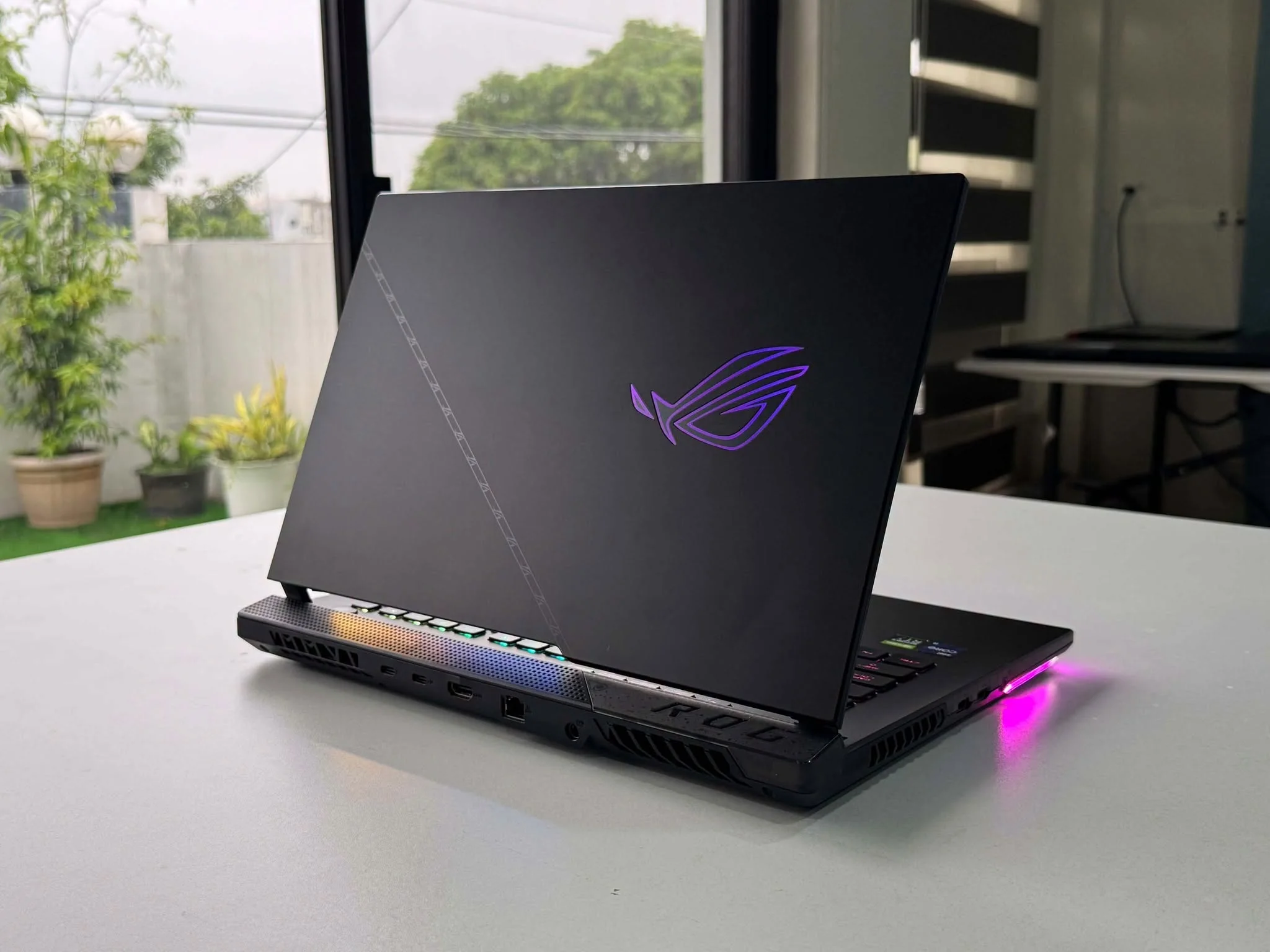
The ROG Strix Scar 15 combines an Intel Core i9-12900H with a 150W maximum-TGP RTX 3070 Ti, a MUX switch, and a QHD 240Hz display. Its liquid metal, Arc Flow fans, per-key RGB keyboard, and broad connectivity suit buyers seeking a more feature-heavy alternative.
- Razer RTX 3070 TI
The Blade 17 stands apart with its 17.3-inch QHD 240Hz NVIDIA G-SYNC display and vapor chamber cooling. Two Thunderbolt 4 ports, three USB-A ports, HDMI 2.1, an SD card reader, and 2.5GB Ethernet make it particularly appealing for a desk-based setup with several accessories.


