

The Best 360Hz gaming laptops combine a genuinely fast panel with hardware powerful enough to make it useful. The Thunderobot Zero 16 Pro is the strongest all-around choice, while the Alienware M15 R6 offers a more restrained route into high-refresh gaming.
Recommended by Us

Thunderobot Zero 16 Pro RTX 5070 Ti
- High-tier RTX 5070 Ti graphics and a 24-core Core Ultra 9 processor
- Exceptionally fast 360Hz QHD+ IPS display
- Generous 32GB DDR5 configuration
- Broad wired and wireless connectivity
- Per-key RGB keyboard with a numeric keypad
- At 5.62 pounds and 1.03 inches thick, it is less travel-friendly than slimmer gaming laptops
- Battery capacity and expected runtime are not specified
- The listed webcam is only described as HD
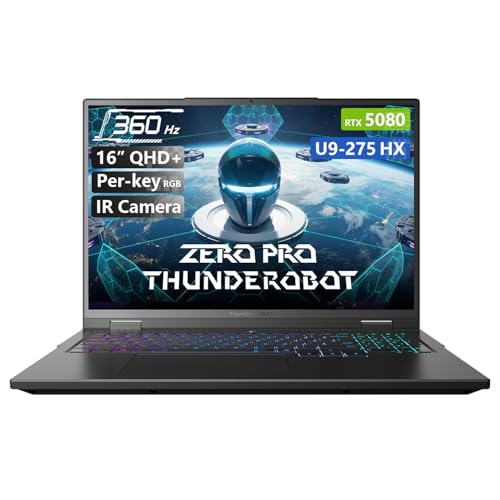
Thunderobot Zero 16 Pro RTX 5080
- High-end RTX 5080 graphics and a 24-core Core Ultra 9 processor
- Exceptionally fast 360Hz QHD+ IPS display
- Generous 64GB DDR5 RAM and 2TB SSD configuration
- Broad wired and wireless connectivity
- Advanced multi-fan and heat-pipe cooling design
- At 5.62 pounds, it is heavier than many portability-focused laptops.
- The highest display refresh rate requires dedicated-graphics direct connection mode.
- The listing does not specify the GPU VRAM capacity.
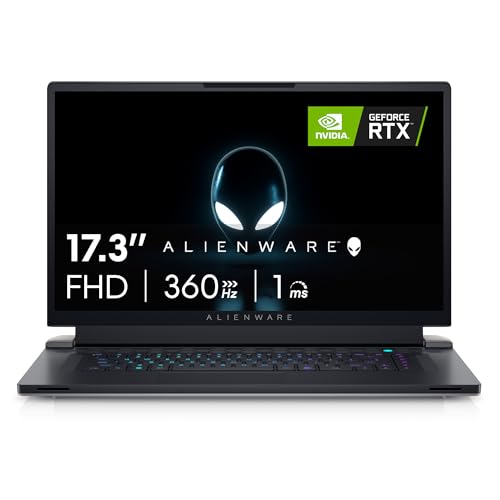
Alienware X17 R2 RTX 3070 Ti Gaming Laptop
- Very fast 360Hz FHD display with a 1ms response time
- Capable RTX 3070 Ti graphics with 8GB GDDR6
- Strong Core i7-12700H processor
- Spacious 1TB SSD
- Dolby Vision and ComfortView Plus display technologies
- At 6.82 pounds, it is less convenient to carry than a smaller gaming laptop
- FHD resolution emphasizes refresh rate rather than the sharper detail of a higher-resolution panel
- Battery runtime is not specified in the listing
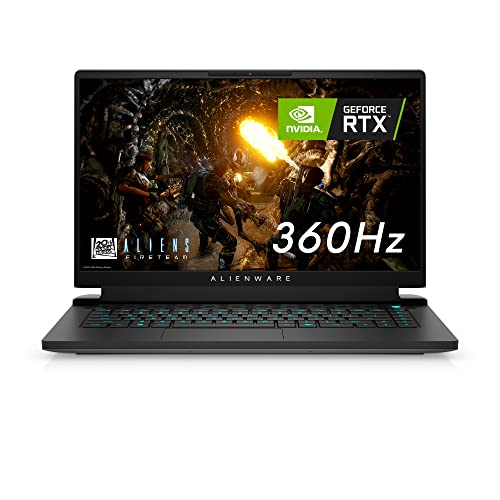
Alienware m15 R6 RTX 3070 Gaming Laptop
- Exceptionally fast 360Hz display with G-SYNC and a 1ms response time
- RTX 3070 graphics with 8GB of graphics memory
- Generous 32GB DDR4 memory and 1TB SSD configuration
- User-upgradeable memory through two SO-DIMM slots
- Advanced Optimus and dedicated Cryo-Tech cooling features
- At 5.93 pounds, it is relatively heavy for frequent travel
- The FHD panel prioritizes refresh rate rather than a higher display resolution
- Battery runtime, port selection, and wireless specifications are not provided in the listing
Understanding the 360Hz Trade-Off
A 360Hz screen refreshes extremely quickly, but that does not mean every game or graphics setting will make full use of it. The GPU still has to render frames quickly, while the CPU must process game logic and feed the GPU without becoming a bottleneck. Competitive players benefit most, especially when they are willing to reduce demanding visual settings. Our laptop selection guide covers the broader decision.
Resolution changes the equation. Driving a QHD+ display is more demanding than driving a Full HD panel, so a stronger GPU makes more sense when high resolution and maximum refresh rate are both priorities. A less powerful machine can still suit a fast display if you favor lighter games or lower settings. The sensible choice is the laptop whose GPU tier matches how you actually play, not merely the model with the largest specification numbers.
Choosing the Right Hardware Tier
| Tier | What You Get | Best For |
|---|---|---|
| Value tier | A value-oriented 360Hz laptop usually pairs a Full HD panel with older but still capable discrete graphics. The lower display resolution places less pressure on the GPU than QHD+, which can make the high refresh rate easier to approach when settings are chosen carefully. Memory and storage may be less generous, so upgrade access and included capacity deserve attention before purchase. | This tier makes sense for players who put responsiveness ahead of maximum visual detail. It is also the practical route for someone who wants a fast gaming screen without paying for the newest graphics generation. Expectations still matter: demanding visual settings can prevent the panel from being fully used, even though motion remains smooth and input feels responsive. |
| Balanced tier | A balanced system combines a modern upper-tier GPU with substantial DDR5 memory, solid-state storage, and a high-resolution 360Hz panel. It gives you more room to use QHD+ detail without abandoning high-refresh play. This is generally the most sensible level for buyers who play several types of games and do not want the display resolution to become an unnecessary burden. | This tier suits players who divide their time between competitive gaming, visually demanding releases, and everyday productivity. It avoids paying solely for the fastest available GPU while still giving the display capable supporting hardware. For most buyers, this is where specifications, practical performance, and longevity line up most convincingly. |
| Performance tier | The performance tier adds a higher-class GPU, more memory, greater storage capacity, and cooling designed around a larger total power allowance. It provides more graphics headroom for a QHD+ 360Hz screen and heavier workloads. The trade-offs are straightforward: the system costs more, and powerful components still depend on effective cooling and suitable operating modes. | This tier is aimed at buyers who want the least compromise between image quality and refresh rate. It also fits demanding multitasking and content creation alongside gaming. It is not automatically the smartest purchase, however. If your games or settings do not benefit from the extra graphics power, the balanced tier can deliver a more rational overall package. |
Price alone does not define value because display resolution, GPU class, memory, and upgrade options all affect usefulness. Our overview of gaming laptop costs explains why entry pricing can be misleading.
Practical 360Hz Rules
- Match the GPU to the panel resolution before paying extra for an exceptionally high refresh rate.
- Favor direct discrete graphics output when the laptop requires it to reach the screen’s maximum refresh setting.
- Do not sacrifice cooling merely to get a thinner chassis with an impressive display specification.
- Choose enough memory and storage for your workload, but avoid upgrades that will not improve gaming responsiveness.
How the Models Compare
The Thunderobot Zero 16 Pro 5070Ti Gaming Laptop pairs the Intel Core Ultra 9 275HX with GeForce RTX 5070 Ti graphics, 32GB DDR5, and a 1TB PCIe M.2 SSD. Its 16-inch QHD+ IPS display has a 2560×1600 resolution, 360Hz refresh rate, 600-nit brightness, and 100% DCI-P3 coverage. Thunderobot says maximum refresh requires dedicated graphics direct connection mode. Cooling uses dual Night Owl fans, seven extended heat pipes, and 316 copper fins around a 205W design.
The Thunderobot Zero 16 Pro 5080 Gaming Laptop keeps the same Intel Core Ultra 9 275HX processor and the same stated QHD+ display specifications, but moves to GeForce RTX 5080 graphics. It also doubles the listed memory and storage to 64GB DDR5 and a 2TB PCIe M.2 SSD. Its cooling system again uses dual Night Owl fans, seven enlarged heat pipes, and 316 copper fins, but Thunderobot describes this version as sustaining 230W total power. That makes it the higher-headroom Thunderobot option.
The Alienware X17 R2 VR Ready Gaming Laptop takes a different approach with a larger 17.3-inch Full HD 360Hz 1ms display, Intel Core i7-12700H, NVIDIA GeForce RTX 3070 Ti graphics, 16GB RAM, and a 1TB SSD. Its thermal design draws cooler air through the keyboard area and exhausts warm air through side vents. The Alienware M15 R6 Gaming Laptop is smaller, using a 15.6-inch Full HD 360Hz display, Intel Core i7-11800H, NVIDIA GeForce RTX 3070 graphics, 32GB DDR4, and a 1TB SSD. It also provides two SO-DIMM slots and uses Alienware Cryo-Tech cooling. Our laptop cooling overview explains why thermal design matters. For this category, the most important difference is the relationship between GPU tier and display resolution: QHD+ demands more graphics power than Full HD.
First-Day Setup and Checks
Connect the laptop to wall power, complete Windows setup, and install available operating-system, graphics, and manufacturer utility updates. Then open the display settings and confirm that the 360Hz refresh option is selected rather than assuming it is active by default. If the laptop provides different graphics modes, check the manufacturer control software. The Thunderobot models specifically require dedicated graphics direct connection mode for their highest stated refresh rate.
Next, launch familiar software and listen for unusual fan behavior while checking that the keyboard, trackpad, ports, Wi-Fi, Bluetooth, webcam, and display operate normally. A fast panel cannot compensate for unstable drivers, aggressive thermal throttling, or an unsuitable power profile. Use the performance mode intended for plugged-in gaming, but remember that higher power settings generally create more heat and fan noise. Our guide to gaming laptop lifespan covers longer-term care.
Worth knowing: Match the laptop to the games and settings you actually use instead of chasing the highest GPU or memory figure. A well-matched GPU and resolution make a 360Hz display more worthwhile than an oversized specification sheet that adds cost without a clear benefit.
Finally, compare performance at the panel’s native resolution with a less demanding settings preset. QHD+ models ask more from their GPUs, while Full HD systems trade image detail for a lighter rendering load. Buyers researching high-refresh laptops should treat 360Hz as available capacity, not a promise that every workload will fill it. The panel is worthwhile when smooth motion and low input delay matter to you and the chosen GPU tier can support those priorities.
The Strongest Overall Choices
The Thunderobot Zero 16 Pro is the best overall balance, combining a QHD+ 360Hz panel with capable graphics, substantial memory, and serious cooling hardware. Choose the Alienware M15 R6 instead if you prefer a smaller Full HD option and do not need the newest GPU tier. Both make sense, but the Thunderobot is the more complete fit for buyers who want resolution and refresh rate without stepping up to the most expensive configuration.


