

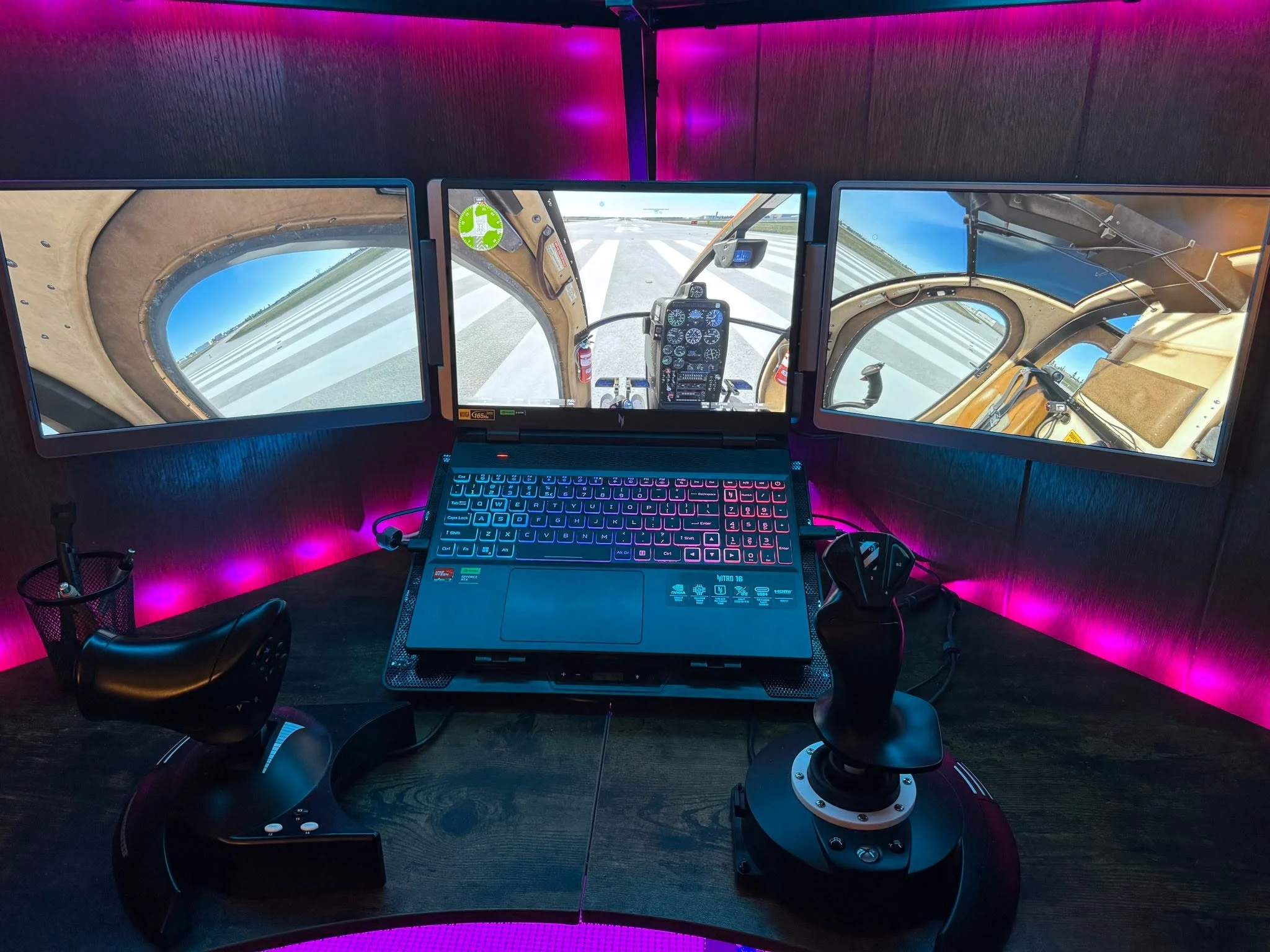
The Best gaming laptops for microsoft flight simulator balance strong processing, capable graphics, sufficient memory, and effective cooling. The msi RTX 5070 offers the most balanced package, while the msi RTX 5080 is the better fit for buyers seeking the strongest available GPU.
Recommended by Us

MSI Vector 16 HX AI RTX 5080 Gaming Laptop
- High-end RTX 5080 GPU with 16GB of dedicated graphics memory
- Sharp 16-inch QHD+ IPS display with a 240Hz refresh rate
- Powerful 24-core Intel Ultra 9 275HX processor
- Extensive ports, including dual Thunderbolt 5 and HDMI 2.1
- Wi-Fi 7, Windows 11 Pro, and an FHD IR camera are included
- 16GB of system RAM may be modest for demanding creative workloads or extensive multitasking
- At 5.95 pounds, it is heavier than many portability-focused laptops
- Battery capacity and expected runtime are not specified in the listing

Lenovo Legion 5 15IRX10 RTX 5070 OLED
- High-end Core i9-14900HX processor
- RTX 5070 graphics with 8GB GDDR7
- Sharp 15.1-inch WQXGA OLED display
- Generous 32GB DDR5-5600 memory
- Modern Wi-Fi 7 and Gigabit Ethernet connectivity
- Glossy display may show reflections in bright environments
- Display refresh rate is not specified in the listing
- Battery capacity and expected runtime are not provided

MSI Katana 15 HX RTX 5070 Gaming Laptop
- High-end Core i9-14900HX and GeForce RTX 5070 configuration
- QHD+ 165Hz display with 100% DCI-P3 color coverage
- Generous 32GB DDR5 memory and 1TB NVMe SSD
- Dual-fan Cooler Boost 5 thermal system
- Wide port selection plus Wi-Fi 6E
- Four-zone RGB lighting offers less granular customization than per-key RGB
- Battery capacity and expected runtime are not specified
- The listing does not state the exact pixel dimensions of the QHD+ panel

Acer Nitro V 16S RTX 5060 Gaming Laptop
- RTX 5060 graphics with ray tracing and DLSS 4 support
- Fast 180Hz IPS display with 100% sRGB coverage
- Generous 32GB DDR5 5600MHz memory configuration
- Second PCIe M.2 slot is available for storage expansion
- 16:10 WUXGA resolution provides more vertical screen space than standard 1080p
- The installed 32GB RAM already matches the stated system maximum
- WUXGA resolution prioritizes refresh rate over the sharper image of QHD-class panels
- Wi-Fi 6 is included rather than the newer Wi-Fi 6E or Wi-Fi 7 standards

Alienware M18 R2 RTX 4080 Gaming Laptop
- RTX 4080 graphics and Core i9-14900HX processor target high-end gaming
- Spacious 18-inch QHD+ 165Hz display with 100% DCI-P3 coverage
- 32GB of DDR5 RAM supports demanding multitasking
- Four M.2 slots provide extensive storage expansion options
- Thermal interface material is applied to both the CPU and GPU
- At 9.32 pounds, it is considerably heavier than more portable gaming laptops
- The included 1TB SSD may fill quickly with large game installations
- Battery capacity and expected runtime are not specified in the listing
Choosing the Right Performance Tier
Buyers researching the best gaming laptops for microsoft flight simulator should focus on balanced performance rather than a single headline specification. Flight simulation can place sustained demands on the processor while also requiring a capable graphics chip for detailed scenery and high-resolution displays. A modern mid-range gaming laptop is a reasonable starting point, but stronger hardware provides more flexibility for visual settings and complex flying conditions.
These laptops begin with capable RTX 5060 configurations and extend through RTX 5070, RTX 4080, and RTX 5080 options. That range covers value-focused systems as well as powerful desktop-replacement models. Decide whether portability, display quality, or maximum graphics capability matters most before paying for the highest tier. Our laptop versus PC comparison explains the wider tradeoffs.
Worth knowing: Match the laptop to how you plan to use Microsoft Flight Simulator instead of chasing the largest number on a specification sheet. Display resolution, cooling, memory, and storage can matter as much as moving up one GPU tier.
Hardware Priorities for Flight Simulation
A useful shortlist starts with four hardware areas that directly shape responsiveness, image quality, and everyday convenience.
| Part | Priority | Why |
|---|---|---|
| CPU tier | Modern high-performance mobile processor | Supports simulation workloads and background tasks |
| GPU tier | Mid-range or stronger dedicated graphics | Handles detailed visuals and higher display resolutions |
| Display | Sharp panel with smooth refresh | Makes instruments, scenery, and camera movement clearer |
| RAM and Storage | Ample memory and a fast SSD | Supports large files, updates, and multitasking |
The CPU and GPU should be considered together. A powerful graphics processor is valuable at QHD-class resolutions, but a strong CPU remains especially relevant in a simulation with many calculations happening at once. Memory capacity affects multitasking headroom, while SSD space determines how comfortably the installation, updates, and other games fit. Screen size also changes the experience: larger panels improve visibility, while smaller systems are easier to carry. Our look at laptop desktop performance adds context for buyers replacing a tower.
How the Main Models Compare
The MSI Vector 16 HX AI Gaming Laptop 16" QHD leads this group in graphics specifications with an NVIDIA GeForce RTX 5080 16GB and an Intel 24-core Ultra 9 275HX Processor. Its 16GB of RAM is lower than several alternatives, although it includes a 1TB SSD. The Lenovo Legion 5 15IRX10 15.1" WQXGA OLED pairs an Intel Core i9 14th Gen 14900HX 1.6GHz Processor with an NVIDIA GeForce RTX 5070 8GB GDDR7, 32GB DDR5-5600 RAM, and a 1TB PCIe Gen4 x4 NVMe M.2 SSD.
The msi Katana 15 HX 15.6” 165Hz QHD+ Gaming Laptop also uses the Intel Core i9-14900HX, but combines it with an NVIDIA Geforce RTX 5070, 32GB DDR5, and a 1TB NVMe SSD. Its listed Cooler Boost 5 system uses dual fans and a five-heat-pipe shared-pipe design. The Acer Nitro V 16S AI Gaming Laptop takes a more moderate route with an AMD Ryzen 7 260 Processor, NVIDIA GeForce RTX 5060 Laptop GPU, 32GB DDR5 5600MHz Memory, and a 1TB PCIe Gen 4 SSD with one additional M.2 slot available.
The Alienware M18 R2 Gaming Laptop is the largest option, combining an 18-inch QHD+ 165Hz display with an Intel Core i9-14900HX and NVIDIA GeForce RTX 4080 12 GB GDDR6 graphics. It includes 32GB DDR5 RAM and a 1TB SSD, while its four M.2 slots support substantial storage expansion. Alienware also lists its thermal interface material on both the CPU and GPU. For this particular use, the most meaningful difference is the balance between sustained CPU and GPU capability, followed closely by memory and storage capacity.
First-Day Setup and Checks
Once the laptop arrives, connect it to power and complete Windows setup before installing large applications. Run Windows Update, then check the laptop manufacturer’s support utility for current firmware and system drivers. Install the appropriate graphics driver from NVIDIA, restart the machine, and confirm that the dedicated GPU appears correctly in Windows. These basic steps reduce the chance that an outdated driver or unfinished update affects your first session.
Before downloading Microsoft Flight Simulator, inspect the available SSD space and leave room for future content and system updates. Set the laptop’s performance profile while connected to its power adapter, then confirm that Windows is using the panel’s advertised refresh rate. Begin with settings appropriate for the native display resolution and adjust gradually. An RTX 5060-class laptop can be a sensible entry point, while RTX 5070, RTX 4080, and RTX 5080 systems offer more graphics headroom.
During the first longer session, make sure vents remain unobstructed and listen for unusual fan behavior. Gaming laptops normally increase fan speed under sustained loads, so use the machine on a firm surface rather than soft bedding. If long-term consistency concerns you, our overview of performance over time covers maintenance and aging considerations.
Match the Laptop to Your Flying
Home Cockpit With External Displays
A mostly stationary setup benefits from strong graphics, generous connectivity, and cooling designed for sustained workloads. Prioritize a higher GPU tier if you plan to use a high-resolution external monitor or several visual accessories. HDMI, Thunderbolt, USB, and Ethernet availability should be checked carefully against every device you expect to connect, since adapters can make a permanent desk setup unnecessarily complicated.
Weight is less important when the laptop rarely leaves the desk. Larger models can also provide more built-in screen space for cockpit instruments and menus. If this machine will replace a traditional desktop, compare expansion options and ports rather than judging it solely by processor and graphics names.
Portable Flying Between Locations
Frequent travelers should consider dimensions and weight alongside performance. A thinner laptop with an RTX 5060 or RTX 5070 can provide a more practical balance than a large desktop replacement, particularly when the system also serves as a work or study computer. Screen size matters, but a sharp 16-inch-class panel can remain comfortable without becoming difficult to transport.
Remember that powerful gaming laptops perform best when connected to their supplied power adapters. Consider the combined carrying weight of the laptop, charger, controller, and headset before choosing an especially large model. Our guide to gaming laptop value discusses when portability justifies the compromises.
Detailed Scenery and Visual Quality
Buyers who prioritize image quality should look beyond refresh rate. Resolution, color coverage, panel technology, and GPU capability all influence the experience. A QHD+ or WQXGA display can show fine cockpit details clearly, but it also asks more of the graphics processor than a lower-resolution panel. An OLED screen offers a different visual character from an IPS display, so panel preference may guide the final choice.
A stronger GPU gives you more freedom when balancing native resolution and visual settings. Memory and SSD capacity remain important because detailed simulation software and related content can occupy substantial space. For this type of buyer, a balanced RTX 5070 configuration may make more sense than a faster GPU paired with less system memory, depending on whether upgrades are practical.
Best Fit for Each Buyer
Best overall: msi RTX 5070 combines an Intel Core i9-14900HX, RTX 5070, 32GB DDR5, and Cooler Boost 5.
Strongest GPU: msi RTX 5080 features an NVIDIA GeForce RTX 5080 16GB and a 240Hz QHD+ display.
Best value: Acer RTX 5060 supplies RTX 5060 graphics, 32GB DDR5, a 1TB SSD, and a 180Hz WUXGA display.
Alternative brand: Lenovo RTX 5070 pairs RTX 5070 graphics with 32GB DDR5 and a WQXGA OLED display.
Runner-up: Alienware RTX 4080 offers an 18-inch QHD+ display, RTX 4080 graphics, 32GB DDR5, and extensive SSD expansion.
The Clearest Overall Choices
The msi RTX 5070 is the strongest all-around choice for its combination of a high-end processor, RTX 5070 graphics, 32GB memory, QHD+ display, and specified cooling system. Choose the msi RTX 5080 instead when maximum GPU capability is the main priority and its 16GB system memory suits your broader workload.
Flight Simulation Laptop Questions
1. Is a gaming laptop suitable for Microsoft Flight Simulator?
Yes. A gaming laptop combines the dedicated graphics, high-performance processor, and active cooling needed for demanding simulation workloads. Models with mid-range GPUs are sensible for moderate settings, while higher-tier graphics provide more flexibility at sharper resolutions. Keep the laptop connected to power during demanding sessions so it can use its intended performance profile.
2. Which GPU tier makes the most sense?
An RTX 5060-class GPU is a practical starting point for buyers balancing performance and portability. RTX 5070 options offer additional headroom and pair well with sharper laptop displays, while RTX 4080 and RTX 5080 configurations suit buyers who prioritize demanding visual settings or external displays. The ideal tier depends on resolution and expectations rather than the GPU name alone.
3. Is 16GB of RAM enough for flight simulation?
It can be enough for the simulator and ordinary background tasks, particularly when the rest of the system is strong. However, 32GB provides more comfortable multitasking headroom for browser tabs, communication software, utilities, and other applications. Check whether the memory is replaceable if you are considering a 16GB model and expect your needs to grow.
4. What should I verify before ordering?
Confirm the exact CPU, GPU, system memory, SSD capacity, native display resolution, and available ports because similarly named laptops may have different configurations. Also review physical size and weight if you travel often. For a broader look at chassis concerns, our laptop build quality article explains what to examine.
5. Does a high-refresh display matter for flight simulation?
A high-refresh panel can make camera movement and general desktop use look smoother, but it should not be considered in isolation. Resolution, panel quality, GPU capability, and screen size may have a greater effect on cockpit readability and scenery detail. Choose a display that matches the graphics hardware and your preference for clarity, smoothness, or portability.
Additional Laptops Worth Considering
| Product | What Is Different | Suits Whom |
|---|---|---|
| GIGABYTE RTX 5070 | This thin model combines an AMD Ryzen AI 7 350 Processor with an NVIDIA GeForce RTX 5070 Laptop GPU. It weighs 4.18 pounds and measures 0.65 inches thick. | It suits travelers who want RTX 5070 graphics in a slimmer, lighter 16-inch system. |
| msi RTX 5060 | This option has a 17.3-inch FHD 144Hz display, Intel Core 7-240H, NVIDIA Geforce RTX 5060, 16GB DDR5, and a 1TB NVMe SSD. | It suits buyers who prefer a larger screen and capable mid-range graphics in a relatively portable 5.5-pound design. |


