

Small businesses rely on accurate financial files every single day, making automated and manual accounting backups vital for peace of mind. Finding the best external hard drives for QuickBooks ensures your ledger files and company records stay protected against system crashes. Choosing the right drive helps prevent costly downtime and keeps your essential bookkeeping records organized.
Recommended by Us

WD 6TB Elements Portable Hard Drive
- Vast 6TB capacity packed into an easily transportable 2.5-inch form factor
- Bus-powered design runs entirely off your computer's USB port
- Plug-and-play readiness ensures immediate use right out of the box
- SuperSpeed USB 3.2 Gen 1 connectivity supporting up to 5Gbps interface bandwidth
- Mechanical drive architecture inherently offers slower transfer speeds than solid state drives
- Specific sequential read and write speeds are not specified in the manufacturer details
- Requires reformatting for use with Apple macOS environments
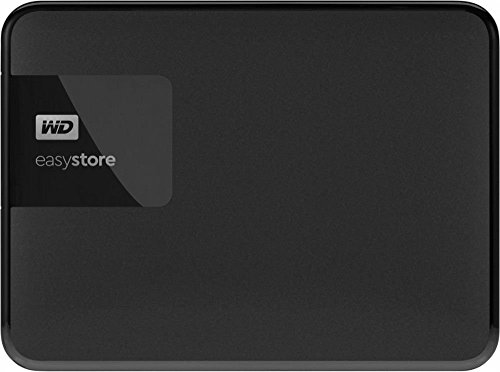
- Substantial 4TB capacity in a pocket-sized form factor
- Lightweight build at half a pound makes it easy to carry
- Standard USB 3.0 connection for simple plug-and-play use
- Clean, low-profile black enclosure
- Transfer speed rates are not stated in the official specifications
- Mechanical hard drive components require careful handling to avoid physical shock
- Modern USB-C laptops will require a separate adapter or hub

- Simple drag-and-drop file management with automatic system recognition
- Versatile compatibility spanning desktop computers, laptops, and gaming consoles
- Lightweight and compact profile measuring under 0.6 inches thick
- Includes 1-Year Rescue Service for data recovery assistance
- Transfer speed figures are not stated in the official specifications
- Requires reformatting for full compatibility with macOS
- Included 18-inch cable may be short for some desktop configurations

Western Digital 1TB My Passport SSD
- Rapid read speeds up to 1050MB/s and write speeds up to 1000MB/s
- Hardware-level 256-bit AES encryption with password protection
- Solid physical protection capable of surviving drops up to 6.5 feet
- Includes connectivity options for modern USB-C and legacy USB-A ports
- Sustained performance may vary based on host machine and operating conditions
- Premium solid state design commands a higher cost per gigabyte than mechanical hard drives
- True plug-and-play operation requires no software installation
- Compatible across both Windows and Mac platforms
- Lightweight and compact profile fits easily into laptop bags or pockets
- Generous 2TB capacity in a pocket-sized form factor
- Transfer speed figures are not stated in the official specifications
- Mechanical HDD technology provides standard rather than solid-state transfer speeds
- Includes an 18-inch cable which may feel short for desktop tower setups

- Enormous 20TB storage pool accommodates massive libraries and media archives
- Instant plug-and-play operation for Windows 10 and above
- Reliable USB 3.0 desktop connectivity with no bloatware required
- Small, tidy enclosure profile fits easily on busy workstations
- Requires manual reformatting before it can be used with macOS
- Specific read and write transfer benchmark numbers are not stated in product specs
- Desktop form factor requires dedicated placement rather than portable on-the-go use

Seagate Expansion 24TB Desktop HDD
- Enormous 24TB storage space for large backups and media collections
- Simple plug-and-play operation with no complex setup needed
- Included Rescue Data Recovery Services provide added reassurance
- Works out of the box with both Windows and Mac systems
- Requires a dedicated power outlet and wall adapter to run
- Explicit transfer speed ratings are not specified in the product data
- Requires reformatting before it can be used with Apple Time Machine
Choosing the Right Storage for Your Accounting Files
When selecting external storage for financial databases, data security and daily access speeds matter most. If you handle daily ledger updates on the go, I would go with the WD 1TB My Passport SSD. It features password protection with 256-bit AES hardware encryption to keep sensitive client books safe, and its NVMe architecture delivers read speeds up to 1050MB/s. Its drop resistance up to 6.5 feet also offers reassurance if you commute between home and the office.
For stationary bookkeeping on a single workstation, I would point toward the Seagate 1TB Portable. This drive provides simple plug and play USB 3.0 operation for drag and drop backups, along with a year of data recovery services. Knowing what is the difference between HDD and SSD storage helps determine if you need high-speed solid-state drives or simple mechanical platters. If your firm archives decades of tax records and multi-year company files, the WD 6TB Elements is the one I would pick for massive portable space. Both Western Digital and Seagate offer dependable utility for standard company backups.
FAQs
1. Is an SSD or an HDD better for QuickBooks backups?
Both drive types work well, but an SSD offers quicker transfer times and better resistance to physical drops. When considering if you should you compress an SSD drive for extra capacity, it is usually better to leave backup files uncompressed to prevent file corruption. Mechanical hard drives remain ideal for low-cost, high-capacity long-term archives.
2. Can you run QuickBooks directly from an external hard drive?
Intuit recommends running the QuickBooks desktop application from an internal drive while storing company file copies externally. Understanding where is the SSD located in a computer clarifies why internal primary storage handles active software faster than external USB channels. Using an external drive strictly for scheduled backups and archive storage preserves data integrity.
3. What storage capacity is needed for QuickBooks company files?
Most individual QuickBooks company files range from a few hundred megabytes to several gigabytes. A 1TB drive easily accommodates years of routine accounting backups alongside associated PDF receipts and spreadsheets. Desktop models with multiple terabytes are only necessary if you bundle system-wide disk images with your accounting data.
4. Should accounting backup drives feature hardware encryption?
Hardware encryption adds a critical layer of defense for payroll records, bank details, and tax identification numbers. If you transport drives outside your office, password protection prevents unauthorized access if the device gets lost. Manufacturers like Seagate provide additional recovery protections to help safeguard critical business records.
Editor’s Verdict
For safeguarding company records with the best external hard drives for QuickBooks, I recommend the WD 1TB My Passport SSD for its hardware encryption and rapid NVMe file transfers. If your business requires straightforward, high-capacity archiving on a budget, the Seagate 1TB Portable provides dependable plug-and-play peace of mind.





