

Understanding what is the difference between HDD and SSD storage helps explain why mechanical platters still lead continuous recording setups. Finding the best hard drives for NVR systems requires balancing 24/7 write endurance, steady multi-camera streaming support, and high storage capacity so that crucial security footage is preserved without interruptions.
Recommended by Us

Seagate SkyHawk 6TB Surveillance HDD
- Built specifically for continuous 24x7 surveillance video workloads
- Workload endurance rating is triple that of typical desktop hard drives
- Rotational vibration sensors protect multi-bay RAID installations
- Substantial 256MB onboard cache buffers heavy write streams
- Internal 3.5-inch form factor requires proper bay mounting and power connections
- Listing does not provide specific sequential read or write transfer rates
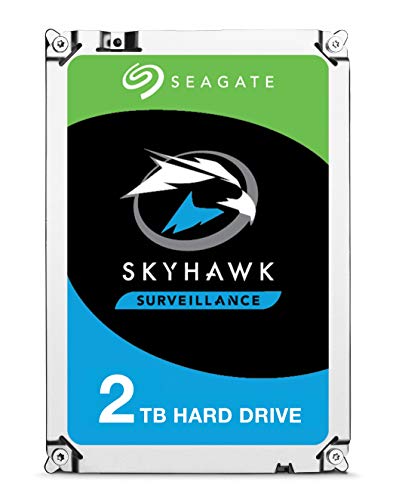
- Specialized firmware prevents frame loss during multi-camera video recording
- Three times the annual workload rating of typical desktop hard drives
- Standard 3.5-inch design ensures broad compatibility with surveillance enclosures
- Engineered for always-on write-intensive operations
- Specific read and write transfer rates are not listed in the technical data
- Rotational vibration sensors are omitted on capacities below 4TB
- 3.5-inch internal form factor requires compatible desktop or DVR hardware
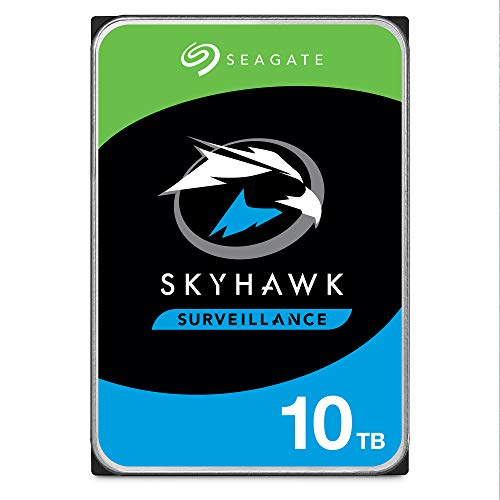
Seagate SkyHawk AI 10TB Surveillance HDD
- Engineered for 24/7 multi-camera surveillance and AI video analytics
- Zero dropped frames with specialized ImagePerfect AI technology
- Enterprise-level endurance with a 550TB/year workload rating and 2M hours MTBF
- Includes three years of in-house Rescue Data Recovery Services
- Standard 3.5-inch internal form factor requires a compatible drive bay
- Specific sequential read and write transfer rates are not specified in the listing

Seagate SkyHawk AI 10TB Surveillance HDD
- Massive 10TB capacity provides substantial footage retention for multi-camera systems
- Optimized for 24/7 security workloads with support for up to 64 HD cameras and 16 AI streams
- Exceptional 550TB/year workload rating far exceeds standard surveillance hard drives
- High reliability rating with a 1.5 million hour MTBF
- Internal 3.5-inch form factor requires compatible DVR, NVR, or desktop drive bays
- Specific sustained read and write transfer rates are not stated in the official specifications

- Tuned specifically for write-intensive surveillance workloads
- Rotational vibration sensors protect multi-drive RAID arrays
- Generous 256MB cache buffers incoming camera streams
- High 180TB/year workload rating outlasts standard desktop storage
- Optimized for continuous video recording rather than general computing
- Transfer speed benchmarks are not stated in the manufacturer specifications

- Built specifically for multi-camera 24/7 video recording environments
- Rotational vibration sensors protect multi-drive surveillance enclosures
- Low power draw reduces heat generation inside security server bays
- Generous 256MB cache helps prevent dropped frames during peak activity
- Sequential read and write transfer rates are not specified in the listing
- Internal 3.5-inch form factor requires a compatible drive enclosure or bay

Seagate SkyHawk AI 16TB Surveillance HDD
- Substantial 550TB per year workload rating supports demanding AI analytics
- Simultaneous handling of 64 HD cameras and 16 AI video streams
- Includes ImagePerfect AI firmware optimized for zero dropped frames in 24x7 setups
- Huge 16TB capacity reduces the need for multiple smaller hard drives
- Dedicated surveillance design is not optimized for standard desktop computing
- Specific sequential read and write transfer rates are not provided in the listing
- Requires a compatible 3.5-inch SATA drive bay and power supply
Choosing the Right Surveillance Drive for Your Setup
Surveillance recording puts heavy demands on mechanical hardware, requiring continuous write operations that quickly wear down regular desktop storage. For standard home or small office installations running up to 64 high-definition video feeds, I would go with the Seagate SkyHawk 8TB. It includes ImagePerfect firmware tailored for 24/7 recording workloads, rotational vibration sensors to handle multi-drive chassis configurations, and a 180TB per year workload rating that comfortably outpaces desktop alternatives.
If you manage a compact setup with just a few cameras, the Seagate SkyHawk 2TB is a sensible entry-level option that retains the same dedicated surveillance firmware. However, if your security setup runs analytics alongside standard video capture, I would point toward the Seagate SkyHawk AI 10TB. This model handles heavier requirements with support for up to 32 AI streams alongside 64 video feeds. Hardware maker Seagate equips this drive with an enterprise-class workload rating of 550TB per year and SkyHawk Health Management to monitor drive condition continuously.
FAQs
1. Why should you avoid standard desktop hard drives in an NVR?
Standard desktop drives are designed for short read and write bursts followed by idle periods. Surveillance systems write data continuously around the clock. Surveillance-specific drives feature specialized firmware to avoid dropped frames, handle rotational vibrations in multi-bay enclosures, and tolerate much higher annual workload ratings.
2. Can you use an SSD inside a network video recorder?
While flash technology has progressed significantly since when SSDs came out, mechanical hard drives remain the practical choice for surveillance. Continuous 24/7 video recording burns through solid-state write cycles quickly, whereas high-capacity surveillance mechanical drives handle persistent write workloads cost-effectively.
3. Should you enable filesystem compression on surveillance video storage?
Much like the considerations explored when asking should you compress an SSD drive, compressing already-compressed video streams yields virtually no extra space. Modern security cameras encode video using codecs like H.264 or H.265, so adding disk-level compression merely wastes NVR processing power without meaningful storage gains.
4. What role do rotational vibration sensors play in an NVR drive?
When multiple mechanical drives spin in close proximity inside a shared enclosure, their physical vibrations can interfere with adjacent drive heads. Built-in rotational vibration sensors detect these disturbances and adjust the drive mechanics in real time, maintaining consistent tracking and data integrity across multi-bay network video recorders.
Editor’s Verdict
For most multi-camera surveillance arrays seeking the best hard drives for NVR setups, the Seagate SkyHawk 8TB delivers an optimal balance of surveillance firmware and multi-drive stability. If your installation incorporates active analytics and heavy data streams, the higher endurance Seagate SkyHawk AI 10TB is the standout choice.




