

Safeguarding personal data, creative projects, and routine system states is essential for every workstation. Choosing the best backup hard drives for Mac users means balancing everyday transfer speed against overall capacity. Understanding what is the difference between HDD and SSD helps clarify whether mechanical storage or solid-state memory suits your routine.
Recommended by Us

- Extremely fast transfer speeds up to 2100MB/s under optimal USB-C connections
- Supports direct 4K 120fps HDR video capture straight from mobile devices
- Durable aluminum housing provides drop and water resistance
- Broad compatibility spanning PC, Mac, iPad, Android, and game consoles
- Reaching the maximum 2100MB/s speed requires USB 3.2 Gen 2x2 or Thunderbolt ports
- Usable capacity is roughly 7 to 10 percent less due to standard formatting differences
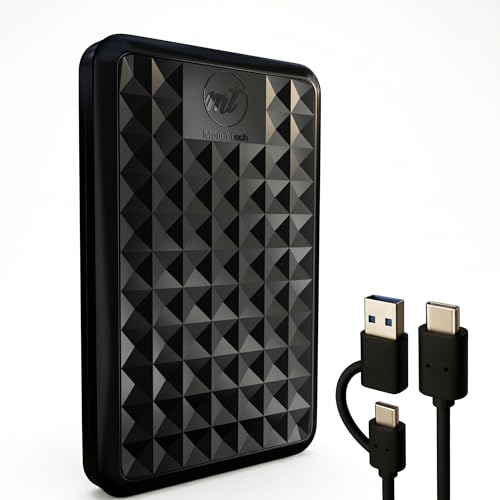
ModusTech Facet 1TB Portable Hard Drive
- Included 2-in-1 cable eliminates the need for separate USB-A dongles
- Factory exFAT formatting works seamlessly across Mac and Windows out of the box
- Compact, lightweight 2.5-inch enclosure slips easily into a pocket or bag
- Supports direct gaming storage and playback on PS4 and Xbox One consoles
- Transfer speeds up to 100MB/s are noticeably slower than modern solid-state drives
- Mechanical HDD design is sensitive to sudden physical shocks or drops
- Internal drive rotational speed is not specified in the manufacturer listing

- Eliminates monthly cloud subscription fees with a private home cloud
- Comes with a 4TB hard drive already installed in the bay
- Enhanced security with SSL file encryption and a closed software ecosystem
- Bundled backup software simplifies automated protection for multiple PCs
- Transfer speeds and network interface standards are not specified in the product listing
- Software compatibility is limited to macOS 15 (Sequoia) and earlier for Mac users
- Single-drive bay format offers no internal drive mirroring redundancy
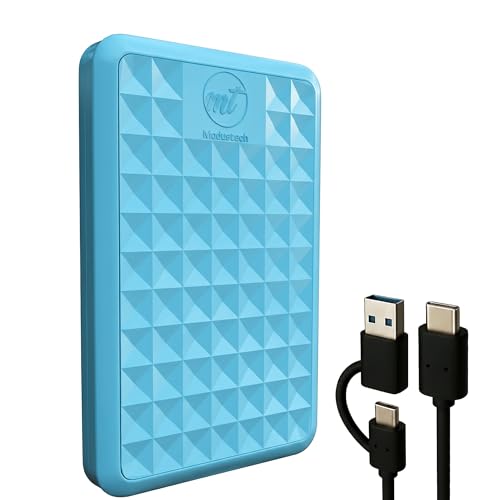
ModusTech Facet 500GB External HDD
- Tethered USB-A adapter prevents lost dongles across older and newer ports
- Plug-and-play compatibility across PCs, Macs, game consoles, and USB-C phones
- Lightweight and slim design slips easily into laptop bags or pockets
- No external power brick needed thanks to bus-powered connectivity
- Modest 500GB capacity may be limiting for extensive modern game libraries
- Mechanical hard drive speeds of 100MB/s are slower than solid-state alternatives

ModusTech Facet 500GB Portable HDD
- Included 2-in-1 cable works on both modern USB-C and legacy USB-A ports
- Ready out of the box with exFAT formatting for PC and Mac
- Compact, lightweight form factor weighing under 0.4 pounds
- Can run games directly when formatted on PS4 or Xbox One
- Mechanical HDD transfer speeds top out at around 100MB/s
- 500GB capacity fills up quickly with modern console game installations

Kosbees 500GB Portable External HDD
- Lightweight design weighing just 0.35 pounds makes it easy to take anywhere
- Instant plug-and-play functionality on Windows systems
- Respectable USB 3.0 transfer rates up to 133MB/s read speed
- Convenient storage expansion for PS4 and Xbox One consoles
- Requires reformatting to ExFAT before it works with Mac computers
- Cannot run current-gen PS5 or Xbox Series X|S games directly from external storage
- Modest 500GB capacity limits how many modern games can be archived at once

Crucial X9 1TB Portable SSD
- Speedy performance reaching up to 1050MB/s outpaces standard external hard drives
- Rugged build with IP55 resistance and 7.5-foot drop protection
- Ultra-compact footprint weighing well under a tenth of a pound
- Wide compatibility across desktop, mobile, and gaming platforms
- Bundled backup and photography software access is limited to a 3-month trial
- Requires specific USB-C to USB-A adapters or cables for older legacy ports
Matching External Drives to Your Mac Storage Workflow
When picking local storage for macOS, I look closely at how daily workloads dictate speed and endurance requirements. If you frequently move large video files or need rapid solid-state performance on the move, the Crucial X9 1TB is the drive I would go with. It delivers transfer rates up to 1050MB/s over USB-C and features an IP55 water and dust resistance rating with drop protection up to 7.5 feet, making it resilient for travel. Independent tech publications like Tom’s Hardware regularly highlight how solid-state drives outpace mechanical units in mobile durability.
For bulk document storage or secondary archiving where sheer capacity takes priority over extreme speed, I would point toward the ModusTech Facet 1TB. It comes preformatted in exFAT for immediate plug-and-play use with macOS, connects via an included USB-C cable with a tethered USB-A adapter, and pushes real-world transfers around 100MB/s. If you manage multiple machines on a home network, the BUFFALO LinkStation 210 4TB provides centralized network storage without monthly subscriptions, although users must verify macOS compatibility. When managing portable flash media, you might also wonder should you compress an SSD drive to preserve precious free space.
FAQs
1. Can you use exFAT formatted drives directly on macOS?
Yes, macOS provides native read and write support for the exFAT file system without requiring third-party drivers. Drives preformatted in exFAT connect smoothly to both Mac computers and Windows systems, which makes sharing files between different operating systems straightforward right out of the box.
2. Is an external SSD better than an external HDD for Mac backups?
Solid-state drives offer substantially faster file transfers and greater physical resilience against accidental drops because they lack moving parts. Mechanical hard drives remain practical for archiving massive photo libraries on a modest budget, but portable SSDs complete full system image backups in far less time.
3. Why does my drive show less capacity than advertised on Mac?
Storage manufacturers measure storage capacity using the decimal system, where one gigabyte equals one billion bytes. Operating systems traditionally calculate storage using binary increments, meaning an advertised drive displays slightly less usable space once initialized and formatted by the operating system.
4. How has external flash storage evolved for personal computing?
External solid-state storage expanded rapidly as USB protocols and NAND memory matured over the last decade. Looking back at when did SSDs come out shows how drastically transfer speeds and physical drive footprints have improved for portable creative workflows.
Editor’s Verdict
Finding the best backup hard drives for Mac users depends on whether you prioritize swift on-the-go performance or affordable stationary archiving. For fast transfers and reliable drop resistance, I recommend the Crucial X9 1TB. If your workflow demands simple plug-and-play secondary capacity for general files, the ModusTech Facet 1TB provides dependable day-to-day utility.






