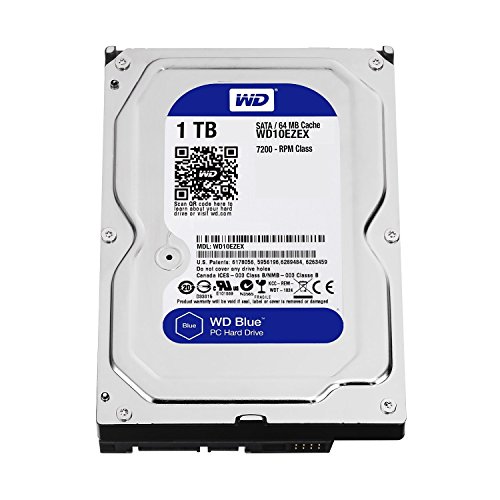
Expanding your local storage becomes necessary when game libraries and media archives outgrow primary drives. Finding the best 4tb internal hard drives gives you ample room without cluttering your system chassis with multiple small disks. Understanding what is the difference between HDD and SSD helps clarify why mechanical drives remain ideal for bulk storage.
Recommended by Us

Seagate BarraCuda 4TB Internal HDD
- Massive 4TB storage capacity for desktop archiving and gaming libraries
- Large 256MB cache helps facilitate smooth day-to-day computing tasks
- Up to 190 MB/s maximum sustained transfer speed
- Complimentary DiscWizard utility assists with drive cloning and system migration
- 5400 RPM rotational speed provides lower peak access rates than 7200 RPM alternatives
- Internal 3.5-inch form factor requires desktop PC bay mounting and SATA cabling
- Not portable or usable on laptops without a separate external enclosure

- Generous 4TB capacity accommodates vast libraries of documents, photos, and backups
- Built-in 128 MB cache assists with smooth data flow during routine PC workloads
- Comes with free Acronis True Image software for straightforward drive migration
- Proven Western Digital quality tailored for reliable everyday computing
- 5400 RPM spin speed offers lower rotational performance than 7200 RPM alternatives
- Specific read and write transfer rates are not provided in official specifications
- Standard 3.5-inch desktop size is not suitable for laptop upgrades
Seagate BarraCuda 8TB Internal HDD
- Substantial 8TB storage volume ideal for secondary storage and archives
- Solid sustained transfer performance reaching 190MB/s
- Standard SATA interface enables straightforward installation in desktop PC towers
- Minimalist anti-static packaging cuts down on excess packaging waste
- Does not include SATA data cables or mounting screws in the package
- Mechanical drive speeds are slower than solid-state alternatives for primary boot drives

- Uses CMR technology for dependable RAID rebuilding and consistent write operations
- Optimized for 24/7 operation in multi-bay network-attached storage setups
- NASware firmware enhances compatibility and error recovery controls
- Quiet and energy-efficient 5400 RPM rotational speed
- Specific maximum transfer speed figures are not stated in the official specifications
- 5400 RPM speed is lower than high-performance 7200 RPM alternatives
- Internal 3.5-inch design requires an appropriate drive bay and SATA cabling

Seagate Enterprise 4TB HDD (Renewed)
- Heavy-duty enterprise architecture designed for continuous 24/7/365 operation
- Substantial 4TB capacity paired with high-performance 7200RPM spindle speed
- Universal compatibility across NAS units, RAID towers, servers, and desktop PCs
- Cost-effective renewed option for expanding bulk array storage
- Arrives as a bare drive without SATA cables, mounting brackets, or screws
- Renewed hardware rather than factory-sealed original stock
- Enterprise 7200RPM operation typically produces more acoustic hum than lower-RPM drives

Lufasnd 4TB 2.5-Inch SATA SSD
- Substantial 4TB capacity in a standard 2.5-inch form factor
- Significantly faster boot and load times compared to traditional hard drives
- Broad compatibility across Windows and Linux platforms
- Silent operation and low energy consumption
- SATA III speed is limited by interface caps compared to modern NVMe drives
- Lesser-known brand compared to major tier-one storage manufacturers
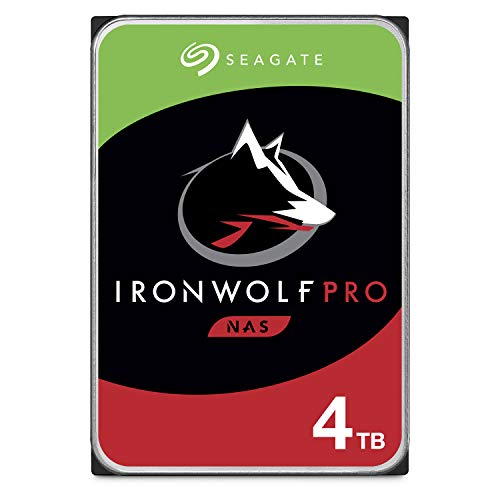
Seagate IronWolf Pro 4TB NAS HDD
- High sustained throughput up to 214MB/s with 7200 RPM rotation
- Built specifically for multi-bay NAS racks and RAID towers up to 24 bays
- IronWolf Health Management aids in continuous system oversight
- 1.2M hours MTBF rating designed for 24/7 continuous operation
- Internal 3.5-inch form factor requires a compatible desktop or NAS enclosure
- Higher power draw and operational acoustics compared to solid-state alternatives
Matching Drives to Your Storage Setup
For a general desktop build handling standard game installations and media storage, I would point most builders toward the WD Blue 4TB. It runs at 5400 RPM with a 128 MB cache, making it quiet and dependable for everyday computing. As documented on Western Digital, it includes Acronis True Image software, which simplifies migrating an older drive without hassle. If you prioritize faster transfer speeds for media editing, the Seagate BarraCuda 4TB offers a 256MB cache and reaches up to 190 MB/s sustained transfer rates.
Builders setting up multi-drive setups or home network servers should look in a different direction. For continuous operation in network attached storage, the Seagate IronWolf Pro 4TB is the model I would go with. It spins at 7200 RPM, handles speeds up to 214 MB/s, and includes built-in vibration management alongside integrated health monitoring. This balance of sustained throughput and firmware optimization ensures your storage pool remains stable during intensive file transfers. If you are debating drive placement inside your case alongside modern solid-state storage, knowing where is the SSD located in a computer helps plan clean cable management.
FAQs
Q: Is a 5400 RPM or 7200 RPM drive better for storage?
A: A 5400 RPM drive produces less heat, consumes less power, and operates more quietly, making it ideal for secondary storage or media servers. A 7200 RPM drive spins faster and offers quicker access times, which helps when loading large files or transferring project archives directly to your system.
Q: Can a 4TB internal mechanical drive run modern games?
A: Mechanical drives can store and run modern games without issues, though load times will be slower compared to solid-state storage. While newer setups often rely on NVMe storage, checking how many M.2 SSD slots does a motherboard have reveals whether you need high-capacity mechanical drives to supplement limited board slots.
Q: What is the main difference between desktop and NAS hard drives?
A: Desktop drives are designed for standard computing sessions with intermittent power cycles, whereas NAS drives are built for continuous 24/7 operation in multi-drive environments. NAS models feature specialized firmware to manage rotational vibration and RAID configurations, preventing unexpected drive drops during heavy network traffic.
Q: How long can I expect a 4TB internal drive to last?
A: Most mechanical hard drives offer reliable service for three to five years under regular workloads, though many survive much longer. Drive health depends on operating temperature, vibration levels, and workload intensity, so keeping backups of essential files remains necessary regardless of drive age.
Editor’s Verdict
Choosing among the best 4tb internal hard drives comes down to your intended workload. For everyday desktop computing and media hoarding, the Seagate BarraCuda 4TB delivers great responsiveness with its generous cache. If you need a relentless drive for networked backups or multi-user setups, the Seagate IronWolf Pro 4TB is my top recommendation.