

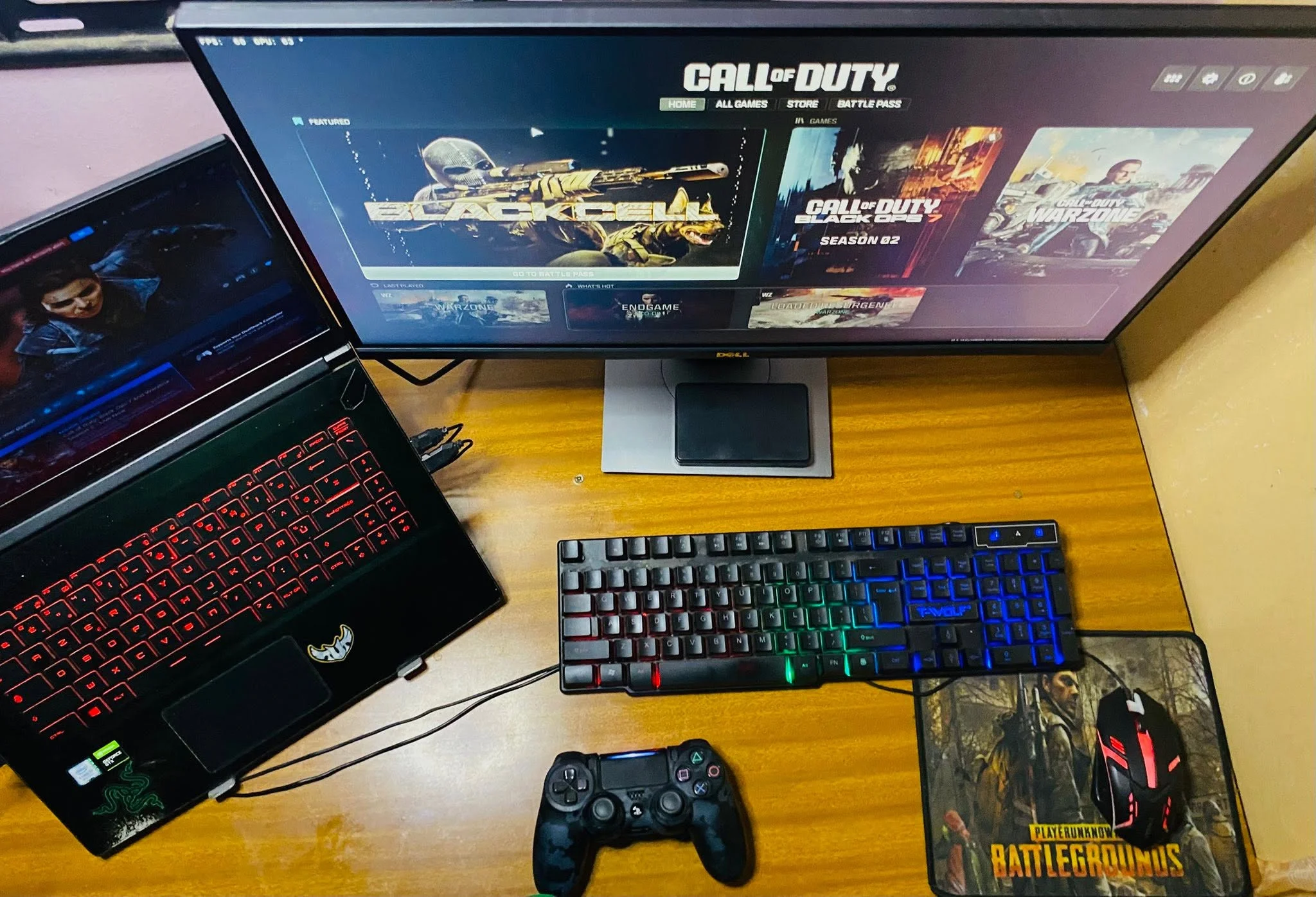
The Best gaming laptops for call of duty combine capable graphics, responsive displays, and enough cooling for sustained play. The ASUS RTX 5050 is our best overall choice, while the msi RTX 5060 stands out for buyers who want stronger graphics in a relatively portable design.
Recommended by Us

MSI Cyborg 15 RTX 5060 Gaming Laptop
- Next-generation RTX 5060 graphics with ray tracing and DLSS 4 support
- Fast 15.6-inch FHD 144Hz IPS-level display
- Portable 4.3-pound design with a distinctive translucent cyber aesthetic
- 16GB DDR5 memory for gaming and multitasking
- Broad connectivity including USB-C, HDMI, RJ45, and Wi-Fi 6E
- The 512GB SSD may fill quickly with a large gaming library
- The display is FHD rather than a higher-resolution QHD-class panel
- Battery capacity and expected runtime are not specified in the listing

Acer Nitro V 16S RTX 5060 Gaming Laptop
- RTX 5060 graphics with ray tracing and DLSS 4 support
- Fast 180Hz IPS display with 100% sRGB coverage
- Generous 32GB DDR5 5600MHz memory configuration
- Second PCIe M.2 slot is available for storage expansion
- 16:10 WUXGA resolution provides more vertical screen space than standard 1080p
- The installed 32GB RAM already matches the stated system maximum
- WUXGA resolution prioritizes refresh rate over the sharper image of QHD-class panels
- Wi-Fi 6 is included rather than the newer Wi-Fi 6E or Wi-Fi 7 standards

ASUS ROG Strix G16 RTX 5050 Gaming Laptop
- 165Hz FHD+ display with a 16:10 aspect ratio and stated 3ms response time
- RTX 5050 graphics with DLSS 4 and a performance-focused MUX Switch
- Fast DDR5-5600 memory and PCIe Gen 4 SSD storage
- Advanced cooling system with a vapor chamber, three fans, and liquid metal
- Tool-free access to upgradeable RAM, SSD, and fans
- The 512GB SSD may fill quickly when storing a large gaming library.
- FHD+ resolution prioritizes refresh rate over the sharper detail available from QHD-class panels.
- At 5.84 pounds, it is not among the lightest options for frequent travel.

MSI Katana A15 AI RTX 4070 Gaming Laptop
- Strong Ryzen 9 and GeForce RTX 4070 configuration
- Sharper QHD display with a fast 165Hz refresh rate
- Generous 32GB DDR5 memory for demanding multitasking
- Dual-fan Cooler Boost 5 cooling with dedicated heat pipes
- Useful connectivity including Wi-Fi 6E, USB-C, and HDMI
- At 5.95 pounds, it is not among the lightest laptops for frequent travel
- Battery capacity and expected runtime are not specified
- Display brightness and color coverage are not listed

Alienware X16 R2 RTX 4070 Gaming Laptop
- Fast 240Hz QHD+ display with a 3ms response time
- RTX 4070 graphics with 8GB of dedicated GDDR6 memory
- 16-core Intel Core Ultra 7 155H processor
- Wide 100% DCI-P3 color gamut with G-SYNC support
- 1080p infrared camera and dual-array microphones
- 16GB of integrated memory may feel restrictive for especially heavy multitasking
- At 6 pounds, it is heavier than many general-purpose laptops
- The listing does not state the SSD interface or storage expansion options
Choosing the Right Performance Tier
Buyers searching for the best gaming laptops for call of duty should focus on balanced gaming performance rather than automatically choosing the most expensive machine. An entry-level dedicated GPU can suit casual play at reduced settings, but a modern mid-range GPU is a better target for sharper visuals, steadier performance, and more flexibility. Faster graphics become increasingly useful when pairing higher detail with a high-refresh display. The processor matters too, especially during busy multiplayer action and background tasks, but it should not come at the expense of GPU capability. Aim for sufficient memory, solid cooling, and an SSD with room for large installations and updates. A gaming laptop also performs best while connected to power. Our guide to plugged-in gaming explains why this matters.
Your Call of Duty Checklist
- Match the GPU tier to your preferred settings and screen resolution. A lower-tier dedicated GPU may be adequate for casual play with compromises, while a current mid-range option gives you more room to raise visual quality and use a fast display without immediately chasing flagship hardware.
- Check the CPU and memory together instead of judging either part alone. A strong graphics chip paired with limited RAM can make multitasking less comfortable, while an expensive processor cannot compensate for a GPU that is below the level required for your preferred visual settings.
- Compare refresh rate and resolution with the GPU that must drive the panel. Full HD and FHD+ screens are generally easier to run, while QHD produces a sharper picture but asks more of the graphics hardware during fast, visually demanding play.
- Look closely at cooling information because thin gaming laptops still need to manage heat during extended sessions. Product descriptions that explain fan layouts, heat pipes, vapor chambers, or airflow provide more useful context than vague claims about extreme performance.
- Verify the condition, exact configuration, ports, networking, storage capacity, and upgrade access before ordering. Listings for similar model names can contain different GPUs or memory capacities, so read the full specification rather than relying on the title or product photographs.
Discount timing can change which hardware tier offers the strongest value. Our gaming laptop sales overview covers the usual shopping periods.
Worth knowing: Match the laptop to Call of Duty rather than chasing the highest specification-sheet number. A balanced GPU, CPU, memory setup, display, and cooling system is usually more useful than one standout component surrounded by compromises.
Priorities for Different Players
Competitive Players at a Desk
If the laptop will spend most of its time on a desk, prioritize a high-refresh display, capable dedicated graphics, effective cooling, and reliable wired or wireless networking. Full HD or FHD+ can be a sensible match because the GPU has fewer pixels to render than it would on a higher-resolution panel, helping the system concentrate on responsive play.
Port selection also matters in a fixed setup. Check for the connections needed by your mouse, headset, Ethernet cable, and any external monitor, since relying on adapters can make an otherwise tidy gaming station awkward.
Players Who Also Stream
Gaming while streaming or running communication software increases the importance of a balanced CPU and adequate RAM. A modern mid-range GPU remains a sensible baseline, but moving to more memory can help when several applications are open alongside the game. Storage deserves attention because recordings, updates, and other games can fill a smaller SSD quickly.
Machines with higher memory capacities and larger SSDs may cost more, but they can reduce the need for an immediate upgrade. Our guide to laptop video editing provides additional context for buyers who also create clips.
Students and Mobile Gamers
For a laptop carried between home, school, or work, weight and thickness become more relevant, but mobility should not overshadow cooling. A thin design can be convenient, yet the product listing should still provide enough information about thermal management to inspire confidence during longer gaming sessions.
Battery specifications are less useful for predicting gaming performance than many beginners expect because dedicated graphics consume substantial power. Treat battery operation as a convenience for light everyday work and plan to use the charger for demanding play. That approach lets you choose based on GPU tier, display quality, memory, and portability without expecting desktop-style performance away from an outlet.
The Shortlist Bottom Line
The ASUS RTX 5050 is the strongest all-around choice here, pairing its RTX 5050 Laptop GPU with a fast FHD+ display and detailed cooling design. Choose the msi RTX 5060 if an RTX 5060 and a lighter, thinner chassis are higher priorities. Both target players who want capable modern hardware without stepping into an unnecessary flagship tier.
Listing Red Flags to Avoid
Specifications can vary even when two listings appear to use the same model family, so watch for these warning signs before committing to a purchase.
- A listing that names only the graphics series but omits the exact laptop GPU makes it difficult to judge whether the machine matches the performance tier you actually need.
- A large memory or storage headline that conflicts with the detailed specifications may indicate multiple configurations have been combined on one page, so confirm the selected version carefully.
- A high-refresh display paired with vague resolution information leaves you unable to judge how demanding the screen will be for the included graphics hardware.
- No mention of cooling, airflow, fans, or heat management gives you little information about how the laptop is designed to handle extended gaming loads.
- Missing details about ports, networking, upgrade access, warranty coverage, or product condition can lead to unexpected limitations after the laptop arrives.
Shopping from a clear, reputable listing reduces uncertainty. Our guide to laptop retailers outlines the main purchasing options.
Other Capable Models Worth Considering
| Product | What Is Different | Suits Whom |
|---|---|---|
| Acer RTX 4050 | This model combines an Intel Core i5-13420H, NVIDIA GeForce RTX 4050 Laptop GPU, and a Full HD 165Hz display. Its supplied 8GB DDR5 memory is lower than the other options, although the specification lists two memory slots and support for up to 32GB. | It suits buyers seeking a capable entry point who are comfortable checking memory usage and potentially upgrading the RAM later. |
| ASUS RX 7700 | The ASUS uses an AMD Ryzen 7 7735HS and AMD Radeon RX 7700S with 8GB GDDR6 rather than NVIDIA graphics. It also provides a 16-inch FHD+ 165Hz display, 16GB DDR5 memory, and a 1TB SSD. | It fits shoppers who prefer an AMD CPU and GPU combination while still wanting a high-refresh 16:10 display and generous storage. |
| HP RTX 3050 | The Victus pairs an Intel Core i5-12450H with an NVIDIA GeForce RTX 3050 and a 15.6-inch Full HD 144Hz panel. This is a more modest graphics tier than the primary selections. | It is better suited to budget-conscious or casual players who accept lower visual settings instead of paying more for newer graphics hardware. |
Practical Call of Duty Questions
1. Is a gaming laptop worth buying mainly for Call of Duty?
Yes, especially if you need portability or cannot dedicate space to a desktop. A suitable gaming laptop combines dedicated graphics, a high-refresh screen, and the cooling needed for demanding play. The trade-offs are typically higher fan noise, limited battery performance while gaming, and less upgrade flexibility than a desktop.
2. Which GPU level makes sense for a beginner?
A modern mid-range laptop GPU is the safest general target because it provides useful flexibility without requiring flagship hardware. Entry-level dedicated graphics can still work if you are comfortable lowering visual settings. Remember that laptop GPUs with similar names may perform differently depending on power limits and cooling, so compare complete systems rather than names alone.
3. How much RAM should a Call of Duty laptop have?
For most buyers, 16GB is a practical starting point for gaming, voice chat, browser tabs, and normal background software. More memory becomes useful for streaming, editing recordings, or keeping many applications open. If a laptop includes only 8GB, check whether the memory is upgradeable and whether an open slot is available.
4. What should I verify before placing an order?
Confirm the exact GPU, CPU, RAM, SSD capacity, display resolution, refresh rate, ports, networking, operating system, warranty, and product condition. Check whether the memory or storage can be upgraded and whether the listing explains the cooling system. Our overview of gaming laptop value can help you decide whether the overall trade-offs fit your needs.


