

The Best HP victus gaming laptops balance sensible graphics hardware with enough memory and storage for everyday use. HP RTX 4050 is the most balanced option, while HP RTX 5060 is the stronger choice for buyers who prioritize GPU performance.
Recommended by Us
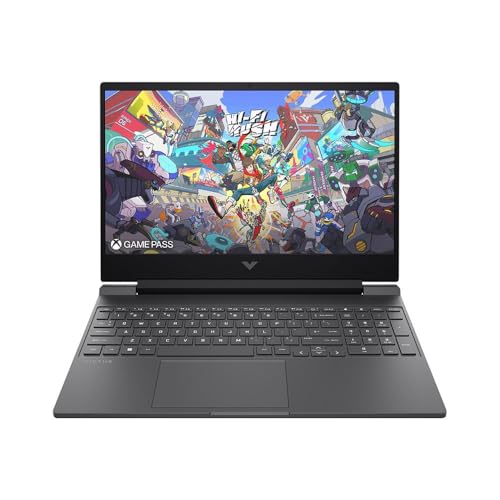
HP Victus 15 Gaming Laptop with RTX 5060
- Modern RTX 5060 GPU with 8GB of GDDR7 VRAM
- Fast 144Hz IPS anti-glare display
- 16GB of high-speed DDR5-5600 RAM
- Generous 1TB PCIe Gen4 NVMe SSD
- Includes Wi-Fi 6E and Gigabit Ethernet
- Full HD resolution is less detailed than QHD or higher-resolution gaming displays.
- Only one USB-C port is listed.
- The supplied weight information is inconsistent, with the features stating 5.06 pounds and the specifications stating 8 pounds.
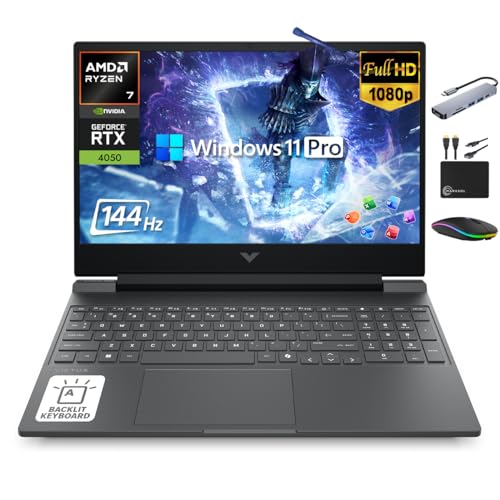
HP Victus 15.6 Gaming Laptop with RTX 4050
- Capable RTX 4050 graphics for midrange gaming and GPU-accelerated creative work
- Smooth 144Hz IPS display with Full HD resolution
- 16GB of modern DDR5 memory
- Fast NVMe primary storage plus an included external drive
- Backlit keyboard and useful accessory bundle
- Only 512GB of the advertised storage is internal; the other 500GB comes from an external drive
- The display is limited to Full HD rather than a higher-resolution QHD panel
- Battery capacity and expected runtime are not specified in the listing

HP Victus 15 Gaming Laptop with RTX 4050
- RTX 4050 6GB graphics and a 144Hz FHD display are a capable combination for mainstream 1080p gaming.
- Intel i5-13420H processor and 16GB of RAM support demanding multitasking.
- Strong port selection includes HDMI 2.1, USB-C, Ethernet, and an SD card reader.
- Backlit keyboard, Wi-Fi 6, B&O audio, and fast charging are useful quality-of-life features.
- Windows 11 Pro includes additional security and management functionality.
- The 512GB SSD may become restrictive for users with large game or media libraries.
- The listed webcam resolution is only 720p.
- At 5.04 pounds, it is less travel-friendly than many general-purpose 15-inch laptops.

Delca HP Victus 15 RTX 3050 Gaming Laptop
- Dedicated RTX 3050 Laptop GPU includes 6GB of GDDR6 VRAM.
- 144Hz FHD IPS anti-glare display supports fluid gaming visuals.
- Eight-core Core i5 processor provides capable general-purpose performance.
- Broad selection of DDR4 memory and SSD configurations.
- Includes Ethernet, HDMI 2.1, USB-C video output, Wi-Fi 6, and Bluetooth 5.4.
- The RTX 3050 sits in the entry-level gaming tier and may require reduced settings in more demanding software.
- The listing covers multiple RAM and storage options, so buyers must verify the exact configuration selected.
- The built-in camera is limited to 720p HD.

iCarp HP Victus 15 RTX 3050 Gaming Laptop
- 144Hz IPS display is a strong match for fast-paced casual and esports gaming.
- RTX 3050 includes 6GB of dedicated graphics memory.
- Eight-core Intel H-series processor supports demanding productivity and multitasking.
- Broad selection of RAM and SSD configurations.
- Useful mix of USB-C, USB-A, HDMI 2.1, Wi-Fi 6, and Ethernet connectivity.
- RTX 3050 graphics occupy the entry-level gaming tier rather than the high-end performance class.
- The listing covers several RAM and storage variants, so buyers must verify the exact configuration selected.
- The 720p webcam is lower resolution than common 1080p alternatives.
Understanding Victus Hardware
HP Victus sits in the practical part of the gaming-laptop market. These systems generally emphasize capable processors, dedicated NVIDIA graphics, and high-refresh Full HD screens rather than premium materials or unusually thin construction. These laptops follow that pattern, but their graphics hardware ranges from the RTX 3050 to the RTX 5060. That difference matters more for gaming longevity than small variations in bundled accessories or operating-system editions. Our guide to gaming laptop value provides broader context.
Buyers should decide whether they need an affordable entry point, a balanced mainstream configuration, or the strongest available GPU. An RTX 3050 system can make sense when cost matters and reduced graphics settings are acceptable. RTX 4050 configurations occupy a useful middle tier, while the RTX 5060 model is the performance-focused option here. Memory and storage still matter, particularly for multitasking and larger libraries, but neither compensates for choosing a weaker GPU than your workload requires.
Worth knowing: Match the laptop to how you will use an HP Victus instead of chasing the largest number on the specification sheet. Extra storage or memory is convenient, but it should not distract from the GPU tier, seller, warranty terms, and display you are actually getting.
Listing Terms Decoded
- FHD IPS: This describes a 1920 x 1080 display using an IPS-type panel, a practical resolution for the graphics hardware found in these Victus configurations.
- 144Hz: The screen can refresh more frequently than a standard 60Hz panel, producing smoother motion when the laptop delivers sufficiently high frame rates.
- RTX 3050, RTX 4050, or RTX 5060: These are distinct GPU tiers, and the graphics processor generally has the greatest effect on gaming capability among otherwise similar laptops.
- DDR4 or DDR5 RAM: These are different memory generations, but capacity and the demands of your applications should also influence the decision.
- Resealed or professionally upgraded: A seller may have opened the original machine to replace its memory or storage, so buyers should read the warranty wording carefully.
Terms such as IPS, anti-glare, and 144Hz describe the panel experience, not the laptop’s graphics power. Likewise, Windows 11 Pro adds professional management and security features but does not turn a lower GPU tier into a faster gaming machine. Seller bundles can be useful, although their value depends on whether you need the included accessories. For more cost context, our explanation of gaming laptop pricing covers the components that tend to drive spending.
Victus Strengths and Compromises
Upsides
- The listed Victus configurations pair dedicated NVIDIA graphics with Full HD 144Hz displays, which is a sensible combination for mainstream laptop gaming.
- Multiple GPU tiers let buyers choose between an entry-level configuration and a more performance-oriented machine without leaving the Victus family.
- The table models provide wired Ethernet alongside wireless networking, which gives owners another connection option for a desk setup.
- Backlit keyboards appear across the listed configurations, while several models also include useful features such as HDMI, USB-C, and Wi-Fi 6 or Wi-Fi 6E.
Trade-offs
- A 15.6-inch Full HD panel is practical, but buyers seeking a higher native resolution should consider a different product class.
- Seller-upgraded Delca and iCarp configurations divide warranty coverage between the upgrader and the original manufacturer.
- The available listings vary in GPU, memory, storage, operating system, and bundled extras, making headline comparisons less straightforward than they initially appear.
Victus is most convincing when its specifications align with a clear budget and workload. The RTX 4050 configurations offer the middle ground, while the RTX 3050 options require more compromise and the RTX 5060 model prioritizes graphics power. Do not assume every listing with the same chassis name offers the same ownership experience, especially when a third-party seller has changed memory or storage.
Victus Models Compared
The HP RTX 5060 has the strongest GPU specification in the table: NVIDIA GeForce RTX 5060 8GB GDDR7. It also uses an AMD Ryzen AI 7 350, 16GB DDR5-5600 RAM, and a 1TB PCIe Gen4 NVMe M.2 SSD. By comparison, the HP Ryzen 7 7445HS RTX 4050 combines an AMD Ryzen 7 7445HS, NVIDIA RTX 4050, 16GB DDR5 RAM, a 512GB internal SSD, and a 500GB external drive.
The HP RTX 4050 is the balanced Intel configuration. Its Intel Core i5-13420H has eight cores and twelve threads, while its NVIDIA GeForce RTX 4050 6GB sits above the RTX 3050 options in the listed GPU hierarchy. It includes 16GB RAM and a 512GB SSD. Windows 11 Professional, Wi-Fi 6, B&O audio, an SD media card reader, and HP Fast Charge are also specified.
The Delca RTX 3050 and iCarp RTX 3050 both use the Intel Core i5-13420H, a 144Hz Full HD IPS display, and NVIDIA GeForce RTX 3050 6GB graphics. Each is offered with multiple memory and SSD capacities, but both are seller-upgraded machines with separate warranty coverage for upgraded parts. No table listing provides detailed fan, heat-pipe, or thermal-performance data, so cooling cannot be compared responsibly from these specifications. Our overview of gaming laptop cooling explains the broader issue. For this comparison, GPU tier is the difference that matters most.
When Victus Falls Short
Skip these Victus configurations if your main priority is an especially light travel computer, an ultra-high-resolution screen, or long unplugged gaming sessions. Gaming laptops devote space and power to dedicated graphics and cooling, so a thin productivity notebook is usually the better category for frequent travel, basic office work, and web use. Battery specifications are not provided for these listings, so shoppers should not assume one configuration lasts longer merely because its processor or GPU name is newer. Our laptop battery guide explains what affects runtime.
Desktop buyers should also pause before paying for portability they do not need. A gaming desktop generally offers easier component replacement and broader upgrade options, while a laptop makes more sense when the entire system must move between locations. Buyers sensitive to fan noise may prefer a lower-power machine or desktop setup because gaming notebooks can become audible under load. Read our overview of gaming laptop noise before assuming a portable gaming system will remain quiet.
Match a Victus to You
The right choice depends less on the Victus badge than on the GPU, processor, memory, storage, and seller arrangement attached to it. This table maps common priorities to the listed configurations without treating every buyer as if they need the most expensive hardware.
| Reader | Pick | Why |
|---|---|---|
| Best overall | HP RTX 4050 | RTX 4050 graphics, 16GB RAM, a 512GB SSD, and Windows 11 Professional make a balanced package. |
| Strongest GPU | HP RTX 5060 | The RTX 5060 8GB GDDR7 is the strongest listed graphics option and is paired with a 1TB SSD. |
| Best value | Delca RTX 3050 | RTX 3050 6GB graphics and configurable memory and storage suit cost-conscious buyers who accept seller upgrades. |
| Best alternative configuration | HP Ryzen 7 7445HS RTX 4050 | Ryzen 7 7445HS, RTX 4050 graphics, DDR5 memory, and bundled external storage support mixed gaming and productivity. |
| Best runner-up | iCarp RTX 3050 | Its Intel Core i5-13420H and RTX 3050 offer an entry point with multiple memory and SSD configurations. |
Long-Term Buyer Questions
1. Is an HP Victus worth buying for several years?
It can be, provided the GPU tier fits your expectations and the initial memory and storage are adequate. The RTX 4050 options provide a stronger middle ground than the RTX 3050 listings, while the RTX 5060 configuration offers the most graphics headroom. Long-term value also depends on warranty coverage, particularly with seller-upgraded systems.
2. Is the RTX 3050 too weak for a Victus?
Not automatically. It remains a reasonable entry-level choice for buyers willing to adjust graphics settings and keep expectations realistic. However, an RTX 4050 or RTX 5060 system is the more sensible direction if demanding graphics workloads and longer useful gaming life matter more than keeping the initial cost down.
3. Should I pay extra for 32GB of RAM?
Most buyers should prioritize the GPU before moving from 16GB to 32GB solely for gaming. Extra memory is more useful for heavy multitasking, content creation, or keeping many demanding applications open together. The 32GB extra configuration also includes a 1TB SSD, but buyers should evaluate both upgrades rather than treating memory capacity as a gaming-performance shortcut.
4. What seller details should I verify before ordering?
Check whether the laptop is factory configured or opened by a reseller for memory and storage upgrades. Confirm who covers those upgraded components, how long that coverage lasts, and whether included storage is internal or external. It is also worth checking seasonal timing through our gaming laptop sales overview before committing.
The Clearest Victus Choice
For the best balance, HP RTX 4050 combines capable graphics with a practical memory and storage configuration. Choose HP RTX 5060 instead when the strongest available GPU matters more than staying in the middle tier. The RTX 3050 models remain valid budget-oriented alternatives, but their seller-upgraded status and lower graphics tier deserve careful consideration.
Other Victus Configurations
| Product | What Is Different | Suits Whom |
|---|---|---|
| HP i5-13420H RTX 4050 | This configuration pairs the Intel Core i5-13420H and RTX 4050 6GB with a 1TB SSD. It also lists Windows 11 Professional and an included USB-C hub. | It suits buyers who want the balanced RTX 4050 tier but prefer more internal storage than the 512GB configuration provides. |
| HP i5-13420H RTX 4050 | This version uses the same Intel Core i5-13420H and RTX 4050 6GB pairing with 16GB RAM and a 512GB SSD. It comes with Windows 11 Home. | It fits shoppers who want a straightforward Intel and RTX 4050 combination without prioritizing Windows 11 Professional or a larger SSD. |
| HP Ryzen 7 7445HS RTX 4050 | This Ryzen 7 7445HS configuration includes 32GB DDR5 RAM, a 1TB SSD, and listed NVIDIA GeForce RTX 4050 8GB GDDR6 graphics. A folding laptop cooler is bundled. | It suits heavier multitaskers who want more memory and storage from the outset, plus an included external cooling accessory. |


