

The best gaming laptops under $650 require realistic expectations because most options rely on integrated graphics rather than dedicated gaming hardware. The Dell i7 1355U is our best overall choice, while the NIMO offers the strongest value-oriented alternative.
Recommended by Us
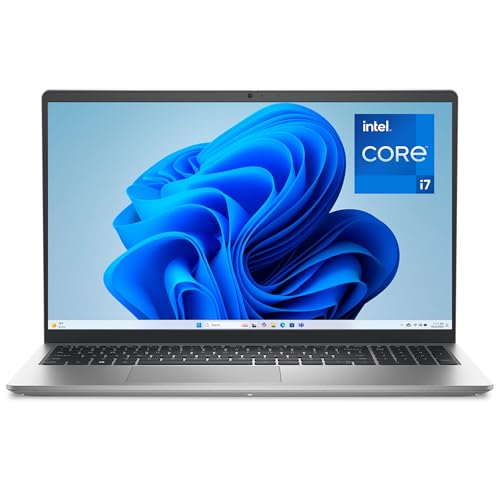
Dell 15.6-inch FHD Laptop with Core i7
- Capable 13th Gen Intel Core i7-1355U processor
- 16GB RAM is well suited to routine multitasking
- FHD display with ComfortView software
- Roomy keyboard includes a numeric keypad and calculator hotkey
- Relatively portable 3.64-pound design
- Graphics hardware is not identified, making gaming capability difficult to judge
- The listing does not specify the storage drive type
- Display refresh rate and panel technology are not provided

HP 15.6-inch Core i7 Laptop
- Capable 10-core Intel Core i7-1255U processor
- Useful 16GB RAM and 1TB PCIe SSD configuration
- FHD anti-glare display with micro-edge bezels
- Includes Wi-Fi 6, Bluetooth 5.3, USB-C, and HDMI
- Portable 3.52-pound design
- No dedicated GPU is specified, limiting its appeal for demanding gaming
- The 250-nit display may be modest for brightly lit environments
- Display refresh rate is not listed
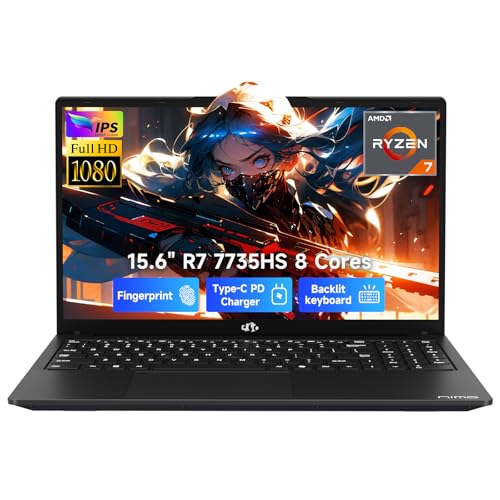
NIMO N159 15.6-inch Ryzen 7 Laptop
- Eight-core, 16-thread Ryzen 7 processor
- 16GB DDR5 RAM and NVMe PCIe storage
- FHD IPS anti-glare display with a near-flat hinge
- Backlit keyboard and dual-fan cooling
- Portable 3.75-pound, 0.75-inch design
- Radeon 680M is integrated graphics, so demanding modern gaming may require reduced settings
- Display refresh rate is not specified
- Renewed condition may not appeal to buyers seeking a brand-new laptop

Dell Latitude 5520 15.6-inch HD
- Generous 32GB RAM configuration
- Spacious 1TB NVMe SSD
- Broad selection of wired and wireless connections
- Includes Windows 11 Pro and a backlit keyboard
- Graphics hardware is not specified, making gaming capability unclear
- Display is listed as HD rather than Full HD
- Renewed condition may not appeal to buyers seeking a new laptop

NIMO Ryzen 7 Laptop with Radeon 680M
- Ryzen 7 processor with 8 cores and 16 threads
- Capable Radeon 680M integrated graphics for light gaming
- 16GB DDR5 memory and PCIe 4.0 SSD storage
- Broad port selection with two full-function USB-C connections
- Portable 3.75-pound body with 100W USB-C charging
- Integrated graphics are not intended for demanding high-end gaming
- The listing states up to 6 hours of office use, which may be limiting for all-day mobility
- Renewed condition may be less appealing to buyers seeking a brand-new laptop
What Gaming Actually Means at $650
These laptops are primarily business or general-purpose budget machines, not conventional gaming laptops. They do not have dedicated graphics cards, so the processor and system memory must also support graphics processing. That arrangement is adequate for everyday computing but leaves little performance for demanding games. Realistically, these systems are limited to a handful of very old, simple, or browser-based games at low settings.
This limitation is not evidence that the listings are poor or misleading by default. It is a consequence of hardware designed mainly for web browsing, documents, video calls, programming, and similar work. Lowering resolution and visual settings can reduce the graphics workload, but it cannot turn integrated graphics into a dedicated gaming GPU. Anyone expecting demanding local gaming should plan for a machine in a higher performance class. These laptops make more sense when gaming is occasional and secondary to school, office work, or general home use.
Worth knowing: Cloud gaming services such as Xbox Game Pass Ultimate or GeForce Now stream real games over the internet instead of running them locally. With a reliable connection, that is often a more realistic path to gaming on an inexpensive laptop than relying on its hardware. Our guide explains gaming laptop fan noise.
Why These Laptops Cannot Really Game
The main restrictions come from the balance of processor, graphics, and shared system memory.
| Component | Why It Limits Gaming |
|---|---|
| CPU | Older or efficiency-focused mobile processors prioritize battery life and everyday responsiveness rather than sustained gaming workloads. |
| Graphics | Integrated graphics share power and memory with the processor and lack the dedicated resources provided by a gaming graphics card. |
| RAM | Integrated graphics reserve part of the system memory, leaving less available for games and other applications running at the same time. |
A strong memory capacity can improve multitasking, but it does not replace a dedicated GPU. Likewise, a capable processor cannot compensate fully for limited graphics hardware.
Buying Renewed or Refurbished at This Price
Several listings in this category are renewed, so condition and seller support deserve as much attention as the headline specifications.
Check the Seller Grade and Return Window
Renewed listings can vary significantly in cosmetic condition, even when the underlying model and specifications are identical. Read the condition description carefully and check whether the seller explains possible scratches, worn keys, screen marks, or replacement parts. A vague listing does not automatically indicate a poor machine, but it gives you less information for judging what may arrive.
Review the return window before ordering, including who pays return shipping and whether restocking fees may apply. The ability to return a laptop matters when you cannot inspect its keyboard, display, ports, or physical condition beforehand. Save the original listing and order details so you have a record of what the seller promised at the time of purchase. Our guide to gaming laptop overheating explains what to watch for.
Battery Health Matters More Than Specs
An older renewed laptop may have a battery that has already completed many charging cycles. Even if its processor, memory, and storage match the listing, battery runtime can be considerably less predictable than on a new system. Sellers do not always publish battery-health percentages, so check whether the condition policy includes a minimum capacity or any specific battery coverage.
Plan for the possibility that a renewed machine will spend more time connected to its charger. That may be acceptable for a desk-based work laptop, but it matters for commuting, classes, or travel. Battery replacement can also affect the overall value, especially if the model is difficult to service or requires professional labor to open safely. Our guide covers when to buy a laptop.
Confirm What Is Actually Included
Check whether the package includes a compatible charger and whether that charger provides the power required by the laptop. A generic or lower-powered adapter may charge slowly or struggle under heavier workloads. Product images are not always a reliable inventory of box contents, so use the written listing and contact the seller when the included accessories are unclear.
Warranty language also deserves close attention because seller coverage is different from an active manufacturer warranty. Confirm who handles a claim, how long coverage lasts, and whether shipping or diagnostic fees apply. Our guide to gaming laptop sales helps with timing.
Who Should Buy Which Laptop
- Best overall: Dell i7 1355U for buyers who want the leading general-purpose option in this comparison.
- Best value: NIMO for Radeon 680M graphics, 16GB DDR5 memory, and a 512GB SSD.
- Best value alternative: HP i7-1255U for shoppers comparing another budget-focused table option.
- Best alternative: Dell for buyers prioritizing 32GB of memory in a renewed business laptop.
- Best runner-up: NIMO Ryzen 7 7735HS None for Radeon 680M graphics, 16GB DDR5 memory, and portable dimensions.
Final Thoughts
These are work-oriented laptops that can accommodate only very light local gaming. The Dell i7 1355U is the best overall choice, while the NIMO is the more appealing value option. Choose one for everyday computing first, with gaming treated as a limited secondary use.
More Options to Consider
FAQs
1. Can any laptop under $650 play games?
Some inexpensive laptops can run simple, older, or browser-based games, but that does not make them full gaming laptops. Integrated graphics must share memory and power with the processor, which sharply limits demanding workloads. Lower settings may help in lighter software, but they cannot overcome the absence of a dedicated graphics card. Buy in this class primarily for everyday computing rather than modern local gaming.
2. What games can a $650 laptop realistically run?
Expect only a limited selection of very old, simple, or browser-based games at reduced settings. Compatibility and smoothness depend on the individual game, its updates, background applications, and the laptop’s cooling and power behavior. Avoid assuming that a strong processor name or a large amount of RAM guarantees gaming performance. Graphics capability remains the central limitation for the laptops discussed here.
3. Is a renewed or refurbished laptop safe to buy at this price?
It can be a sensible purchase when the seller provides a clear condition grade, practical return window, and written warranty terms. Check the battery policy, included charger, keyboard condition, display condition, and port functionality as soon as the machine arrives. Keep the packaging until you finish inspecting it. Renewed products vary, so seller support can matter as much as the laptop’s listed specifications.
4. How much more would a real gaming laptop cost?
A genuine gaming laptop with a dedicated GPU generally sits in a higher price bracket than the business and budget systems discussed here. The additional cost pays for graphics hardware, stronger cooling, and a power system designed for sustained gaming loads. If portability is not essential, a desktop may offer better gaming value.
5. Is cloud gaming a better option than a cheap laptop at this budget?
Cloud gaming is often the more realistic choice when local hardware lacks a dedicated GPU. The service runs the game on remote hardware and streams the picture and controls over the internet. Results depend heavily on connection stability, latency, service availability, and subscription terms. It does not upgrade the laptop itself, but it can provide access to games that the machine could not reasonably run locally.


