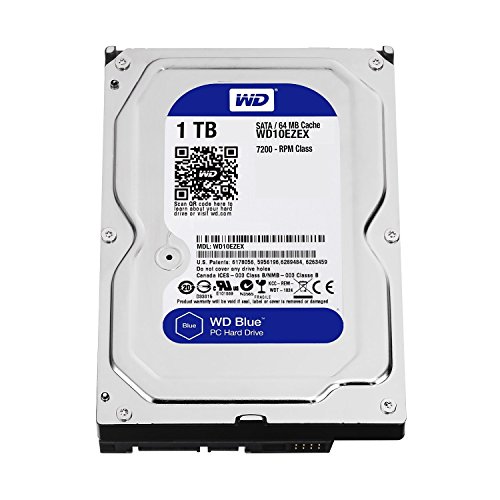
Massive data collections quickly push standard storage setups past their absolute limits. When archive folders expand and local media servers run dry on space, finding the best 20tb hard drives becomes necessary to keep everything organized on a single volume without juggling multiple smaller disks. You can also review what is the difference between HDD and SSD before expanding your setup.
Recommended by Us

- Ships pre-populated with four 20TB enterprise drives ready for deployment
- Native 10GbE connectivity provides substantial network throughput
- Snapshot capability allows rapid data recovery to mitigate ransomware risks
- Enterprise-grade security featuring 256-bit encryption and two-factor authentication
- Substantial 55-pound rackmount chassis requires dedicated server rack infrastructure
- Exact read and write transfer rate figures are not provided in the technical details
- Uses only 4 of the 12 available drive bays out of the box

- Substantial 16TB capacity minimizes required drive bays
- Helium-sealed design enables lower operating temperatures and power usage
- Robust enterprise rating with 2.5M-hr MTBF
- Hardware-level SED data protection
- Supplied as a renewed drive rather than brand-new
- Specific read and write transfer speeds are not detailed in the product data
- Enterprise 3.5-inch SATA internal format requires dedicated mounting and system power

- Massive 20TB capacity optimizes server rack density
- Built for 24/7 operation with 8,760 power-on hours annually
- Outstanding enterprise reliability rating of 2.5 million hours MTBF
- Fast 7200RPM rotation speed with a generous 256MB cache buffer
- Uses a SAS interface that requires an enterprise backplane or dedicated HBA controller
- Specific sustained transfer rate figures are not stated in the listing details

- Enormous 20TB capacity maximizes storage density in single server bays
- Pre-mounted in a Dell 14G sled, eliminating separate caddy assembly
- Enterprise-ready SAS 12Gb/s interface with 7200 RPM rotational speed
- Broad support across multiple Dell PowerEdge server generations
- Requires a dedicated SAS controller and is not compatible with standard consumer SATA ports
- Exact sequential read and write transfer speeds are not specified in the product listing
- Configured specifically for Dell 14G caddy slots rather than universal drive bays

- Enormous 80TB storage arrives ready to deploy with drives included
- Built-in 10GbE port delivers enterprise-grade network connectivity
- Flexible RAID configurations balance redundancy against usable capacity
- Extensive security with snapshots, 256-bit encryption, and cloud sync
- Rackmount form factor requires dedicated server rack space
- Specific sequential transfer speeds are not stated in product specifications

Seagate Enterprise 10TB HDD (Renewed)
- Massive 10TB storage capacity in a standard 3.5-inch form factor
- Enterprise-grade 24/7 design backed by a 2.5 million hour MTBF rating
- High-performance 7200 RPM rotation speed with 256MB buffer
- Versatile application across desktop PCs, NAS racks, and surveillance systems
- Ships as a bare drive without SATA data cables or mounting screws
- Requires manual drive initialization and formatting before the system detects it
- Supplied in basic brown box packaging rather than retail boxing

- Enormous 20TB storage pool accommodates massive libraries and media archives
- Instant plug-and-play operation for Windows 10 and above
- Reliable USB 3.0 desktop connectivity with no bloatware required
- Small, tidy enclosure profile fits easily on busy workstations
- Requires manual reformatting before it can be used with macOS
- Specific read and write transfer benchmark numbers are not stated in product specs
- Desktop form factor requires dedicated placement rather than portable on-the-go use
Selecting the Right High-Capacity Storage for Your Setup
Choosing a massive drive comes down to how you plan to connect it and manage workloads. If you want a straightforward plug-and-play solution for your desk, WD 20TB Elements is the one I would go with. It connects directly over USB 3.0 to expand Windows desktop space without needing internal installation, making it practical for simple local backups and media libraries.
For enterprise servers and heavy network storage, hardware demands look very different. If you manage a rackmount environment or high-availability server array, Seagate Exos X20 20TB is my suggestion for raw SAS connectivity and around-the-clock reliability. Seagate designs this enterprise line with an annual power-on schedule of 8,760 hours for non-stop uptime. Alternatively, teams needing turnkey network hardware can pick BUFFALO TeraStation 5420RN, which provides four high-capacity drives right out of the box with native 10GbE networking and snapshot protection. If you are comparing build layouts across your machine, check where is the SSD located in a computer to optimize internal cable routing alongside your secondary hard drive bays.
FAQs
1. Are 20TB hard drives loud during regular operation?
Large capacity drives often use 7200 RPM enterprise architecture and sealed helium enclosures. While idle hum remains subtle, intense read and write activity can produce audible head movement clicks compared to smaller drives. Placing them inside padded drive caddies helps absorb minor mechanical vibration.
2. Can I use an internal SAS hard drive in a typical desktop computer?
Standard desktop motherboards only feature SATA ports, which cannot communicate with SAS hard disks directly. Running a SAS enterprise drive requires a dedicated SAS host bus adapter card and compatible breakout cables. You can learn more about drive interfaces and motherboard layouts by checking how many M.2 slots does a motherboard have.
3. Why do 20TB hard drives show less usable capacity in Windows?
Drive manufacturers calculate capacity using the decimal system, where one terabyte equals one trillion bytes. Operating systems compute storage in binary using gibibytes and tebibytes. Because of this conversion, a formatted disk reports around 18.1TB to 18.6TB of actual usable storage space within the operating system file manager.
4. How long does it take to format a drive of this size?
A standard quick format completes in a few seconds because it simply creates a fresh partition table and file system index. A full format checks every sector across all platters and can easily take twenty or more hours. Independent tech sites like Tom’s Hardware discuss disk management utilities that simplify this process.
Editor’s Verdict
When searching for the best 20tb hard drives, matching your interface requirements is critical. For hassle-free desktop expansion, I recommend WD 20TB Elements for simple USB connectivity, while Seagate Exos X20 20TB remains my top suggestion for 24/7 enterprise server deployments.