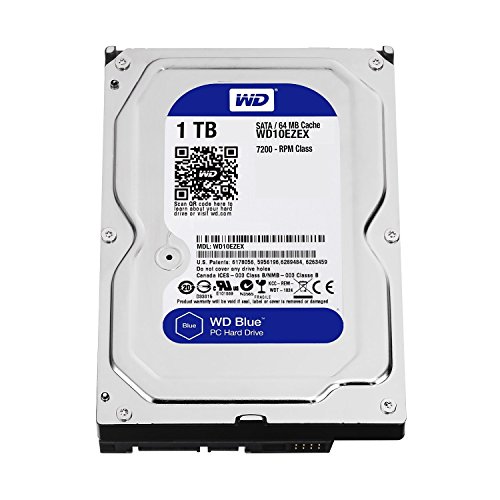
Adding bulk capacity to a home desktop or media server often comes down to choosing dependable magnetic storage. Solid-state technology is great for your operating system, but mechanical platters still offer an inexpensive way to hold massive file collections. Knowing which models deliver the best 3tb hard drives balance of reliability and daily workload management helps keep your files accessible and secure.
Recommended by Us

- Spacious 3TB capacity suited for high-demand desktop workloads
- High 7200 RPM spindle speed with 64MB cache
- Engineered with dual-core processing and Vibration Control Technology
- Ships in certified protective packaging for safe transit
- Package includes only the bare drive with no SATA cables or mounting screws
- Read and write transfer rates are not specified in the listing
- Requires a desktop drive bay and internal power connection

WD Red 3TB NAS Hard Drive
- Tailored firmware profile optimizes multi-bay enclosure reliability
- Energy-efficient 5400 RPM class spindle reduces operational heat
- Designed to support continuous 24x7 multi-user network demands
- Standard 3.5-inch form factor fits common home and office NAS chassis
- Listing reflects a renewed unit rather than factory-new stock
- 5400 RPM class rotational speed yields slower access times than 7200 RPM enterprise disks
- Not designed for enterprise enclosures exceeding 8 drive bays

- Enterprise-oriented architecture tailored for heavy operational demands
- High 7200 RPM operational speed combined with 128MB cache
- Broad compatibility across server enclosures and desktop motherboards via SATA 6Gb/s
- Internal 3.5-inch form factor requires suitable bay mounting and internal cabling
- Manufacturer listing does not specify sustained read and write speed figures
- Draws more power and generates more operational noise than solid state alternatives

- Tailored specifically for 24/7 NVR and DVR security environments
- Optimized to handle multiple concurrent camera streams
- Sizable 3TB storage volume for extended recording history
- Efficient 5400 RPM rotational speed helps maintain quiet, steady operation
- Exact transfer speed figures are not provided in official specifications
- Rotational speed of 5400 RPM is slower than standard 7200 RPM performance drives
- Internal 3.5-inch design requires an available internal bay and desktop or NVR enclosure

Hitachi Ultrastar 3TB SAS Enterprise HDD
- Engineered for nonstop 24x7 enterprise continuous operation
- High 2.0 million hours MTBF rating for long-term durability
- Proven 7200RPM spindle speed with 64MB data cache
- Enterprise-grade 6Gb/s SAS connectivity
- Incompatible with standard consumer SATA ports, requiring a dedicated SAS controller
- Arrives as a bare or OEM drive without SAS cables or mounting screws
- Renewed mechanical drive without detailed prior usage history in the listing

WD Purple 3TB Surveillance HDD
- Engineered to reduce video frame loss during continuous surveillance recording
- 3TB capacity accommodates high stream-count video streams
- Prioritizes write performance suited for 24/7 security setups
- Standard 3.5-inch form factor fits common desktop and NVR bays
- 5400 RPM class rotational speed offers slower burst data handling than 7200 RPM drives
- Specific read and write transfer rates are not provided in the product specifications
- Previous generation hardware version rather than the latest release

- Optimized for always-on video surveillance recording workloads
- Low power consumption and reduced thermal output via 5400 RPM operation
- Solid 3TB capacity accommodates hours of high-definition video archives
- Universal 3.5-inch SATA form factor ensures straightforward hardware replacement
- 5400 RPM spindle speed is slower than 7200 RPM drives for everyday desktop multitasking
- Ships as a bare drive without included SATA data cables or mounting hardware
- Manufacturer specifications do not state exact sustained transfer rate figures
Matching Drive Capabilities to Your Storage Setup
Choosing mechanical storage starts with identifying how constantly your machine writes and accesses data. If you are configuring a high-performance gaming rig or workstation, I would go with the WD Black 3TB. It features a 7200 RPM rotational speed, a dual-core processor, StableTrac technology, and a five-year manufacturer warranty, which makes it ideal for running local applications and storing primary project files alongside an operating system. For broad storage discussions, Tom’s Hardware regularly covers why rotational speed matters for local system response.
For home servers or small office networked arrays, continuous operation presents different challenges. In that situation, I would point users toward the WD Red 3TB NAS. This unit uses specialized NASware firmware engineered for network systems up to eight bays, operating at a cooler 5400 RPM class to keep heat low in multi-bay enclosures. If continuous security recording is your sole priority, the WD Purple 3TB is designed specifically for surveillance tasks, utilizing AllFrame 4K technology to handle high write workloads without dropped frames. Understanding what is the difference between HDD and SSD storage helps clarify why these purpose-built mechanical drives remain valuable.
FAQs
1. Can a 3TB mechanical drive serve as a good primary boot drive?
While you can boot an operating system from a mechanical hard drive, modern operating systems run substantially faster when installed on solid-state media. Most desktop builders install Windows on flash storage while reserving a traditional hard drive for media libraries, backups, and game installations.
2. Why do network attached storage drives use a slower RPM speed?
Drives running at 5400 RPM generate less heat and vibration than faster models, which is critical inside compact multi-bay enclosures. Brands like Western Digital tailor these drives for constant twenty-four-seven operation where thermal stability matters more than peak single-drive speed.
3. What makes surveillance hard drives different from desktop drives?
Surveillance drives prioritize write operations above read requests. They feature specialized firmware designed to manage constant video streams from multiple cameras without losing frame data, whereas desktop drives split resources evenly between reading and writing user files.
4. How does mechanical drive placement affect system airflow?
Traditional 3.5-inch drives mount in dedicated chassis cages that can block front intake fans if crowded together. Checking where is the SSD located in a computer case helps you plan cable routing and maximize cooling for your mechanical drives.
Editor’s Verdict
For standard desktop setups seeking the best 3tb hard drives, the WD Black 3TB delivers the strongest combination of speed, architecture, and warranty coverage. Those configuring multi-bay shared storage should instead choose the WD Red 3TB NAS for its dedicated network firmware and low-heat operation.