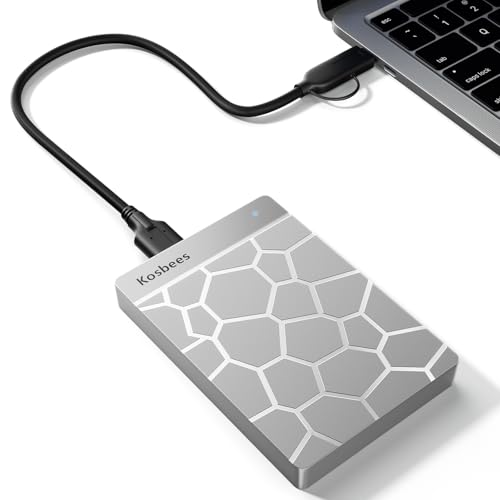
You are filming a crucial event when an alert suddenly pops up saying your device cannot record any more footage. Instead of deleting precious memories or waiting on slow cloud syncs, offloading files directly saves the day. Picking the best hard drives for iphone ensures rapid file transfers, massive archive space, and instant relief.
Recommended by Us

WD 6TB Elements Portable Hard Drive
- Vast 6TB capacity packed into an easily transportable 2.5-inch form factor
- Bus-powered design runs entirely off your computer's USB port
- Plug-and-play readiness ensures immediate use right out of the box
- SuperSpeed USB 3.2 Gen 1 connectivity supporting up to 5Gbps interface bandwidth
- Mechanical drive architecture inherently offers slower transfer speeds than solid state drives
- Specific sequential read and write speeds are not specified in the manufacturer details
- Requires reformatting for use with Apple macOS environments

WD 2TB Elements Portable Hard Drive
- Extremely lightweight and pocketable at just 0.29 pounds
- SuperSpeed USB 3.2 Gen 1 connection rated for up to 5Gbps
- Instant plug-and-play setup without requiring separate driver installations
- Practical 2TB capacity ideal for routine computer backups
- Mechanical drive speeds are naturally lower than solid state drives
- No protective rugged casing or rubber bumper included for drops
- Specific sustained read and write speed metrics are not specified in the listing

- True plug-and-play operation requires no software installation
- Compatible across both Windows and Mac platforms
- Lightweight and compact profile fits easily into laptop bags or pockets
- Generous 2TB capacity in a pocket-sized form factor
- Transfer speed figures are not stated in the official specifications
- Mechanical HDD technology provides standard rather than solid-state transfer speeds
- Includes an 18-inch cable which may feel short for desktop tower setups
- Huge 5TB capacity inside a portable handheld form factor
- Simple drag-and-drop workflow with no software installation required
- Wide compatibility across computers and popular gaming consoles
- Includes an 18-inch USB 3.0 connection cable
- Specific read and write speeds are not provided in the manufacturer data
- Utilizes a standard USB 3.0 cable rather than a modern native USB-C connection
- Mechanical hard drive technology offers slower data access than solid-state drives

SanDisk 2TB Extreme Portable SSD
- Impressive read speeds up to 1050MB/s via modern USB-C USB 3.2 Gen 2 interface
- Ruggedized design with IP65 weather rating and 3-meter drop protection
- Extremely lightweight at just 0.11 pounds for effortless everyday carry
- Includes 256-bit AES hardware encryption for robust personal data security
- Sustained transfer performance can vary depending on the host hardware used
- Integrated carabiner clip is not included in the box, only the built-in loop
- Simple drag-and-drop file management with automatic system recognition
- Versatile compatibility spanning desktop computers, laptops, and gaming consoles
- Lightweight and compact profile measuring under 0.6 inches thick
- Includes 1-Year Rescue Service for data recovery assistance
- Transfer speed figures are not stated in the official specifications
- Requires reformatting for full compatibility with macOS
- Included 18-inch cable may be short for some desktop configurations
- Massive 4TB storage capacity in a travel-friendly form factor
- Seamless plug-and-play compatibility with Windows and Mac
- No software installation or external power adapter required
- Includes an 18-inch USB 3.0 cable in the box
- Listing does not state specific read or write transfer speeds
- Utilizes mechanical hard drive storage rather than faster solid-state media
Matching Drive Capacity and Speed to Your Storage Needs
If you need rapid file transfers directly in the field or want to record high-bitrate video, I would go with the SanDisk Extreme 2TB SSD. It delivers NVMe performance with read speeds up to 1050MB/s and write speeds up to 1000MB/s over USB-C. It also features IP65 water and dust resistance along with drop protection up to three meters. The product pages at SanDisk outline that 256-bit AES hardware encryption keeps your media secure on the road.
For users seeking vast capacity for desktop backups rather than pocket mobility, I would point toward the WD Elements 6TB. It provides enormous storage over a SuperSpeed USB 3.2 Gen 1 connection, letting you offload complete photo libraries without constantly swapping drives. When evaluating these options, understanding what is the difference between HDD and SSD tech helps explain why solid-state models offer durable speed while traditional platters maximize raw gigabytes. If you want a slightly smaller mechanical backup drive, the Seagate Portable 5TB provides simple drag-and-drop file transfers with its included eighteen-inch USB 3.0 cable.
FAQs
1. Can you connect an external hard drive directly to an iPhone?
Recent iPhone models with USB-C ports can connect directly to compatible USB-C drives, while older models with Lightning ports require an Apple adapter with external power. Drives that require significant power through standard USB ports may need a powered hub or adapter to spin up properly.
2. What file format should an external drive use for an iPhone?
Apple devices read and write files using the exFAT and APFS file systems without extra software. If you format a drive using NTFS, your phone can only read files unless you reformat the volume. Many enthusiasts wonder should you compress an SSD drive or external volume, but native formatting without filesystem compression delivers the smoothest transfer performance.
3. Why is an SSD often preferred over an HDD for mobile backups?
Solid-state drives feature no moving mechanical parts, which gives them substantial shock resistance when carried in pockets or backpacks. Looking back at when did SSDs come out, solid-state media has continually outpaced spinning platters in resilience. They also draw less power from mobile batteries during active use.
4. Can you record ProRes video directly to an external drive?
Compatible phones support direct ProRes 4K recording to external storage drives connected via USB-C. As detailed by hardware writers at Tom’s Hardware, sustained write speed is vital to avoid dropped frames during high-bitrate capture. Dedicated portable solid-state drives remain the standard choice for videographers capturing high-quality mobile footage.
Editor’s Verdict
When searching for the best hard drives for iPhone, your choice hinges on speed versus raw capacity. For recording video or moving files on the go, the SanDisk Extreme 2TB SSD is my top recommendation thanks to its rugged build and fast transfers. If long-term archive space matters most, the WD Elements 6TB delivers massive room for your libraries.