

Transferring high-resolution media or expanding high-speed storage demands reliable external connectivity. When moving large project files or raw video between workstations, choosing the best thunderbolt 4 external hard drives helps prevent costly bottlenecks. Knowing what is the difference between HDD and SSD storage helps clarify why solid-state performance matters so much for modern workflows.
Recommended by Us

- Fast transfer speeds up to 2000MB/s for quick workflow turnaround
- Strong physical durability with IP65 weather rating and 3-meter drop tolerance
- Substantial 4TB capacity inside an ultra-light 0.1-pound enclosure
- Hardware-based 256-bit AES encryption keeps sensitive files secure
- Cable inclusions and adapter details are not specified in the listing
- Carries a significant price premium compared to standard external drives

SanDisk 4TB Extreme Portable SSD
- Massive 4TB solid state capacity in a compact, pocket-friendly body
- Fast transfer speeds up to 1050MB/s ideal for large file transfers
- IP65 rating offers reliable protection against rain, splashes, and dust
- Modern USB-C and USB 3.2 Gen 2 connectivity for broad device compatibility
- Higher cost tier compared to traditional mechanical hard drives
- Sustained transfer speeds during lengthy continuous writes are not specified

Samsung T9 Portable SSD 4TB
- Sustained transfer speeds up to 2,000MB/s on compatible connections
- Huge 4TB storage footprint inside a compact, travel-friendly chassis
- Thermal control system keeps heat managed during long write sessions
- Directly compatible with iPhone 15 ProRes 4K 60fps video capture
- Achieving full 2,000MB/s speeds requires dedicated USB 3.2 Gen 2x2 ports
- Substantially higher cost per gigabyte than traditional external mechanical drives

- Breakthrough transfer rates reaching over 6000MB/s on Thunderbolt 5 hosts
- Certified IP67 dust and water resistance for demanding outdoor shoots
- Silent thermal management without distracting cooling fan noise
- Broad plug-and-play support across Mac, PC, iPad Pro, and Chromebook devices
- Integrated cable cannot be removed or replaced if it wears out
- Reaching maximum throughput requires a host system equipped with Thunderbolt 5
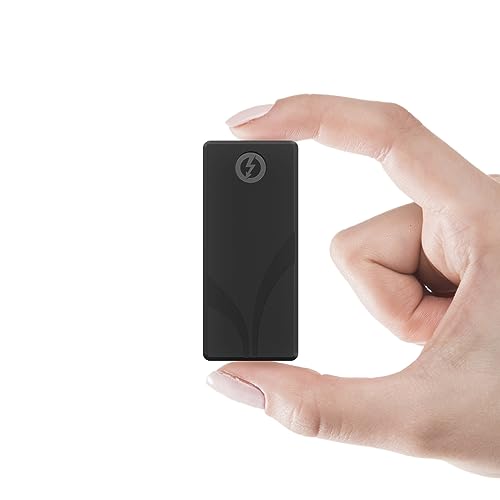
- Blistering transfer rates up to 2700 MB/s on Thunderbolt 3 hardware
- Remarkably small and lightweight body weighing only 1.69 ounces
- Includes both Thunderbolt and USB Type-A cables for out-of-the-box cross-platform support
- Sturdy aluminum chassis backed by an included protective silicone sleeve
- Requires a full Thunderbolt port to unlock speeds beyond 900 MB/s
- Compact aluminum exterior naturally warms up under sustained multi-gigabyte transfers

- Massive 4TB storage capacity in a travel-friendly form factor
- Seamless plug-and-play compatibility with Windows and Mac
- No software installation or external power adapter required
- Includes an 18-inch USB 3.0 cable in the box
- Listing does not state specific read or write transfer speeds
- Utilizes mechanical hard drive storage rather than faster solid-state media
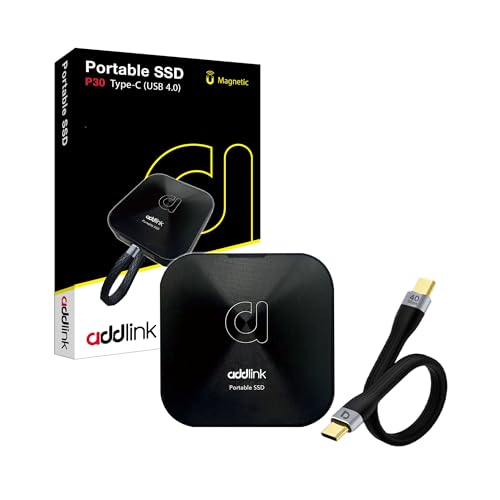
- Top-tier USB4 transfer rates up to 4000 MB/s read and 3600 MB/s write
- Extremely compact and lightweight aluminum shell at roughly 45 grams
- Supports iPhone ProRes 4K 120fps direct recording with MagSafe convenience
- Versatile cross-platform connectivity including Thunderbolt 4, gaming consoles, and smart TVs
- Reaching maximum throughput requires a fully compliant USB4 or Thunderbolt host port
- Sleek aluminum body lacks rubberized corner bumpers for impact drops
- Listing does not state an official IP water or dust resistance rating
Choosing the Right Drive for High-Bandwidth Workflows
Matching a drive to your daily routine depends on whether you value pure throughput or everyday resilience across different host devices. Editorial teams often look to sources like Tom’s Hardware for broader coverage on modern interface limits, but your individual storage needs dictate the right hardware choice.
- If you need blazing throughput for demanding 6K video editing or quick studio backups, the Sabrent Rocket Nano XTRM 4TB is the one I would go with because its aluminum chassis and included silicone sleeve handle travel while delivering up to 2700 MB/s over 40 Gbps connections.
- For creators who need high capacity combined with dynamic thermal management on location, I would point toward the Samsung T9 4TB, which maintains controlled temperatures and offers sustained transfer speeds up to 2000 MB/s.
- Anyone hunting for extreme multi-generation compatibility and outdoor protection should consider the OWC Envoy Ultra 4TB, as it brings IP67 weatherproof protection and supports Thunderbolt 4 while accommodating up to 6000 MB/s throughput on next-generation ports.
FAQs
1. Are Thunderbolt 4 drives compatible with older USB ports?
Yes, Thunderbolt external drives typically maintain backward compatibility with USB-C and standard USB connections, though transfer speeds drop to match the older host port. For example, some models include fallback cables or adapters so you can plug into older machines without needing specialized hardware upgrades.
2. Do external solid-state drives run hotter than mechanical drives?
High-speed external SSDs generate noticeable heat during sustained read and write operations due to rapid data transfer across NVMe controllers. Many modern options use aluminum enclosures to dissipate heat passively. If you wonder how internal layouts compare, learning where is the SSD located in a computer offers helpful context on thermal management.
3. Why do external drives advertise higher speeds than they deliver in practice?
Advertised transfer numbers represent theoretical maximum burst rates recorded under ideal conditions. Real-world speeds vary based on host port bandwidth, operating system overhead, file sizes, and thermal throttling during long transfers. Major manufacturers like Samsung often note that sustained performance depends on overall device configuration.
4. Does file system compression help external storage performance?
Compressing data on fast NVMe drives rarely improves transfer speeds and can actually tax your system processor during on-the-fly decompression. Examining should you compress an SSD drive shows why letting high-capacity flash storage run natively is usually the better path for daily productivity.
Editor’s Verdict
For demanding workloads that require the best thunderbolt 4 external hard drives, the Sabrent Rocket Nano XTRM 4TB delivers exceptional speed and pocket-sized portability. If you want unmatched ruggedness and broad interface support, the OWC Envoy Ultra 4TB provides superior peace of mind for serious media creators.




