

Console storage fills up quickly with modern install sizes, especially on the compact all-digital console. Finding the best external hard drives for Xbox Series S gives you room to stash your gaming library without constant downloading. You can park massive downloads on external storage and move them back when you are ready to play.
Recommended by Us
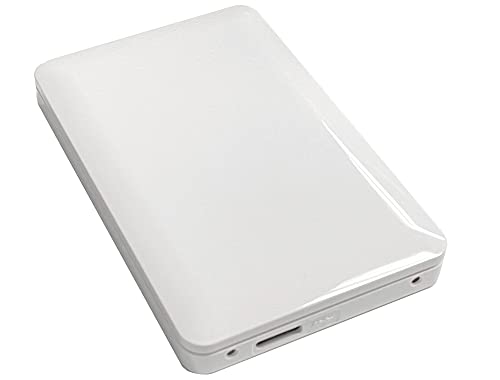
- Pre-formatted for hassle-free connection with Xbox consoles
- Direct gameplay supported for legacy Xbox One titles
- Bus-powered via USB 3.0 without requiring an AC adapter
- Compact 5 x 3 x 0.5-inch profile fits easily near any setup
- Xbox Series X|S games cannot be played directly from the USB drive
- Specific read and write transfer rates are not provided in the specifications
- Mirror-like finish can easily collect smudges and fingerprints

- Pre-formatted for Xbox consoles right out of the box
- Durable and slim aluminum exterior weighing just 0.625 pounds
- Plays Xbox One games directly from the external drive
- USB bus-powered with no cumbersome AC adapter required
- Cannot play native Xbox Series X|S games directly due to console architecture limits
- Official transfer speed ratings are not specified by the manufacturer

- Huge 5TB storage capacity holds a substantial game library
- Plays legacy Xbox One titles directly from the drive
- Xbox-themed green LED accent bar enhances gaming setups
- Officially certified for current and previous generation Xbox consoles
- Cannot launch Xbox Series X and Series S optimized games directly
- Specific transfer speed figures are not provided in the product specifications

- Huge 5TB capacity handles large modern game installations with ease
- Lightweight and compact enclosure is easy to travel with
- Includes a 1-month trial for Xbox Game Pass
- Equipped with a modern USB 3.2 host interface
- Manufacturer specifications do not state rated read or write speeds
- Mechanical external hard drive design rather than faster solid-state storage

GODBPNYMU 500GB Portable External Hard Drive
- Dual USB 3.0 and USB-C connectivity provides flexible plug-and-play capability
- Includes a dedicated carrying pouch to guard against scratches during travel
- Permits direct gameplay execution for PS4 and Xbox One titles
- Extremely thin and lightweight profile at just 0.43 inches thick
- Cannot launch native PS5 or Xbox Series X/S titles directly from the drive
- 500GB capacity fills up quickly if storing multiple modern gaming blockbusters
- Mechanical drive transfer rates are slower than solid-state alternatives

SanDisk 2TB Optimus GX C50 Xbox Card
- Seamless compatibility with Xbox Series X|S consoles
- Zero setup required thanks to plug-and-play architecture
- Generous 2TB capacity holds dozens of modern game titles
- Comes bundled with bonus trial subscriptions
- Dedicated slot design limits use solely to compatible Xbox consoles
- Manufacturer listing does not state specific read or write transfer speeds
- Officially certified for seamless Xbox integration
- Generous 2TB capacity for storing dozens of titles
- Distinctive illuminated Xbox-green LED accent lighting
- Simple plug-and-play USB 3.0 connectivity
- Xbox Series X and Series S games cannot be played directly from the drive
- Manufacturer does not list specific transfer speed figures
Choosing the Right Storage for Your Console Setup
If you want massive capacity to archive a huge backlog, the Seagate 5TB Game Drive is the one I would go with. It holds dozens of titles, features an Xbox green LED light bar, and includes data recovery coverage. Official hardware partners like Seagate build these drives specifically to match console formatting out of the box.
For gamers who travel frequently and need durable USB storage, I would point toward the WD_BLACK 5TB P10. It utilizes a USB 3.2 connection and provides plenty of room for backward-compatible Xbox One games. However, remember that standard USB hard disks cannot run native Series S games directly. If you want to run current generation titles without copying files back to your internal drive, the Sandisk 2TB Optimus GX C50 is the clear answer because it plugs into the dedicated slot and matches the Xbox Velocity Architecture. Deciding between mechanical platters and solid state modules is easier once you understand what is the difference between HDD and SSD hardware.
FAQs
1. Can you play Xbox Series S games directly from an external USB hard drive?
No, native Xbox Series S titles cannot run directly from an external USB drive because mechanical drives lack the necessary transfer throughput. You must copy optimized games back to the internal drive before launching them. However, you can play backward-compatible Xbox One, Xbox 360, and original Xbox releases straight from an external USB hard drive without moving anything.
2. Why is moving games to an external drive better than reinstalling?
Transferring files from an external drive over USB is substantially faster than downloading them again over a typical home internet connection. Moving files locally also helps you avoid internet service provider data caps and network congestion. When evaluating storage options across platforms, many players research when did SSDs come out to see how drive speeds evolved over generations.
3. Can you compress console game files to save extra space?
Modern consoles do not let users apply file system compression to save space on attached storage devices. Xbox operating systems handle all game packages in fixed containers designed for low latency. While computer users often ask should you compress an SSD drive on desktop systems, console drives must keep data uncompressed so game assets load reliably during play.
4. What is the difference between an external hard drive and an expansion card?
An external hard drive connects via USB and acts as cold storage for current titles or active playback storage for legacy games. Dedicated expansion cards attach to the proprietary rear port and replicate the internal solid-state architecture. Industry analysts at Tom’s Hardware frequently note that expansion cards offer full compatibility with next-generation features like Quick Resume.
Editor’s Verdict
For players who want huge archive capacity without excessive cost, the Seagate 5TB Game Drive stands out among the best external hard drives for Xbox Series S. However, if you require direct playback for current generation releases without copying files back and forth, I recommend choosing the Sandisk 2TB Optimus GX C50.








