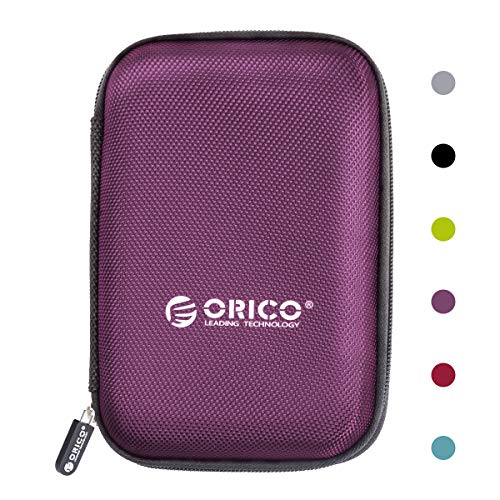
Carrying substantial game libraries, raw video footage, or full system backups requires high capacity without sacrificing convenience. Finding the best 4TB portable hard drives depends heavily on whether you prioritize high transfer rates or budget-friendly bulk capacity. Understanding what is the difference between HDD and SSD technology helps ensure you pick the right format for your mobile workflow.
Recommended by Us

Samsung T9 Portable SSD 4TB
- Sustained transfer speeds up to 2,000MB/s on compatible connections
- Huge 4TB storage footprint inside a compact, travel-friendly chassis
- Thermal control system keeps heat managed during long write sessions
- Directly compatible with iPhone 15 ProRes 4K 60fps video capture
- Achieving full 2,000MB/s speeds requires dedicated USB 3.2 Gen 2x2 ports
- Substantially higher cost per gigabyte than traditional external mechanical drives

- Fast transfer speeds up to 2000MB/s for quick workflow turnaround
- Strong physical durability with IP65 weather rating and 3-meter drop tolerance
- Substantial 4TB capacity inside an ultra-light 0.1-pound enclosure
- Hardware-based 256-bit AES encryption keeps sensitive files secure
- Cable inclusions and adapter details are not specified in the listing
- Carries a significant price premium compared to standard external drives

UnionSine 4TB Ultra Slim Portable HDD
- Large 4TB capacity in an ultra-slim, pocket-sized enclosure
- Internal aluminum shielding aids passive cooling and protects components
- Silent operation thanks to dedicated noise-free controller hardware
- Simple plug-and-play setup across modern and legacy gaming systems and PCs
- Transfer speeds are limited by mechanical HDD architecture compared to solid-state drives
- Supplied cable relies on standard USB 3.0 rather than modern native USB-C
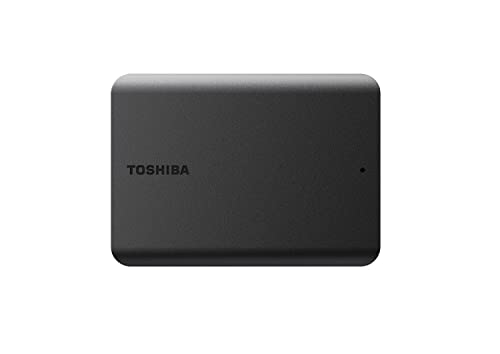
- Massive 4TB storage space in a compact and lightweight shell
- Convenient bus-powered operation without an extra power cord
- Smudge-resistant matte finish stays clean during transport
- True plug-and-play functionality on Windows systems
- Requires reformatting before it can be used with Mac systems
- Specific transfer speed figures are not stated in the official details

SSK 4TB Portable External SSD
- Fast USB 3.2 Gen2 transfer rates reaching up to 1050MB/s
- Direct 4K at 60Hz ProRes HDR recording capability on supported iPhones
- Both USB-C and USB-A connection cables supplied in the box
- Pocket-friendly aluminum build with integrated LED activity indicator
- Displays as approximately 3725GB on Windows systems due to binary conversion
- No official water, dust, or drop resistance ratings are specified in product details

SanDisk 4TB Extreme Portable SSD
- Blazing read speeds up to 1050MB/s and write speeds up to 1000MB/s
- Exceptional IP65 dust and water resistance with 3-meter drop durability
- Ultra-lightweight design weighing only 0.11 pounds
- Hardware-based 256-bit AES encryption keeps sensitive files secure
- High-capacity fast NVMe storage carries a premium investment
- Sustained speeds may vary depending on host device capabilities

- Massive 4TB storage capacity in a travel-friendly form factor
- Seamless plug-and-play compatibility with Windows and Mac
- No software installation or external power adapter required
- Includes an 18-inch USB 3.0 cable in the box
- Listing does not state specific read or write transfer speeds
- Utilizes mechanical hard drive storage rather than faster solid-state media
Choosing the Right Drive for Your Workflow
If you need rapid transfers for creative work or expansive game installs, I would point you directly toward the Samsung T9 4TB. It utilizes USB 3.2 Gen 2×2 connectivity to reach transfer rates up to 2,000MB/s, and its integrated Dynamic Thermal Guard keeps heat under control during sustained writes. Creator sites like Tom’s Hardware regularly highlight the benefits of high-bandwidth solid state storage for massive file transfers. For outdoor shoots or travel where moisture and accidental drops are concerns, the SanDisk Extreme 4TB is the one I would go for, thanks to its IP65 water and dust resistance and drop protection.
On the other hand, if your goal is simple archive storage or cold backups where transfer speed is secondary, I would choose the Toshiba Canvio Basics 4TB. This traditional spinning drive connects over standard USB 3.0 without requiring separate power cords, providing plug-and-play operation for PCs. When filling such large drives, users often wonder should you compress an SSD drive or external volume, but native capacity is almost always preferable to preserve file stability and quick access.
FAQs
1. Can I use these external drives on both Windows and Mac?
Most external drives function across both platforms, though file system formatting determines out-of-the-box support. Drives pre-formatted in NTFS work immediately on Windows but require reformatting to exFAT or APFS for full macOS read and write capability. Formatting to exFAT allows effortless cross-platform sharing without additional third-party drivers.
2. Do 4TB external drives require an external power adapter?
Modern 2.5-inch hard drives and portable solid state drives draw all necessary operational power straight from the host computer over USB 3.0 or USB-C. You do not need a bulky wall adapter or secondary cable to run the drives below. This makes them convenient options for laptops, consoles, and desktop systems alike.
3. Why does my 4TB drive show less capacity in Windows?
Windows calculates capacity using binary gibibytes, where one gigabyte equals 1,024 megabytes, whereas storage hardware manufacturers rate capacity using decimal metrics. As a result, a drive labeled as 4TB typically reports approximately 3,725GB of usable storage in the operating system. When looking at your machine, knowing where is the SSD located in a computer helps differentiate internal volumes from attached external media.
4. Are portable SSDs significantly more durable than portable hard drives?
Portable solid state drives have no moving mechanical parts, making them far more resilient against drops, vibration, and travel shock than traditional magnetic hard drives. Learning when did SSDs come out highlights how rapidly flash storage evolved into a durable standard. Mechanical drives remain vulnerable to head crashes if dropped while spinning, making solid state options the safer choice for travel.
Editor’s Verdict
Selecting the best 4TB portable hard drives comes down to balancing raw transfer speeds against storage cost. If you demand high throughput and dependable thermal control for video projects, the Samsung T9 4TB is the clear standout. For straightforward file backups and massive everyday archive storage on a budget, the Toshiba Canvio Basics 4TB delivers reliable simplicity.