

Expanding your desktop capacity becomes necessary once modern game installs, 4K video footage, and local system backups begin eating away your remaining headroom. Finding the best 8tb internal hard drives ensures you get massive archival room without sacrificing long-term stability, especially when deciding what is the difference between HDD and SSD for your bulk storage needs.
Recommended by Us

WD Blue 8TB PC Internal Hard Drive
- Expansive 8TB capacity handles heavy secondary storage demands
- Generous 256 MB cache aids system responsiveness during transfers
- Complimentary Acronis software facilitates quick drive cloning
- Standard SATA 6 Gb/s connection fits easily into desktop towers
- 5640 RPM spindle speed is slower than 7200 RPM performance hard drives
- Standard 3.5-inch form factor cannot fit internally into laptops
- Manufacturer listing does not state a specific sustained transfer rate

WD Purple 8TB Surveillance HDD
- Purpose-built for 24/7 write-heavy video recording setups
- AllFrame AI technology accommodates advanced AI stream workloads
- Broad scalability with support for systems exceeding eight drive bays
- Substantial 8TB capacity accommodates high camera counts
- Internal 3.5-inch drive requires compatible chassis bay and SATA cabling
- Listed transfer rate of 194.0 megabits per second is tailored for video streaming rather than burst computing
- Not optimized for typical desktop gaming or primary operating system duties
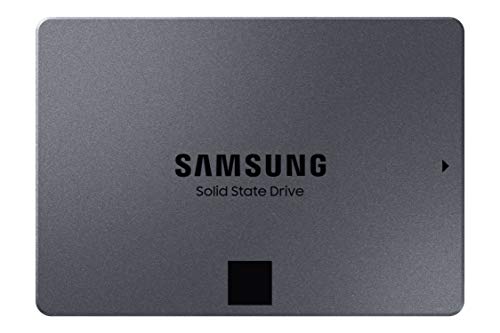
Samsung 870 QVO 8TB SATA SSD
- Extraordinary 8TB capacity in a single compact 2.5-inch bay
- Broad compatibility with desktop and laptop SATA connections
- Silent solid-state operation with no moving parts
- SATA III interface has lower peak throughput limits compared to NVMe SSDs
- Specific transfer speeds are not provided in the product technical details

Seagate BarraCuda 8TB Internal HDD
- Substantial 8TB storage volume ideal for secondary storage and archives
- Solid sustained transfer performance reaching 190MB/s
- Standard SATA interface enables straightforward installation in desktop PC towers
- Minimalist anti-static packaging cuts down on excess packaging waste
- Does not include SATA data cables or mounting screws in the package
- Mechanical drive speeds are slower than solid-state alternatives for primary boot drives

Seagate IronWolf 8TB NAS Internal Hard Drive
- Conventional Magnetic Recording (CMR) prevents write speed slowdowns during intensive tasks
- Built-in rotational vibration sensors protect operational stability in multi-drive enclosures
- Substantial 180TB/year workload limit handles persistent multi-user network traffic
- Quiet operational design reduces system resonance and vibration
- Standard 3.5-inch internal form factor requires an open drive bay or dedicated enclosure
- Mechanical drive transfer rates cannot rival high-speed solid-state alternatives

Seagate Enterprise 10TB HDD (Renewed)
- Massive 10TB storage capacity in a standard 3.5-inch form factor
- Enterprise-grade 24/7 design backed by a 2.5 million hour MTBF rating
- High-performance 7200 RPM rotation speed with 256MB buffer
- Versatile application across desktop PCs, NAS racks, and surveillance systems
- Ships as a bare drive without SATA data cables or mounting screws
- Requires manual drive initialization and formatting before the system detects it
- Supplied in basic brown box packaging rather than retail boxing

- High 550TB per year workload rating outclasses consumer desktop hard drives
- Designed specifically for continuous 24x7 enterprise and NAS environments
- Substantial 256MB cache pairs with a fast 7200RPM rotational speed
- Proven reliability backed by a 2 million hour MTBF rating
- Sold as a bare drive without included SATA data cables or mounting hardware
- Exact sustained read and write transfer rates are not provided in the specifications
- Enterprise 7200RPM operation typically generates more heat and operating noise than slower drives
Matching the Right 8TB Storage to Your Setup
Choosing high-capacity storage comes down to how your desktop or home server handles data traffic. For everyday desktop computing and standard archival, I would point most builders toward the Seagate 8TB BarraCuda. It provides a 256MB cache and reaches sustained transfer rates up to 190MB/s, making it a dependable option for organizing large personal libraries. If you prefer Western Digital drives for routine workstation duties, I would go with the Western Digital 8TB WD Blue, which runs at 5640 RPM and comes bundled with Acronis True Image software for quick partition cloning.
For builders assembling a home server or multi-bay enclosure, standard desktop drives are not ideal. In that situation, I suggest the Seagate 8TB IronWolf. It features built-in rotational vibration sensors, supports a 180TB per year workload rate, and includes three years of data recovery services. Official documentation from Seagate highlights how its AgileArray technology maintains balance in multi-drive environments. If you want pure speed and zero drive noise, the Samsung 8TB 870 QVO SSD is the clear alternative, delivering sequential read rates up to 560MB/s over a SATA connection.
FAQs
1. Is an 8TB mechanical hard drive fast enough for modern gaming?
A mechanical drive works well for storing large backlogs of older titles, indie games, and media files. However, modern releases with heavy asset streaming benefit from fast flash media, which is why players often check where is the SSD located in a computer before installing demanding games on secondary storage.
2. Why do NAS hard drives cost more than standard desktop models?
NAS drives include vibration sensors, specialized firmware, and higher annual workload ratings to survive continuous multi-drive operation. Manufacturers like Western Digital engineer these models to run around the clock without encountering premature mechanical degradation inside dense enclosures.
3. Can I use an 8TB internal drive in an older motherboard?
Yes, provided your system supports modern 64-bit operating systems and uses the GUID Partition Table format. Older Master Boot Record formatting limits single partitions to roughly two terabytes, so initializing your 8TB drive as GPT is essential during setup.
4. How does an 8TB SATA SSD compare to an 8TB HDD?
An 8TB SATA SSD offers much faster access times and silent operation compared to mechanical platters, though at a considerably steeper investment. If your primary goal is affordable mass backup rather than swift boot times, high-capacity spinning disks remain the practical choice.
Editor’s Verdict
For most desktop users searching for the best 8tb internal hard drives, the Seagate 8TB BarraCuda delivers an ideal mix of everyday computing reliability and generous cache. If your storage demands involve multi-bay network setups or continuous operation, step up to the Seagate 8TB IronWolf for its specialized vibration control.








