

Modern game installs quickly overwhelm internal storage, especially when high-resolution textures push individual titles well past one hundred gigabytes. If you want to keep your entire collection ready without constantly redownloading files, finding the best external hard drives for steam games helps you offload installations while keeping your primary system clean.
Recommended by Us
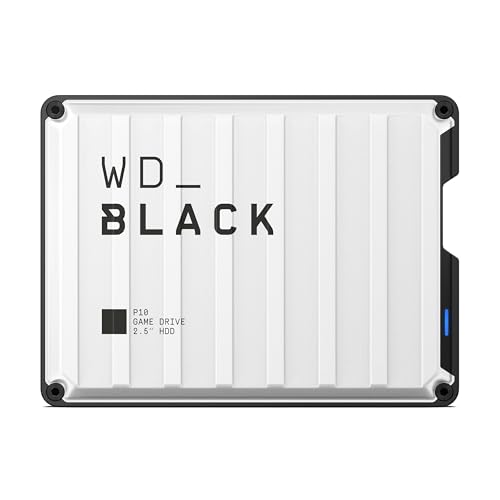
- Huge 6TB capacity holds extensive game collections
- Portable and lightweight design at just 0.55 pounds
- Up to 130MB/s speeds optimize console game backups
- Works seamlessly with PlayStation and PC gaming hardware
- Connection interface standard is not specified in the listing
- Mechanical drive transfer rates are inherently slower than solid state drives

- Huge 8TB storage volume eliminates the need to constantly uninstall games
- Quick 7200RPM drive performance with transfer rates up to 250 MB/s
- Active cooling fan prevents thermal throttling during heavy data loads
- Two integrated USB charging ports help declutter desktop charging setups
- Desktop-class footprint and 2.16-pound weight make it bulky for frequent travel
- Host connection interface generation is not explicitly detailed in the specifications

WD_BLACK 5TB P10 Game Drive
- Substantial 5TB capacity stores dozens of large modern games
- Sturdy design featuring a protective metal top cover
- Versatile cross-platform support for Xbox, PlayStation, and PC
- Up to 130MB/s transfer rate handles large backup transfers reliably
- Connection interface type is not explicitly specified in the listing
- Mechanical HDD transfer speeds are slower compared to solid-state drives
- Current-gen PS5 and Xbox Series X|S games must be copied back to internal storage to play

- Officially certified for seamless Xbox integration
- Generous 2TB capacity for storing dozens of titles
- Distinctive illuminated Xbox-green LED accent lighting
- Simple plug-and-play USB 3.0 connectivity
- Xbox Series X and Series S games cannot be played directly from the drive
- Manufacturer does not list specific transfer speed figures

- Enormous 20TB storage pool accommodates massive libraries and media archives
- Instant plug-and-play operation for Windows 10 and above
- Reliable USB 3.0 desktop connectivity with no bloatware required
- Small, tidy enclosure profile fits easily on busy workstations
- Requires manual reformatting before it can be used with macOS
- Specific read and write transfer benchmark numbers are not stated in product specs
- Desktop form factor requires dedicated placement rather than portable on-the-go use

Seagate 5TB Game Drive for PlayStation
- Officially licensed integration ensures smooth compatibility with PS4 and PS5
- Massive 5TB storage space fits dozens of large modern installations
- Plays PS4 titles directly without occupying internal console storage
- Rapid plug-and-play setup requires no extra tools or complex formatting
- PS5 games must be copied back to internal storage before playing
- Exact transfer speeds are not specified in the official product data

Kosbees 500GB Portable External HDD
- Lightweight design weighing just 0.35 pounds makes it easy to take anywhere
- Instant plug-and-play functionality on Windows systems
- Respectable USB 3.0 transfer rates up to 133MB/s read speed
- Convenient storage expansion for PS4 and Xbox One consoles
- Requires reformatting to ExFAT before it works with Mac computers
- Cannot run current-gen PS5 or Xbox Series X|S games directly from external storage
- Modest 500GB capacity limits how many modern games can be archived at once
Choosing Storage Capacity for Your Game Collection
When selecting additional storage for a large gaming setup, your physical workspace and overall space requirements matter most. For players who want a dedicated desktop solution with fast performance, I would go with the WD_BLACK 8TB D10. It runs at 7200RPM with active cooling and reaches up to 250 MB/s, while also offering two USB Type-A charging ports for peripherals. Hardware coverage from PC Gamer frequently highlights how dedicated desktop drives maintain stable transfer speeds during massive archive migrations.
Gamers needing portability should consider a bus-powered unit instead. The WD_BLACK 5TB P10 delivers up to 130MB/s inside a sleek metal top cover, packing enough room for dozens of demanding releases without requiring an external power brick. If you only play a couple of rotating titles and want an inexpensive entry point, the Kosbees 500GB Drive gives you an ultra slim enclosure with plug-and-play setup for Windows and laptops.
FAQs
1. Can you run Steam games directly from an external hard drive?
Yes, Steam allows you to create a new library folder on any connected external drive formatted with NTFS or exFAT. Once configured in the storage settings, games can download and launch straight from the portable disk, though older mechanical platters will experience longer loading screens compared to modern solid-state options.
2. How does an external HDD compare to solid-state storage for gaming?
Mechanical external hard drives provide huge storage capacities at lower costs per gigabyte, but their transfer speeds remain capped compared to flash media. Understanding what is the difference between HDD and SSD clarifies why solid-state options load levels faster, while mechanical drives excel at archiving expansive backlogs.
3. Should you format an external drive before installing Steam titles?
Windows systems work best with the NTFS file system for direct game installations, ensuring support for single files larger than four gigabytes. Connecting a new drive usually provides plug-and-play functionality, but checking the file system ensures your downloads complete without unexpected permission interruptions.
4. Can you compress Steam games stored on an external drive?
Steam has built-in compression for downloads, but applying operating-system file compression directly to an external mechanical drive can slow game launches by burdening the CPU with real-time decompression. Deciding whether you should compress an SSD drive or external disk depends heavily on your system performance priorities.
Editor’s Verdict
For gamers balancing speed and massive archive capacity among the best external hard drives for steam games, the WD_BLACK 8TB D10 stands out for desktop setups, while the WD_BLACK 5TB P10 remains my favorite portable choice for travel.


