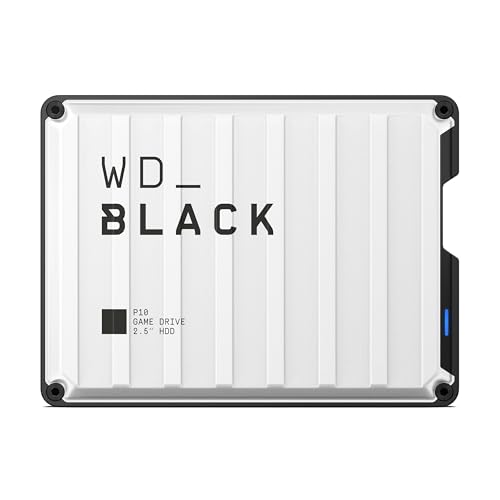
Modern game installations quickly consume free storage space, leaving many desktop setups desperate for high-capacity secondary drives. Understanding what is the difference between HDD and SSD helps clarify your storage strategy. Choosing the best internal hard drives for gaming pc lets you archive vast libraries affordably without sacrificing your primary drive space.
Recommended by Us

- 7200 RPM class performance provides dependable everyday mechanical responsiveness
- SATA 6Gb/s connection ensures easy integration with common desktop towers
- Useful as a dedicated secondary storage drive when paired with an SSD
- Standard 3.5-inch form factor fits common PC chassis brackets
- 500GB capacity is relatively modest for extensive game installations or large video archives
- Specific sustained transfer speed rates are not detailed in the manufacturer listing
- Equipped with a fast 7200 RPM spindle speed and 256MB cache buffer
- Free DiscWizard utility makes copying data from an old drive simple
- Generous 2TB capacity is well suited for modern gaming libraries and media storage
- Standard 3.5-inch SATA design offers straightforward desktop installation
- 3.5-inch form factor is strictly for desktop towers, not laptops
- Maximum sustained transfer speeds are not specified in the listing
- Mechanical HDD speeds are inherently lower than solid-state storage

- Generous 4TB capacity accommodates vast libraries of documents, photos, and backups
- Built-in 128 MB cache assists with smooth data flow during routine PC workloads
- Comes with free Acronis True Image software for straightforward drive migration
- Proven Western Digital quality tailored for reliable everyday computing
- 5400 RPM spin speed offers lower rotational performance than 7200 RPM alternatives
- Specific read and write transfer rates are not provided in official specifications
- Standard 3.5-inch desktop size is not suitable for laptop upgrades

Seagate BarraCuda 8TB Internal HDD
- Substantial 8TB storage volume ideal for secondary storage and archives
- Solid sustained transfer performance reaching 190MB/s
- Standard SATA interface enables straightforward installation in desktop PC towers
- Minimalist anti-static packaging cuts down on excess packaging waste
- Does not include SATA data cables or mounting screws in the package
- Mechanical drive speeds are slower than solid-state alternatives for primary boot drives

TEAMGROUP T-Force Vulcan Z 1TB SSD
- Solid read and write speeds pushing the limits of the SATA III interface
- Slim 7mm form factor fits virtually any standard 2.5-inch drive bay
- Built-in SLC caching aids smooth file transfers and responsive OS handling
- Silent, shock-resistant operation with reduced power consumption
- SATA III transfer rates are inherently slower than modern NVMe PCIe alternatives
- Requires an internal SATA connection and standard drive bay inside your system
Seagate BarraCuda 4TB Internal HDD
- Massive 4TB storage capacity for desktop archiving and gaming libraries
- Large 256MB cache helps facilitate smooth day-to-day computing tasks
- Up to 190 MB/s maximum sustained transfer speed
- Complimentary DiscWizard utility assists with drive cloning and system migration
- 5400 RPM rotational speed provides lower peak access rates than 7200 RPM alternatives
- Internal 3.5-inch form factor requires desktop PC bay mounting and SATA cabling
- Not portable or usable on laptops without a separate external enclosure

WD Blue 8TB PC Internal Hard Drive
- Expansive 8TB capacity handles heavy secondary storage demands
- Generous 256 MB cache aids system responsiveness during transfers
- Complimentary Acronis software facilitates quick drive cloning
- Standard SATA 6 Gb/s connection fits easily into desktop towers
- 5640 RPM spindle speed is slower than 7200 RPM performance hard drives
- Standard 3.5-inch form factor cannot fit internally into laptops
- Manufacturer listing does not state a specific sustained transfer rate
Matching the Right Drive to Your Desktop Storage Setup
If your primary drive bay is running low on space and you need dependable extra capacity, I would point you toward the Seagate BarraCuda 2TB. It runs at 7200 RPM with a 256MB cache, making it a responsive option for standard desktop duties and media storage.
For builders with larger game libraries who want a quiet archive drive, the WD Blue 4TB is the one I would go with. It uses a 5400 RPM spindle speed that stays quiet while providing ample room for games you do not actively play every single day. Western Digital includes free Acronis cloning tools to simplify setup. If your motherboard has limited high-speed drive ports, knowing how many M.2 SSD slots does a motherboard have can help you decide how much archive space to offload onto mechanical SATA drives. Players hoarding massive media collections will appreciate the Seagate BarraCuda 8TB, which offers up to 190 MB/s sustained transfer rate and two years of data rescue protection.
FAQs
1. Can you install modern games directly onto an internal mechanical drive?
Yes, you can install and launch games from a mechanical drive, though loading screens will be noticeably slower than on solid-state hardware. Older titles and indie games run without issues, while newer titles with heavy texture streaming benefit when kept on flash storage.
2. Should you defragment an internal gaming drive?
Mechanical drives benefit from periodic defragmentation because reorganizing split files speeds up head movement across magnetic platters. However, you should never defragment solid-state drives, and learning should you compress an SSD drive highlights how different flash management is compared to traditional magnetic disks.
3. Does drive rotational speed matter for gaming archives?
A drive spinning at 7200 RPM offers faster data access and higher sustained throughput than a 5400 RPM model. If you plan to launch games directly from the drive, higher RPM provides quicker asset loading, whereas lower RPM drives operate cooler and quieter for pure media archival.
4. How do you prepare a new internal drive for game storage?
After connecting the SATA data and power cables, initialize the drive using Disk Management in Windows. Format it as an NTFS partition and assign a drive letter. Editorial coverage from PC Gamer often recommends creating a dedicated folder for digital game launchers like Steam.
Editor’s Verdict
Balancing capacity and responsiveness is key when choosing the best internal hard drives for gaming pc builds. The Seagate BarraCuda 2TB delivers quick 7200 RPM performance for everyday title storage, while the WD Blue 4TB provides generous, dependable space for growing libraries without excess noise.