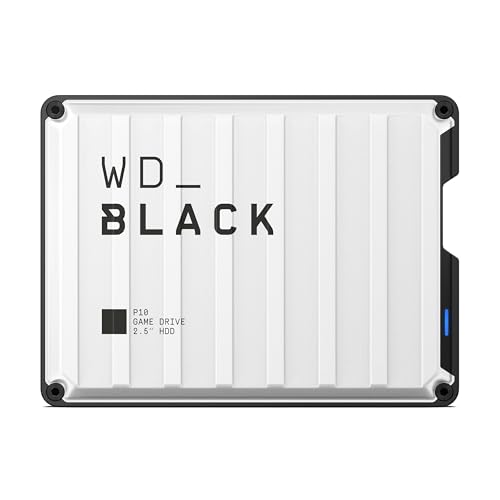
Preserving family pictures and digital photography collections requires a reliable archiving plan before local drives fill up or hardware fails unexpectedly. Finding the best hard drives for long term photo storage comes down to balancing capacity, physical durability, and file integrity so your memories remain accessible decades down the line without surprise corruption.
Recommended by Us

- True plug-and-play operation requires no software installation
- Compatible across both Windows and Mac platforms
- Lightweight and compact profile fits easily into laptop bags or pockets
- Generous 2TB capacity in a pocket-sized form factor
- Transfer speed figures are not stated in the official specifications
- Mechanical HDD technology provides standard rather than solid-state transfer speeds
- Includes an 18-inch cable which may feel short for desktop tower setups

ySky 1TB Photo Stick External Drive
- Internal 5000mAh battery enables mobile backups without drawing host device power
- Triple connector design removes the hassle of carrying loose adapter dongles
- Apple MFi certified for reliable plug-and-play iOS functionality
- Incremental backup feature prevents duplicate files from consuming storage space
- Read and write transfer rates are not specified in the technical details
- Full backup automation requires installing the manufacturer's mobile application

WD 2TB Elements Portable Hard Drive
- Extremely lightweight and pocketable at just 0.29 pounds
- SuperSpeed USB 3.2 Gen 1 connection rated for up to 5Gbps
- Instant plug-and-play setup without requiring separate driver installations
- Practical 2TB capacity ideal for routine computer backups
- Mechanical drive speeds are naturally lower than solid state drives
- No protective rugged casing or rubber bumper included for drops
- Specific sustained read and write speed metrics are not specified in the listing
- Simple drag-and-drop file management with automatic system recognition
- Versatile compatibility spanning desktop computers, laptops, and gaming consoles
- Lightweight and compact profile measuring under 0.6 inches thick
- Includes 1-Year Rescue Service for data recovery assistance
- Transfer speed figures are not stated in the official specifications
- Requires reformatting for full compatibility with macOS
- Included 18-inch cable may be short for some desktop configurations

SanDisk 2TB Extreme Portable SSD
- Impressive read speeds up to 1050MB/s via modern USB-C USB 3.2 Gen 2 interface
- Ruggedized design with IP65 weather rating and 3-meter drop protection
- Extremely lightweight at just 0.11 pounds for effortless everyday carry
- Includes 256-bit AES hardware encryption for robust personal data security
- Sustained transfer performance can vary depending on the host hardware used
- Integrated carabiner clip is not included in the box, only the built-in loop
- Huge 5TB capacity inside a portable handheld form factor
- Simple drag-and-drop workflow with no software installation required
- Wide compatibility across computers and popular gaming consoles
- Includes an 18-inch USB 3.0 connection cable
- Specific read and write speeds are not provided in the manufacturer data
- Utilizes a standard USB 3.0 cable rather than a modern native USB-C connection
- Mechanical hard drive technology offers slower data access than solid-state drives

WD 6TB Elements Portable Hard Drive
- Vast 6TB capacity packed into an easily transportable 2.5-inch form factor
- Bus-powered design runs entirely off your computer's USB port
- Plug-and-play readiness ensures immediate use right out of the box
- SuperSpeed USB 3.2 Gen 1 connectivity supporting up to 5Gbps interface bandwidth
- Mechanical drive architecture inherently offers slower transfer speeds than solid state drives
- Specific sequential read and write speeds are not specified in the manufacturer details
- Requires reformatting for use with Apple macOS environments
Choosing Storage for Your Photo Archives
When selecting storage gear for an image archive, your primary focus should be volume and safety against physical accidents. If you need massive room for RAW camera files and sprawling image folders, I would go with the WD 6TB Elements. It packs enormous capacity into a compact 2.5-inch format, making it effortless to stow away in a fireproof safe or offsite locker once your media library is backed up.
For photographers who travel or need rapid transfers on location, mechanical platters carry physical risks. In that scenario, I would point you toward the SanDisk 2TB Extreme. It features IP65 water and dust resistance alongside drop protection, plus 256-bit AES hardware encryption to keep personal family memories private. Brands like Western Digital build hardware for stationary archiving, but solid-state solutions clearly handle active travel better. Understanding what is the difference between HDD and SSD helps you pick the right balance of price and durability for cold storage.
FAQs
1. How long do external hard drives retain photos without power?
Traditional magnetic hard drives can easily hold data for several years unpowered in a cool, dry room. Unlike flash memory cells that gradually lose electrical charge over time, magnetic platters retain orientation much longer, making them a standard choice for offline vaults.
2. Should I keep multiple copies of my photo library?
Yes, relying on a single drive is risky regardless of brand reputation. Following the standard 3-2-1 backup strategy ensures that you keep three copies of your pictures across two different media types, with one copy safely stored in a separate physical location.
3. Should you compress image archives to save drive space?
Compressing already compressed photo formats like JPEG yields almost no space savings and introduces extra steps when browsing files. Users often wonder should you compress an SSD drive or external volume, but native file formats remain safer for preservation.
4. How often should archival drives be plugged in and checked?
Connecting your backup drives once or twice a year is good practice. Spinning up the drive helps redistribute mechanical lubricants across bearings and allows you to run integrity checks on your picture folders before silent data degradation occurs.
Editor’s Verdict
For securing your photo collection, the WD 6TB Elements stands out among the best hard drives for long term photo storage due to its massive single-drive capacity and straightforward plug-and-play operation. It delivers exceptional value for building deep, offline photographic archives that stay organized for years.