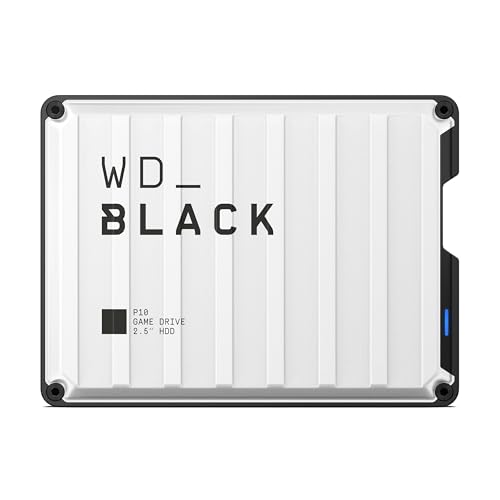
Expanding your security system with local storage keeps your video clips safe at home without recurring monthly subscription fees. Finding the best hard drives for HomeBase 3 requires balancing capacity, sustained write stability, and quiet acoustic output. Knowing what is the difference between HDD and SSD options helps you pick the right format for continuous footage.
Recommended by Us

BUSlink 1TB Expansion for HomeBase 3
- Direct plug-and-play compatibility with HomeBase S380 without needing extra software
- 1TB of capacity offers ample space for expanded HD video recording archives
- Silent operation suitable for bedrooms, living rooms, and quiet workspaces
- Compact and lightweight footprint at just 0.25 pounds
- Exact hardware interface standard is not specified in the product listing
- Data transfer speed metrics are not provided in official specifications
- Tailored specifically for HomeBase S380 systems rather than general external PC use

KingSpec 1TB 2.5-Inch SATA III SSD
- High SATA III transfer speeds reaching up to 550 MB/s read and 520 MB/s write
- Silent operation and low power consumption compared to mechanical hard drives
- Shockproof and anti-drop solid-state build with no moving components
- Comprehensive maintenance support including TRIM, S.M.A.R.T., and wear leveling
- Performance is restricted by the SATA III bus bandwidth compared to NVMe drives
- SATA data cables and 3.5-inch mounting brackets are not included

PNY CS900 1TB 2.5" SATA III SSD
- Noticeable speed boost over mechanical spinning drives
- Generous 1TB capacity for everyday computing and gaming libraries
- Sequential transfer rates up to 535MB/s read and 515MB/s write
- Backward compatible with SATA II 3Gbps motherboards
- SATA III speeds are inherently capped compared to modern NVMe drives
- May require a mounting bracket or adapter for certain desktop configurations

BUSlink 4TB HomeBase S380 Hard Drive
- Tailored specifically for seamless integration with HomeBase S380
- Substantial 4TB capacity significantly boosts recording history
- Simple plug and play setup without requiring computer software
- Quiet 24/7 operation suited for residential or office environments
- Dedicated solely to HomeBase S380 systems rather than general PC external use
- Exact interface type and data transfer speeds are not specified in the product details

Patriot P210 1TB Internal SSD
- Sequential read speeds reach up to 520MB/s over standard SATA 3
- Integrated SmartECC and end-to-end data protection help maintain file integrity
- Thermal throttling technology helps mitigate heat buildup during extended use
- Standard 2.5-inch profile fits easily into compatible PC towers and laptops
- SATA 3 interface limits maximum bandwidth compared to modern NVMe drives
- Sequential write performance is capped at 430MB/s

Fanxiang S101 256GB SATA III SSD
- Noticeable responsiveness boost over mechanical HDDs with up to 500MB/s reads
- Uses 3D NAND TLC flash for superior endurance compared to entry-level QLC drives
- Broad compatibility with desktop towers, laptops, and multiple operating systems
- Lightweight and silent operation with zero moving mechanical parts
- 256GB capacity fills up quickly if storing large modern games or high-resolution media
- SATA III speeds are inherently limited compared to modern NVMe M.2 drives
- Mounting hardware and SATA data cables are not included in the listing
KingSpec 512GB 2.5 SATA III SSD
- Solid sequential transfer speeds maxing out at 550 MB/s read and 520 MB/s write
- Silent operation with lower power consumption compared to spinning hard drives
- Built-in support for TRIM, wear leveling, and S.M.A.R.T. health monitoring
- Backward compatible with older SATA II systems
- SATA III bus speeds are naturally capped compared to modern NVMe M.2 drives
- Internal drive requires installation inside a machine or a separate enclosure
Choosing the Right Drive for Security Footage
When configuring local storage for continuous camera recordings, your main decision comes down to capacity and operating noise. A security base station stays active all day and night, so power draw and quiet operation matter just as much as reliability. Editorial analysis on Tom’s Hardware often points out that sustained write endurance separates suitable drives from weak units. Keep in mind that system maintenance differs from desktop environments, so you never need to ask if you should compress an SSD drive inside a dedicated appliance.
If you want massive capacity for weeks of archived video, I would go with the BUSlink HB4TBHDD 4TB because it offers a large 4TB capacity with plug and play installation designed specifically for the S380 system. For users who prefer a smaller drive footprint with completely silent solid-state operation, I would point toward the PNY CS900 1TB, which provides ultra-low power consumption and sequential write speeds up to 515MB/s. Alternatively, if you want built-in data path protection and thermal throttling technology, I recommend the Patriot P210 1TB for dependable daily write cycles.
FAQs
1. What drive form factor does HomeBase 3 support?
The HomeBase 3 uses a dedicated internal drive bay that accepts standard 2.5-inch SATA hard drives or solid-state drives. Unlike standard desktop enclosures where users might wonder where is the SSD located in a computer, the base station provides an accessible top tray for direct installation.
2. Is an SSD or an HDD better for video recording?
Both storage formats work well, but they offer distinct advantages. Solid-state drives operate without moving parts, making them completely silent and energy efficient. Traditional hard disk drives deliver much higher storage capacity for your dollar, which helps when retaining continuous footage over several months.
3. Do you need to format the drive before use?
Yes, any newly installed disk must be formatted directly through the security system mobile app. Once you insert the drive into the bracket and power on the hub, the setup menu detects the storage device and prompts you to format it for video recording.
4. Does HomeBase 3 have a maximum storage limit?
The system supports expandable 2.5-inch SATA storage up to 16TB. You can install smaller capacities such as 1TB or 4TB depending on your camera count and whether you record 24/7 continuous video or motion-triggered clips.
Editor’s Verdict
Choosing the best hard drives for HomeBase 3 comes down to your storage volume needs and preference for silent operation. If you need extensive video history for multiple cameras, the BUSlink HB4TBHDD 4TB delivers spacious capacity designed specifically for the base. For silent operation and low power draw, the PNY CS900 1TB is a dependable solid-state option.