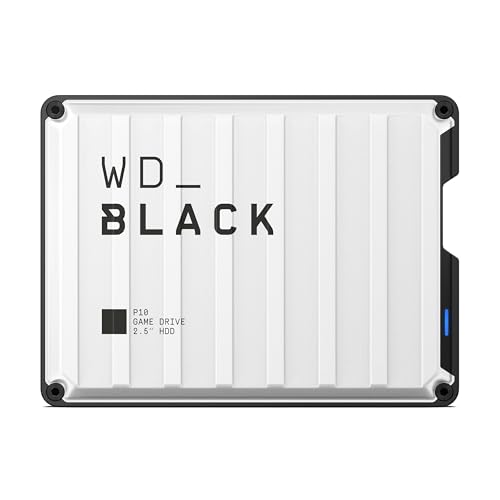
When your local drive runs out of room for media libraries and system backups, finding the best external HDDs is the most practical way to expand storage without opening your PC. Understanding what is the difference between HDD and SSD helps you pick high capacity over pure speed.
Recommended by Us

- Massive 4TB storage capacity in a travel-friendly form factor
- Seamless plug-and-play compatibility with Windows and Mac
- No software installation or external power adapter required
- Includes an 18-inch USB 3.0 cable in the box
- Listing does not state specific read or write transfer speeds
- Utilizes mechanical hard drive storage rather than faster solid-state media

WD 6TB Elements Portable Hard Drive
- Vast 6TB capacity packed into an easily transportable 2.5-inch form factor
- Bus-powered design runs entirely off your computer's USB port
- Plug-and-play readiness ensures immediate use right out of the box
- SuperSpeed USB 3.2 Gen 1 connectivity supporting up to 5Gbps interface bandwidth
- Mechanical drive architecture inherently offers slower transfer speeds than solid state drives
- Specific sequential read and write speeds are not specified in the manufacturer details
- Requires reformatting for use with Apple macOS environments

UnionSine 500GB Ultra Slim Portable HDD
- Ultra-slim and lightweight form factor fits into pockets easily
- Whisper-quiet performance backed by the JMicron 578 controller
- Simple plug-and-play operation with no driver installation required
- Built-in aluminum layer aids passive heat management
- 500GB capacity fills quickly with large modern game installs or 4K media
- Mechanical drive speeds naturally trail behind external solid-state drives
- Simple drag-and-drop file management with automatic system recognition
- Versatile compatibility spanning desktop computers, laptops, and gaming consoles
- Lightweight and compact profile measuring under 0.6 inches thick
- Includes 1-Year Rescue Service for data recovery assistance
- Transfer speed figures are not stated in the official specifications
- Requires reformatting for full compatibility with macOS
- Included 18-inch cable may be short for some desktop configurations

- Enormous 20TB storage pool accommodates massive libraries and media archives
- Instant plug-and-play operation for Windows 10 and above
- Reliable USB 3.0 desktop connectivity with no bloatware required
- Small, tidy enclosure profile fits easily on busy workstations
- Requires manual reformatting before it can be used with macOS
- Specific read and write transfer benchmark numbers are not stated in product specs
- Desktop form factor requires dedicated placement rather than portable on-the-go use
WD 5TB Elements Portable Hard Drive
- Massive 5TB storage capacity in a pocket-friendly enclosure
- SuperSpeed USB 3.2 Gen 1 connection rated for up to 5Gbps
- Lightweight construction at approximately 0.52 pounds
- Effortless plug-and-play expandability for PC and Mac
- Specific read and write transfer rates are not specified in the listing
- Slightly thicker 0.82-inch profile compared to lower-capacity portable drives
- Traditional hard drive mechanics transfer slower than external solid-state drives

Seagate Expansion 24TB Desktop HDD
- Enormous 24TB storage space for large backups and media collections
- Simple plug-and-play operation with no complex setup needed
- Included Rescue Data Recovery Services provide added reassurance
- Works out of the box with both Windows and Mac systems
- Requires a dedicated power outlet and wall adapter to run
- Explicit transfer speed ratings are not specified in the product data
- Requires reformatting before it can be used with Apple Time Machine
Choosing the Right Drive for Your Storage Needs
Choosing storage from the drives below depends on how much file space you need and whether you travel frequently. Desktop units deliver unmatched volume for home backups, while smaller portable drives draw bus power directly from your computer so you can work anywhere.
- If you want generous capacity without an external power brick, the WD Elements 6TB is the one I would go for because it gives you broad USB 3.2 compatibility across PC and Mac systems in a compact format.
- For heavy home backups and massive media collections that stay at a desk, I would point toward the WD Elements 20TB since it offers plug-and-play convenience for Windows alongside huge archival headroom from Western Digital.
- If you only need basic file storage or extra space for game saves on a tighter budget, I would recommend the UnionSine 500GB as its striped anti-slip casing promotes heat dissipation while running quietly.
Before deciding on capacity, consider how your storage needs will grow over the next few years. Mechanical drives remain the most cost-effective path for multi-terabyte archiving, freeing up your primary solid-state drives for demanding operating system tasks.
FAQs
1. Can I use an external hard drive for PC gaming?
Yes, you can install and run games from an external hard drive over USB 3.0 or faster. However, load times will be noticeably longer than on internal storage, especially compared to fast NVMe drives. Learning where is the SSD located in a computer can help you decide whether upgrading internal storage makes more sense for your gaming library.
2. Do external hard drives need a separate power adapter?
Portable 2.5-inch drives draw all required power directly through the USB port on your computer or console. Desktop models with large capacities typically require an external AC power adapter plugged into an outlet to spin their platters. Always check whether portability or sheer capacity matters most for your setup.
3. How long do external mechanical hard drives usually last?
Most external mechanical hard drives last between three to five years depending on daily usage, heat management, and physical handling. Because they contain delicate moving platters, avoiding drops and keeping vents unobstructed helps preserve data integrity. Respected hardware sites like Tom’s Hardware regularly highlight the importance of maintaining secondary backups for crucial data.
4. How many internal drives should I have before buying an external one?
You do not need to fill every internal slot before adding external capacity. In fact, checking how many M.2 slots does a motherboard have shows that motherboard slots are often limited. An external drive provides plug-and-play room for backups and archives without requiring any hardware disassembly or warranty concerns.
Editor’s Verdict
For most buyers looking for the best external HDDs, the WD Elements 6TB hits the ideal sweet spot by pairing massive mobile storage with straightforward plug-and-play connectivity. If your files never leave your desk and you require colossal archival room, the WD Elements 20TB provides desktop-grade capacity you can rely on for years of deep file backups.