

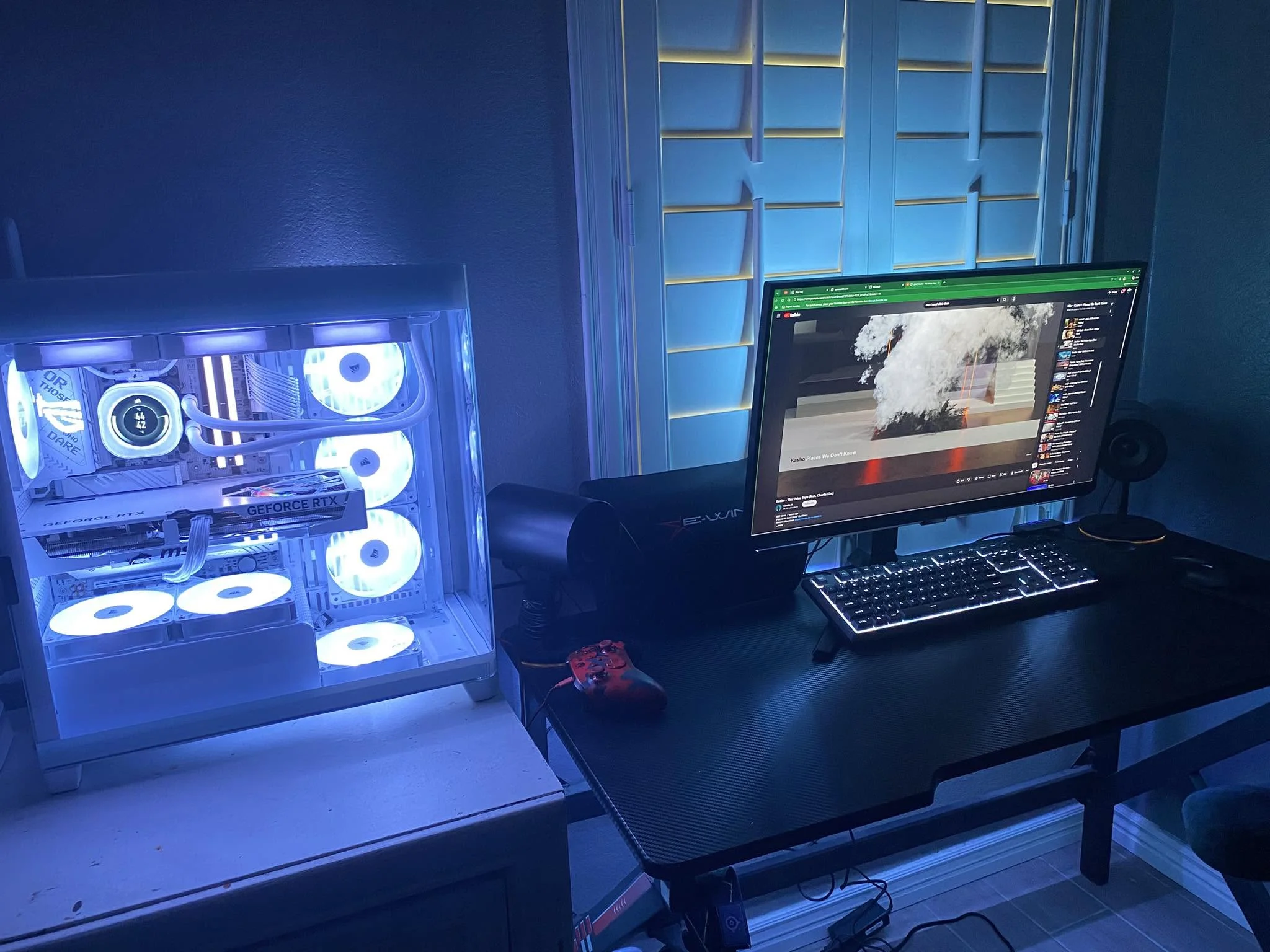
Only one system in this table steps up to an RTX 5070, so it is the easy choice if you want to skip past the 5060 class. Among the best prebuilt gaming PCs under $1500, the HELLOLAND RTX 5070 is that one, and the STORMCRAFT RTX 5060 is the value pick with 32GB of DDR5.
Recommended by Us

Skytech Azure 3 RTX 5060 Ti Gaming PC
- Strong configuration for high-detail 1080p gaming
- Generous 24GB DDR5-6000 memory capacity
- Fast 1TB NVMe M.2 storage
- Tempered-glass white case with ARGB fans
- Keyboard and mouse are included
- Wi-Fi 5 is older than newer Wi-Fi 6 and Wi-Fi 6E standards
- The RTX 5060 Ti has 8GB of VRAM, which may be limiting in especially demanding graphics workloads
- The graphics card brand and additional display connections may vary

Skytech Rampage RTX 5060 Ti Gaming PC
- Capable RTX 5060 Ti graphics configuration for 1080p gaming
- Generous 32GB DDR5 memory capacity
- Fast 1TB Gen4 NVMe M.2 storage
- Large 360mm AIO liquid CPU cooler
- Keyboard and mouse are included
- The graphics card brand may vary between systems
- 802.11ac Wi-Fi is older than newer Wi-Fi standards
- Only one HDMI and one DisplayPort output are explicitly promised, while additional ports may vary

HELLOLAND RTX 5070 Gaming Desktop
- RTX 5070 graphics card includes 12GB of VRAM
- Generous 32GB DDR4 memory for gaming and multitasking
- Fast 1TB PCIe SSD storage
- 240mm AIO liquid CPU cooling
- Built-in Wi-Fi and Bluetooth with no-bloatware Windows 11 installation
- DDR4 memory is an older platform standard than DDR5
- Motherboard model and power supply specifications are not listed
- The listing does not provide specific gaming performance benchmarks

HELLOLAND Pink RTX 5060 Gaming PC
- Strong RTX 5060 and Ryzen 7 5700X configuration for 1080p and 1440p gaming
- Generous 32GB RAM for streaming, content creation, and heavy multitasking
- Fast 1TB PCIe NVMe storage
- 240mm AIO liquid cooling included
- Built-in Wi-Fi, Bluetooth, and Windows 11
- DDR4 memory is from an older platform generation than DDR5
- The two memory slots are already configured at the listed 32GB maximum
- The listing does not identify the motherboard, SSD, power supply brand, or exact RAM speed

STORMCRAFT Sirius RTX 5060 Gaming PC
- Current-generation RTX 5060 graphics with 8GB GDDR7 memory
- Generous 32GB DDR5 6000MHz RAM
- 10-core, 16-thread Intel i5-14400F processor
- Fast 1TB NVMe storage
- Five adjustable ARGB system fans
- The listing does not specify Wi-Fi or Bluetooth connectivity.
- A 1TB drive may require expansion for users with especially large game libraries.
- The RTX 5060 has 8GB of VRAM, which may be limiting for some demanding high-resolution settings.
What a Gaming PC Around $1500 Can Do
A gaming desktop in this budget typically combines mainstream dedicated graphics with a modern multi-core processor, enough memory for gaming and background applications, and an NVMe SSD. These systems feature options such as the RTX 5060, RTX 5060 Ti, and RTX 5070. This class is primarily suited to high-quality 1080p gaming and capable 1440p play, although the ideal settings vary by game, graphics card, and use of features such as ray tracing.
You should also expect a complete Windows desktop that is ready for peripherals and a monitor. This tier can handle streaming, everyday content work, voice chat, and browser tabs alongside gaming when the CPU and memory are balanced. Demanding 4K play at maximum settings remains beyond the comfortable target for most configurations in this bracket, particularly with an eight-gigabyte graphics card. Our guide to prebuilt PC value covers the wider convenience and cost tradeoffs.
Worth knowing: A stronger graphics card only pays off when your monitor’s resolution and refresh rate can use its performance. Choose the GPU for the screen you own or plan to purchase.
What to Expect at This Price
These are the core hardware specifications commonly found in this part of the prebuilt market.
| Component | What You Get |
|---|---|
| CPU | A current or recent multi-core Intel Core, Intel Core Ultra, or AMD Ryzen processor suited to gaming and routine multitasking. |
| GPU | Mainstream dedicated graphics such as the RTX 5060 Ti, RTX 5070, or RTX 5060, usually targeting 1080p or 1440p gaming. |
| RAM | Usually 16GB to 32GB of DDR4 or DDR5 memory, with some configurations offering more. |
| Storage | A 1TB NVMe or PCIe SSD is common, providing quick startup and game-loading times. |
The same GPU can appear beside different processors, memory capacities, cooling systems, and power supplies. Compare the complete specification rather than choosing by the graphics card alone. The motherboard, case layout, connectivity, and use of standard components can also affect future maintenance. Our guide to proprietary PC parts explains what may limit replacement choices.
How to Choose a Prebuilt at This Budget
Start with your monitor and workload, then check whether the remaining components support your priorities.
Start With the Graphics Card
The graphics card usually has the greatest effect on gaming performance, especially as resolution and visual quality rise. An RTX 5060 is a reasonable starting point for mainstream 1080p gaming, while RTX 5060 Ti and RTX 5070 configurations provide more graphics capability. That extra power can help at 1440p, with demanding visual settings, or when ray tracing is enabled. It does not automatically make every computer with that GPU equally good.
Match the GPU to the monitor you actually use. A standard 1080p screen does not place the same load on a graphics card as a high-refresh 1440p display or a 4K panel. Also consider video memory, since the systems here include graphics cards with different capacities. If you expect to replace your monitor soon, buying for the planned screen may prevent an early graphics upgrade, but avoid paying for capability you cannot display.
Balance the CPU and RAM
A prebuilt should not pair one standout component with weak supporting hardware. The CPU must keep up with the graphics card while handling game logic, background software, voice chat, and other tasks. Recent Intel Core, Intel Core Ultra, and AMD Ryzen processors can all be suitable, but core count and architecture are only part of the picture. Compare the complete configuration and consider whether your non-gaming applications place heavier demands on the processor.
For a modern gaming system, 16GB of RAM is a practical floor. It can cover gaming and ordinary background tasks, but 32GB provides more headroom for streaming, creative applications, heavy browser use, and newer releases. Also check whether the system uses DDR4 or DDR5 and whether open memory slots are available. Capacity matters more than decorative lighting, and a balanced memory setup is preferable to excessive RAM paired with outdated graphics.
Storage, Power and Cooling
An NVMe SSD keeps Windows responsive and reduces loading delays compared with a mechanical hard drive. A 1TB drive is common among these systems, but a growing library can fill that capacity quickly. Look for clear information about additional storage support if you keep many large games installed. Storage is generally easier to expand than the graphics card, so it should not outweigh a substantially better GPU when the rest of the system is comparable.
The power supply and cooling system affect stability, noise, and long-term ownership. Check the wattage and efficiency rating stated in the listing rather than assuming every prebuilt uses equivalent hardware. Air cooling and liquid cooling can both work when properly matched to the processor and case airflow. Fan quantity alone does not prove cooling quality. Look for a clear warranty and avoid listings that omit important power or cooling details without explanation.
Condition and Upgrades
Confirm the listed condition before ordering, particularly when several sellers share one marketplace page. Check whether the computer is described as new, refurbished, or renewed, and review the seller’s return window. Inspect the system soon after delivery for shipping damage, loose internal connections, unexpected component substitutions, and missing accessories. Keep the packaging until you know the desktop starts correctly and matches the advertised processor, graphics card, memory, and storage.
Upgrade potential depends on the case, motherboard, power supply, and use of standard connectors. A roomy case can make storage, memory, cooling, or graphics changes easier, but every listing should be checked individually. Verify physical clearance and power requirements before purchasing replacement hardware. Manufacturer support may also be useful when opening the case could affect warranty service. Our guide to prebuilt PC upgrades covers the main compatibility checks.
Who Should Buy Which System
- Best overall: HELLOLAND RTX 5070 combines an RTX 5070 12GB with 32GB DDR4 RAM.
- Best for the strongest GPU: Skytech Azure 3 pairs an RTX 5060 Ti with DDR5 memory.
- Best value: STORMCRAFT RTX 5060 includes an RTX 5060, 32GB DDR5, and a 1TB SSD.
- Best alternative brand: Skytech Rampage offers an RTX 5060 Ti and Core Ultra 7.
- Best runner-up: HELLOLAND RTX 5060 suits buyers wanting RTX 5060 graphics and a distinctive pink design.
Final Thoughts
The right choice depends on your monitor, preferred settings, and whether gaming or mixed workloads matter most. Prioritize graphics performance, then confirm that memory, storage, cooling, and power are appropriate.
The HELLOLAND RTX 5070 is the strongest overall option, while the Skytech Azure 3 is a balanced alternative built around RTX 5060 Ti graphics.
More Options to Consider
- HOENGAGER RX 9060 XT combines a Ryzen 5 9600X with Radeon RX 9060 XT 16GB graphics. It suits buyers who prefer AMD graphics and a white panoramic case.
- CyberpowerPC RTX 5060 TI provides an RTX 5060 Ti, WiFi 6, Bluetooth 5.3, and several USB-C and USB-A ports. It suits buyers who prioritize connectivity.
- Olialia RTX 3060 TI uses an older RTX 3060 Ti but includes 64GB DDR4 RAM. It may suit memory-heavy multitasking more than buyers seeking newer graphics hardware.
FAQs
1. Can you get a good gaming PC for under $1500?
Yes. This budget can provide a capable dedicated graphics card, a multi-core processor, an NVMe SSD, and enough memory for current games. It is particularly appropriate for high-quality 1080p gaming and sensible 1440p settings. Results still depend on the individual game and configuration, so compare the entire component list rather than relying on the graphics card name alone.
2. Is a prebuilt gaming PC around $1500 worth it?
A prebuilt can be worthwhile if you value simple setup, one-system warranty coverage, and avoiding component-by-component assembly. The main tradeoff is that component brands and upgrade flexibility may not be as transparent as they are with a custom build. Compare the included hardware, seller terms, and support coverage carefully. A balanced system with standard parts generally provides a better ownership experience than one focused on a single headline specification.
3. Which graphics card is best around $1500?
Among these systems, the RTX 5070 is the highest graphics tier, while the RTX 5060 Ti and RTX 5060 are mainstream alternatives. The best choice depends on your monitor, visual settings, and other workloads. A stronger GPU makes more sense for 1440p gaming or demanding graphics features, but it should not come at the expense of inadequate memory, storage, cooling, or power delivery.
4. How much RAM does a gaming PC at this budget need?
Sixteen gigabytes is the practical minimum for a current gaming desktop, particularly if you close unnecessary applications while playing. Thirty-two gigabytes provides more breathing room for streaming, content creation, extensive browser use, and background software. Extra memory does not compensate for a weak graphics card, however. Check whether the memory is DDR4 or DDR5, how many slots are occupied, and whether the motherboard supports later expansion.
5. Can I upgrade a prebuilt gaming PC later?
Many prebuilts can be upgraded, but compatibility varies by case, motherboard, power supply, and internal connectors. Memory and storage are often the simplest changes, while a graphics upgrade may require more physical space and power capacity. Review warranty terms before opening the case or replacing components. Our prebuilt PC warranty overview explains common coverage considerations and service limitations.









