

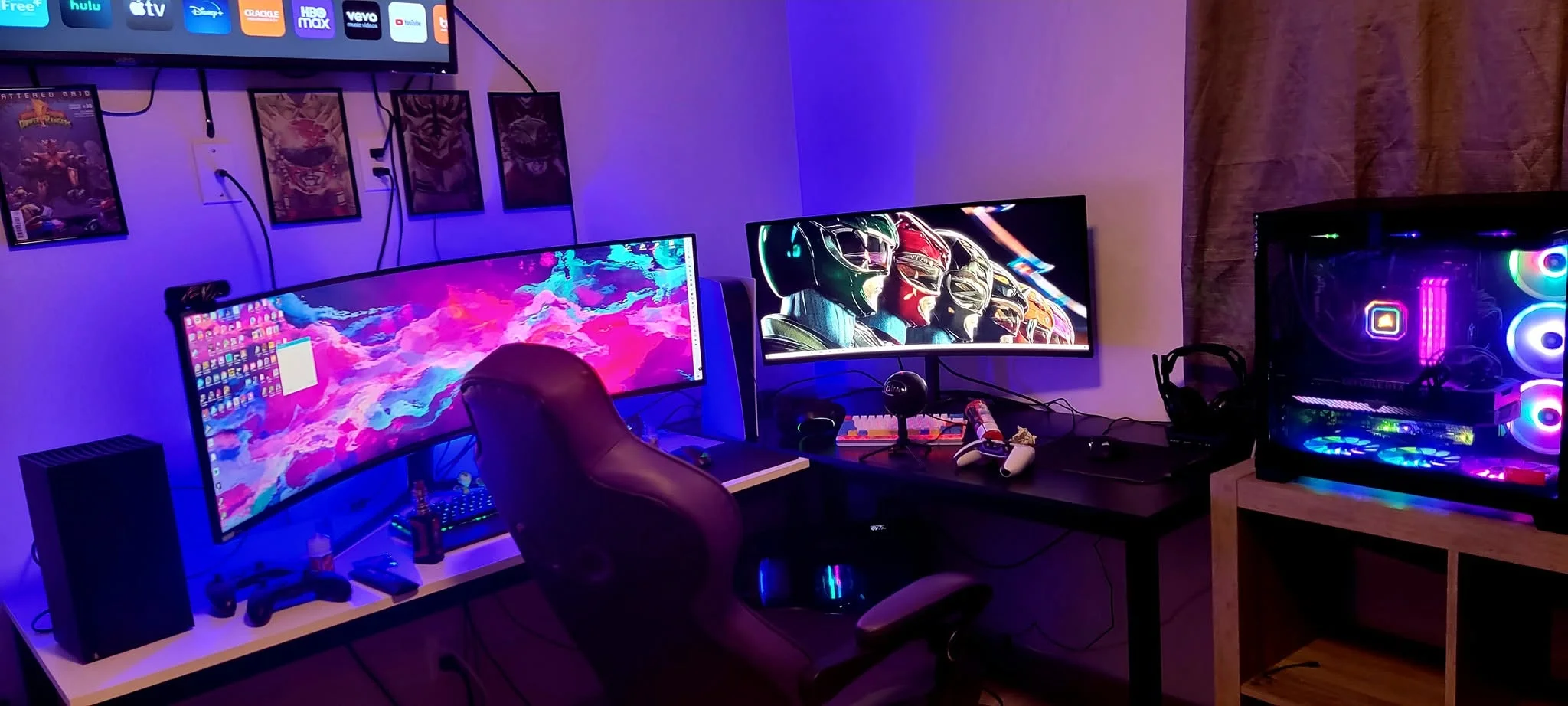
Streaming while you play asks more of a PC than gaming alone, mainly extra CPU cores and a GPU with a hardware encoder. Among the best prebuilt gaming PCs for streaming, the Acer Nitro pairs AMD Ryzen 9 7900 with NVIDIA GeForce RTX 5070 Ti, and the ZOTAC MEK is the lower-cost pick.
Recommended by Us

Acer Nitro 60 RTX 5070 Ti Gaming Desktop
- High-end Ryzen 9 processor and RTX 5070 Ti graphics
- Generous 32GB DDR5 memory and 2TB PCIe 4.0 storage
- Supports DLSS 4 and NVIDIA Studio features
- Wi-Fi 6 and Gigabit Ethernet are both included
- Customizable aRGB lighting offers 16.8 million colors
- The listing does not specify the graphics card's VRAM capacity.
- Power supply wattage and efficiency rating are not provided.
- The operating system is not identified in the supplied product data.

MSI Aegis R2 AI RTX 5070 Ti Desktop
- High-end RTX 5070 Ti graphics
- Powerful Intel Core Ultra 9 285 processor
- Generous 32GB DDR5 6000 memory
- Large 2TB Gen4 NVMe storage capacity
- Windows 11 Home comes installed
- Renewed condition may be less appealing than buying new
- Cooling system, power supply, and port selection are not specified
- Wi-Fi capability and included peripherals are not listed

WIWB RTX 5060 Ti Gaming PC
- Strong CPU configuration with 24 cores and 32 threads
- RTX 5060 Ti supports ray tracing and DLSS 4.0
- Fast DDR5 memory and NVMe storage
- Built-in Wi-Fi 6
- HDMI and DisplayPort support multi-monitor setups
- 16GB of RAM may offer less headroom for especially heavy creative workloads or extensive multitasking
- The listing does not identify the motherboard, power supply, or specific cooling components
- The pre-installed operating system is not named
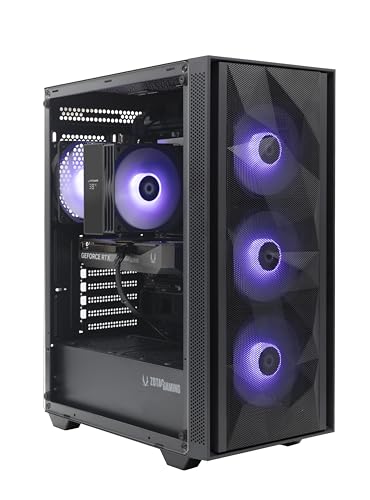
ZOTAC MEK RTX 5060 Ti Gaming PC
- Capable configuration for 1080p and 1440p gaming
- DLSS 4 Multi Frame Generation and real-time ray tracing support
- Fast DDR5 memory and NVMe storage
- Strong selection of display and networking connections
- Built-in display shows live system information and ambient temperature
- The graphics card has 8GB of VRAM, which may offer less headroom for demanding high-resolution settings
- 16GB of RAM may be limiting for heavier content creation or extensive multitasking
- No keyboard, mouse or monitor is listed as included

KOTIN Ryzen 7 9800X3D RTX 5070 Gaming PC
- High-end Ryzen 7 9800X3D processor with gaming-focused 3D V-Cache technology
- RTX 5070 12G graphics with modern ray tracing and DLSS 4 features
- Fast 32GB DDR5 6000MHz memory
- Useful integrated system-monitoring display
- 360mm liquid cooling and an 850W 80 PLUS Gold power supply
- A 1TB SSD may require expansion for users with especially large game or media libraries.
- At 30 pounds, the desktop may be cumbersome to move frequently.
- The listing does not identify the specific motherboard or SSD model.
Myths About streaming Worth Ignoring
Streaming PCs attract plenty of oversimplified advice, so these are the common claims you should treat carefully.
Core Count Is All That Matters
More CPU cores can help when a computer is gaming, encoding video, handling alerts, and running background applications at once. Core count is not the complete story, though. Strong per-core speed still matters to games, while the graphics card can handle video encoding in many streaming setups. A balanced modern processor is generally more useful than chasing the highest core count while compromising on graphics performance or memory capacity.
Every Streaming PC Needs the Maximum RAM
You do not need an extreme amount of memory merely to start streaming. However, capacity matters once a game, streaming application, browser tabs, chat tools, and other utilities are open together. A system with 32GB provides useful headroom for this kind of multitasking, while 16GB remains a workable starting point for a more focused setup. Our guide to gaming PC specs covers broader component priorities.
The GPU Only Affects the Game
A graphics card does much more than draw the game on your monitor. It can also encode the outgoing video stream, reducing the amount of encoding work placed on the processor. A stronger GPU also provides more room for demanding graphics settings and higher display resolutions. That does not make the CPU irrelevant, since the processor still manages the game, streaming application, chat, alerts, and other tasks running in the background.
A Small SSD Is Fine for Streaming
Games, recordings, clips, editing caches, and exported videos can consume storage quickly. A fast SSD helps the operating system, applications, and games load promptly, but capacity is just as important for a creator who saves local footage. A 1TB drive is a practical starting point, while 2TB offers more breathing room. External or secondary storage can help later, but starting with adequate internal space makes everyday file management much easier.
How the Parts Fit Together
Streaming asks the computer to run a game while turning video and audio into a format suitable for broadcasting. That encoding job can use CPU resources or the dedicated hardware encoder on a compatible graphics card. Meanwhile, memory holds the game, streaming software, browser sources, chat, and background utilities that are active at the same time. This is why a gaming PC can usually stream well when its parts are balanced. Our PC build comparison explains the broader tradeoffs between complete systems and custom builds.
Worth knowing: RTX cards include a hardware video encoder that reduces the load on the CPU while streaming. This can leave more processor capacity available for the game and background applications.
For most buyers, additional spending helps most when it addresses the weakest part of the intended setup. A stronger GPU is valuable for demanding visual settings, higher resolutions, and GPU-based encoding. More CPU cores help with heavier multitasking, software encoding, editing, and other production work. Moving from 16GB to 32GB of RAM gives several applications more room to operate, while a larger SSD reduces the need to constantly move games and recordings. Our guide to gaming PC budgets provides additional planning advice.
Pick by Priority
- Best overall: WIWB RTX 5060 TI combines a 24-core Intel Core i9-14900HX with RTX 5060 Ti graphics.
- Best for the strongest GPU: Acer Nitro pairs an RTX 5070 Ti with 32GB DDR5 and a 2TB SSD.
- Best value: ZOTAC MEK offers RTX 5060 Ti graphics, Wi-Fi 6E, and a 650W Gold PSU.
- Best alternative brand: msi Aegis R2 includes an RTX 5070 Ti, 32GB DDR5, and 2TB storage.
- Best runner-up: KOTIN RTX 5070 combines an RTX 5070 with 32GB DDR5 and liquid cooling.
Final Thoughts
The right streaming PC should keep the CPU, GPU, RAM, and storage in balance. The WIWB RTX 5060 TI is our overall choice for its capable processor and RTX graphics, while the Acer Nitro is the better fit when graphics performance, memory capacity, and storage space take priority.
More Options to Consider
- Skytech RTX 5070 uses an Intel Core i7 14700F, RTX 5070, and 360mm liquid cooler. It suits buyers who want stronger graphics than an RTX 5060 Ti without stepping up to an RTX 5070 Ti system.
- Skytech Rampage is the AMD graphics alternative, pairing an RX 9070 XT 16GB with a Ryzen 7 7700. Its 16GB of graphics memory may appeal to players prioritizing high-resolution gaming.
- LXZ RTX 5060 is a more modest 1080p and 1440p option. Its six RGB fans, 16GB DDR5, and 1TB SSD suit a straightforward entry-level streaming setup.
FAQs
1. What PC do I need for gaming and streaming?
Look for a modern multi-core processor, a capable dedicated graphics card with hardware encoding, at least 16GB of RAM, and an SSD with enough room for games and recordings. A 32GB configuration is preferable when you regularly keep chat, browser sources, monitoring tools, and other applications open. The exact GPU tier should reflect your gaming resolution and desired visual settings.
2. Is a gaming PC good for streaming?
Yes, a well-balanced gaming PC is usually suitable for streaming because the same CPU and GPU resources that support games also handle production tasks. The graphics card can encode video while the processor manages the game and background applications. Cooling and memory still matter during long sessions, so avoid choosing a system based only on the GPU name.
3. How much RAM is needed for streaming?
16GB is a reasonable starting point for gaming and a focused streaming setup. Choosing 32GB gives you more headroom for browser tabs, chat, alerts, recording, editing tools, and other background applications. Additional memory does not automatically improve gaming performance, but it can prevent heavy multitasking from becoming constrained when several demanding programs are open together.
4. Is the CPU or GPU more important for streaming?
Both matter, although their roles differ. The GPU draws the game and can use its hardware encoder to process the video stream, while the CPU manages game logic, streaming software, audio tasks, and background activity. Prioritize the GPU for visually demanding gaming, but avoid pairing it with a processor that lacks enough resources for your wider workload.
5. How much should I spend on a PC for streaming?
A mid-range system can be sufficient if you stream at sensible settings and use graphics-card encoding. Spending more becomes worthwhile when you want higher-resolution gaming, extra memory, larger storage, heavier video editing, or more demanding multitasking. Compare the complete specification rather than the processor or graphics card alone, since upgrades to weak supporting components can quickly affect the overall value.
6. Is it better to build or buy at this level?
A prebuilt is convenient when you want a complete system, Windows, and a single system warranty without selecting and assembling every component. Building provides more control over the motherboard, power supply, cooling, case, and upgrade path. Our guide to prebuilt PC value covers the practical advantages and compromises. The better route depends on your experience, available time, and interest in troubleshooting.









