

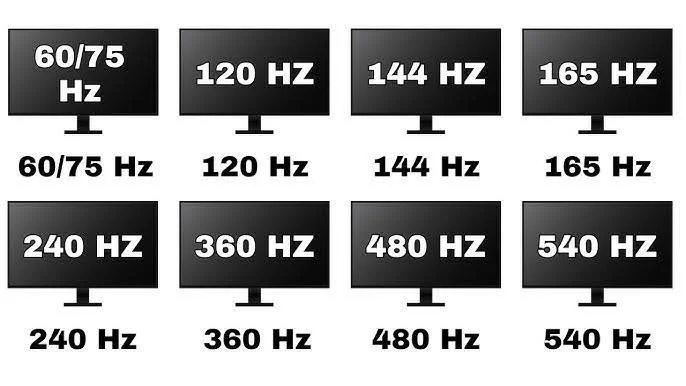
Every gaming monitor ad these days brags about 144Hz, 165Hz, or even 240Hz, which can make a plain 60Hz display feel almost embarrassing by comparison. But 60Hz was the standard for decades, and it did not get there by accident.
Whether 60Hz is good enough for you really comes down to what you use your screen for. For a huge chunk of everyday computer use, it genuinely is fine. For certain kinds of gaming, it is a real limitation worth understanding before you decide to upgrade or stick with what you have.
- 60Hz is perfectly adequate for office work, web browsing, streaming video, and most single-player gaming.
- Fast-paced competitive gaming is where the gap between 60Hz and higher refresh rates becomes most noticeable.
- Higher refresh rates mainly improve motion clarity and reduce perceived input lag, not image sharpness or color.
- Most people notice a meaningful difference jumping from 60Hz to 120-144Hz, with smaller gains beyond that point.
What Refresh Rate Actually Controls
Refresh rate measures how many times per second a monitor redraws its image, expressed in Hertz. According to Wikipedia’s refresh rate article, this is purely a display timing spec, separate from resolution, color accuracy, or panel technology.
A 60Hz monitor redraws the screen 60 times per second, which works out to a new frame roughly every 16.7 milliseconds. Higher refresh rate monitors simply redraw more frequently, a 144Hz panel updates roughly every 6.9 milliseconds, cutting the gap between frames by more than half.
Where 60Hz Genuinely Holds Up Fine
For a large share of computer usage, 60Hz is not a compromise at all, it is simply enough:
- Office work and productivity: spreadsheets, documents, email, and browsing do not involve fast motion, so higher refresh rates add little to nothing here
- Streaming video: most streaming content is filmed and delivered at 24, 30, or 60fps, meaning a 60Hz display already matches or exceeds the source material
- Casual and slower-paced gaming: story-driven RPGs, strategy games, and simulation titles rarely benefit much from refresh rates beyond 60Hz
- General web and social media use: scrolling feels a bit smoother at higher Hz, but it is far from essential for basic browsing comfort
Our guide on which gaming monitor size is best touches on how screen size and use case together shape what specs actually matter for your setup, refresh rate included.
Where 60Hz Starts to Show Its Age
The picture changes for fast-motion content and competitive gaming, where the extra frames a higher refresh rate monitor can show translate into real, measurable advantages.
Competitive and Fast-Paced Games
In shooters, racing games, and fighting games, a higher refresh rate means:
- Less motion blur during fast camera movement or quick turns
- More visual information per second, which can translate into spotting an opponent or reacting a fraction of a second sooner
- A generally “smoother” feel that many players describe as easier to track fast-moving objects with
RTINGS’ testing on this exact question, published in their piece on how much refresh rate actually matters, notes that the jump from 60Hz to 120Hz or 144Hz produces the most noticeable improvement in perceived smoothness and motion clarity, with returns diminishing at even higher refresh rates for most viewers.
Modern Consoles Pushing Past 60fps
Current-generation consoles like the PS5 and Xbox Series X support 120fps modes in a growing number of titles specifically because faster refresh rates noticeably improve responsiveness in fast games. A 60Hz display caps that experience at 60fps regardless of what the console can output, similar to the situation covered in our related piece on how many Hz a gaming monitor should have.
60Hz vs Higher Refresh Rates: Side by Side
| Use Case | 60Hz | 120-144Hz+ |
|---|---|---|
| Office/productivity | Fully adequate | Minor comfort improvement |
| Video streaming | Matches most source content | No meaningful benefit |
| Single-player/story games | Generally fine | Nice to have, rarely essential |
| Competitive shooters | Noticeable disadvantage | Meaningful advantage |
| Fast racing/fighting games | Visible motion blur | Clearer motion tracking |
Fact Check: A common myth is that the human eye “can’t see past 60fps.” Multiple display testing outlets have shown that most people can reliably perceive differences well beyond 60Hz, particularly in fast motion scenarios, which is exactly why the entire high refresh rate monitor market exists and continues to grow.
Cost and Practical Tradeoffs
60Hz monitors remain some of the most affordable options on the market, and that price gap is a legitimate reason to stick with one if your usage does not demand more:
- 60Hz panels are generally the cheapest tier across most sizes and resolutions
- Higher refresh rate panels, especially at 1440p or 4K resolution, often carry a real price premium
- A higher refresh rate also demands more from your GPU to actually reach those frame rates in games, meaning the monitor upgrade alone does not guarantee a smoother experience without the hardware to back it up
How to Decide for Your Situation
- Stick with 60Hz if: you mainly do office work, browsing, streaming, or play slower-paced single-player games, and you want to save money
- Upgrade past 60Hz if: you play competitive multiplayer games regularly, you own a console or PC capable of higher frame rates, or you simply notice and dislike motion blur during fast scenes
Does VRR Make 60Hz Feel Better Than It Sounds
Variable Refresh Rate technology, explained on Wikipedia’s VRR page, allows a monitor to sync its refresh rate to the incoming frame rate in real time rather than redrawing at a fixed interval. Even on a 60Hz panel, VRR support (like FreeSync or G-Sync Compatible) can noticeably reduce screen tearing and stutter compared to a basic 60Hz display without it.
That said, VRR on a 60Hz monitor still cannot push the display past its 60fps ceiling. It smooths out the experience within that range, it does not turn a 60Hz panel into a 120Hz one. If your frame rates regularly exceed 60fps, VRR alone will not recover the extra smoothness a genuinely higher refresh rate panel would provide.
Eye Comfort and Long Viewing Sessions
An often overlooked angle: some people report noticing less eye fatigue on higher refresh rate displays during long sessions, particularly when the content involves a lot of scrolling or motion, like reading long documents or browsing image-heavy feeds. This is not universal and is harder to quantify than motion clarity in games, but it is a reason some office workers choose to upgrade past 60Hz even without gaming as a factor.
- 60Hz is not inherently harmful to eye comfort for most users during typical daily use
- Some individuals are more sensitive to motion judder and may prefer higher refresh rates even for non-gaming tasks
- If you already experience eye strain, factors like screen brightness, blue light, and viewing distance are typically bigger contributors than refresh rate alone
Frequently Asked Questions
1. Is 60Hz good enough for everyday computer use?
Yes, for office work, browsing, and video streaming, 60Hz is generally more than adequate since most of that content is not fast-motion and does not benefit significantly from a higher refresh rate.
2. Is 60Hz good enough for gaming?
It depends on the genre. Slower-paced single-player games hold up fine at 60Hz, but competitive multiplayer games and anything involving fast camera movement benefit noticeably from 120Hz or higher.
3. What is the biggest upgrade jump from 60Hz?
Testing from display review outlets consistently shows the jump from 60Hz to 120Hz or 144Hz produces the most noticeable improvement in motion smoothness, with smaller, more marginal gains beyond that point for most viewers.
4. Can my eyes even tell the difference above 60Hz?
Yes. The idea that human vision caps out at 60fps is a myth, most people can perceive smoother motion at higher refresh rates, especially in fast-moving content like competitive games or quick camera pans.
Perceived differences in refresh rate can vary between individuals and specific content, your own experience may differ depending on the games or applications you use most.


