

VR is unforgiving about dropped frames, so leave headroom above the headset minimum instead of buying right at it. Among the best prebuilt gaming PCs for VR, the STORMCRAFT i5 14400F RTX 5060 TI pairs Intel i5-14400F with RTX 5060 Ti 8GB, and the STORMCRAFT RTX 5060 TI is the lower-cost pick.
Recommended by Us
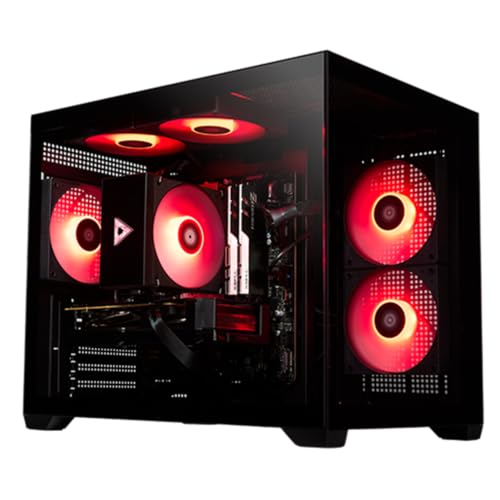
STORMCRAFT Sirius RTX 5060Ti Gaming PC
- RTX 5060Ti GPU includes 8GB of GDDR7 memory
- Generous 32GB RAM configuration
- Fast 1TB Gen 4 NVMe storage
- Five ARGB fans and a tempered side panel
- Built-in Wi-Fi and Bluetooth with included peripherals
- The listing inconsistently identifies the 14700F as Core i7 in the title and Intel i5 in the feature text
- Uses DDR4 3200MHz memory rather than newer DDR5
- The 1TB drive may require expansion for especially large media and game libraries

STORMCRAFT Sirius RTX 5060 Ti Desktop
- Capable RTX 5060 Ti graphics for 1080p and 1440p gaming
- 10-core Intel processor supports gaming, streaming, and multitasking
- Fast 1TB NVMe storage provides useful capacity for a game library
- Wi-Fi, Bluetooth, keyboard, and mouse are included
- 16GB of RAM offers less multitasking headroom than a 32GB configuration
- Uses DDR4 memory rather than newer DDR5
- The listing does not specify the power supply, cooling hardware, or exact port selection

YEYIAN Mirage S RTX 5080 Gaming PC
- High-end RTX 5080 graphics with 16GB GDDR7
- Fast 32GB DDR5 6000MHz memory configuration
- Spacious 2TB NVMe Gen4 SSD
- 360mm liquid cooler and six ARGB system fans
- Modern Intel Z890 motherboard platform
- Wireless connectivity is not specified in the listing
- Front and rear port selection is not detailed
- The Core Ultra 7 265KF lacks integrated graphics, so display output depends on the dedicated GPU
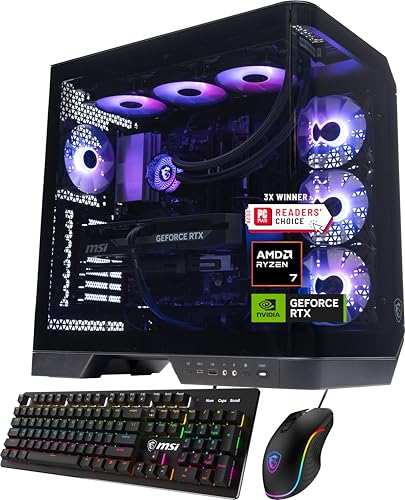
MSI Vision ZS Ryzen 7 9800X3D Gaming PC
- High-end Ryzen 7 9800X3D gaming processor
- RTX 5070 graphics with 12GB GDDR7 and DLSS 4 support
- Generous 32GB DDR5 memory and 2TB NVMe storage
- 360mm AIO liquid cooling included
- Wi-Fi 6E and VR-ready capability
- At 46.8 pounds, the desktop may be cumbersome to move.
- The listing does not specify the power supply wattage or port selection.
- Windows 11 Home is included rather than Windows 11 Pro.
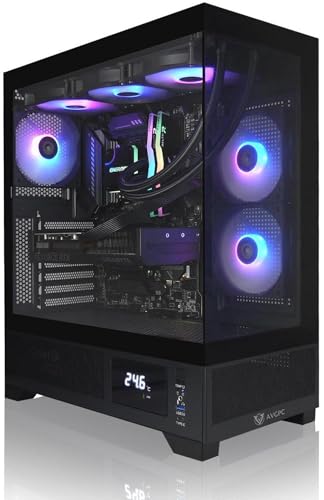
AVGPC Whirlwind RTX 5070 Gaming PC
- Strong gaming-focused Ryzen 7 7800X3D and RTX 5070 configuration
- Generous 32GB DDR5 memory and 2TB NVMe storage
- 360mm liquid cooler and 850W Gold-rated power supply
- Two open memory slots are listed for future expansion
- Includes wireless connectivity and gaming peripherals
- The exact graphics card manufacturer is not identified beyond being a major brand
- Wi-Fi is listed as WiFi/AC rather than a newer Wi-Fi 6 or Wi-Fi 7 standard
- The listing conflicts on case color, describing a white case while the title and specification identify black
What Matters Most for VR
VR places a sustained load on the graphics card because the system must render detailed views for a headset while keeping motion responsive. A strong GPU with performance headroom is therefore the first priority. The CPU also matters, especially in simulation-heavy experiences and when background applications are open. A balanced gaming desktop can usually serve conventional monitor gaming and VR well. Our overview of gaming PC specs explains how the major components work together.
Worth knowing: Check that the PC has the display and USB ports required by your specific headset. Port type, location, and availability can affect setup even when the core hardware is powerful enough.
For most buyers, extra spending produces the clearest VR benefit when it goes toward the graphics card. More GPU memory can also help with demanding visual settings and high-resolution headsets. A fast modern CPU reduces the chance that processor-heavy scenes will hold back the graphics card. Memory and storage complete the package: enough RAM helps games coexist with launchers, voice chat, and browsers, while a roomy NVMe SSD keeps a larger library readily available. Cooling and power delivery should suit the hardware rather than merely look impressive.
Quick Answers
Do CPU cores or clock speed matter more?
Both matter, but they help in different ways. Strong per-core speed benefits gaming, while additional cores are useful for streaming, content creation, and demanding background tasks. An eight-core gaming processor is already a capable foundation, while higher core counts suit heavier mixed workloads.
How much memory provides useful headroom?
For a new performance-focused system, 32GB is a comfortable target. It leaves room for a VR game, headset utilities, voice chat, browser tabs, and other applications without making memory management a constant concern. Our prebuilt upgrade guide covers later expansion.
Can one graphics card handle monitor gaming and VR?
Yes. A strong gaming GPU can power both workloads, although the ideal tier depends on headset resolution, visual settings, and the games being played. More graphics performance provides useful headroom, particularly when moving to higher resolutions or demanding visual effects.
How important are SSD capacity and speed?
Games, recordings, and creative project files can consume storage quickly. An NVMe SSD gives the operating system and applications responsive access to data, while a larger capacity reduces how often files must be removed. The systems here provide either one or two terabytes of SSD storage.
Things That Do Not Matter as Much
- RGB lighting changes appearance, not VR performance. Choose it for style, but prioritize the GPU, CPU, memory, cooling, and connectivity first.
- A large glass case can look attractive, but airflow, component clearance, and sensible fan placement are more relevant to sustained operation.
- Bundled keyboards and mice are convenient starter accessories, but they should not determine which internal hardware configuration you select.
- Extremely high CPU core counts are unnecessary for gaming alone, though they can help creators who render, encode, or multitask heavily.
Our proprietary parts overview explains why standard components may matter for later changes.
Quick Picks by Situation
- Best overall: YEYIAN RTX 5080 pairs an RTX 5080 16GB GDDR7 with 32GB DDR5 and a 2TB SSD.
- Best strong-GPU alternative: STORMCRAFT RTX 5060 TI combines an RTX 5060Ti 8GB GDDR7 with 32GB DDR4 memory.
- Best value: STORMCRAFT i5 14400F RTX 5060 TI offers an RTX 5060 Ti, Intel i5-14400F, and 1TB NVMe SSD.
- Best alternative brand: msi RTX 5070 includes an RTX 5070, 32GB DDR5, and 360mm liquid cooling.
- Best runner-up: AVGPC RTX 5070 combines RTX 5070 graphics with 32GB DDR5 and a 2TB SSD.
Final Thoughts
The YEYIAN RTX 5080 is the strongest overall option here for buyers prioritizing graphics power, generous memory, and fast storage. The STORMCRAFT i5 14400F RTX 5060 TI is a sensible value-oriented alternative for less demanding setups. Before ordering, compare the chosen system’s ports with your headset and consider how much storage your game library will require.
More Options to Consider
- Panorama RX 9070 XT uses an AMD Ryzen 7 9800X3D and Radeon RX 9070 XT 16GB. Its 32GB DDR5, 2TB SSD, and ten ARGB PWM fans suit buyers wanting an AMD-based gaming system with a panoramic glass case.
- Centaurus RX 9070 XT combines a twelve-core AMD Ryzen 9 9900X with Radeon RX 9070 XT 16GB graphics. It suits gaming and creation workloads that can benefit from additional CPU cores and 32GB DDR5 memory.
- CyberpowerPC RTX 3060 is an older alternative with an Intel Core i7-12700KF and GeForce RTX 3060 12GB. Its 500GB NVMe SSD and 2TB hard drive provide separate fast and bulk storage.
FAQs
1. What PC do I need for gaming and VR?
Start with a gaming desktop that has a dedicated graphics card, a modern multicore processor, sufficient RAM, and an SSD. The graphics card should suit your headset resolution and desired visual settings, while the processor should be fast enough to support it without becoming a major limitation. Confirm display and USB connectivity against the headset manufacturer’s requirements before purchasing.
2. Is a gaming PC good for VR?
A well-balanced gaming PC is generally a good foundation for VR because both workloads rely heavily on graphics performance. VR can be particularly demanding because the computer must produce responsive visuals for a headset. The gaming label alone does not guarantee suitability, so examine the exact GPU, CPU, memory, storage, and available ports rather than relying on case styling or marketing language.
3. How much RAM is needed for VR?
Sixteen gigabytes can be workable for lighter setups, but 32GB gives a new system more breathing room. That added capacity is useful when a game runs alongside headset software, voice chat, launchers, a browser, or streaming tools. Memory capacity is only one part of the system, however, and extra RAM cannot compensate for an underpowered graphics card.
4. Is the CPU or GPU more important for VR?
The GPU usually has the greatest direct effect on visual performance, resolution headroom, and graphics settings. The CPU remains important because it handles game logic, simulation work, background tasks, and data preparation for the graphics card. For a dedicated gaming and VR computer, choose a strong GPU first and pair it with a modern processor that keeps the overall configuration balanced.
5. How much should I spend on a PC for VR?
The appropriate budget depends on the headset, target resolution, preferred settings, and whether the computer will also handle streaming or creative work. Mid-range systems can suit less demanding use, while premium graphics cards provide more visual headroom. Do not spend heavily on decorative extras at the expense of the GPU or storage. Our prebuilt PC costs article explains the main pricing tiers.









