

Expanding storage on a modified PlayStation console allows you to keep an extensive homebrew collection and disc dumps ready without filling internal space. Finding the best external hard drives for jailbroken PS5 systems comes down to USB reliability, high capacity, and steady transfer rates. A dependable drive ensures your data remains safe and readily accessible.
Recommended by Us

- True plug-and-play operation requires no software installation
- Compatible across both Windows and Mac platforms
- Lightweight and compact profile fits easily into laptop bags or pockets
- Generous 2TB capacity in a pocket-sized form factor
- Transfer speed figures are not stated in the official specifications
- Mechanical HDD technology provides standard rather than solid-state transfer speeds
- Includes an 18-inch cable which may feel short for desktop tower setups
- Simple drag-and-drop file management with automatic system recognition
- Versatile compatibility spanning desktop computers, laptops, and gaming consoles
- Lightweight and compact profile measuring under 0.6 inches thick
- Includes 1-Year Rescue Service for data recovery assistance
- Transfer speed figures are not stated in the official specifications
- Requires reformatting for full compatibility with macOS
- Included 18-inch cable may be short for some desktop configurations

Seagate 5TB Game Drive for PS4 & PS5
- Officially licensed matching firmware for PlayStation consoles
- Huge 5TB capacity stores a massive game collection
- Play PS4 games directly without taking up internal console storage
- Compact and lightweight build for easy transport
- Cannot play PS5 titles directly from external hard drives due to console architecture
- Specific transfer read and write speeds are not detailed in the manufacturer specifications
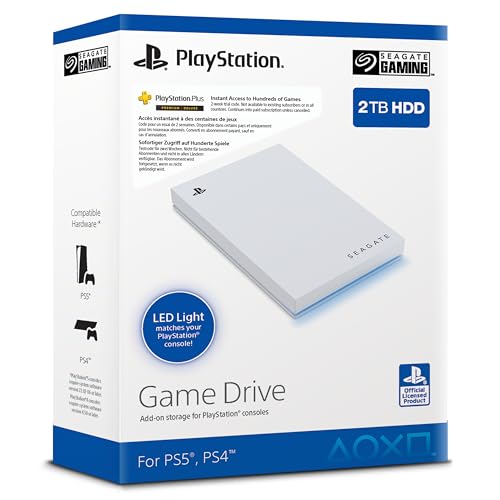
Seagate 2TB Game Drive SSD for PS4/PS5
- Officially licensed with dedicated firmware for PlayStation consoles
- Large 2TB capacity eliminates the need to constantly delete games
- Very lightweight at under 0.37 pounds for easy transport
- Integrated LED lighting adds a stylish console accent
- Specific read and write transfer rates are not stated in manufacturer specifications
- Relies on a standard USB 3.0 interface rather than faster USB-C or Gen 2 connections
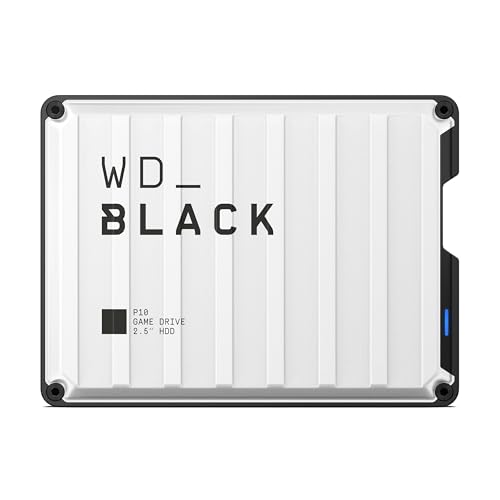
- Huge 6TB capacity holds extensive game collections
- Portable and lightweight design at just 0.55 pounds
- Up to 130MB/s speeds optimize console game backups
- Works seamlessly with PlayStation and PC gaming hardware
- Connection interface standard is not specified in the listing
- Mechanical drive transfer rates are inherently slower than solid state drives
- Huge 5TB capacity inside a portable handheld form factor
- Simple drag-and-drop workflow with no software installation required
- Wide compatibility across computers and popular gaming consoles
- Includes an 18-inch USB 3.0 connection cable
- Specific read and write speeds are not provided in the manufacturer data
- Utilizes a standard USB 3.0 cable rather than a modern native USB-C connection
- Mechanical hard drive technology offers slower data access than solid-state drives

Seagate 5TB Game Drive for PlayStation
- Officially licensed integration ensures smooth compatibility with PS4 and PS5
- Massive 5TB storage space fits dozens of large modern installations
- Plays PS4 titles directly without occupying internal console storage
- Rapid plug-and-play setup requires no extra tools or complex formatting
- PS5 games must be copied back to internal storage before playing
- Exact transfer speeds are not specified in the official product data
Matching Storage Capacity to Your Gaming Library
When selecting external storage for a modified console setup, raw capacity and steady connection stability matter far more than flashy extras. Mechanical drives remain the standard choice here because they offer tremendous space per dollar for storing heavy file archives. If you plan to amass an enormous collection of disc dumps, homebrew tools, and packages, I would go with the WD_Black 6TB P10. It offers transfer rates reaching up to 130MB/s, provides a durable portable enclosure, and includes a three-year limited warranty supported by Western Digital.
For users who want console-matched aesthetics on their desk, I would point to the Seagate 5TB Game Drive because of its matching PlayStation styling and distinctive blue LED accent lighting. If you do not require multiple terabytes of backup space and prefer a lighter package, the Seagate 2TB Game Drive provides a compact footprint for quick homebrew deployment. Before finalizing your drive choice, reviewing what is the difference between HDD and SSD can help you decide whether spinning platters or solid-state speeds align best with your console routine.
FAQs
1. What file system format should I use for external storage on a modified PS5?
Most modified systems require external drives formatted in exFAT or FAT32 to recognize custom payloads, homebrew applications, and game archives properly. Formatting directly on a PC via exFAT is usually recommended because it handles file sizes greater than 4GB without issues. This ensures all your game dumps and installers transfer smoothly without unexpected file splitting errors.
2. Can I run PS5 games directly from an external hard drive?
Even on modified consoles, native PS5 titles require high-speed internal NVMe storage to launch due to architecture constraints. External USB drives serve primarily as cold storage for archiving your installations or for playing legacy PS4 titles directly. You can quickly move your archived games back to internal storage whenever you wish to play them.
3. Do USB 3.0 external drives provide adequate speed for homebrew files?
Yes, standard USB 3.0 interfaces provide plenty of bandwidth for copying installers, running emulators, and loading backward-compatible games. While an SSD might offer faster boot times, learning when did SSDs come out illustrates how mature mechanical drives have become for affordable mass storage. External hard drives deliver reliable throughput for every everyday task.
4. Should I compress backup files before storing them on an external drive?
Compressing archives can save physical drive space, but the console cannot always decompress custom packages on the fly during installation. Understanding the nuances of file compression, as detailed in our guide on whether should you compress an SSD drive, helps preserve performance and prevents unnecessary read overhead. Leaving raw backup files intact ensures maximum software compatibility.
Editor’s Verdict
When searching for the best external hard drives for jailbroken PS5 consoles, spacious capacity and reliable connectivity are the top priorities. The WD_Black 6TB P10 stands out as my primary choice for massive libraries, while the Seagate 5TB Game Drive delivers excellent PlayStation-themed styling. Either drive will give you dependable room for all your homebrew software and game backups.





