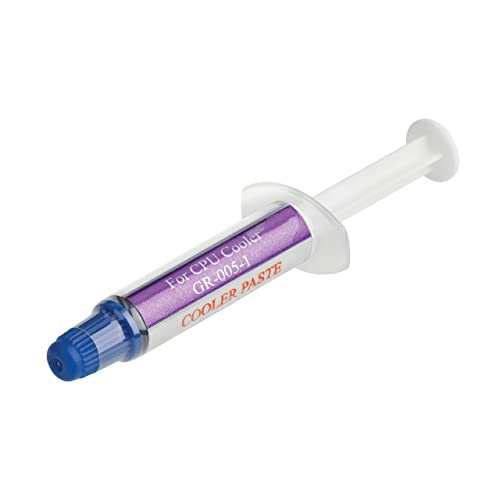
Thermal paste fills tiny imperfections between a processor and its cooler, helping heat move into the heatsink instead of lingering at the chip. The Best Thermal Pastes for Desktop CPU make maintenance less stressful, especially if you follow the basic steps in how to repaste a CPU before opening the case.
Recommended by Us

BSFF 1.8g Thermal Paste with Toolkit
- Includes a toolkit alongside the thermal paste
- Compatible applications are clearly named for CPUs, GPUs, ICs, and heatsinks
- 1.8g quantity is clearly stated
- Compact option for basic repasting projects
- Thermal conductivity is not specified
- Electrical conductivity information is not specified
- The listing does not describe the paste formulation or toolkit contents

COXBYTE TG-25 Thermal Paste 2g
- High 13.8W/m-K thermal conductivity is clearly stated in the listing.
- Non-conductive design is suitable for users who prefer to avoid electrically conductive compounds.
- Works across CPU and GPU use cases, including desktops, laptops, and servers.
- Syringe and spatula are included.
- The listing does not specify the paste formulation or viscosity.
- A 2g syringe may be limiting for frequent rebuilds or multiple large systems.
- No detailed technical specifications beyond the headline claims are provided.
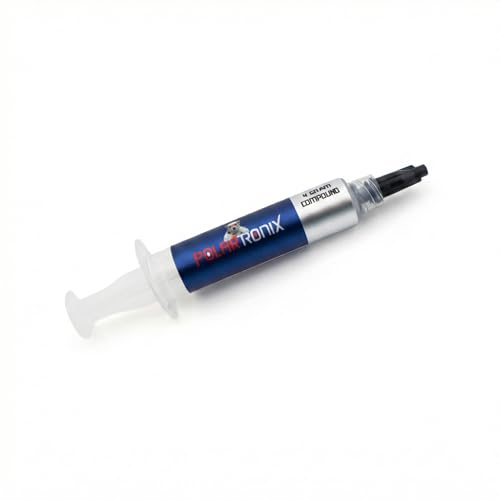
- Lists a high 12.8W/mk thermal conductivity rating
- Non-conductive and non-corrosive claims suit cautious PC maintenance
- 4 Gram quantity is more substantial than a single-use amount
- Compatible listing scope includes CPUs, GPUs, and laptops
- Made in USA
- No application tool or spreader is listed
- The listing does not specify paste consistency or curing requirements
- No detailed technical specifications beyond conductivity, safety claims, and quantity are provided

ARCTIC MX-6 4g Thermal Paste
- Compatible with a broad range of CPU, GPU, laptop, and console uses
- Non-conductive formulation is clearly stated
- 4 g package provides a practical amount for multiple projects
- Long durability is highlighted in the product title
- No numeric thermal conductivity rating is provided
- The listing does not specify included application tools
- Viscosity and curing details are not listed

Thermal Grizzly Kryonaut 1g
- Made for demanding applications and overclocking
- Works across CPU, GPU, PS4, PS5, and Xbox maintenance
- Includes both wet and dry cleaning wipes
- Convenient 1 gram amount for a single targeted application
- Thermal conductivity is not specified in the listing
- Electrical conductivity and compound type are not listed
- The 1 gram quantity may be limited for multiple systems or frequent repasting

Thermal Grizzly Kryonaut 1 Gram
- Marketed specifically for demanding thermal applications
- Compatible use cases listed for CPU, GPU, PS4, PS5, and Xbox
- Compact 1 Gram format suits single-system maintenance
- Strong enthusiast-oriented positioning for overclocking
- Thermal-conductivity rating is not specified in the listing
- Electrical-conductivity information is not specified
- A 1 Gram quantity may be limiting for users servicing several systems

Corsair TM30 Thermal Paste 3g
- Supports both CPU and GPU thermal-paste applications
- Includes an applicator
- Ultra-low thermal impedance is stated in the product title
- Clearly labeled 3-gram package
- Thermal-conductivity rating is not specified in the provided listing
- Electrical conductivity information is not specified
- The provided data does not describe the compound's consistency or cure behavior
Which Paste Fits Your Desktop Build
I would focus on a non-conductive compound with a consistency you can apply cleanly. If you are replacing the paste during a cooler swap, check whether CPU coolers come with thermal paste first, since some include a pre-applied layer. ARCTIC publishes information about its cooling products on its official site.
- For a dependable all-round option, I would go with ARCTIC MX-6, since it is non-conductive, designed for long durability, and suitable for CPUs as well as graphics cards and consoles.
- For a higher-conductivity formula with a generous syringe, I would point desktop builders toward COXBYTE TG-25. Its non-conductive formula, included spatula, and stated long service life make it approachable for first-time repasting.
- For enthusiasts working with demanding CPU or GPU setups, I would choose Thermal Grizzly Kryonaut. It is made for high-performance applications and includes a syringe and spatula for controlled spreading.
FAQs
1. How often should I replace desktop CPU thermal paste?
Replace it when you remove the cooler, when the existing compound has dried out, or when temperatures become unusually high after other cooling issues are ruled out. A quality paste can last for years, but service intervals vary with heat exposure, workload, and the compound used.
2. Do I need new paste if my CPU cooler already has some applied?
Usually, no. A cooler with an intact pre-applied layer is ready to install, but once the cooler has been mounted and removed, use fresh compound rather than reusing the old imprint. Our explanation of coolers that include thermal paste covers what to expect.
3. What is the easiest way to apply thermal paste?
Clean both contact surfaces, then place a small amount in the center of the CPU unless the paste maker gives different instructions. Mount the cooler evenly and avoid lifting it afterward. This CPU repasting walkthrough explains the cleanup and installation process.
4. Can desktop CPU thermal paste also work on a GPU?
Many conventional, non-conductive compounds are suitable for both CPUs and GPUs, provided the manufacturer lists both uses. GPU disassembly is more involved because of thermal pads and delicate connectors, so take extra care before opening a graphics card. See whether GPUs come with thermal paste for more context.
Editor’s Verdict
For most builders, Best Thermal Pastes for Desktop CPU means choosing a safe, durable compound that is easy to apply rather than chasing exotic materials. I would start with ARCTIC MX-6 for versatile use, while COXBYTE TG-25 is a sensible option when you want a high-conductivity, non-conductive formula.