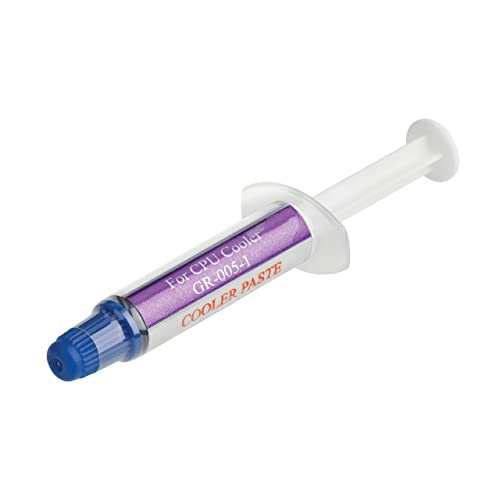
To repaste a CPU, remove the cooler, clean off the old paste with isopropyl alcohol and a lint-free cloth, apply a small fresh amount to the CPU, and reinstall the cooler. Most CPUs benefit from repasting every two to three years, or sooner if temperatures have climbed for no clear reason.
- Repaste every two to three years, or when temperatures rise unexplained.
- Clean off all old paste before applying new paste.
- A pea-sized dot in the center is enough for most coolers.
- Reinstall the cooler evenly to spread the paste correctly.
When to Repaste
- It’s been two to three years since the last application
- Idle or load temperatures have crept up with no other clear cause
- You’re removing the cooler for any other reason, such as cleaning or an upgrade
- You bought a used PC or CPU and don’t know its history
If temperatures are already a concern, rule out other causes first in CPU overheating, since dust and airflow are just as common a culprit as old paste.
What You Need
- Fresh thermal paste, such as Noctua NT-H2 or Arctic MX-6
- Isopropyl alcohol, ideally 90% or higher
- Lint-free cloths or coffee filters
- A screwdriver matching your cooler’s mounting hardware
Step by Step
1. Power down and remove the cooler
Shut down, unplug the PC, and remove the cooler following its specific unmounting steps, the reverse of how to install a CPU cooler.
2. Clean off the old paste
Dampen a lint-free cloth with isopropyl alcohol and wipe the CPU’s surface and the cooler’s base until no residue remains. Let both dry fully before continuing.
3. Apply fresh paste
Place a small pea-sized dot in the center of the CPU. Don’t spread it manually; the cooler’s mounting pressure does that for you.
4. Reinstall the cooler
Lower the cooler straight down onto the CPU without twisting, then tighten the mounting screws evenly in a crossing pattern to spread pressure uniformly.
5. Test the result
Boot up and run a CPU stress test, comparing temperatures to before the repaste.
Tip: if temperatures don’t improve after a repaste, check that the cooler’s mounting pressure is even and that all screws are tightened to a similar depth on each corner.
Frequently Asked Questions
How often should I repaste my CPU?
Roughly every two to three years for most paste types, or sooner if temperatures rise without another clear cause.
Does repasting a CPU void the warranty?
Generally no, since removing a cooler is a normal, expected maintenance task, unlike opening a sealed GPU cooler shroud.
Can I repaste a laptop CPU?
Sometimes, but it requires more disassembly and voids some warranties. It’s more involved than a desktop repaste and best left to someone comfortable opening a laptop.
How much thermal paste should I use?
A pea-sized dot in the center of the CPU is enough for most air and liquid coolers. More isn’t better and can actually reduce contact quality.
Frequently Asked Questions
How often should I repaste my CPU?
Roughly every two to three years for most paste types, or sooner if temperatures rise without another clear cause.
Does repasting a CPU void the warranty?
Generally no, since removing a cooler is a normal, expected maintenance task, unlike opening a sealed GPU cooler shroud.
Can I repaste a laptop CPU?
Sometimes, but it requires more disassembly and voids some warranties. It’s more involved than a desktop repaste and best left to someone comfortable opening a laptop.
How much thermal paste should I use?
A pea-sized dot in the center of the CPU is enough for most air and liquid coolers. More isn’t better and can actually reduce contact quality.