

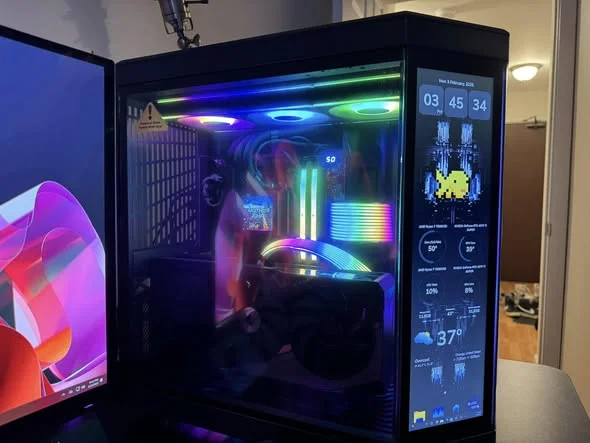
At this price, the best prebuilt gaming PCs under $350 are older Core i5 and Xeon systems with an entry-level graphics card, so keep expectations to esports and older games. The STGAubron RX 560 gives the best balance, with the STGAubron RX 550 a close second.
Recommended by Us

STGAubron Gaming PC with Radeon RX 550
- Includes 16GB of DDR4 memory and SSD storage
- Wi-Fi, Bluetooth 5.0, and wired Ethernet are all listed
- Comes with an RGB keyboard and mouse
- Four RGB fans add lighting and active airflow
- Windows 11 Home 64-bit is included
- The Radeon RX 550 is an entry-level graphics card and may require reduced settings in demanding modern software
- The listing does not identify the exact Xeon E5 model or generation
- Power supply specifications and internal expansion options are not provided

STGAubron Gaming PC i7 Xeon, RX 560
- Solid entry-level GPU and CPU combo suitable for casual gaming and productivity
- Generous RAM and SSD storage eliminate bottlenecks for everyday use
- RGB peripherals and lighting included; no need to buy separately
- Comprehensive connectivity with Wi-Fi, Bluetooth, HDMI, and DisplayPort
- Lifetime technical support provides ongoing assistance
- Xeon E5 is older server-class hardware; newer consumer CPUs offer better gaming performance per dollar
- RX 560 is entry-level and will struggle with demanding AAA titles above 1080p
- PSU wattage and case size not specified in listing
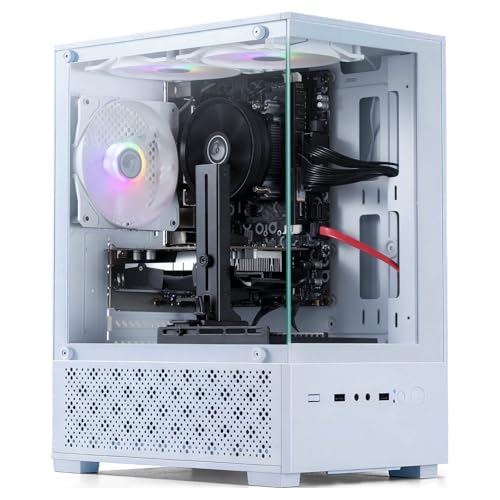
Tisukisu Core i5 Gaming PC with R7 350
- Includes dedicated AMD graphics with 4GB of video memory
- Comes with 16GB of RAM and a 512GB SSD
- Offers HDMI, DisplayPort, DVI, Wi-Fi, and eight USB ports
- Includes four RGB fans and matching gaming peripherals
- Windows 11 Home 64-bit is preinstalled
- The exact Intel Core i5 generation and model are not specified
- The Radeon R7-350 is better aligned with entry-level gaming than demanding modern workloads
- The listing does not specify the RAM type, SSD interface, motherboard, or power supply

STGAubron Core i5 GTX 750Ti Gaming PC
- Includes 16GB of memory and a 512GB SSD.
- Wi-Fi 6, Bluetooth 5.2, Ethernet, HDMI, and DisplayPort are listed.
- RGB keyboard and mouse are included.
- Two RGB fans and ARGB lighting add visual customization.
- Suitable for entry-level gaming and a broad range of everyday computing tasks.
- The GTX 750Ti is an older entry-level graphics card and may require reduced settings in demanding modern games.
- The listing does not identify the Core i5 generation or exact processor model.
- Power supply specifications and memory type are not listed.

HP RGB Gaming Desktop i5-6500 16GB 512GB
- Complete bundle with RGB peripherals already included
- Fast SSD storage standard, no hard drive bottleneck
- Solid RAM capacity for multitasking and light workloads
- Renewed product offers savings versus new at this spec level
- Modern connectivity with Wi-Fi and Bluetooth 5.0
- GT 1030 is entry-level and not suitable for demanding AAA gaming
- Sixth-generation i5 is aging; newer models offer better performance per dollar
- No upgradeable component details provided in listing
What a Gaming PC Around $350 Can Do
At this price point, you’re working with older hardware. Most systems use Intel Core i5 processors from the 6th and 7th generation, or Xeon E5 chips, paired with entry-level dedicated graphics cards like the AMD RX 550, RX 560, NVIDIA GT 1030, or GTX 750 Ti. These combinations are built to run older games, competitive esports titles, and newer games at lower settings and resolution. They won’t handle the latest AAA titles at high settings, but they’re capable enough for a budget gamer’s needs.
The real limitation isn’t the GPU in most cases, but the CPU generation. These older processors handle multitasking and streaming reasonably well, but they lack the raw power of modern chips. If you’re planning to play demanding single-player games or competitive shooters at high framerates, you’ll want to adjust your expectations. For office work, schooling, video calls, and light creative tasks, these systems perform smoothly. Check out our guide on what gaming PC specs you need to understand whether this tier fits your use case.
What to Expect at This Price
Here’s the breakdown of typical components in systems at this budget level:
| Component | What You Get |
|---|---|
| CPU | Older quad-core Intel Core i5 (6th-7th gen) or Xeon E5 up to 3.6 GHz |
| GPU | Dedicated entry-level: AMD RX 550, RX 560, NVIDIA GT 1030, or GTX 750 Ti |
| RAM | Usually 16GB DDR4, sometimes DDR3 |
| Storage | 512GB SSD, occasionally 256GB on budget models |
These systems are built from older or refurbished stock, so condition varies between listings. Some come with RGB lighting, gaming peripherals, and extra case fans, while others arrive as bare towers. Always check the seller’s description of the item condition, return window, and included accessories before purchasing. Our article on prebuilt PC warranties explains what coverage typically comes with budget builds.
Heads up: Systems in this price range are mostly older or refurbished hardware, so check the seller’s return window and warranty terms before buying.
How to Choose a Budget Prebuilt
Picking the right system means knowing what matters most at this price tier. Here’s what to focus on:
Check the Graphics Card
The GPU makes the biggest difference for gaming performance at this budget. A dedicated graphics card, even an older entry-level one, vastly outperforms integrated graphics. Look for dedicated cards like the RX 550, RX 560, GT 1030, or GTX 750 Ti. Avoid any listing that only mentions integrated graphics, no matter how affordable it seems.
The CPU generation matters less than you might think at this price. An older Core i5 with a dedicated GPU will outgame a newer Core i5 with only integrated graphics. The GPU is where your gaming capability lives, so prioritize listings that spell out a dedicated graphics card model.
Older Parts and Condition
Budget prebuilts under $350 often use refurbished or older stock systems. This isn’t necessarily bad, but it means condition varies. Some arrive in like-new condition, while others show signs of use. Check the listing’s description carefully for any mention of condition (new, refurbished, renewed, used).
The seller’s return window is your safety net. Look for a return period of at least 30 days so you have time to test the system and verify everything works. Our guide on upgrading prebuilt PCs also covers what to inspect when your system arrives.
Power Supply and Upgrades
Older office-style cases often come with small power supplies, typically in the 300W to 400W range. This is adequate for the entry-level GPUs in these systems, but it limits future upgrades. If you think you might swap in a more powerful GPU later, look for systems with at least a 400W PSU.
Check the case design too. Some budget builds use proprietary parts or compact chassis that make upgrades difficult. Our article on proprietary parts in prebuilt PCs goes deeper into this issue and helps you spot potential problems.
Included Extras
Many budget prebuilts bundle a gaming keyboard, mouse, and mouse pad. Some even include a monitor or additional fans. These extras can add significant value beyond the hardware itself. Compare listings not just on specs, but on what’s in the box. A bundle worth thirty dollars in peripherals might make a slightly slower system the better choice overall.
RGB lighting is common at this price tier and comes on the case, fans, or both. It’s purely aesthetic but popular with budget gamers. Factor in whether you care about the look of your setup when comparing similar specs across different brands.
Who Should Buy Which System
- Best overall: STGAubron RX 560 – Xeon E5 processor with the stronger RX 560 GPU for solid entry-level gaming performance.
- Best entry pick: STGAubron RX 550 – Affordable Xeon E5 system with RX 550 graphics and DDR4 RAM, great for new gamers on a tight budget.
- Best for Windows 11 out of the box: Tisukisu R7 350 – Core i5 with Windows 11 preloaded, AMD R7 350 GPU, and a complete accessory bundle including mouse pad.
- Strongest GPU: STGAubron GTX 750 Ti – Core i5 paired with the GTX 750 Ti, the most capable GPU in this price range for older and esports games.
- Best for RGB and a newer-brand GPU: HP RGB GT 1030 – Intel Core i5-6500 with NVIDIA GT 1030, extensive RGB lighting, and brand-name reliability from HP.
Final Thoughts
The best prebuilt gaming PCs under $350 balance older processors with dedicated entry-level GPUs, making them capable for esports, older games, and light creative work. The STGAubron RX 560 stands out as the best overall choice, delivering solid all-around performance, while the STGAubron RX 550 offers the best value for those just starting out. Check the seller’s return policy and condition description before committing, since most systems in this tier use refurbished or older components.
More Options to Consider
- DeXwtzfn Prebuilt Desktop Computer – Newer 7th gen Core i5 with RX 550 graphics and a 400W PSU, offering modern CPU architecture without sacrificing budget.
- STGAubron Core I5 RX 560 – Core i5 paired with the stronger RX 560 GPU, Wi-Fi 6 connectivity, and four RGB fans for a modern feature set at this price.
- Kroteaup Gaming PC Desktop Computer – Budget-friendly Core i5 system with R7 350 graphics and DDR3 RAM, including a complete gaming accessory bundle with keyboard, mouse, and mouse pad.
FAQs
1. Can you get a gaming PC for under $350?
Yes, several prebuilt gaming PCs fall in this price range. They use older processors and entry-level dedicated graphics cards, making them suitable for esports titles, older games, and general computing tasks. You won’t get the latest high-end gaming experience, but you’ll have a genuine gaming PC with a dedicated GPU rather than integrated graphics.
2. Are cheap prebuilt gaming PCs with older parts worth buying?
It depends on your needs and expectations. If you’re playing esports games, editing photos and videos, or learning to game, these systems deliver solid value. They’re also a low-risk way to enter PC gaming without a major financial commitment. Just verify the condition, return policy, and warranty terms before purchase.
3. What games can a GT 1030 or GTX 750 Ti run?
Both GPUs handle esports titles smoothly and can run many older AAA games at lower settings. Competitive games built for broad compatibility run particularly well. Newer demanding titles will require compromised settings or lower resolution, but the GPU is fundamentally capable for gaming rather than just productivity.
4. Is it better to build a PC for this budget?
Building a PC at this price is challenging because labor costs and component sourcing become harder at the lower end. Prebuilts offer convenience and sometimes bundle valuable peripherals included in the price. However, if you enjoy building and have access to used parts, custom building could give you more control. Read our article on prebuilt vs custom PC for a detailed comparison.
5. Can I upgrade a cheap prebuilt gaming PC later?
Yes, but with limits. Most budget prebuilts have small power supplies and compact cases that restrict which components you can add. RAM and storage are usually upgradeable, but a GPU upgrade might require a PSU upgrade too. Before buying, check whether the PSU wattage and case design would accommodate your future plans.









