Building around a large radiator takes more planning than choosing a case that simply looks good. The best PC case for water cooling needs suitable mounting space, sensible airflow, and enough access for installation and maintenance. Our overview of PC cases for airflow provides extra context on ventilation.
Recommended by Us
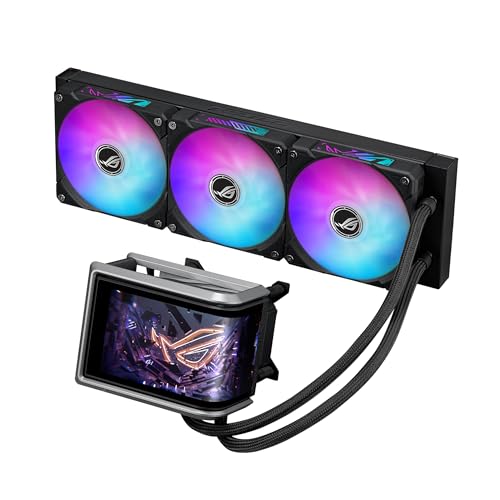
ASUS ROG Ryuo IV 360mm AMOLED Cooler
- Large, movable AMOLED display with extensive content customization
- 360mm cooling format paired with an Asetek Gen8 V2 pump
- Simplified fan cabling through a pre-installed daisy-chain design
- Front and side ARGB illumination through Aura Fan Edge
- Compatible with current Intel and AMD desktop platforms
- The 360mm radiator requires a case with suitable mounting space
- The 133 x 105 x 137mm water block and display assembly is relatively substantial
- Display content management and hardware-monitoring customization rely on companion software
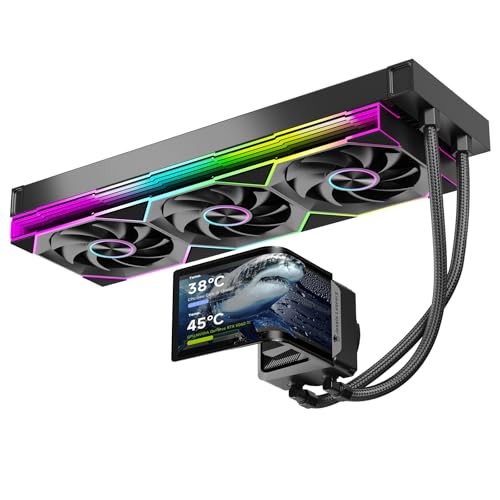
Jungle Leopard Chill Arc 360mm AMOLED AIO
- Unusually large, high-resolution AMOLED display
- Compatible with current Intel and AMD desktop sockets
- High stated 320W TDP cooling capacity
- ARGB lighting can synchronize with major motherboard ecosystems
- Complete installation kit and manual are included
- A 360mm radiator requires a compatible case with sufficient mounting space
- The listing does not provide measured thermal or acoustic performance
- Display software requirements and supported monitoring data are not detailed

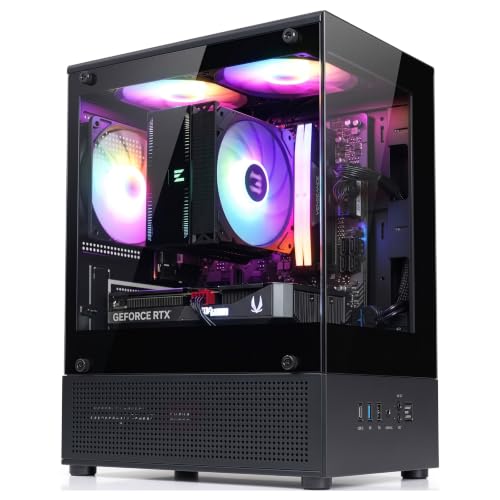
darkFlash DS900 ATX Panoramic Case
- Distinctive dual-tempered-glass panoramic presentation
- Four PWM ARGB fans are preinstalled
- Extensive fan and 360mm radiator support
- Includes a front I/O Type-C connection
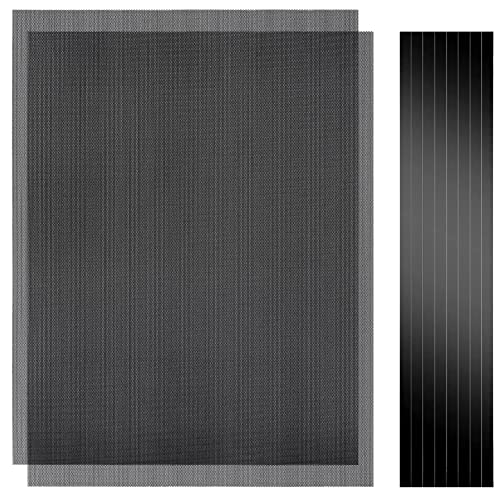
- Dust filters and an anti-slip base add practical convenience
- RGB hub controller is not included
- Maximum GPU clearance is not specified
- Supported fan sizes are not listed

Cooler Master TD500 Mesh ATX Case
- Four 120mm ARGB fans are included
- FineMesh front panel balances airflow with dust protection
- Front and top 360mm radiator support offers cooling flexibility
- Removable top panel can simplify component installation
- Includes convenient front USB-C connectivity
- Exact maximum GPU length is not listed
- No detailed CPU cooler or power supply clearance is provided
- Large exterior dimensions may require more desk or floor space
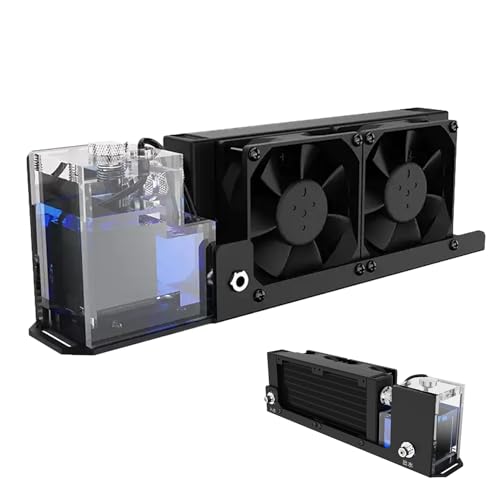
- Combines a reservoir, pump, cooling row, and two fans in one system
- Uses widely recognized G1/4 threaded connections
- Strong stated pump flow of 600L/H
- Bottom mounting slots support screw-based installation
- Accepts a listed 100-240V input through the supplied US-plug power arrangement
- Case compatibility, overall dimensions, and required installation clearance are not listed
- The power information requires careful reading because the listing mentions 100-240V while warning that the module itself must receive 12V at more than 2A
- No CPU water block, tubing, fitting inventory, or coolant details are specified
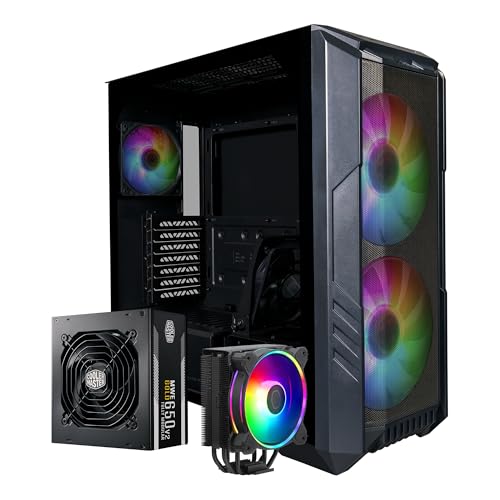
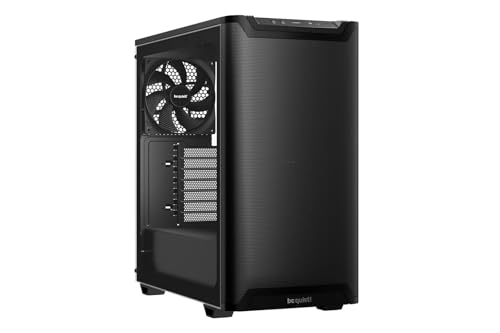
Cooler Master HAF 500 Pro ATX Bundle
- Several ARGB fans are included with the case
- Mesh front panel supports an airflow-focused configuration
- Tempered-glass side panel provides a clear view of internal components
- Supports ATX and E-ATX motherboards within the stated dimensions
- Front USB Type-C and two USB 3.2 Gen 1 ports provide useful connectivity
- At 31 pounds, the bundle may be cumbersome to move before installation
- The 650W power supply may not suit every high-power GPU and CPU combination
- The listed Hyper 212 Halo recommendation specifies non-K Intel Core i7 processors

- Versatile enough for computer and industrial liquid-cooling applications
- Twelve coolant pipes provide broad heat-exchange coverage
- Aluminum fin construction keeps weight to 1240g
- Supports a 120x120 fan installation format
- Black finish suits many PC cooling builds
- Large 440 x 140 x 80mm outer dimensions require careful clearance checks
- The listing does not specify fitting size or thread type
- Fan quantity and detailed compatibility information are not clearly stated
Choosing the Right Case for Your Cooling Setup
For most builders, I would point first to the Cooler Master TD500 Mesh. Its mesh front panel helps air reach the internal components, while support for a 360mm radiator at the front or top gives you flexibility when positioning an AIO or planning a larger cooling layout. The removable top panel should also make radiator and fan installation less awkward. If you are unsure whether your components will fit comfortably, our explanation of PC case sizes covers the main chassis categories.
If displaying the hardware matters as much as cooling capacity, the darkFlash DS900 is the one I would consider. It combines a panoramic glass layout with support for a 360mm radiator and up to ten fans, plus four included PWM ARGB fans. For buyers who also need a power supply and CPU air cooler, I would look at the Cooler Master HAF 500 bundle. Its case supports a top-mounted 360mm radiator, long graphics cards, and several included fans. Tom’s Hardware also covers PC cooling and case design for readers who want broader technical background.
FAQs
1. What radiator size should a water-cooling case support?
A 360mm radiator is a practical choice for powerful desktop builds, but the correct size depends on your cooler and components. Check whether the case supports that radiator at the top, front, or both, because mounting position can affect fan placement, cable routing, and clearance around the motherboard.
2. Is a mesh front panel better for liquid cooling?
A mesh front panel generally allows less restricted intake airflow than a closed front panel, which can help a front-mounted radiator receive fresh air. Glass-focused cases can still work well when they provide side, bottom, or top ventilation and enough fan mounts to maintain a clear airflow path.
3. Should I mount a radiator at the top or front?
A top-mounted radiator commonly works as an exhaust, helping warm air leave the case, while a front-mounted radiator can draw cooler outside air through the radiator. The better position depends on case clearance, GPU length, tubing orientation, and the other fans in the system. Always follow the cooler manufacturer’s installation instructions.
4. How much clearance does a water-cooled build need?
Allow room for the radiator and fans together, not just the radiator length listed by the case maker. You should also check motherboard heatsinks, memory height, GPU dimensions, tubing bends, and cable access. Case dimensions vary considerably, as explained in our article about PC case manufacturing.
5. Are included case fans enough for water cooling?
Included fans can provide a useful starting point, but their placement matters as much as the total. A balanced layout should bring cool air in and move warm air out without leaving the radiator starved for airflow. Confirm whether your radiator includes its own fans before deciding whether additional case fans are necessary.
Editor’s Verdict
For the best PC case for water cooling, I would choose the Cooler Master TD500 Mesh for its flexible 360mm radiator placement, mesh intake, and removable top panel. The darkFlash DS900 is a strong alternative when panoramic presentation and extensive fan support are higher priorities.