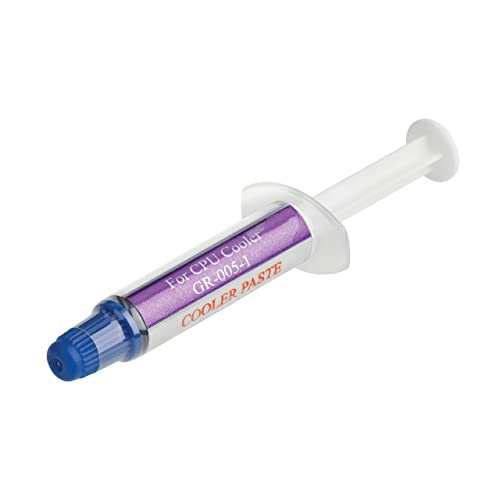
Most CPUs do not include a separate tube of thermal paste in the box. However, many boxed CPUs, especially budget and mid-range models, include a stock cooler with thermal paste already applied to its base, so you don’t need to buy paste separately if you’re using that cooler.
- The CPU chip itself does not come with a tube of paste.
- A bundled stock cooler usually has paste pre-applied.
- High-end CPUs without a bundled cooler need paste bought separately.
- Reapply fresh paste any time you remove a cooler.
What’s Actually in the Box
A boxed retail CPU typically includes the chip itself, a small manual or warranty card, and, for many models, a stock cooler. That stock cooler is the part that comes with paste, applied as a gray pad or film on its base, ready to install without buying anything extra.
When You Need to Buy Paste Separately
- Your CPU is a high-end model sold without a bundled cooler, common on Intel’s K-series and many higher-end AMD chips
- You’re using an aftermarket air or liquid cooler instead of the stock one
- You’re reinstalling a cooler you’ve already used, since the old paste needs replacing
- You’re upgrading or reseating the CPU, covered in how to upgrade a CPU
Good aftermarket paste, such as Noctua NT-H2 or Arctic MX-6, costs relatively little and lasts several applications.
How to Check What You Have
Look at the base of your cooler, comparing it against reference photos such as those in Noctua’s NT-H2 product page. A gray or silver pre-applied pad or thin film means paste is already there and ready to use. A bare metal or copper surface with no coating means you’ll need to apply paste yourself before installing it, as covered in how to install a CPU.
Tip: pre-applied paste on a stock cooler is designed for one use. If you remove the cooler later, don’t reuse that same layer, apply fresh paste before refitting it.
Does It Matter Which Paste You Use?
If you’re curious how your own cooler is performing, run a CPU stress test and compare against what CPU temp is too high.
For most builds, any reputable paste performs within a degree or two of another under normal use. It matters more with a serious overclock or a high-end CPU running hot, where premium paste can make a small but measurable difference. For ordinary use, the stock paste on a bundled cooler is perfectly adequate.
Frequently Asked Questions
Do all CPUs come with a cooler?
No. Many high-end and unlocked CPUs are sold without a bundled cooler, so you need to buy one separately along with paste if the cooler doesn’t include it.
Is pre-applied thermal paste good enough?
Yes, for normal use. It performs adequately for most builds and only tends to fall short under heavy overclocking or very high-end setups.
Can I reuse thermal paste from a stock cooler?
No. Once a cooler has been removed, the paste has already done its one-time job. Clean it off and apply a fresh layer before reinstalling.
How much thermal paste should I use?
A small pea-sized dot in the center of the CPU is enough for most coolers. The pressure from mounting the cooler spreads it evenly.
Frequently Asked Questions
Do all CPUs come with a cooler?
No. Many high-end and unlocked CPUs are sold without a bundled cooler, so you need to buy one separately along with paste if the cooler doesn’t include it.
Is pre-applied thermal paste good enough?
Yes, for normal use. It performs adequately for most builds and only tends to fall short under heavy overclocking or very high-end setups.
Can I reuse thermal paste from a stock cooler?
No. Once a cooler has been removed, the paste has already done its one-time job. Clean it off and apply a fresh layer before reinstalling.
How much thermal paste should I use?
A small pea-sized dot in the center of the CPU is enough for most coolers. The pressure from mounting the cooler spreads it evenly.