

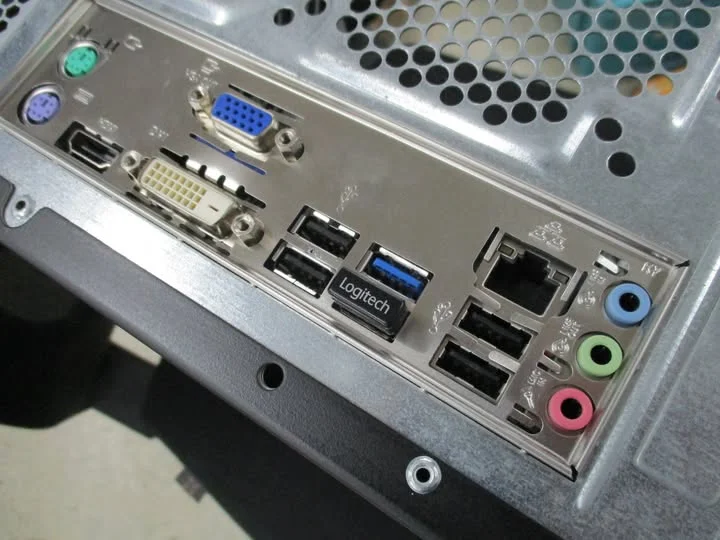
Motherboard USB ports that stop working, whether on the rear panel or the front case ports, are usually caused by outdated chipset drivers, a Windows power management setting that disables ports to save power, or a loose front panel USB header cable, rather than genuine hardware failure.
- Outdated chipset drivers are a common, easily fixed cause.
- Windows power management can disable USB ports to save power.
- Front panel USB issues are often a header wiring problem, not the ports themselves.
- Testing a known-good device rules out the device as the cause.
Rear USB Ports vs Front Panel USB Ports
Rear ports connect directly to the motherboard, while front panel ports on the case connect through an internal header cable to the board. Front panel issues are more often a cable or connection problem, while rear port issues more often point to drivers or a setting.
Common Causes and Fixes
1. Outdated or corrupted chipset drivers
Update your chipset drivers, similar to guidance from ASUS Support, following how to update CPU chipset drivers, since USB controllers are managed through this same driver package.
2. USB selective suspend or power management
Windows can power down USB ports to save energy, sometimes not waking them reliably. In Device Manager, following Microsoft’s troubleshooting steps, find each USB Root Hub, open its Power Management tab, and uncheck “Allow the computer to turn off this device to save power.”
3. Loose or incorrect front panel header cable
Reseat the case’s USB header cable into the motherboard, following front panel connectors for correct header identification, since front panel USB uses its own separate header from the basic switch and LED wires.
4. A faulty USB device, not the port
Test a different, known-good device in the same port, similar to steps from PCWorld’s troubleshooting guides, and test your original device in a different port or a different PC, to isolate whether the port or the device is actually at fault.
5. BIOS settings disabling specific ports
Check your BIOS for any USB configuration options that may have been changed, and confirm the relevant ports are enabled.
Tip: if only front panel ports fail while rear ports work fine, the issue is almost certainly the header cable or its connection, not the motherboard’s USB controller itself.
Confirm Your Board First
Check what motherboard do I have and search for known USB issues specific to your model before assuming a general fault.
When to Suspect Genuine Hardware Failure
If drivers are current, power management is disabled, the header is confirmed correctly connected, and multiple known-good devices still fail across multiple ports, physical damage to the motherboard’s USB controller is possible, though this is less common than the fixable causes above.
Frequently Asked Questions
Why did my front panel USB ports suddenly stop working?
Most often a loose or incorrectly connected header cable inside the case. Reseat it and confirm it’s on the correct motherboard header.
Can a driver update fix dead USB ports?
Yes, outdated or corrupted chipset drivers are a common cause, and updating them resolves many cases without any hardware changes.
Does Windows power management affect USB ports?
Yes, it can power down ports to save energy and sometimes fail to properly wake them. Disabling this setting per USB hub often resolves intermittent issues.
How do I know if it’s the port or my USB device?
Test a different, known-working device in the same port, and test your original device in a different port or computer, to isolate the actual cause.


