Working from coffee shops, airport lounges, or shared hotel desks often means dealing with scratchy laminates and uneven surfaces. Finding the best portable mousepads makes mobile productivity far smoother, especially when you need reliable optical sensor response away from home. While exploring whether a dedicated mouse pad makes a difference on irregular desks, having a slim surface ready in your backpack is essential.
Recommended by Us

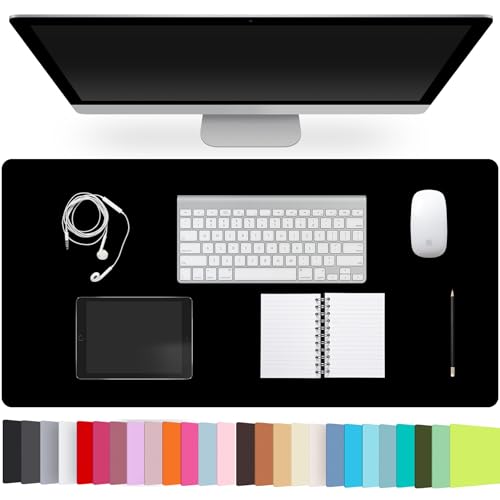
QELIROKY Ultra-Thin Mousepad 3-Pack
- Three-pad pack provides coverage for multiple computer workstations
- Stitched border prevents perimeter peeling and fraying
- Non-slip rubber underside grips desk surfaces securely
- Small, lightweight profile packs neatly into laptop carrying cases
- Compact dimensions do not accommodate wide, low-DPI mouse movements
- Specific top surface fabric weave is not detailed in manufacturer specs

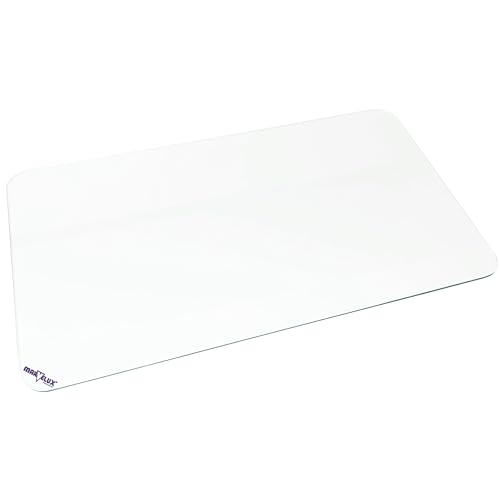
ITNRSIIET Cute Round Mouse Pad Pink Marble
- Space-saving 7.9-inch round size slips easily into laptop bags for travel
- Stitched edges enhance durability and keep borders neat
- Dense non-slip rubber base prevents unwanted shifting during use
- Spill-resistant surface handles quick wipe-downs effortlessly
- Small 7.9-inch diameter limits sweep room for low-sensitivity gaming
- Circular shape offers less usable surface area than rectangular pads
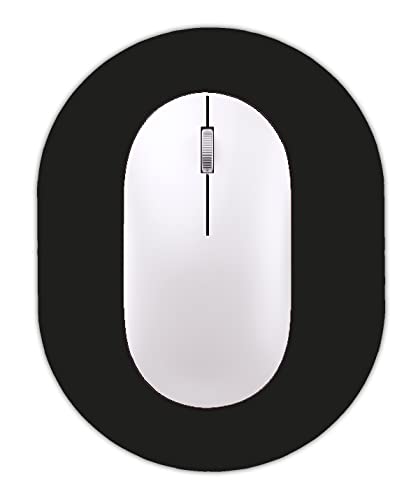
- Minimal footprint fits narrow keyboard trays and small café tables
- Rubber backing stays in place during typical desktop use
- Easy to clean surface resists liquid stains and fading
- Lightweight and flexible for mobile work routines
- Too small for low-DPI gaming or large sweeping arm gestures
- Listing shows slight discrepancies between title and specification measurements

Audimi Mini Mouse Pad (6 x 8 Inch)
- Highly portable dimensions slip easily into laptop bags and sleeves
- Substantial 0.16-inch profile cushions the wrist better than typical ultra-thin travel pads
- High-grip rubber underside prevents sliding on smooth surfaces
- Smooth cloth surface supports both optical and laser tracking sensors
- Compact 8 x 6 inch surface is too small for low-DPI gaming or sweeping arm gestures
- Edge stitching is not specified in the product details
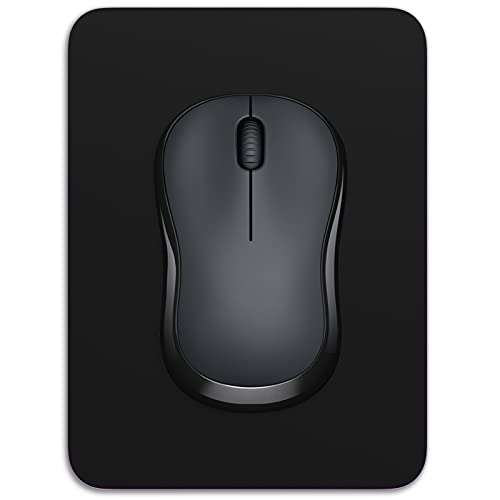
Dapesuom Small Mouse Pad
- Pocket-friendly 8 x 6 inch footprint fits tight trays and cramped desks
- Non-slip rubber base keeps the mat steady during active use
- Spill-resistant surface wipes clean quickly without fading
- Flexible, lightweight build rolls or flattens effortlessly into bags
- Small dimensions restrict sweeping mouse movements common in low-DPI gaming
- Edge stitching is not specified in the product details

Soarig 2-Pack Cloth Mouse Pad
- Includes two matching mouse pads for multi-desk or portable use
- Reinforced perimeter stitching extends edge durability
- Non-slip natural rubber base holds firmly during quick swipes
- Machine-washable cloth surface allows effortless maintenance
- Compact dimensions may feel restrictive for low-sensitivity gaming
- Slim 0.1-inch profile provides minimal wrist cushioning

CJYRHFY Mini Marble Mouse Pad
- Ideal space-saving dimensions for tight keyboard trays and standing desk converters
- Grippy 3mm rubber base prevents shifting on slick desktop surfaces
- Waterproof finish allows quick wipe-downs without color fading
- Smooth cloth top tracks reliably with various mouse sensors
- Too small for low-DPI competitive gaming sweeps
- No stitched border edges mentioned in product details
Selecting the Right Mat for Travel and Tight Desks
When packing gear for mobile work sessions, desk footprint and thickness matter much more than having an expansive surface. Frequent travelers need something that tucks into a laptop sleeve without bending out of shape. Independent peripheral coverage from PC Gamer regularly highlights how slim accessories prevent wrist strain during extended remote tasks.
For anyone setting up a workstation on cramped commuter tables, the QELIROKY Ultra-Thin 3 Pack Mousepad Set for Home is the option I would suggest. Its compact 8.6 by 7 inch dimensions easily fit onto small cafe tables, while the 0.12-inch profile slips right beside a notebook in any bag. Understanding how a mouse pad helps sensor tracking is critical on slick laminate, and the non-slip rubber base here stays firmly planted. The reinforced stitched edges also prevent fraying during transit, while the washable fabric keeps maintenance simple.
FAQs
1. Why are stitched edges important on a compact mousepad?
Stitched borders protect the outer perimeter from separating when sliding the mat into tight backpack compartments. Unstitched edges often peel after repeated friction against laptop sleeves and zippers. Reinforced stitching maintains structural integrity over months of daily travel and frequent handling.
2. Can you wash a portable mousepad when it gets dirty?
Most fabric travel mats with rubber backings can be hand washed using mild soap and lukewarm water. Rinsing away dust and oils restores the smooth tracking glide across the surface. Always let the pad air dry completely before packing it next to sensitive electronics.
3. How does mat thickness affect portability in a laptop bag?
Slim pads measuring around 0.12 inches slide effortlessly alongside laptops without adding bulk or warping under pressure. Thicker foam pads tend to crease or take up valuable room in slim briefcases. A thin rubber base still provides sufficient cushioning while keeping travel setups completely flat.
4. Does mouse sensor tracking struggle on bare public tables?
Glass, polished granite, and glossy cafe tables often cause optical sensors to stutter or skip during quick cursor movements. Checking whether a dedicated mouse pad improves tracking confirms that a consistent fabric weave provides reliable sensor readouts everywhere you work.
Editor’s Verdict
For remote professionals and busy students needing dependable tracking on the move, the QELIROKY Ultra-Thin 3 Pack Mousepad Set for Home stands out among the best portable mousepads. Its compact footprint, fray-resistant stitched edges, and stable non-slip rubber base deliver effortless transport alongside reliable control wherever you choose to set up your laptop.